1. Bubuka
The Osight SE Green Dot Sight is a compact and robust enclosed optical rifle scope designed for precision and reliability. It features a durable 7075 aluminum alloy housing and a versatile multi-reticle system. This manual provides essential information for the proper setup, operation, and maintenance of your Osight SE Green Dot Sight.
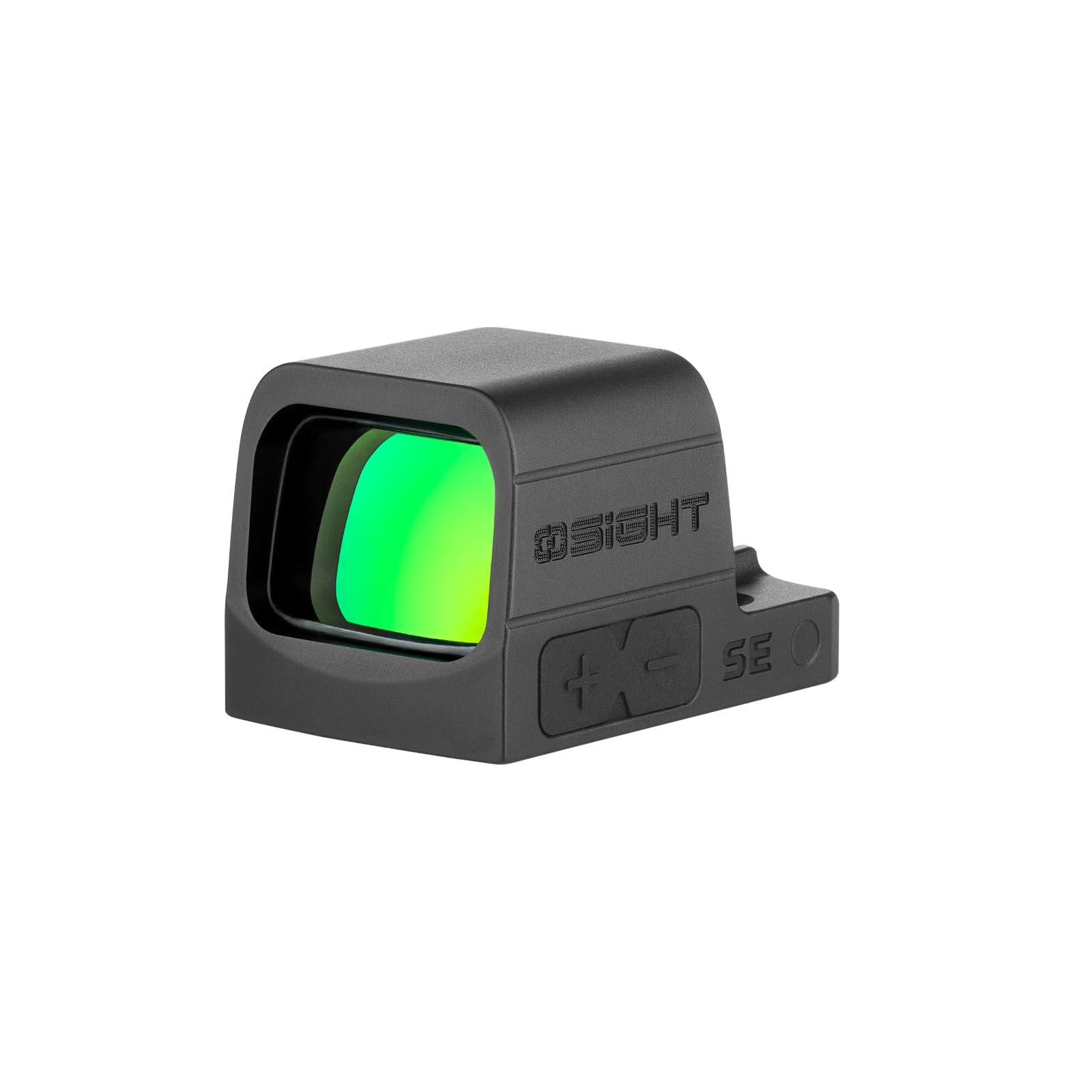
Figure 1: Osight SE Green Dot Sight. This image shows the compact design of the sight.
2. Setélan
2.1 Ngabongkar jeung Eusi
Carefully unpack your Osight SE Green Dot Sight and verify all components are present. The package should include:
- Osight SE Green Dot Sight (CR1632 battery included)
- Alat adjustment
- READ ME Card
- M3*10.5mm Screws (3 pcs)
- M3*11.5mm Screws (3 pcs)
- M4*9.4mm Screws (3 pcs)
- M4*10.5mm Screws (3 pcs)
- #6-32*0.374 inch Screws (3 pcs)
- #6-40*0.449 inch Screws (3 pcs)
- Battery Case Screws (2 pcs)
- Kotak screw
- Kain beberesih
- Manual pamaké

Figure 2: Package contents of the Osight SE Green Dot Sight. Ensure all listed items are present.
2.2 Pamasangan batré
The Osight SE features a side-loading battery compartment for easy replacement without removing the optic from its mount.
- Panggihan kompartemen batréna di sisi teropong.
- Using the provided tool or a suitable screwdriver, carefully open the battery compartment.
- Selapkeun batré CR1632 kalayan sisi positif (+) nyanghareup ka luhur.
- Tutup kompartemen batré anu aman.

Figure 3: Side-mounted battery installation. The battery can be replaced without dismounting the optic.

Gambar 4: Detil view of the side battery compartment for easy access.
2.3 Pasang Sight
The Osight SE is designed with an RMSc footprint for direct mounting to optics-ready slides. It is also compatible with Picatinny and Weaver mounts.
- Pastikeun senjata api dibongkar sareng aman.
- Align the sight with the mounting plate or slide cut.
- Use the appropriate screws from the included set to secure the sight. Do not overtighten.
- Verify the sight is firmly attached and does not wobble.

Figure 5: Mounting the Osight SE Green Dot Sight onto a firearm slide. The RMSc footprint ensures a secure fit.

Figure 6: The RMSc footprint allows for direct mounting to compatible slides, offering seamless integration.
Compatibility Table (Reference Only)
The following tables provide a reference for compatible firearms and required screws. Always consult your firearm's manual for specific mounting instructions.

Figure 7: Part 1 of the compatibility table, listing various firearm models and recommended screw sizes.

Figure 8: Part 2 of the compatibility table, providing additional firearm models and their corresponding mounting details.
3. Parentah Operasi
3.1 Power On/Off and Motion Sensor
The Osight SE features a motion sensor for automatic power management.
- The sight will automatically power on when motion is detected.
- If no motion is detected for 3 minutes, the sight will automatically power off to conserve battery.
- Any movement will reactivate the sight instantly.

Figure 9: The motion sensor automatically turns the sight on with movement and off after 3 minutes of inactivity to save power.
3.2 Reticle Selection and Brightness Adjustment
The Osight SE offers a versatile multi-reticle system and adjustable brightness settings.
- The sight features a 2 MOA dot and a 32 MOA circle reticle. You can switch between the dot, circle, or both combined for precise and rapid target acquisition.
- There are 8 daylight brightness settings and 2 night vision compatible settings to suit various lighting conditions.
- Use the '+' and '-' buttons on the side of the sight to adjust brightness and cycle through reticle options.
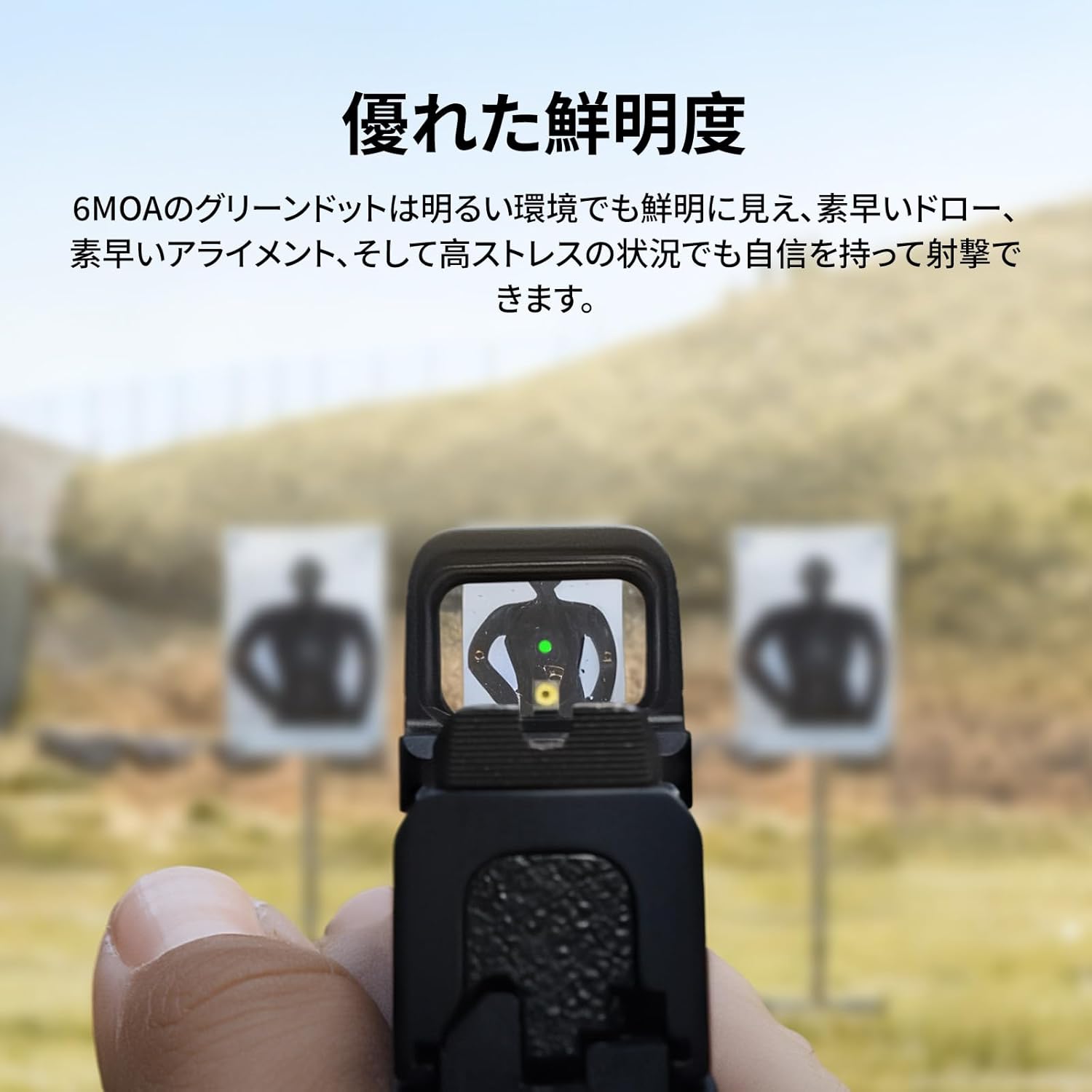
Gambar 10: View through the sight showing the green dot on a target, demonstrating excellent clarity even in bright environments.

Figure 11: The sight offers 2 MOA dot, 32 MOA circle, or both combined for versatile targeting.

Figure 12: Adjust brightness and reticle settings using the side buttons.
3.3 Ngaleungitkeun Paningal
After mounting, it is crucial to zero your sight to your firearm. Use the adjustment tool to make precise windage and elevation adjustments. The aspherical lens ensures zero distortion and parallax for accurate aiming.

Figure 13: Diagram showing the sight's dimensions and the 6 MOA green dot, highlighting its precision.

Figure 14: The ultra-low base height allows for co-witnessing with most factory iron sights.
4. Pangropéa
4.1 beberesih
To maintain optimal performance, keep the lenses clean. Use the provided cleaning cloth or a soft, lint-free cloth with lens cleaning solution. Avoid abrasive materials or harsh chemicals.
4.2 Ngagantian batré
The sight features a low battery indicator. When the battery voltage drops below 2.2V, the reticle will flash 3 times every minute, signaling that the battery needs to be replaced. Refer to section 2.2 for battery installation instructions.

Figure 15: The low battery indicator flashes the reticle to alert you when the battery needs replacement.
5. Cara ngungkulan
| Masalah | Mungkin Cukang lantaranana | Solusi |
|---|---|---|
| Reticle not visible | Batré béak atanapi dipasang kalayan teu leres. | Replace battery (see Section 4.2) or ensure correct polarity. |
| Reticle flickers or is dim | batré lemah. | Replace battery (see Section 4.2). |
| Sight does not turn on with motion | Battery depleted or motion sensor malfunction. | Ganti batré. Upami masalah tetep, hubungi dukungan palanggan. |
| Inaccurate aiming | Sight not properly zeroed or loose mount. | Re-zero the sight (see Section 3.3). Check mounting screws for tightness. |
6. Spésifikasi
| Fitur | Rincian |
|---|---|
| Modél | Osight SE GN |
| Reticle | 2 MOA Dot, 32 MOA Circle, or both |
| Warna Reticle | Héjo |
| Setélan kacaangan | 8 Daylight, 2 Night Vision compatible |
| Tipe Lénsa | Aspherical (Zero Distortion, Parallax-Free) |
| Bahan Perumahan | 7075 Aluminium Galunggung |
| Jenis Batré | CR1632 |
| Indikator Kahirupan batré | Yes (Reticle flashes below 2.2V) |
| Sénsor gerak | Sumuhun (Otomatis Hurung/Pareum) |
| Ngambah tapak suku | RMSc (Direct mount), Picatinny/Weaver compatible |
| Dimensi produk | 8 cm (L) x 6 cm (W) x 5 cm (H) |
| Beurat produk | 0.1 kg (100 g) |
| Perlindungan Lingkungan | Closed optical parts, robust against rain, dust, humidity, physical shock. (IPX7 rating implied from image) |

Figure 16: Detailed dimensions of the Osight SE Green Dot Sight.

Figure 17: The sight's closed optical system and 7075 aluminum housing provide exceptional durability and reliable performance in harsh conditions, including IPX7 water resistance.
7. Jaminan & Dukungan
For warranty information and customer support, please refer to the official Osight websitus atanapi ngahubungan pangecér Anjeun. Simpen resi pameseran anjeun salaku bukti pameseran.
8. Video produk
Osight SE Product Overview
video ieu nyadiakeun leuwih umumview of the Osight SE Green Dot Sight, showcasing its features such as the battery indicator, mounting process, and reticle options.


