Bubuka
This manual provides detailed instructions for the installation, operation, and maintenance of your NGTeco Smart Lock Z350VPN. Please read this manual thoroughly before installation and use to ensure proper function and safety.
The NGTeco Smart Lock Z350VPN is an advanced security solution featuring multiple access methods including palm recognition, face identification, fingerprint scanning, PIN code, IC card, mobile app control, and mechanical keys. It also includes a built-in video intercom system and Wi-Fi connectivity for remote management.
Komponén produk
The NGTeco Smart Lock Z350VPN package includes the following components:
- 1 x Majelis Luar
- 1 x Majelis Interior
- 1 x Mortise
- 1 x Strike Plate & Box
- 2 x Kartu IC
- 1 x Batré Litium
- 1 x Spindle
- 1 x Spindle Spring
- 1 x Silinder
- 1 x Cylinder Screw
- 2 x Mechanical Backup Keys
- 1 x Screw Kit
- 1 x Citakan Instalasi
- 1 x Pituduh Instalasi
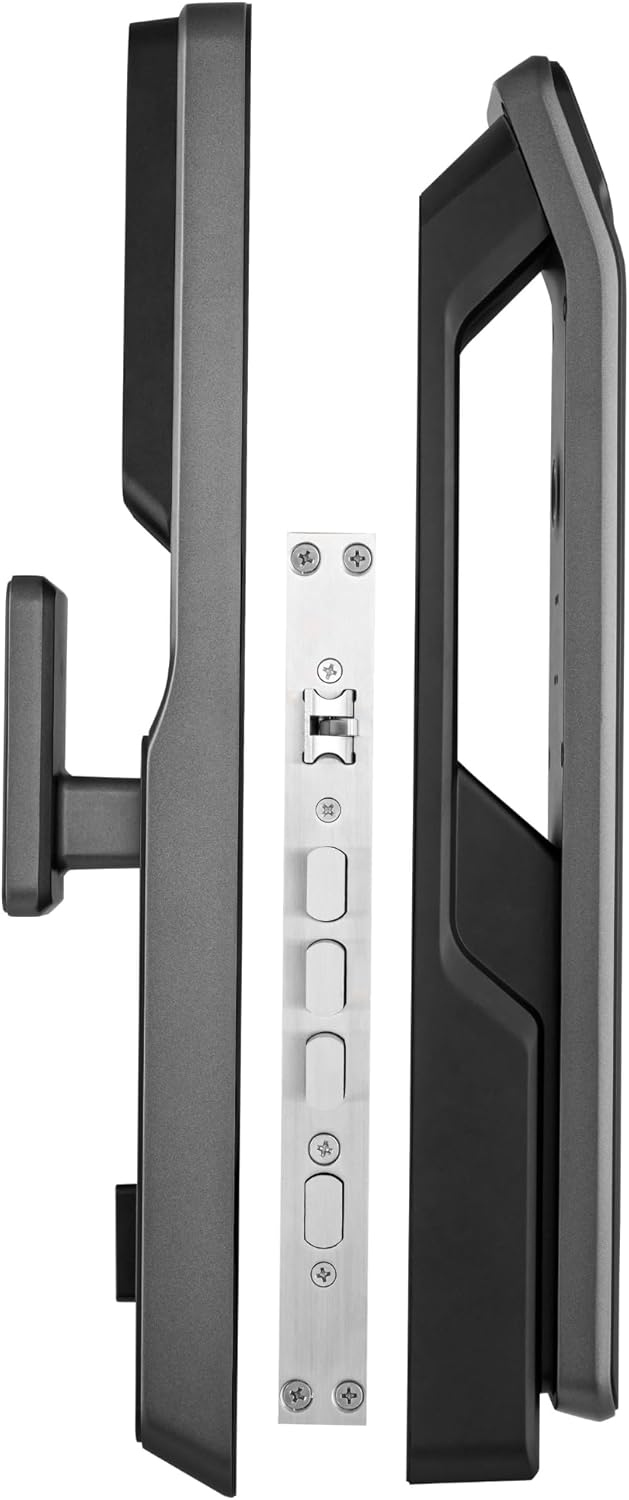
Gambar: Leuwihview of the NGTeco Smart Lock Z350VPN components, showing the exterior and interior assemblies alongside the mortise.
Setup sareng Instalasi
Persiapan Panto
Sateuacan dipasang, pastikeun panto anjeun nyumponan spésifikasi ieu:
- Ketebalan Panto: 45-60 mm
- Door Opening Directions: Supports all door opening directions
Léngkah-léngkah Instalasi
Refer to the included Installation Guide and Template for precise drilling and mounting instructions. A general overview of the installation process is as follows:
- Install the Mortise into the door edge.
- Mount the Exterior Assembly, carefully routing the connecting cables through the door.
- Connect the cables and then mount the Interior Assembly.
- Install the Strike Plate and Box onto the door frame.
- Insert the Lithium Battery into the interior assembly and secure the battery cover.
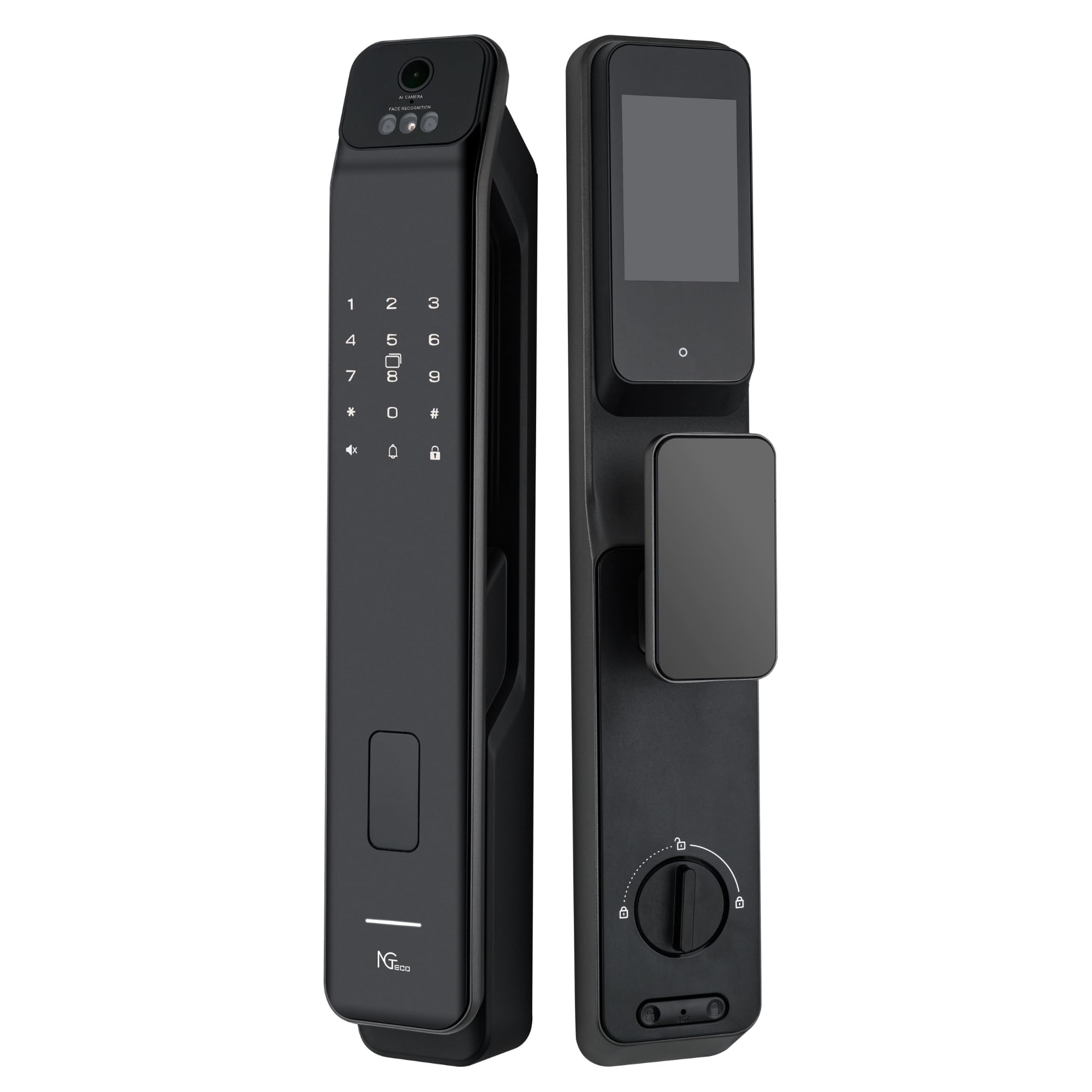
Gambar: Hareupeun view of the NGTeco Smart Lock Z350VPN exterior assembly, featuring the keypad, camera, and biometric sensors.

Gambar: Tukangeun view of the NGTeco Smart Lock Z350VPN interior assembly, showing the display screen and manual locking mechanism.
Parentah Operasi
Métode Aksés
The NGTeco Smart Lock Z350VPN offers multiple secure ways to unlock your door:
- Pangakuan Palem: Register your unique palm ID through the lock's interface for a secure, contactless entry method.
- Identifikasi Beungeut: Enroll your face ID for quick and convenient access without physical contact.
- Nyeken sidik: Register your fingerprints for rapid and reliable biometric access.
- Kodeu PIN: Create and manage secure numerical PIN codes for authorized users.
- Kartu IC: Program kartu IC anu kalebet pikeun fungsi ketok-pikeun-muka konci.
- Kontrol Aplikasi Seluler: Utilize the Wi-Fi enabled smart app for convenient remote unlocking and comprehensive access management from your smartphone.
- Konci mékanis: Two mechanical backup keys are provided for emergency access in case of power failure or other issues.
Panganteur Pidéo
The built-in video intercom system enables visual two-way audio communication with visitors at your door. This feature enhances security by allowing you to verify visitors before granting access and monitor your entrance in real-time.
Remote Management (Wi-Fi)
Connect the smart lock to your home Wi-Fi network to enable remote unlocking, monitor access logs, and manage user permissions via the dedicated mobile application. This provides flexibility and control over your home security from anywhere.

Gambar: Detil hareup view of the NGTeco Smart Lock Z350VPN, highlighting the AI camera for face recognition, the keypad, and the palm recognition sensor.
Pangropéa
Manajemén batré
The lock operates on a long-lasting rechargeable lithium battery. A low-battery warning indicator will alert you when the battery needs recharging. To recharge, remove the battery and use a compatible charger.
In case of complete battery depletion, a USB-C power interface is available for emergency power. Connect a power bank or USB-C charger to this port to temporarily power the lock and prevent accidental lockouts.
beberesih
Clean the lock's exterior surfaces with a soft, dry cloth. Avoid abrasive cleaners, solvents, or harsh chemicals that may damage the finish or electronic components. Ensure sensors (fingerprint, palm, face) are kept clean for optimal performance.
Pamérésan masalah
If you encounter issues with your NGTeco Smart Lock Z350VPN, refer to the following common troubleshooting steps:
- Konci henteu ngabales: Check the battery level. If the battery is low or depleted, recharge it or use the USB-C emergency power interface.
- Access method not working: Ensure that your palm, face, fingerprint, or PIN code has been properly registered. Clean the sensor surfaces to remove any dirt or smudges that might interfere with recognition.
- Masalah konektipitas Wi-Fi: Verify that your home Wi-Fi network is active and the smart lock is within range of your router. If problems persist, try reconfiguring the Wi-Fi settings within the mobile application.
- Intercom not functioning: Check the network connection for both the lock and your mobile device. Ensure that the lock's microphone and speaker are clear of any obstructions.
- Automatic locking not engaging: Verify that the auto-lock feature is enabled in the settings and that the door sensor is properly aligned and unobstructed.
For further assistance, consult the detailed troubleshooting section in the full Installation Guide or contact NGTeco customer support.
spésifikasi
| Fitur | Rincian |
|---|---|
| Produsén | NGTeco |
| Dimensi produk | 41 x 7.3 x 6.1 cm |
| Beurat | 4 kg |
| Batré | 1 Nonstandard Lithium Ion Battery (included) |
| Warna | Hideung |
| Jumlah Potongan | 1 |
| Fitur husus | Palm recognition, face recognition, fingerprint recognition, video intercom, Wi-Fi control, remote unlocking, USB-C emergency power, automatic locking, real-time monitoring, temporary access codes, low-battery indicator, 4-inch IPS screen |
| Tipe Konci | Biometrik |
| Dianjurkeun Mangpaat | Home security, apartment security, residential access control, visitor verification, remote access management |
| Métode kontrol | App |
Garansi sareng Rojongan
The NGTeco Smart Lock Z350VPN is manufactured according to CE standards, ensuring reliable performance and safety compliance.
For detailed warranty information, technical support, or service inquiries, please refer to the contact information provided with your purchase documentation or visit the official NGTeco websitus pikeun sumber pangrojong paling up-to-date.


