1. Bubuka
This manual provides detailed instructions for the operation and maintenance of your SWOFY M4 MP3 Player. Please read this manual thoroughly before using the device to ensure proper functionality and to maximize your user experience.
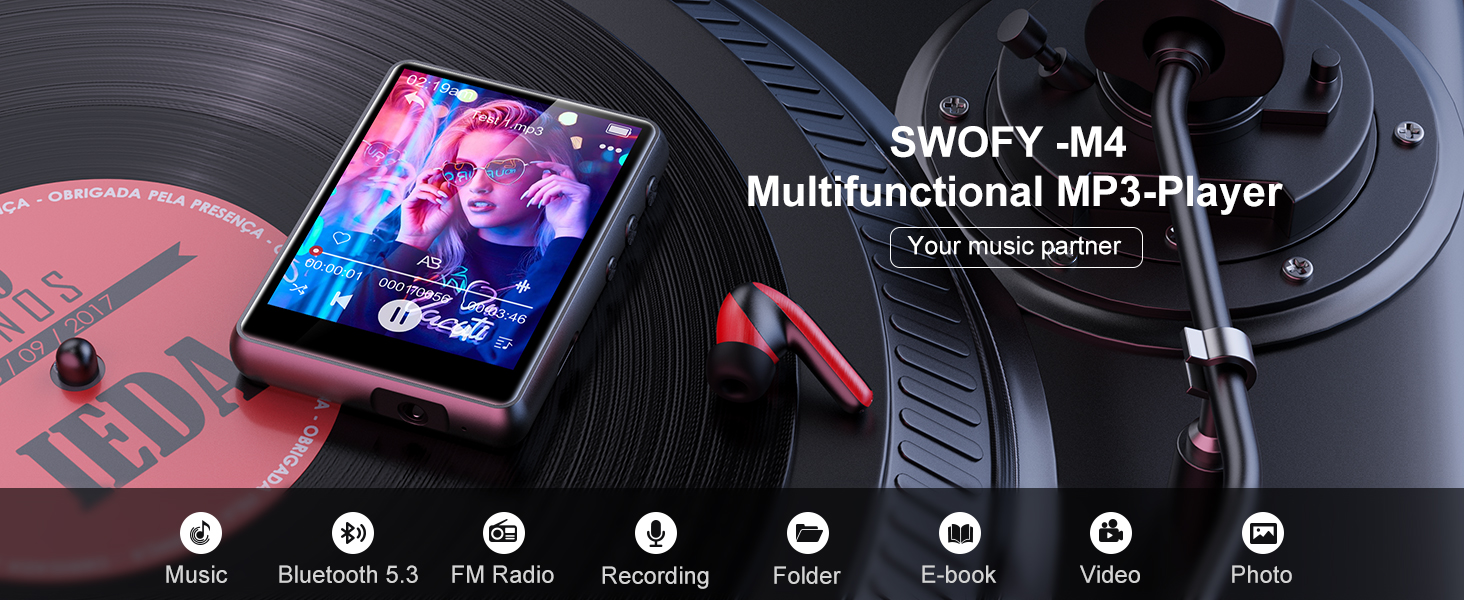
Image: The SWOFY M4 MP3 Player, highlighting its multifunctional capabilities.
2. Eusi Paket
Pastikeun yén sadaya item aya dina bungkusan:
- 1x Pamuter MP3 SWOFY M4 (64GB)
- 1x Earbud Kabel
- 1x Kabel Ngecas USB Tipe-C
- 1 x Manual Pamaké
- 1x Panutup Pelindung

Gambar: Eusi pakét Pamuter MP3 SWOFY M4.
3. Alat Leuwihview
The SWOFY M4 MP3 Player features a 2.4-inch full touch screen and a compact design. It includes a built-in speaker, FM radio, voice recorder, and supports e-books and video playback.

Gambar: Hareupeun view of the SWOFY M4 MP3 Player during music playback.
3.1 Diwangun-di Speaker
The device includes an integrated HD speaker, allowing audio playback without headphones.

Image: Highlighting the device's audio output capabilities, including its built-in speaker.
4. Setélan
4.1 Ngecas Alat
Before first use, fully charge the MP3 player. Connect the provided USB Type-C cable to the device and a power source (e.g., computer USB port or a USB wall adapter). A full charge typically takes approximately 2 hours.

Image: The MP3 player connected for charging via its USB Type-C port.
4.2 Powering on / Pareum
- To power on: Press and hold the power button until the screen illuminates.
- To power off: Press and hold the power button, then follow the on-screen prompts to shut down.
4.3 Nyelapkeun Kartu Micro SD
The device has 64GB of internal storage and supports external memory expansion up to 128GB via a Micro SD card. Locate the Micro SD card slot on the side of the device. Gently insert the Micro SD card until it clicks into place. Ensure the card is inserted in the correct orientation.

Image: Illustrates the expandable storage capability with a Micro SD card.
5. Parentah Operasi
5.1 Napigasi Dasar
The SWOFY M4 features a 2.4-inch full touch screen. Swipe left/right or tap icons to navigate through menus and select functions.
5.2 Mindahkeun Files
Connect the MP3 player to your computer using the USB Type-C cable. The device will appear as a removable disk. You can then drag and drop music, video, e-book, and other compatible files into the appropriate folders on the device or inserted Micro SD card.

Image: Demonstrates connecting the device for file mindahkeun.
5.3 Nyapasangkeun Bluetooth
The MP3 player supports Bluetooth 5.3 for connecting to Bluetooth headphones or speakers. It acts as a unilateral transmitter.
- Go to the Bluetooth settings on your MP3 player.
- Ensure Bluetooth is enabled on both your MP3 player and the target device (headphones/speaker).
- Pilih"Milarian pikeun alat" dina pamuter MP3.
- Choose your Bluetooth headphones or speaker from the list to pair.
Note: The MP3 player cannot perform Bluetooth data transmission or connect to mobile phones and computers via Bluetooth.

Image: The MP3 player paired with Bluetooth earbuds.
5.4 Puterkeun Musik
From the main menu, select the "Music" icon. You can browse music by title, artist, album, or folder. The player supports MP3, WMA, APE, FLAC, WAV, DRM, and ACELP formats.
- AB ulang: Allows repeating a specific segment of a song.
- 8 Speed Playback: Adjust playback speed.
- Ékualiser: Customize audio output.

Image: Music playback settings and options on the device.
5.5 Radio FM
To use the FM radio, connect the wired earbuds (acting as an antenna) to the device. Select the "FM Radio" icon from the main menu. You can scan for stations or manually tune to a frequency.

Image: The MP3 player showing the FM radio interface with wired headphones.
5.6 Rékam sora
Select the "Recorder" icon to access the voice recording function. Tap the record button to start and stop recordings. Recorded files are saved on the device.

Image: The MP3 player's voice recording function in use.
5.7 Maca E-book
Transfer compatible e-book files to the device. Select the "E-books" icon to browse and read your e-books.

Image: Reading an e-book on the MP3 player's touch screen.
5.8 Puterkeun Pidéo
Transfer pidéo anu cocog files to the device. Select the "Videos" icon to browse and play your videos.

Image: Video playback on the MP3 player's screen.
5.9 Gambar Viewing
Transfer compatible image files to the device. Select the "Photos" or "Gallery" icon (depending on firmware) to browse and view gambar anjeun.

Gambar: Viewing images on the MP3 player's touch screen.
5.10 Fungsi séjén
The device also includes an alarm clock and calendar functions, accessible from the main menu.
6. Pangropéa
- beberesih: Anggo kaén anu lemes sareng garing pikeun ngabersihan alat. Hindarkeun pembersih cair atanapi bahan abrasive.
- Perawatan batré: Pikeun manjangkeun umur batre, ulah miceun batre pinuh. Ngeusi batre alat sacara rutin, sanajan henteu dianggo kanggo waktos anu lami.
- Panyimpenan: Simpen alat dina tempat anu tiis sareng garing jauh tina sinar panonpoé langsung sareng suhu anu ekstrim.
7. Cara ngungkulan
| Masalah | Solusi anu mungkin |
|---|---|
| Alat teu hurung. | Pastikeun alatna tos dicas pinuh. Sambungkeun kana sumber daya teras cobian deui. |
| Teu bisa nyambung via Bluetooth. |
|
| Files not transferring to the device. |
|
| panarimaan radio FM goréng. | Ensure wired earbuds are properly connected, as they function as the antenna. Try moving to an area with better signal. |
8. Spésifikasi
| Fitur | Rincian |
|---|---|
| Ngaran modél | M4 |
| Ukuran layar | 2.4 Inches (240*320 resolution) |
| Panyimpenan internal | 64GB |
| Panyimpenan Expandable | Up to 128GB via Micro SD card |
| Konektipitas | Bluetooth 5.3, USB 2.0 (Tipe-C) |
| Batré | 300mAh Litium-ion |
| Battery Life (Wired Earbuds) | Kira-kira. 50 jam |
| Battery Life (FM Radio Recording) | Kira-kira. 7.5 jam |
| Waktu Ngecas | Kira-kira. 2 jam |
| Format Audio Dirojong | MP3, WMA, APE, FLAC, WAV, DRM, ACELP |
| Fitur husus | Built-In Speaker, Equalizer, FM Radio, Touch Screen, Video Playback, Voice Recorder, E-book Reader, Alarm Clock, Calendar, Image Viewer |
| Diménsi | 5.79 x 5.71 x 0.94 inci (Pakét) |
| Item Beurat | 6.7 ons |
9. Garansi jeung Rojongan
SWOFY offers a one-year return policy for this product. For any inquiries or assistance, please contact SWOFY customer support. We guarantee a response within 24 hours.
For further support, please refer to the official SWOFY store on Amazon: SWOFY Store


