1. Produk Langkungview
The SWOFY M4 is a portable digital music player designed for high-fidelity audio playback. It features a 2.4-inch touchscreen, 128GB of internal storage expandable via Micro SD card, Bluetooth 5.4 connectivity, an HD speaker, FM radio, E-book reader, and voice recorder functions. This manual provides instructions for setup, operation, and maintenance of your device.
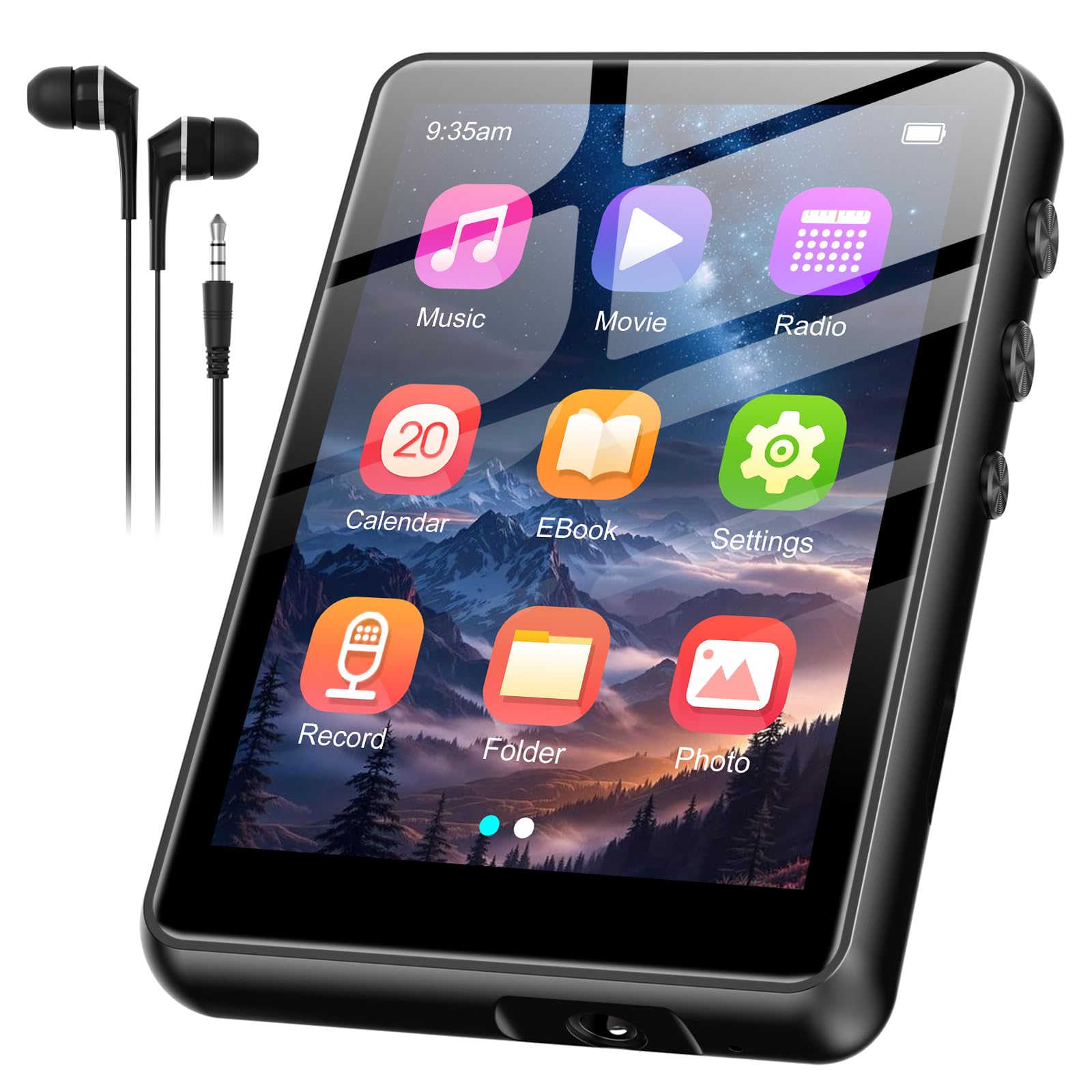
Gambar 1.1: Hareupeun view of the SWOFY M4 MP3 Player, showcasinlayar rampa 2.4 inci na.
2. Setélan
2.1. Unboxing jeung Eusi Paket
Carefully unpack your SWOFY M4 MP3 Player and verify that all components are present:
- 1x SWOFY M4 MP3 Player
- 1x Kabel USB Tipe-C
- 1x Earbud Kabel
- 1x Manual Pamaké (dokumén ieu)
- 1x Protective Cover (may vary by package)
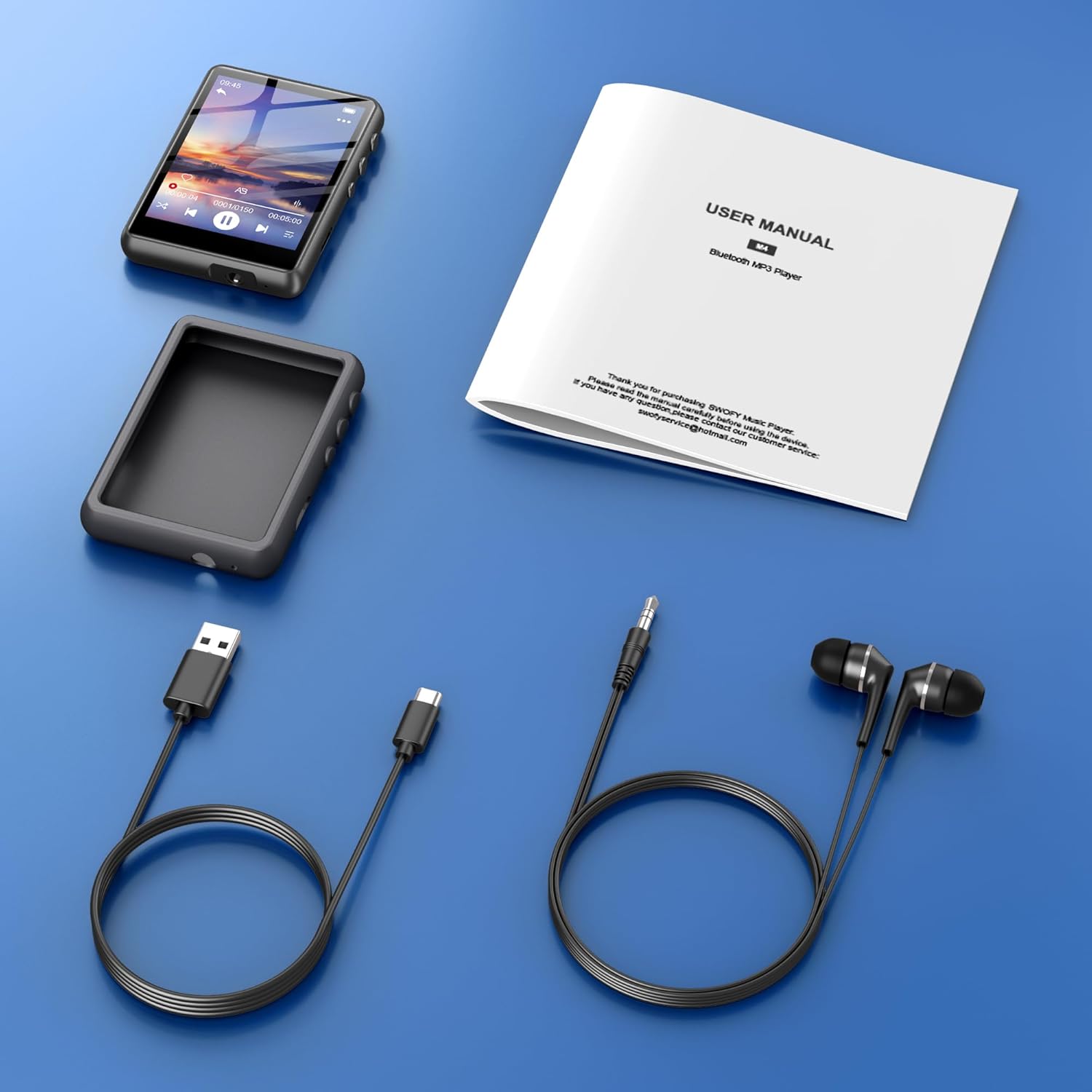
Image 2.1: Contents of the SWOFY M4 MP3 Player package, including the device, USB-C cable, wired earbuds, and user manual.
2.2. Perenah Alat sareng palabuhan
Familiarize yourself with the physical features of your MP3 player:

Image 2.2: Diagram showing the location of volume controls, power button, Type-C port, reset button, 3.5mm headphone jack, and TF card slot on the SWOFY M4 MP3 Player.
- Volume +/-: Saluyukeun tingkat kaluaran audio.
- Daya ON/OFF: Pencet jeung tahan pikeun ngahurungkeun atanapi pareuman.
- Tipe-C Port: Pikeun ngecas sareng mindahkeun data.
- Tombol Reset: Small pinhole for device reset (use a thin object).
- Jack Headphone 3.5mm: Sambungkeun headphone kabel.
- Slot Kartu TF: Lebetkeun kartu Micro SD pikeun panyimpenan anu langkung lega.
2.3. Ngecas Alat
Before first use, fully charge the MP3 player. Connect the provided USB Type-C cable to the device and a USB power adapter (not included) or a computer's USB port. A full charge typically takes approximately 2 hours and provides up to 50 hours of music playback.

Image 2.3: The SWOFY M4 MP3 Player connected to a USB Type-C cable for charging, highlighting its 300mAh battery.

Image 2.4: The SWOFY M4 MP3 Player displaying its main menu with an icon indicating 2 hours for a full charge and up to 50 hours of usage.
2.4. Transferring Music and Files
The device has 128GB of built-in memory and supports Micro SD cards up to 512GB for additional storage. To transfer files:
- Connect the MP3 player to your computer using the USB Type-C cable.
- Alat éta bakal nembongan salaku drive disk anu tiasa dicabut dina komputer anjeun.
- Drag and drop your music, video, e-book, or other compatible filekana polder anu saluyu dina pamuter MP3.
- Cabut alat tina komputer anjeun kalayan aman sateuacan nyabut kabelna.

Image 2.5: The SWOFY M4 MP3 Player displaying music playback, emphasizing its 128GB built-in storage, expandable to 512GB.
3. Parentah Operasi
3.1. Napigasi Interface
The SWOFY M4 features a 2.4-inch sensitive touchscreen for intuitive navigation. Tap icons to select functions and swipe to scroll through lists or pages.

Image 3.1: A hand interacting with the 2.4-inch sensitive touchscreen of the SWOFY M4 MP3 Player during music playback.
3.2. Puterkeun Musik
From the main menu, tap the "Music" icon to access your audio library. You can browse by artist, album, genre, or all songs. The player supports HiFi Lossless Sound quality and various formats including MP3, OGG, FLAC, AAC, WMA, WAV, and APE.

Image 3.2: A graphic promoting the HiFi Lossless Sound quality of the SWOFY M4 MP3 Player, listing supported audio formats.
During playback, use the on-screen controls for play/pause, skip tracks, and volume adjustment. The device also has a built-in HD speaker for listening without headphones.
3.3. Sambungan Bluetooth
The SWOFY M4 features Bluetooth 5.4 for wireless audio streaming to compatible headphones or speakers. To pair a Bluetooth device:
- Go to the main menu and tap the "Bluetooth" icon.
- Hurungkeun Bluetooth dina pamuter MP3.
- Pastikeun headphone Bluetooth anjeun atanapi spiker aya dina mode papasangan.
- Select your device from the list of available devices on the MP3 player's screen.
- Once connected, audio will stream wirelessly.
Note: Direct pairing to car Bluetooth systems, smartphones, or PCs is not supported.

Image 3.3: The SWOFY M4 MP3 Player displaying music playback, with graphics indicating upgraded Bluetooth 5.3 for enhanced speed and range. Note about car/smartphone/PC not supported.

Image 3.4: The SWOFY M4 MP3 Player showing Bluetooth connectivity, indicating stable pairing with headphones, speakers, and car stereos (note: car stereo pairing is generally not supported for direct file transfer, only for audio output).
3.4. Other Functions (FM Radio, Voice Recorder, E-Book, Video, Alarm Clock)
The SWOFY M4 offers a range of additional features:
- Radio FM: Tap the "Radio" icon. Connect wired headphones to act as an antenna for optimal reception.
- Rékam sora: Tap the "Record" icon to start and stop audio recordings.
- E-Buku: Tap the "E-Book" icon to read compatible text files.
- Puterkeun Pidéo: Tap the "Video" icon to watch videos. The device supports AMV and AVI formats.
- Jam alarem: Access the "Settings" menu to set alarms.

Image 3.5: The SWOFY M4 MP3 Player displaying its main menu with icons for Music, FM Radio, Folder, Bluetooth, 128GB storage, Recording, Picture, and Video functions.

Image 3.6: The SWOFY M4 MP3 Player displaying an action movie scene, indicating support for AMV and AVI video formats with HD playback.
3.5. Video Demonstrasi
Watch this video for a demonstration of navigating the music player and playing video content on the SWOFY M4.
Video 3.1: A user demonstrating the SWOFY M4 MP3 Player's interface, showing how to browse music files and play a video.
4. Pangropéa
4.1. beberesih
To clean the device, use a soft, dry, lint-free cloth. Do not use abrasive cleaners, solvents, or aerosol sprays directly on the device. Avoid getting moisture into openings.
4.2. Kaperawatan batré
The device contains a Lithium Polymer battery. For optimal battery life, avoid extreme temperatures and fully discharge and recharge the device periodically. If storing for an extended period, charge the device to about 50% before storage.
5. Cara ngungkulan
- Alat teu hurung: Pastikeun batréna geus dieusian. Sambungkeun ka sumber listrik teras cobian deui.
- Layar henteu ngaréspon: Try restarting the device. If unresponsive, locate the small reset pinhole (refer to Image 2.2) and gently press it with a thin object (e.g., a paperclip) to force a restart.
- Teu aya sora: Check the volume level. Ensure headphones are properly connected or Bluetooth is paired correctly.
- Masalah papasangan Bluetooth: Ensure both devices are in pairing mode and within range. Turn Bluetooth off and on again on the MP3 player.
- Files not appearing: Mastikeun files are transferred to the correct folders and are in supported formats.
6. Spésifikasi
| Fitur | Spésifikasi |
|---|---|
| merek | SWOFY |
| Ngaran modél | M4 |
| Kapasitas Panyimpenan Mémori | 128 GB (tiasa dilegaan dugi ka 512 GB nganggo Micro SD) |
| Ukuran layar | 2.4 inci |
| Téhnologi konektipitas | Bluetooth 5.4, USB 2.0 |
| Fitur husus | Spiker internal, Equalizer, Radio FM, Layar Toél, Putereun Pidéo, Perekam Sora |
| Alat nu cocog | Bluetooth Headphones, Personal Computer, Bluetooth Speakers |
| Jenis Média | Micro SD |
| Jenis Batré | 1 batré Litium Polimér (kaasup) |
| Item Beurat | 6.4 ons |
| Ukuran Paket | 5.87 x 5.75 x 0.75 inci |
7. Garansi jeung Rojongan
Your SWOFY M4 MP3 Player comes with a 24-month warranty. If you encounter any issues or require assistance, please contact SWOFY customer support. Refer to the product packaging or the official SWOFY websitus pikeun detil kontak husus.
Pikeun pangrojong salajengna, anjeun tiasa nganjang ka Toko SWOFY di Amazon.


