1. Bubuka
This manual provides essential instructions for the safe and effective use of SUNLU Standard 3D Printer Resin. This 405nm UV-curing photopolymer resin is designed for LCD, DLP, and SLA 3D printers, offering high compatibility and reliable performance for various printing applications.
2. Pancegahan Kasalametan
Always prioritize safety when handling 3D printer resin. Failure to follow these precautions may result in injury or damage.
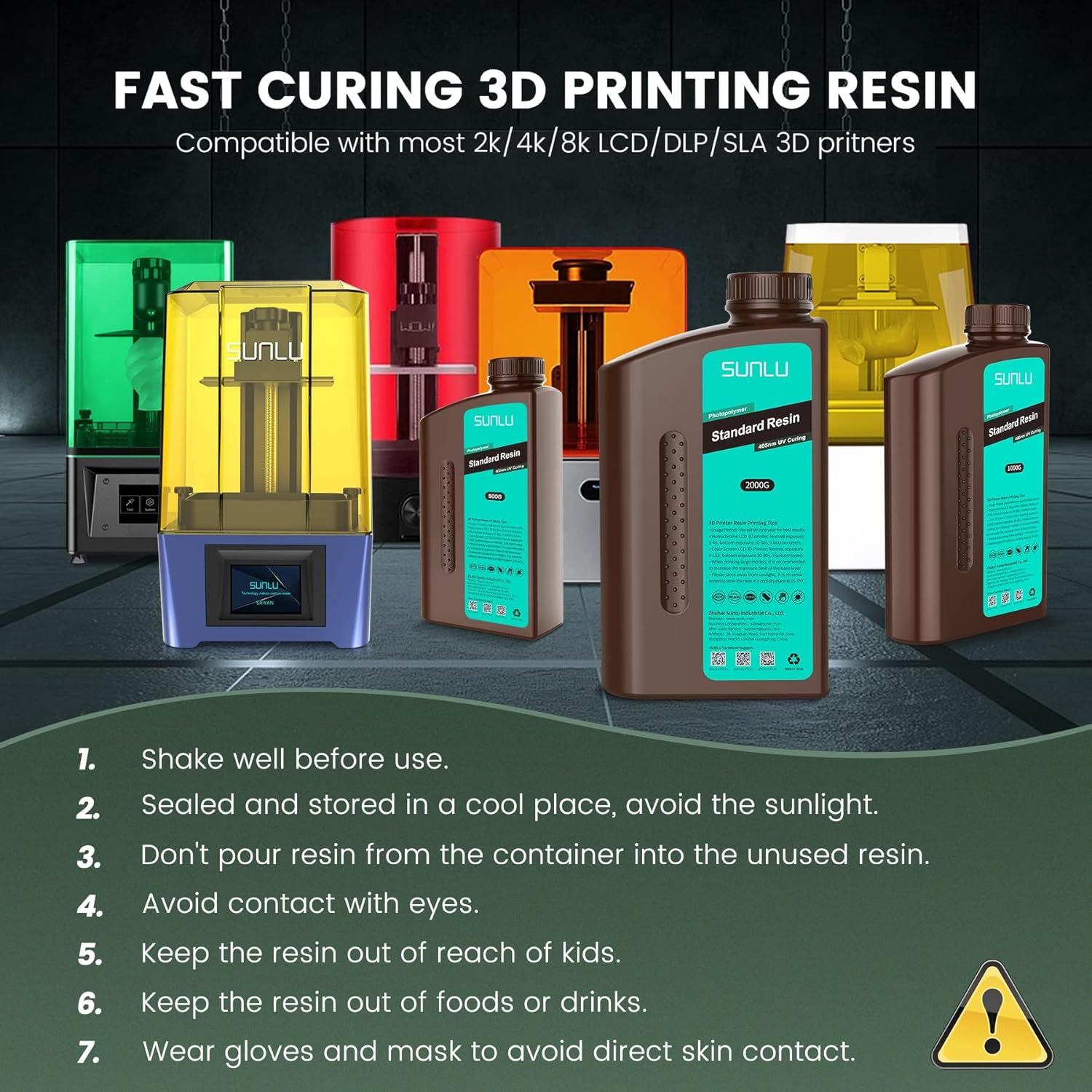
- Maké Alat Pelindung: Always wear gloves and a mask to avoid direct skin contact and inhalation of fumes.
- Perlindungan panon: Avoid contact with eyes. If resin gets into eyes, flush immediately with plenty of water and seek medical attention.
- Bahaya Ingestion: This product is not edible. If swallowed, seek medical attention immediately.
- Tetep di luar jangkauan: Keep the resin out of reach of children and pets.
- No Food or Drink: Do not store or consume food or drinks near the resin.
- Ventilasi: Anggo di daérah anu berventilasi saé.
- Pembuangan anu leres: Do not pour uncured resin down drains or dispose of it in regular trash. Cure liquid resin under UV light before disposal.
3. Fitur Produk
- Gampang dianggo: Strong fluidity, compatible with various printers and printing speeds, suitable for beginners.
- Good Stability: High tolerance to weak acids and greases, ensuring printed works are not easily deformed.
- Easy Post-processing: Hard and smooth surface, easy to color after printing.
- Low Shrinkage: Provides accurate size and shape of printed parts during curing.
- Gampang pikeun ngabersihan: Effortless cleaning with isopropyl alcohol or ethanol for a smooth surface finish.
- High Cost-Effectiveness: Good performance and durability at an affordable price.
- Minimal Odor: Light odor during printing, balancing functionality with user comfort.
- kasaluyuan luhur: 365-405nm printing wavelength, compatible with 99% of LCD, DLP, and SLA printers.
- Leak-proof Bottle Design: Patented design and strict packaging to ensure safe delivery.
4. Setélan
- Ngocok Botol: Before each use, shake the resin bottle well for at least 30 seconds to ensure proper mixing of components.
- Pour Resin: Carefully pour the resin into your 3D printer's resin vat, ensuring not to exceed the maximum fill line.

Video: This video demonstrates the process of pouring SUNLU Standard Resin into a 3D printer's vat and the subsequent printing process, highlighting the resin's good liquidity and ease of use.
5. Parentah Operasi
The SUNLU Standard Resin is compatible with 365-405nm UV light sources. Optimal printing results depend on your specific 3D printer model and environmental conditions. Below are general recommended settings:
Recommended Printing Parameters:
| Parameter | Disarankeun Setélan |
|---|---|
| Best Ambient Temperature | 20-30°C (77-86°F) |
| Layer Heights | 0.05mm (0.03mm for better accuracy) |
| Lapisan handap | 3-5 layers |
| Bottom Exposure (Mono Panel) | 10-80 detik |
| Bottom Exposure (RGB Panel) | 20-80 detik |
| Normal Exposure (Mono Panel) | 1.5-4 detik |
| Normal Exposure (RGB Panel) | 4-15 detik |
| Angkat Jangkungna | 6-10 mm |
| Laju Angkat | 60-120 mm / mnt |
| Return/Descent Speed | 120-180 mm / mnt |
| Light Off Delay | 0.5-1 detik |
Note: These settings are general guidelines. Always refer to your 3D printer's specific recommendations and perform calibration tests for optimal results.
6. Post-Processing
- Remove Print: Carefully remove the printed model from the build plate using a scraper.
- Hapus dukungan: Gently remove any support structures from the model.
- Clean Model: Wash the printed model thoroughly with 95% isopropyl alcohol or ethanol for approximately 30 seconds to remove uncured resin. For best results, use a dedicated resin washing machine or an ultrasonic cleaner.
- Dry Model: Allow the model to air dry completely or use compressed air.
- Post-Cure: Place the cleaned and dried model in a UV curing chamber or under direct sunlight until fully cured. This enhances the model's hardness and durability.

Video: This video illustrates the post-processing steps, including removing supports from a printed model and cleaning it, showcasing the ease of handling SUNLU Standard Resin.
7. Panyimpenan
- Wadahna: Store resin in its original, sealed container.
- lokasi: Keep in a cool, dry, and dark place, away from direct sunlight and UV light sources. UV light will cure the photosensitive resin.
- Suhu: Ideal storage temperature is 15-35°C. Lower temperatures may increase resin viscosity.
- Kontaminasi: Ensure the container is sealed to prevent dust or moisture from affecting print quality. Do not pour unused resin back into the original container to avoid contamination.
- Kahirupan rak: For best results, use within one year of purchase.
8. Cara ngungkulan
If you encounter issues during printing, consider the following common solutions:
- Failed Prints/Adhesion Issues:
- Ensure the build plate is properly leveled and clean.
- Increase bottom layer exposure time.
- Verify ambient temperature is within the recommended range (20-30°C).
- Poor Detail/Soft Prints:
- Tambahkeun waktos paparan normal.
- Ensure adequate post-curing.
- Resin Not Curing:
- Check if the UV light source is functioning correctly.
- Confirm the resin's curing wavelength (405nm) matches your printer's UV light.
- Excessive Odor:
- Ensure proper ventilation in your printing area.
- Use an air purifier if necessary.
For more specific issues, consult your 3D printer's user manual or contact SUNLU customer support.
9. Spésifikasi
- Bahan: Fast curing standard photopolymer resin
- Curing Wavelength: 365-405nm
- Métode beberesih: 95% Ethanol or Isopropanol
- Heat Distortion Temperature: 55 ° C (131 ° F)
- Ukuran Paket: 10.94 x 7.64 x 2.83 inci
- Beurat barang: 4.4 pon (2 KG)
- Pabrikan: SUNLU

10. Garansi jeung Rojongan
For any product-related inquiries, technical support, or warranty information, please contact SUNLU directly through their official channels. You can visit the SUNLU Store on Amazon or refer to the contact information provided on the product packaging.