1. Produk Langkungview
The OPPO Find X9 5G 2025 (CPH2797) is a high-performance smartphone designed for exceptional clarity and responsiveness. It features a 120Hz Pro XDR screen, ensuring smooth and vibrant visuals in various lighting conditions. This manual provides essential information for setting up, operating, maintaining, and troubleshooting your device.
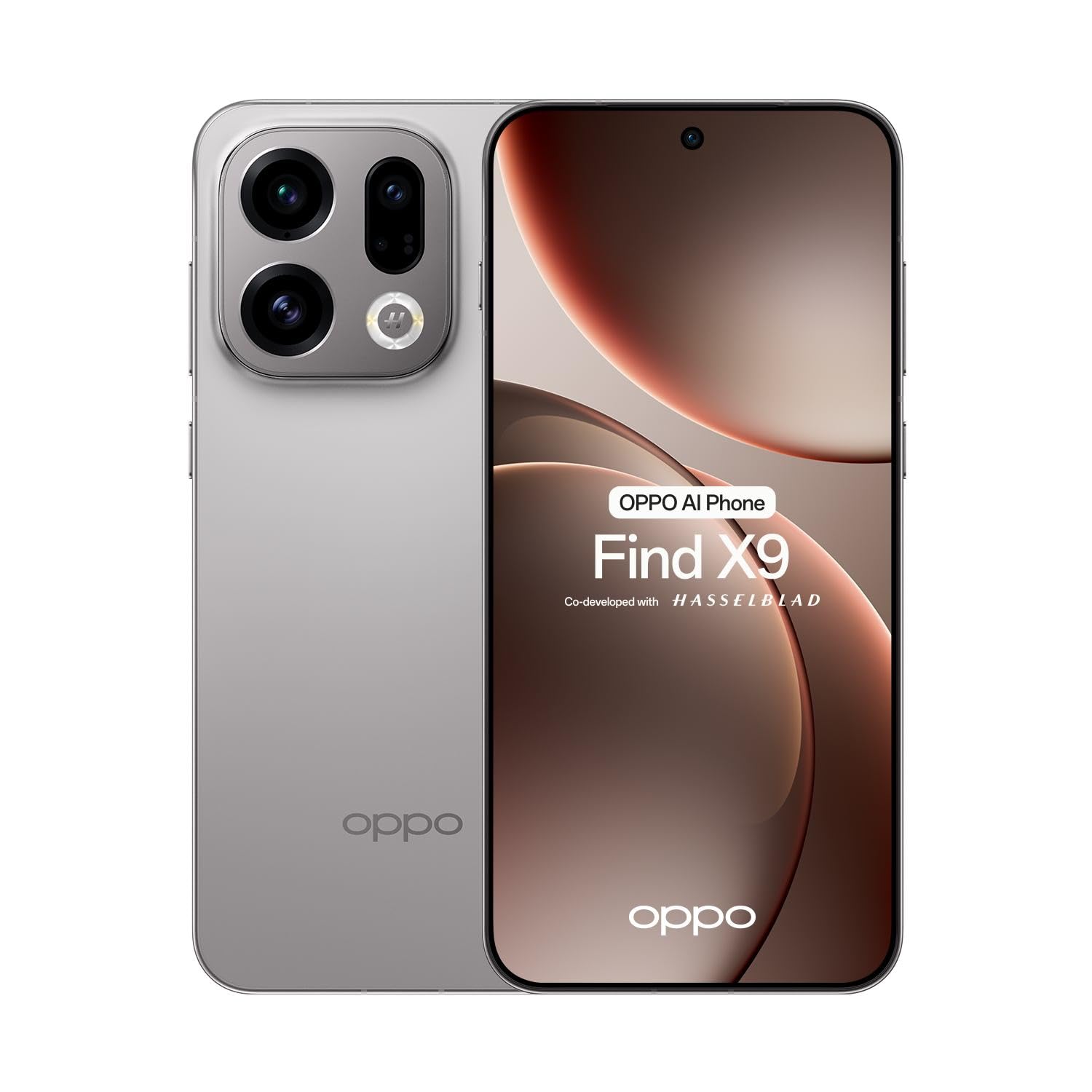
Gambar 1.1: Hareupeun view of the OPPO Find X9 5G 2025 smartphone.
2. Setélan
2.1 Unboxing sareng Inspeksi Awal
Sacara saksama miceun sadaya barang tina bungkusan. Pastikeun yén sadaya komponén aya:
- OPPO Find X9 5G 2025 Smartphone
- Kabel Tipe-C USB
- Adaptor kakuatan
- Alat Ejector SIM
- Gancang Mimitian Guide
- Émbaran Kasalametan
Inspect the device for any visible damage. If any damage is found, contact your retailer immediately.
2.2 Pamasangan Kartu SIM
The OPPO Find X9 5G 2025 supports dual SIM cards.
- Tangtukeun lokasi baki kartu SIM di sisi alat.
- Selapkeun alat SIM ejector kana liang leutik gigireun baki terus pencét pageuh nepi baki pops kaluar.
- Simpen kartu Nano-SIM anjeun kana slot anu ditunjuk dina baki, pastikeun kontak emasna nyanghareup ka handap.
- Lebetkeun deui wadah kartu SIM kana alat sacara ati-ati.
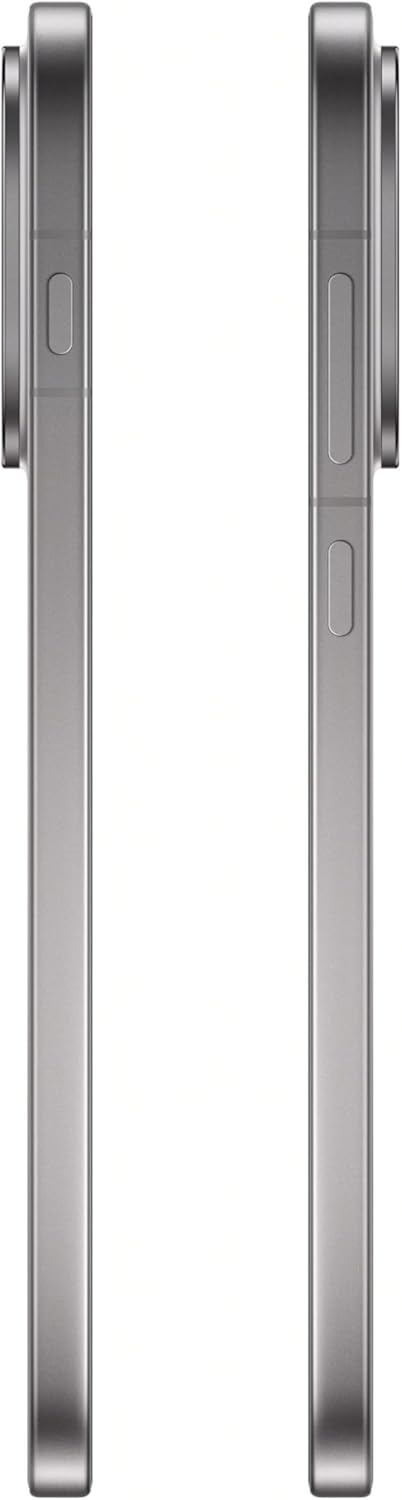
Gambar 2.1: Sisi view of the OPPO Find X9 5G 2025, showing the SIM card tray location.
2.3 Daya Awal Hurung sareng Konfigurasi Dasar
- Pencét terus tahan tombol Daya (anu aya di sisi katuhu) dugi ka logo OPPO némbongan.
- Turutan parentah dina-layar pikeun milih basa anjeun, wewengkon, jeung nyambung ka jaringan Wi-Fi.
- Asup sareng akun Google Anjeun atawa jieun nu anyar pikeun ngakses ladenan Google jeung Play Store.
- Setel metode konci layar anu anjeun pikaresep (PIN, pola, kecap akses, sidik jari, atanapi muka konci nganggo raray).
3. Ngoperasikeun Alat Anjeun
3.1 Napigasi
- Layar Utama: Gesek ka kenca atawa ka katuhu pikeun napigasi antara layar utama.
- Laci Aplikasi: Gesek ka luhur ti bagean handap layar pikeun ngakses sadaya aplikasi anu dipasang.
- Panel Bewara: Gesek ka handap ti luhur layar pikeun view bewara sareng setelan gancang.
- Aplikasi panganyarna: Swipe up and hold from the bottom of the screen (if using gesture navigation) or tap the square button (if using 3-button navigation) to see recently used applications.
3.2 Telepon sareng Olahtalatah
- Nelepon: Buka aplikasi Telepon, tuliskeun nomerna, teras ketok ikon telepon.
- Ngirim pesen: Buka aplikasi Pesen, ketok 'Start chat', lebetkeun panampi, teras ketik pesen anjeun.
3.3 Pamakéan kaméra
The OPPO Find X9 5G 2025 features a versatile camera system.
- Buka aplikasi kaméra.
- Pilih modeu anu dipikahoyong (Poto, Pidéo, Potret, Peuting, jsb.) ku cara ngageser ka handap viewanu mendakan
- Ketok tombol jepret pikeun nyandak poto atawa ngamimitian/eureun ngarekam video.
- Pake kadali zum dina layar pikeun nyaluyukeun magnification.
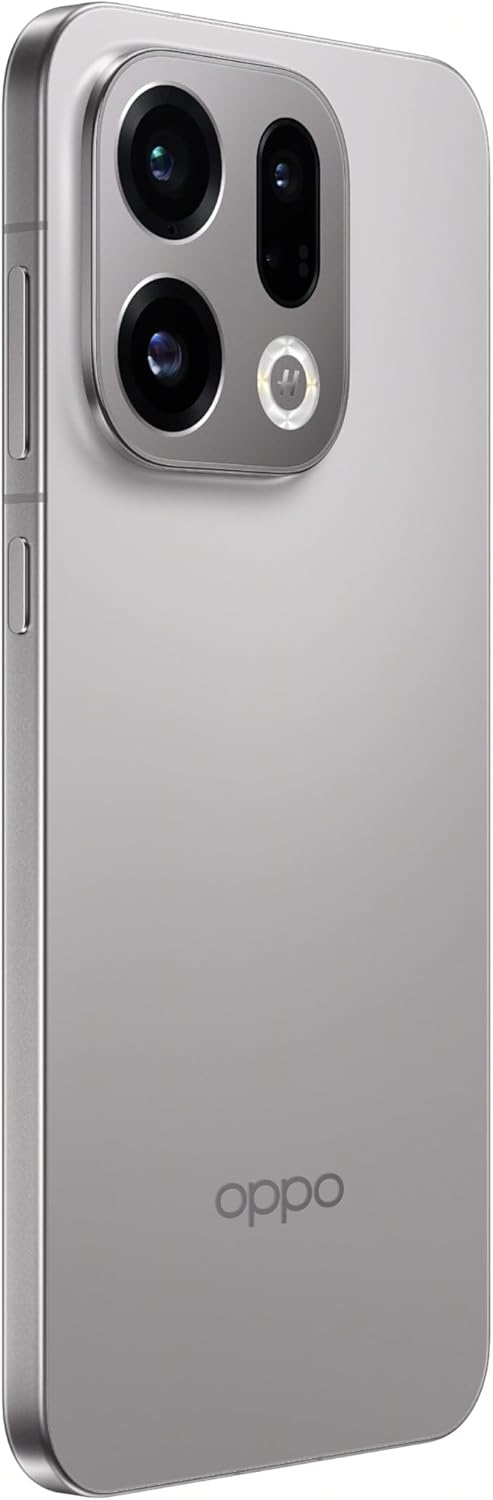
Figure 3.1: Rear camera system of the OPPO Find X9 5G 2025.
3.4 Konéktipitas
- Wifi: Buka Setélan > Wi-Fi pikeun nyambung ka jaringan nu sadia.
- Bluetooth: Buka Setélan > Bluetooth pikeun masangkeun sareng alat Bluetooth anu sanés.
- NFC: Enable NFC in Settings for contactless payments and data transfer.
- USB Tipe-C: Anggo port USB Type-C pikeun ngecas sareng mindahkeun data.

Gambar 3.2: Handap view of the OPPO Find X9 5G 2025, showing the USB Type-C port and speaker grille.
4. Pangropéa
4.1 Ngabersihan Alat Anjeun
- Anggo lawon anu lemes sareng henteu lint pikeun ngusap layar sareng panel tukang.
- Ulah make bahan kimia kasar, bahan abrasive, atawa sprays aerosol.
- Pikeun smudges nekad, rada dampen lawon kalawan cai atawa cleaner layar dirancang pikeun éléktronika.
4.2 Apdet parangkat lunak
Rutin pariksa sareng pasang apdet parangkat lunak pikeun mastikeun kinerja optimal, kaamanan, sareng aksés ka fitur anyar.
- Go to Settings > About device > ColorOS version.
- Ketok 'Parios apdet' sareng turutan pitunjuk dina layar.
4.3 Perawatan Batré
- Hindarkeun ngalaan alat ka suhu anu ekstrim.
- Ulah ngantep batré lengkep solokan remen.
- Anggo carjer sareng kabel asli kanggo ngecas optimal.
4.4 Manajemén Panyimpenan
To maintain device performance, regularly manage your storage:
- Pupus teu perlu files, poto, jeung video.
- Uninstall aplikasi anu henteu dianggo.
- Clear cache data for apps in Settings > Apps > [App Name] > Storage usage.
5. Cara ngungkulan
This section addresses common issues you might encounter with your OPPO Find X9 5G 2025.
| Masalah | Solusi |
|---|---|
| Alat teu hurung | Ensure the battery is charged. Connect the device to its charger for at least 15 minutes, then try powering it on again. If it still doesn't turn on, perform a force restart by holding the Power button and Volume Up button simultaneously for about 10-15 seconds. |
| Layar teu ngaréspon | Perform a force restart. If the issue persists, try booting into Safe Mode to check if a third-party app is causing the problem. |
| Masalah konektipitas (Wi-Fi/Bluetooth) | Toggle Wi-Fi/Bluetooth off and on. Restart your device. For Wi-Fi, restart your router. For Bluetooth, unpair and re-pair the device. |
| Aplikasi nabrak atanapi katirisan | Clear the cache and data for the problematic app (Settings > Apps > [App Name] > Storage usage). Update the app to the latest version. If the issue continues, uninstall and reinstall the app. |
| Batré gancang boros | Check battery usage in Settings > Battery to identify power-hungry apps. Reduce screen brightness, disable unnecessary features like GPS or always-on display, and close background apps. |
6. Spésifikasi Téknis
Below are the detailed technical specifications for the OPPO Find X9 5G 2025 (CPH2797).
| Fitur | Spésifikasi |
|---|---|
| merek | OPPO |
| Ngaran modél | Manggihan X9 |
| Nomer modél | CPH2797 |
| Sistem operasi | Android 16 (ColorOS 16.0) |
| Ukuran layar | 6.55 inches AMOLED (flexible) |
| Resolusi tampilan | FHD+ 2760 x 1256 pixels, 1.07 billion colors |
| Refresh Laju | 120Hz |
| Protéksi tampilan | Corning Gorila Kaca 7i |
| Prosesor | MediaTek Dimensity 9500 (8-core) |
| Ram | 12GB LPDDR5X |
| Panyimpenan internal | 512GB UFS 4.1 |
| Kaméra tukang | 50MP + 50MP + 50MP + 2MP |
| Kaméra hareup | 32MP |
| Téhnologi sélular | 5G |
| Slot Kartu SIM | Dual SIM |
| Konéktipitas Wireless | Bluetooth 6.0, Wi-Fi, NFC |
| Tipe Panyambung | USB Tipe-C |
| Warna | Titanium Gray |
7. Garansi jeung Rojongan
Your OPPO Find X9 5G 2025 (CPH2797) is covered by a limited warranty. Please refer to the warranty card included in your product packaging for detailed terms and conditions, including the warranty period and coverage.
For technical support, service, or further inquiries, please visit the official OPPO website or contact their customer service. Contact information can typically be found on the OPPO websitus atawa dina dokuméntasi disadiakeun kalawan alat Anjeun.
Punten tahan bukti pameseran anjeun pikeun klaim garansi.


