
1. Bubuka
This manual provides essential instructions for the installation, operation, and maintenance of your CINMOORE CM-BC22U Wireless Magnetic Home Security Camera. Please read this manual thoroughly before using the product to ensure proper function and safety. Keep this manual for future reference.
2. Émbaran Kasalametan
- Pastikeun kaméra dipasang di tempat anu stabil supados henteu murag.
- Do not expose the camera to extreme temperatures, direct sunlight for prolonged periods, or corrosive environments.
- Use only the specified charging cable and adapter to prevent damage or fire.
- Keep the camera away from children and pets.
- Ulah nyobian ngabongkar atanapi ngalereskeun kaméra nyalira. Hubungi dukungan palanggan pikeun kéngingkeun bantosan.
- Ensure your Wi-Fi network is secure to protect your privacy.
3. Eusi Paket
Pastikeun yén sadaya item aya dina pakét anjeun:
- CINMOORE CM-BC22U Wireless Magnetic Home Security Camera
- Base Pamasangan Magnét
- Pemasangan Screws sareng Jangkar Tembok
- Kabel Ngecas USB
- Manual pangguna (dokumén ieu)
4. Produk Langkungview
The CINMOORE CM-BC22U is a 2.5K wireless magnetic home security camera designed for outdoor use, featuring AI person detection, 4MP color night vision, and two-way audio. It is battery-powered and IP66 waterproof.
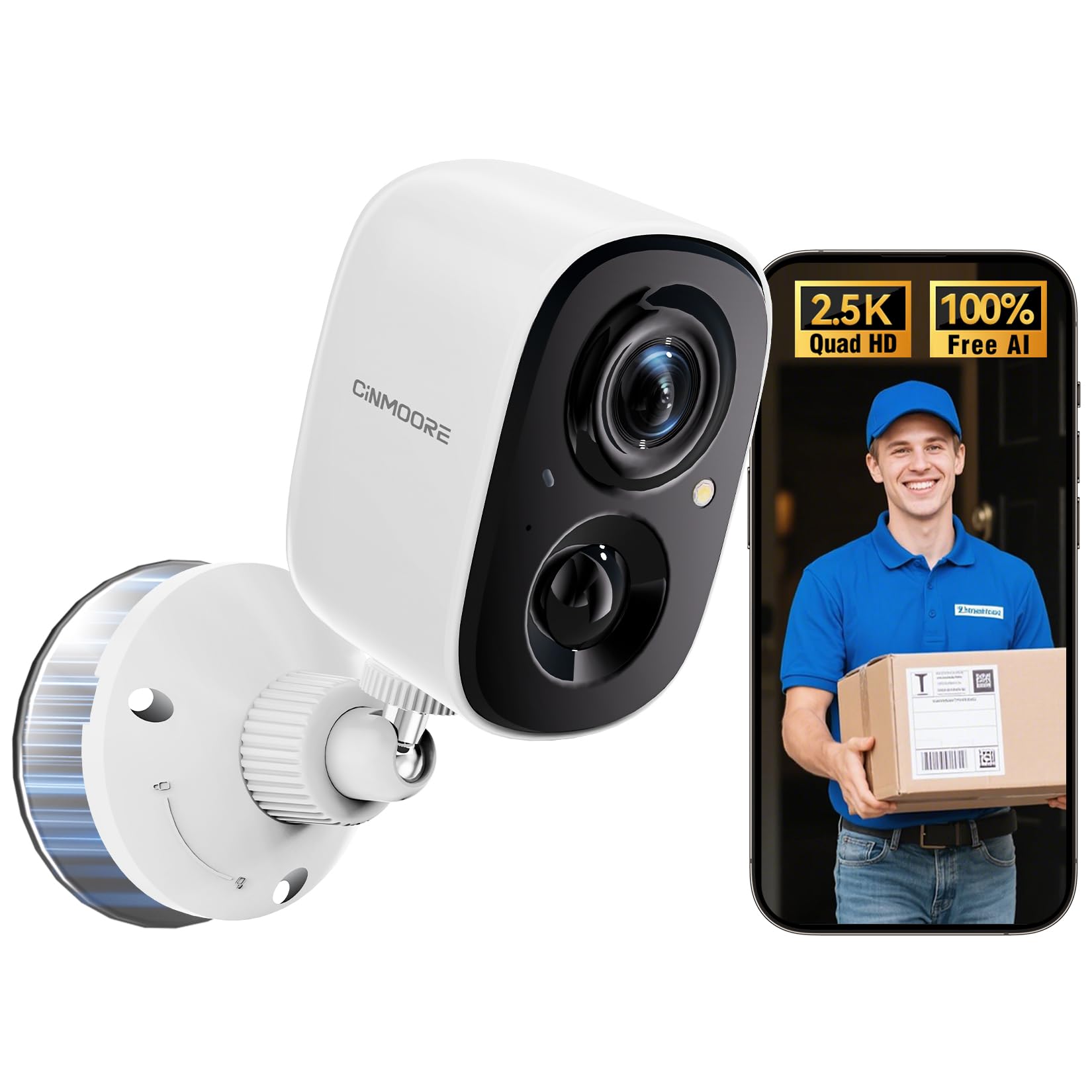
Image: CINMOORE CM-BC22U Wireless Magnetic Home Security Camera. This image shows the front and side view of the white camera unit with its magnetic base.

Image: Key features of CINMOORE CM-BC22U camera. This graphic highlights features such as 2.5K QHD resolution, sound & light siren, color night vision, built-in 5200mAh battery, wire-free installation, free person detection, and full duplex two-way audio.
5. Setélan
5.1 Ngecas kaméra
Before initial use, fully charge the camera using the provided USB cable and a 5V/1A or 5V/2A power adapter. The charging indicator light will show the charging status. A full charge typically takes several hours.
5.2 Pamasangan Aplikasi
Download the official CINMOORE app from your smartphone's app store (iOS App Store or Google Play Store). Milarian pikeun "CINMOORE" and install the application.
5.3 Kaméra papasangan
- Open the CINMOORE app and create an account or log in.
- Ketok ikon "+" pikeun nambahkeun alat anyar.
- Follow the on-screen instructions to select your camera model.
- Power on the camera. The camera will enter pairing mode, indicated by a flashing LED light.
- Connect your smartphone to a 2.4GHz Wi-Fi network. The camera does not support 5GHz Wi-Fi.
- Scan the QR code displayed on your phone screen with the camera lens. Hold the phone approximately 15-20 cm (6-8 inches) from the camera.
- Once connected, the camera will confirm with an audible prompt, and the LED light will turn solid.
5.4 Masang kaméra
The camera offers flexible installation options due to its magnetic base and wire-free design.
- Pamasangan magnét: Attach the camera directly to any metallic surface using its strong magnetic base. Ensure the surface is clean and provides a secure hold.
- Pamasangan screw: For non-metallic surfaces or enhanced security, use the provided mounting screws and wall anchors.
- Pilih lokasi anu cocog pikeun optimal viewing angle and Wi-Fi signal strength.
- Mark the positions for drilling holes using the mounting base as a template.
- Drill holes and insert wall anchors if mounting on drywall or masonry.
- Secure the magnetic mounting base to the wall with screws.
- Attach the camera to the magnetic base and adjust the angle as needed.

Image: Magnetic mounting of CINMOORE camera. This image illustrates how the camera attaches to its magnetic base, which is then secured to a wall.
6. Ngoperasikeun kaméra
6.1 Hirup View
Open the CINMOORE app and select your camera from the device list to access the live video feed. You can view real-time footage ti mana waé kalayan sambungan internét.
6.2 Audio Dua Arah
Nalika hirup view, tap the microphone icon in the app to speak through the camera's built-in speaker. Tap the speaker icon to listen to audio from the camera's microphone. This feature allows for real-time communication.
6.3 Deteksi & Peringatan Gerakan
The camera features free AI person detection to reduce false alarms. Configure detection settings in the app:
- Sensitipitas: Adjust the motion detection sensitivity to suit your environment.
- Zona deteksi: Set specific areas within the camera's view pikeun deteksi gerak.
- Panggeuing: Enable push notifications to receive instant alerts on your smartphone when motion or a person is detected. The camera can also activate a built-in siren and spotlight upon detection.

Image: AI Person Detection feature. This image shows a person walking towards a door, with the camera detecting them and sending a notification to a smartphone, highlighting the AI person detection capability with spotlight, notification, and siren options.

Image: Smart AI Person Detection. This image shows a person walking a dog in front of a house, with a blue box highlighting the detected 'Person' by the camera, emphasizing the smart AI detection feature.
6.4 Ngarekam & Playback
The camera supports both local storage via a microSD card (up to 256GB, not included) and optional cloud storage. Recorded events can be accessed and played back through the CINMOORE app.

Image: Secure Video Storage Options. This graphic illustrates the camera's support for both SD local storage (expandable up to 256GB) and AWS cloud storage (with a 30-day free trial), emphasizing encrypted storage.

Image: Secure Local & Cloud Storage. This image displays various scenarios captured by the camera, such as a car, packages, a person with a dog, and a person attempting to break in, all protected by a shield icon representing secure local and cloud storage.
6.5 Visi Peuting
The camera provides 4MP full-color night vision, ensuring clear and detailed footage even in low-light conditions. It automatically switches between day and night modes.

Image: Full-Color Night Vision. This split image compares normal night vision (monochrome) with full-color night vision, demonstrating the camera's ability to capture clear, colored images in darkness.

Image: IR Night Vision vs Color Night Vision. This split image compares traditional IR night vision (black and white) with the camera's color night vision, showing a car in a driveway with much greater detail and color in the latter.

Image: 2.5K QHD Resolution Comparison. This split image compares 2.5K QHD resolution with 2K FHD, showing a car in a driveway with significantly sharper detail in the 2.5K QHD view.

Image: 2K HD vs 2.5K QHD Image Quality. This split image compares the visual clarity between 2K HD and 2.5K QHD, showing a dog running on grass with noticeably finer detail and sharpness in the 2.5K QHD image.
7. Pangropéa
7.1 Manajemén batré
- Recharge the camera when the battery level is low, as indicated by the app.
- Battery life varies based on usage frequency, recording duration, and environmental conditions.
- Ulah rutin ngosongkeun batréna nepi ka béak pikeun manjangkeun umurna.
7.2 beberesih
Wipe the camera lens and body with a soft, dry cloth. Do not use harsh chemicals or abrasive cleaners, as they may damage the camera's finish or lens coating.
7.3 Apdet firmware
Periodically check the CINMOORE app for available firmware updates. Keeping your camera's firmware updated ensures optimal performance, security, and access to new features. Follow the in-app instructions for updating.
8. Cara ngungkulan
| Masalah | Mungkin Cukang lantaranana | Solusi |
|---|---|---|
| Camera frequently goes offline | Weak Wi-Fi signal; Router issues; Battery low | Ensure camera is within Wi-Fi range. Restart your router. Fully charge the camera. If issues persist, consider a Wi-Fi extender. |
| Difficulty connecting to 2.4GHz Wi-Fi | Incorrect Wi-Fi password; Connecting to 5GHz network; Router settings | Verify Wi-Fi password. Ensure your phone is connected to a 2.4GHz network during setup. Check router settings to ensure 2.4GHz band is enabled. |
| Unreliable motion detection or image capturing | Incorrect sensitivity settings; Obstructions in view; Camera placement | Adjust motion detection sensitivity in the app. Ensure the camera's view is clear. Reposition the camera for optimal coverage of the desired area. |
| SD card not recording or recognized | SD card not inserted correctly; Corrupted SD card; SD card full | Ensure the SD card is inserted correctly. Format the SD card via the app. Replace the SD card if corrupted. Ensure the SD card is not removed while the camera is operating. |
| Audio dua arah teu jalan | Microphone/speaker muted in app; Low volume on phone; Network issues | Check app settings to ensure microphone and speaker are enabled. Adjust volume on your smartphone. Ensure a stable internet connection. |
9. Spésifikasi
| Fitur | Rincian |
|---|---|
| Ngaran modél | CM-BC22U |
| Resolusi Capture Video | 2.5K (1440P) Quad HD |
| Téhnologi konektipitas | Nirkabel (Wi-Fi 2.4GHz) |
| Sumber Daya | Battery Powered (5200mAh rechargeable battery) |
| Visi Peuting | Full-Color Night Vision |
| Fitur husus | 2-Way Audio, Built-In Light, HD Resolution, Motion Sensor, AI Person Detection |
| Pamakéan jero rohangan / outdoor | Outdoor (IP66 Waterproof) |
| Pilihan Panyimpenan | Kartu MicroSD (dugi ka 256GB, teu kalebet), Panyimpenan Awan (opsional) |
| Alat nu cocog | Smartphone (Android, ios) |
| Tipe Gunung | Magnetic, Ceiling Mount, Tabletop Mount, Wall Mount |
| Item Dimensi | 7.6 x 5.1 x 5.1 Sentiméter |
10. Émbaran jaminan
The CINMOORE CM-BC22U Wireless Magnetic Home Security Camera comes with a 2-taun jaminan produsén urang from the date of purchase. This warranty covers defects in materials and workmanship under normal use. It does not cover damage caused by misuse, accidents, unauthorized modifications, or natural disasters. Please retain your proof of purchase for warranty claims.
11. Rojongan
For technical assistance, troubleshooting, or warranty inquiries, please contact CINMOORE customer support:
- Surélék: Refer to your product packaging or the CINMOORE official websitus pikeun email kontak panganyarna.
- Hotline: A free hotline is available on weekdays for product issues. Refer to your product packaging or the CINMOORE official website for the hotline number.
- Sumberdaya Online: Visit the CINMOORE official website for FAQs, updated manuals, and support articles.