1. Bubuka
The ORICO AP80F is a versatile 6-in-1 USB-C Magnetic M.2 Docking Station designed to expand the capabilities of your mobile devices and computers. It integrates a high-speed M.2 NVMe SSD enclosure, dual SD/TF card slots, a USB-C 10Gbps data port, a Headset/Mic (USB-C 480Mbps) port, and PD 100W fast charging. This device is ideal for professionals requiring instant ProRes 4K video capture and efficient data management.

Gambar 1: Leuwihview of the ORICO AP80F 6-in-1 Magnetic M.2 NVMe SSD Enclosure with its various ports and magnetic attachment.
2. Eusi Paket
Punten parios yén sadaya barang aya dina pakét:
- 1 × Magnetic M.2 NVMe 2230/2242/2260/2280 SSD Enclosure
- 1 × 0.13m C to C Cable
- 1 × Magnetic Ring & 1 × Thermal Silicone Pad
- 1 × Obeng
- 2 × sekrup
- 1 × Buku Panduan

Figure 2: All components included in the ORICO AP80F product package.
3. Fitur Produk
- Fungsi 6-in-1: Combines M.2 NVMe SSD enclosure, dual SD/TF card slots (UHS-I compatible, up to 104MB/s read), USB-C 10Gbps data port, USB-C Headset/Mic (480Mbps), and PD 100W fast charging.
- Transfer Data Kecepatan Tinggi: Up to 10Gbps (USB 3.2 Gen 2) for rapid file transfers, enabling instant capture and storage of ProRes 4K video.
- Attachment magnét kuat: Built-in powerful magnetic array compatible with MagSafe for secure attachment to iPhone 15/16/17 Pro/Max/Plus and other magnetic devices/cases.
- M.2 SSD Universal Compatibility: Supports full-size NVMe SSDs (2230/2242/2260/2280) up to 4TB. Note: Only compatible with NVMe protocol, not SATA.
- Dissipation Panas Éfisién: Paduan aluminium casing acts as a passive heat sink, complemented by silicone thermal pads, ensuring stable performance during high-load tasks.
- Direct ProRes Recording: Enables direct 4K ProRes recording to the SSD with compatible iPhone models, freeing internal storage.
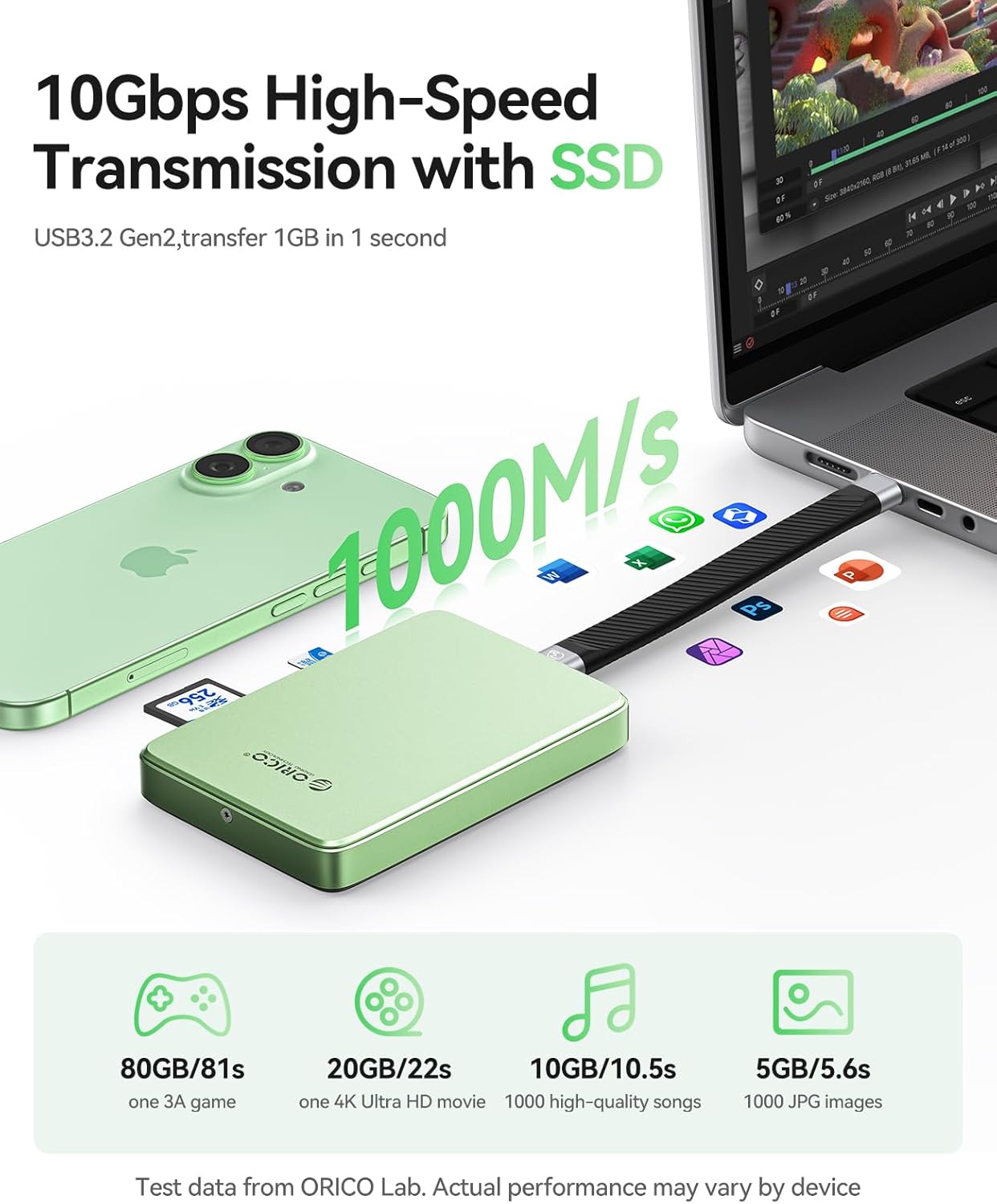
Figure 3: The ORICO AP80F offers 10Gbps high-speed data transmission, transferring 1GB in 1 second.
4. Setup jeung Instalasi
4.1. Pamasangan SSD
The ORICO AP80F features a tool-free design for easy SSD installation:
- Unscrew and remove the bottom cover of the enclosure.
- Insert your M.2 NVMe SSD (2230/2242/2260/2280) at a 30° angle into the slot.
- Ngamankeun SSD ku screw disadiakeun.
- Place the thermal silicone pad on top of the SSD for optimal heat dissipation.
- Close the bottom cover and tighten the screws.

Figure 4: Step-by-step guide for installing an M.2 NVMe SSD into the enclosure.
4.2. Attachment magnét
The enclosure features a strong magnetic array for secure attachment:
- For MagSafe-compatible devices (e.g., iPhone 15/16/17 Pro/Max), simply align the enclosure with the back of your device until it snaps into place.
- For non-MagSafe devices or cases, use the provided magnetic ring. Adhere the magnetic ring to the back of your device or case to enable magnetic attachment.

Figure 5: The magnetic design allows for secure, hand-held use with compatible devices.
5. Parentah Operasi
5.1. Nyambungkeun ka Alat
Use the provided USB-C to USB-C cable to connect the enclosure to your iPhone (15/16/17 series), iPad, MacBook, Android device, or Windows/Linux computer. The device will be recognized as external storage.
5.2. Data Transfer and Management
- SSD Data Transfer: Once connected, you can access the installed M.2 NVMe SSD through your device's file manager (e.g., Files app on iOS/iPadOS). Transfer files dina speeds nepi ka 10Gbps.
- SD/TF Card Management: Insert SD or Micro SD (TF) cards into the dedicated slots. You can import photos/videos from cameras directly to your device or the installed SSD.
- ProRes Recording: For compatible iPhone models (iPhone 15/16/17 Pro/Max), you can directly record 4K ProRes video to the installed M.2 NVMe SSD, bypassing internal storage limitations.

Figure 6: Direct 4K ProRes 60/120fps recording to the SSD is supported by compatible iPhone models.
5.3. PD 100W Fast Charging
The enclosure features a dedicated PD 100W pass-through charging port. Connect a power adapter to this port to simultaneously power the enclosure, charge your connected device (up to 85W PD output), and ensure stable operation for high-capacity SSDs.
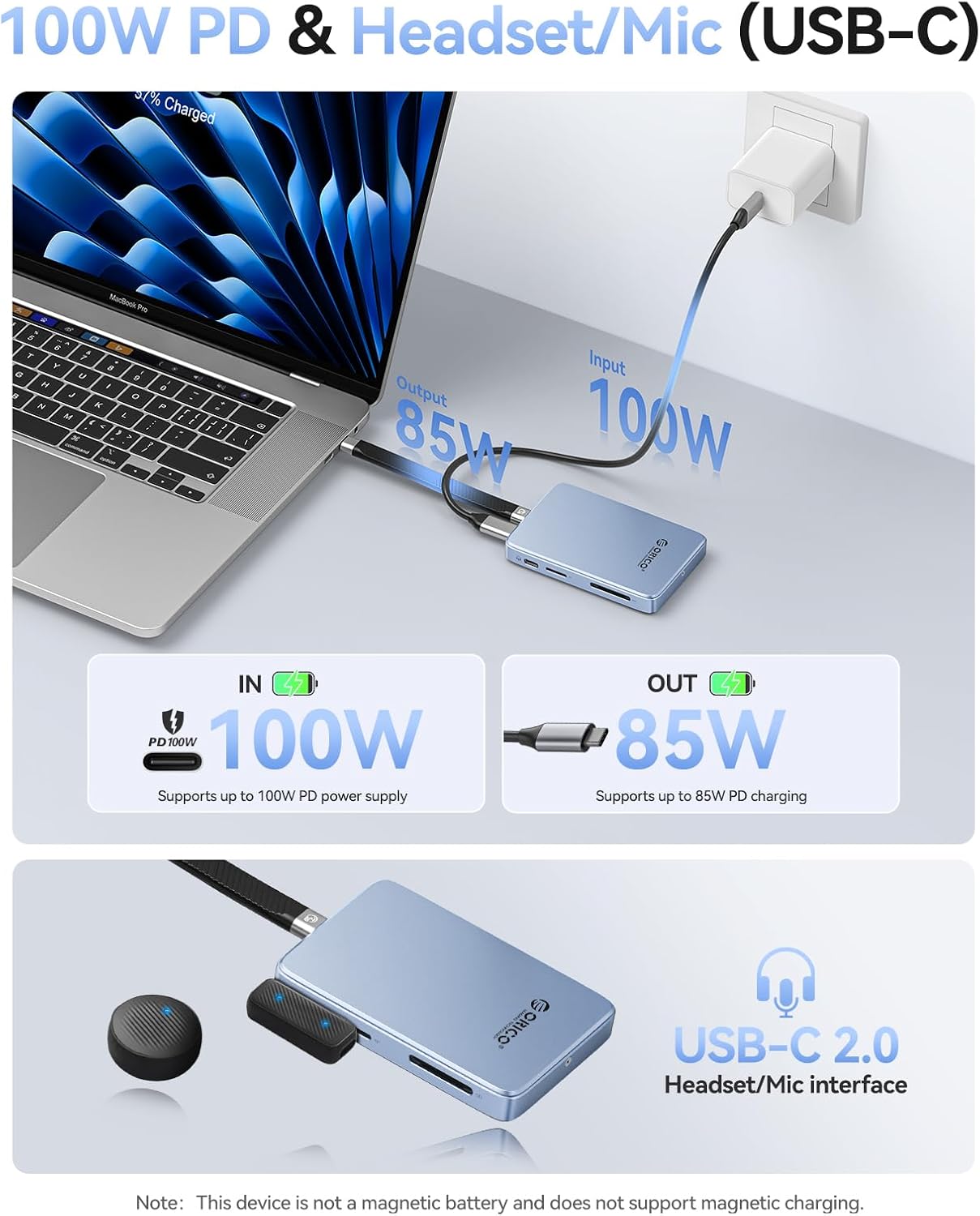
Figure 7: The PD 100W port allows for simultaneous data transfer and fast charging.
5.4. Headset/Mic (USB-C) Port
Utilize the USB-C 480Mbps audio combo port to connect microphones or monitoring headphones for precise recording and real-time audio monitoring. Note: Real-time headphone audio monitoring is not available during recording; audio can be heard via headphones only during playback.
6. Kasaluyuan
The ORICO AP80F offers broad compatibility:
- SSD Protocol: NVMe (M Key, B+M Key). Not compatible with SATA protocol.
- SSD Sizes: 2230, 2242, 2260, 2280.
- Alat anu cocog: iPhone 15/16/17 Pro/Max/Plus, iPad Pro, MacBook, Android devices, Windows/Linux computers.
- SD/TF Card Formats: UHS-I compatible (SD, SDHC, SDXC, Micro SD).

Figure 8: The enclosure supports a wide range of SSDs, devices, and operating systems.
7. Pangropéa
Paduan aluminium casing and included thermal pads are designed for efficient heat dissipation. To ensure optimal performance and longevity:
- Ensure the enclosure's heat sink fins are not obstructed during operation.
- Jaga alat tetep beresih sareng leupas tina lebu.
- Hindarkeun ngalaan alat ka suhu atanapi kalembaban anu ekstrim.
8. Cara ngungkulan
- SSD Not Recognized / Power Issues: SSDs with capacities above 2TB may require external power via the PD 100W port to function correctly, especially when connected to smartphones or devices with limited power output.
- Overheating: Ensure the heat dissipation fins and any fan openings are not blocked by your hand or other objects during use. Blocked airflow can lead to overheating and reduced performance.
- Kasaluyuan SSD: This enclosure is only compatible with NVMe (M Key or B+M Key) SSDs. It will not work with SATA protocol SSDs. Verify your SSD's protocol before installation.
- Bising kipas: The device may produce a slight hum from the internal cooling fan during operation. This is normal and generally not distracting unless held very close to the ear.
9. Spésifikasi
| Fitur | Rincian |
|---|---|
| merek | ORICO |
| Nomer modél | AP80F |
| Laju Mindahkeun Data | 10 Gigabit Per Detik (USB 3.2 Gen 2) |
| Kapasitas Panyimpenan Mémori | Up to 4 TB (NVMe SSD) |
| Compatible SSDs | M.2 NVMe (2230/2242/2260/2280) |
| SD/TF Card Support | UHS-I compatible (SD, SDHC, SDXC, Micro SD) up to 104MB/s read |
| Pangiriman kakuatan | PD 100W (Input), up to 85W (Output) |
| Headset/Mic Port | USB-C 480Mbps Audio Combo Port |
| Bahan | Acrylonitrile Butadiene Styrene (ABS), Aluminium |
| Item Beurat | 5.9 ons |
| Ukuran Paket | 5.31 x 4.69 x 0.83 inci |
10. Garansi jeung Rojongan
ORICO products come with a standard manufacturer's warranty. For detailed warranty information, technical support, or service inquiries, please refer to the official ORICO websitus atanapi ngahubungan layanan palanggan maranéhanana langsung. Simpen resi pameseran anjeun pikeun klaim jaminan.
11. Video Produk Resmi
ORICO 10Gbps Magnetic M.2 NVMe SSD Enclosure
Video ieu nyayogikeun gambaran gancangview of the ORICO 10Gbps Magnetic M.2 NVMe SSD Enclosure, highlighting its key features and magnetic attachment.
Magnetic NVMe SSD Enclosure AP42
A short video demonstrating the magnetic features and general use of the AP42 NVMe SSD Enclosure.
ORICO Magnetic M.2 2230/2242 NVMe SSD Enclosure
This video showcases the ORICO Magnetic M.2 NVMe SSD Enclosure, focusing on its compatibility with various M.2 SSD sizes.
ORICO 10Gbps USB C HUB & M.2 2230 NVMe Enclosure
A demonstration of the ORICO 10Gbps USB-C Hub and M.2 2230 NVMe Enclosure, highlighting its hub functionalities.


