1. Bubuka
Thank you for choosing the Inateck N6057-BK QR Code Scanner. This device is a versatile 1D and 2D barcode scanner designed for efficient data capture in various environments, including retail, inventory management, and office use. It offers multiple connectivity options and a lightweight, ergonomic design for comfortable operation. This manual provides detailed instructions for setup, operation, and maintenance to ensure optimal performance.
2. Produk Langkungview
The Inateck N6057-BK scanner supports a wide range of 1D and 2D barcode types, including QR Codes, 2D Codes, 1D Codes, ENA-Codes, PDF417-Codes, and DataMatrix-Codes. Its advanced imaging technology ensures reliable and fast scanning of both printed and on-screen barcodes.
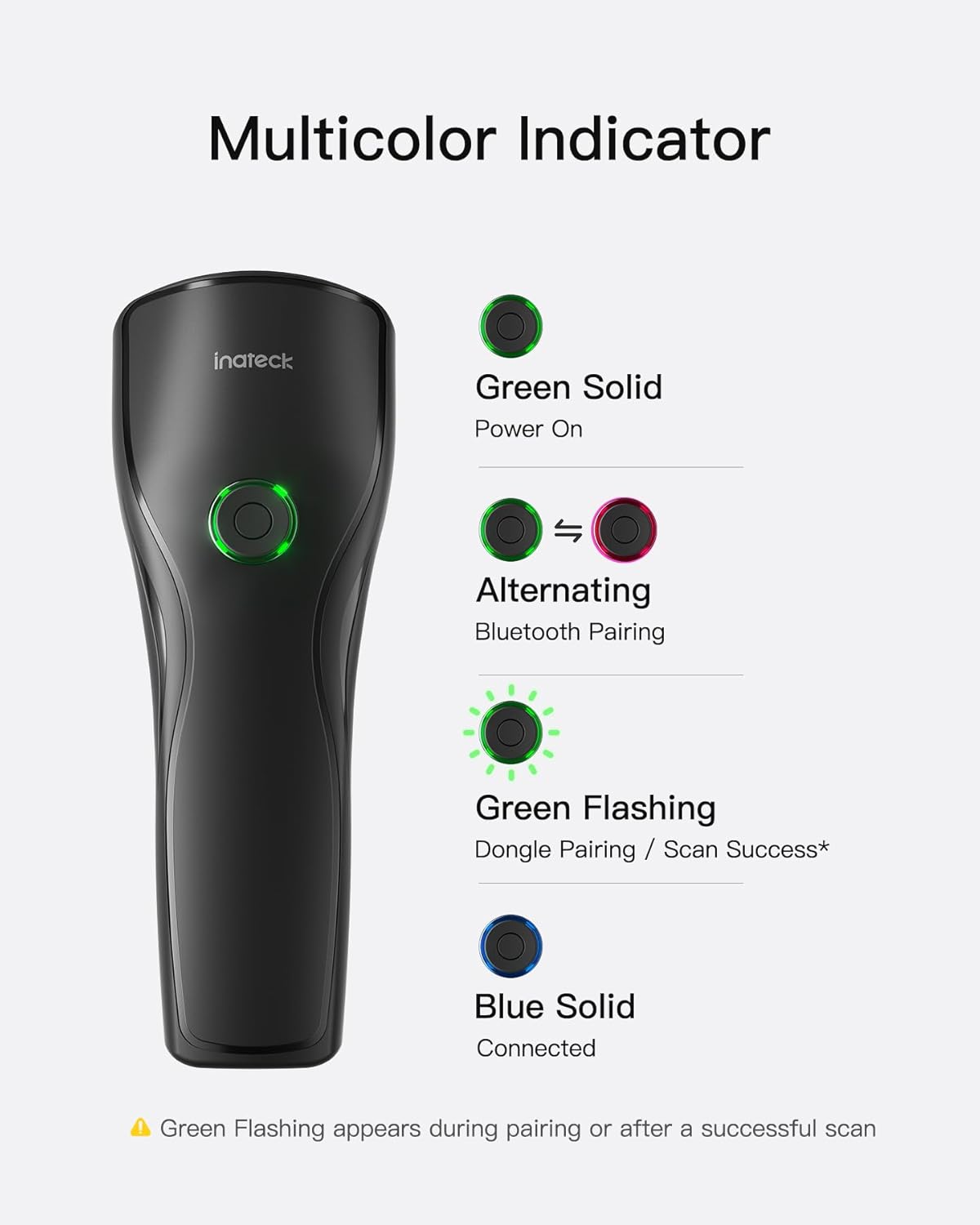
Image: The Inateck N6057-BK scanner is capable of reading various 1D and 2D barcode formats, including QR codes, 2D codes, 1D codes, ENA codes, PDF417 codes, and DataMatrix codes. An example shows the scanner reading a QR code from a mobile phone screen.
Desain ergonomis
The scanner features an ultra-lightweight build, weighing approximately 108g, making it comfortable for extended use. Its ergonomic contoured grip and dual support points enhance stability and reduce fatigue during operation.
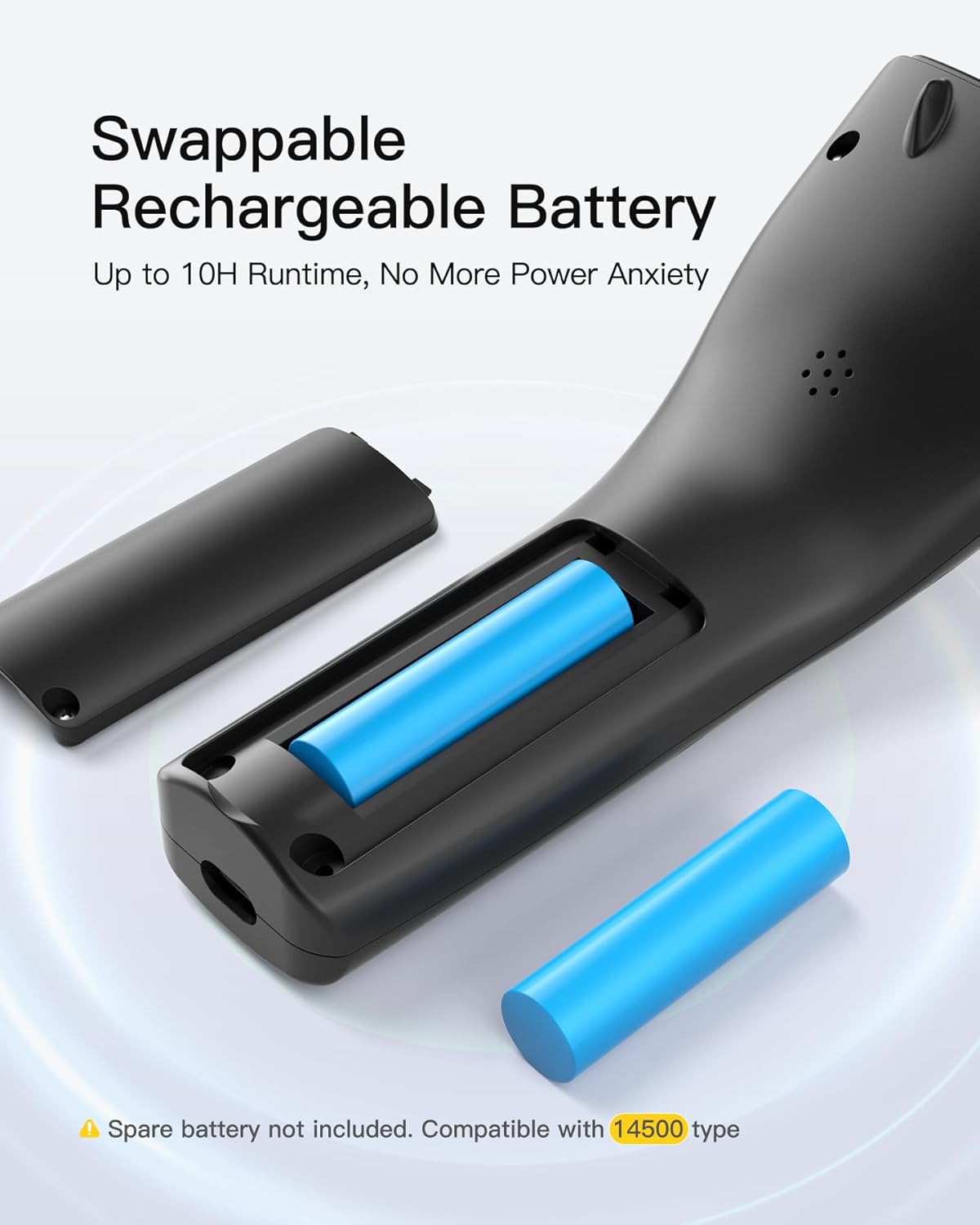
Image: The scanner's design emphasizes comfort and stability, featuring a lightweight body (108g), a grip shaped to fit the hand, and two points of contact for steady handling.
Swappable Rechargeable Battery
The device is equipped with a swappable rechargeable battery, providing up to 10 hours of runtime. This feature allows for easy battery replacement, ensuring continuous operation without significant downtime. The scanner is compatible with 14500 type batteries.
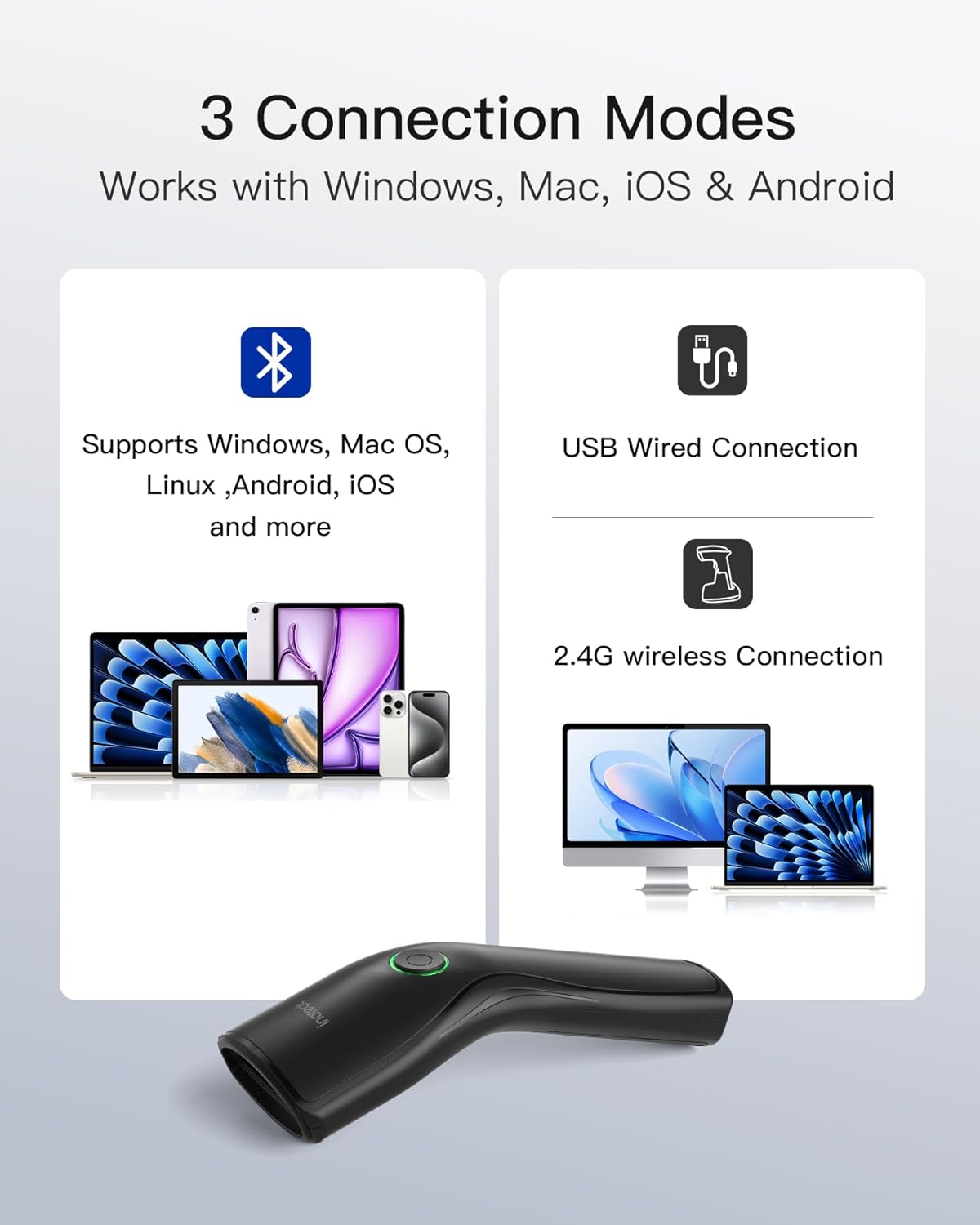
Image: The scanner features a removable battery compartment, allowing users to easily swap out the 14500 type rechargeable battery for extended use. A spare battery is shown alongside the scanner.
3. Setélan
Pamasangan batré
- Locate the battery compartment cover on the underside of the scanner.
- Geser lalaunan atawa angkat panutup pikeun muka kompartemen.
- Insert the 14500 type rechargeable battery, ensuring correct polarity (+/-).
- Tutup panutup kompartemen batré aman.
Modeu Sambungan
The Inateck N6057-BK offers three versatile connection modes:
- Sambungan Bluetooth: For wireless connection to devices like smartphones, tablets, and computers. Compatible with Windows, Mac OS, Linux, Android, and iOS.
- Sambungan Nirkabel 2.4G: Utilizes a USB dongle for wireless connection to computers.
- Sambungan kabel USB: Connects directly to a computer via a USB cable.

Image: The scanner supports three connection methods: Bluetooth for mobile devices and computers, a USB wired connection, and a 2.4G wireless connection using a dongle for computers.
Papasangan Bluetooth
- Ensure the scanner is powered on. The indicator light will be green solid.
- To enter Bluetooth pairing mode, press and hold the scan button until the indicator light starts alternating (green and red).
- On your host device (phone, tablet, computer), go to Bluetooth settings and search for available devices.
- Select "Inateck N6057-BK" (or similar name) from the list to pair.
- Once successfully paired, the indicator light will turn blue solid.
Sambungan nirkabel 2.4G
- Colokkeun dongle USB 2.4G kana port USB anu sayogi dina komputer anjeun.
- Hurungkeun pamindai. Éta kedahna otomatis nyambung ka dongle.
- A green flashing light on the scanner indicates dongle pairing or scan success. Once connected, the light will turn blue solid.
Sambungan Kabel USB
- Connect one end of the provided USB cable to the scanner's USB-C port.
- Sambungkeun ujung kabel USB nu sejen ka port USB nu sadia dina komputer Anjeun.
- Pamiarsa bakal dikenal salaku alat kibor HID sareng parantos siap dianggo.
4. Parentah Operasi
Nyeken Barcodes
- Ensure the scanner is connected to your host device via one of the three modes.
- Open a text editor, spreadsheet, or application where you want the scanned data to appear.
- Arah jandela panyeken kana barkod anu anjeun hoyong scan.
- Press the scan button. A successful scan will be indicated by a green flashing light and an audible beep (if enabled).
- The scanned data will appear in your active application.
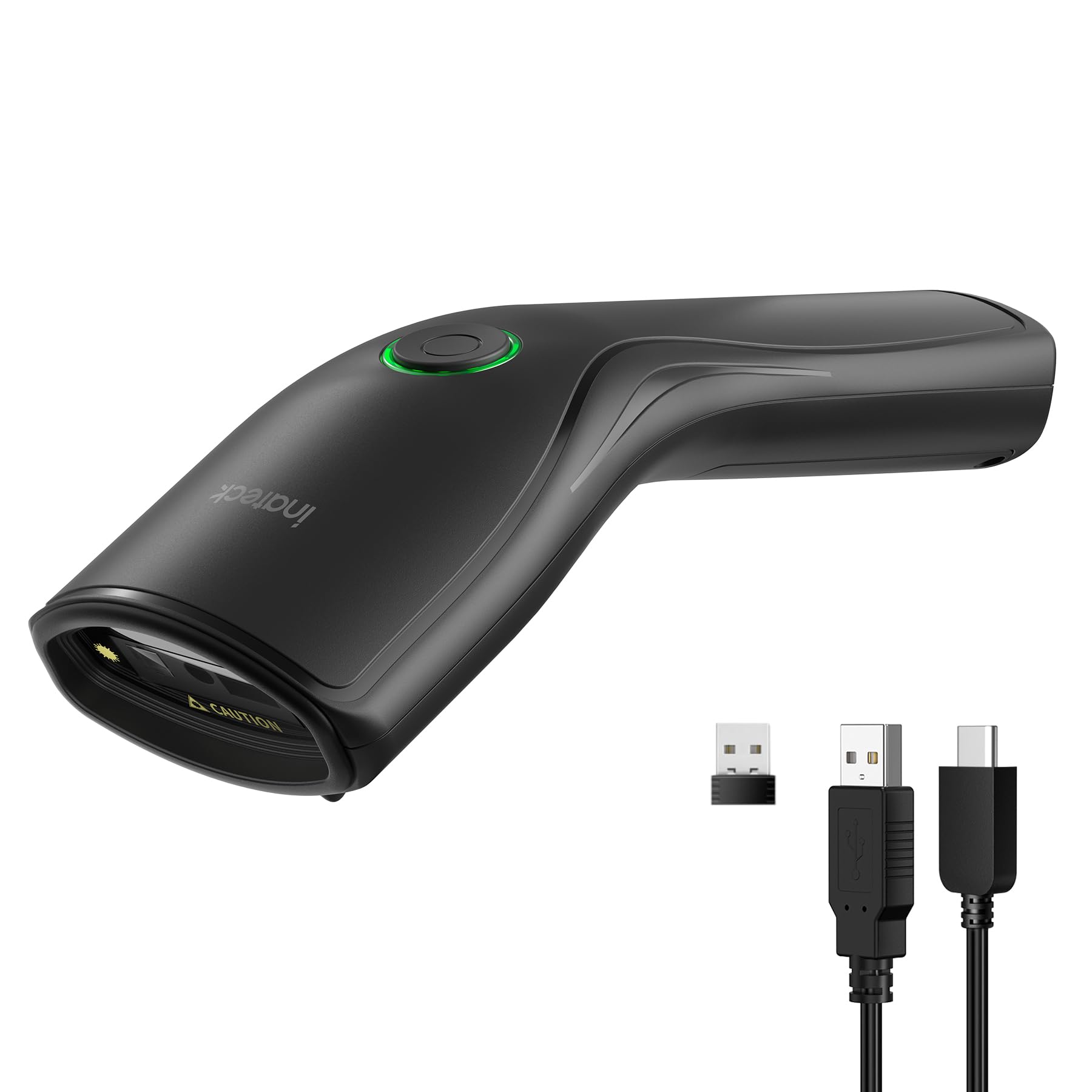
Image: A user demonstrates scanning a barcode on a product box in a warehouse environment using the Inateck N6057-BK scanner.
Modeu unggah
Pamindai ieu ngadukung dua mode unggah data:
- Modeu Unggah Instan: In this mode, scanned data is immediately transmitted to the connected device. This is ideal for real-time data entry.
- Modeu Panyimpenan: When operating in storage mode, the scanner can store up to 270,000 barcodes (with 13 characters each) internally. This is useful for inventory collection when offline, with data uploaded later.

Image: The scanner offers two data transfer options: Instant Upload, which sends data directly to a connected device, and Storage Mode, which saves scanned barcodes internally for later batch upload.
5. Lampu Indikator
The multicolor indicator light on the scanner provides visual feedback on its status:
- Héjo padet: The scanner is powered on.
- Alternating (Green/Red): The scanner is in Bluetooth pairing mode.
- Héjo Kedip-kedip: Indicates successful dongle pairing or a successful scan.
- Biru padet: The scanner is successfully connected to a device.

Image: A visual guide to the scanner's indicator light, explaining that green solid means power on, alternating colors mean Bluetooth pairing, green flashing indicates dongle pairing or a successful scan, and blue solid means the device is connected.
6. Pangropéa
- beberesih: Use a soft, dry cloth to clean the scanner's exterior. For the scanning window, use a lint-free cloth and a mild cleaning solution if necessary. Avoid abrasive cleaners or solvents.
- Perawatan batré: To prolong battery life, avoid fully discharging the battery frequently. If the scanner will not be used for an extended period, remove the battery.
- Panyimpenan: Simpen alat panyeken di tempat anu tiis sareng garing jauh tina sinar panonpoé langsung sareng suhu anu ekstrim.
7. Cara ngungkulan
- Scanner teu hurung: Ensure the battery is correctly installed and charged. Try replacing the battery with a fully charged one.
- Scanner teu nyambung via Bluetooth/2.4G: Ensure the scanner is in the correct pairing mode. Check your device's Bluetooth settings or ensure the 2.4G dongle is properly inserted. Try restarting both the scanner and the host device.
- Scanner henteu maca barkod: Ensure the barcode is clean and not damaged. Adjust the distance and angle of the scanner to the barcode. Check if the barcode type is supported by the scanner.
- Scanned data not appearing: Ensure the scanner is successfully connected to the host device. Verify that a text input field or application is active on your device.
8. Spésifikasi
- Jumlah modél: N6057-BK
- merek: Inateck
- Konektipitas: Bluetooth, 2.4G Wireless (via USB dongle), USB Wired
- Kasaluyuan: Windows, Mac OS, iOS, Android, Linux, Unix, Chrome OS
- Jenis Barcode: 1D and 2D (e.g., QR Code, DataMatrix, PDF417, Code 128, EAN, UPC)
- Batré: 1 x 14500 Lithium Ion (included), removable
- Runtime: Nepi ka 10 jam
- beurat: Kira-kira 108g
- Storage Capacity (Storage Mode): Up to 270,000 13-character barcodes
9. Garansi jeung Rojongan
Inateck products come with a standard warranty. For detailed warranty information, technical support, or service inquiries, please refer to the warranty card included with your product or visit the official Inateck website. Please have your model number (N6057-BK) and purchase information ready when contacting support.


