
1. Bubuka
Thank you for choosing the CINMOORE CM-C2U 3K Indoor Security Camera. This manual provides essential information for setting up, operating, and maintaining your camera to ensure optimal performance and security. This camera is designed for indoor use, offering advanced features such as 3K UHD video, AI-powered detection, pan-tilt-zoom functionality, and dual-band Wi-Fi connectivity.
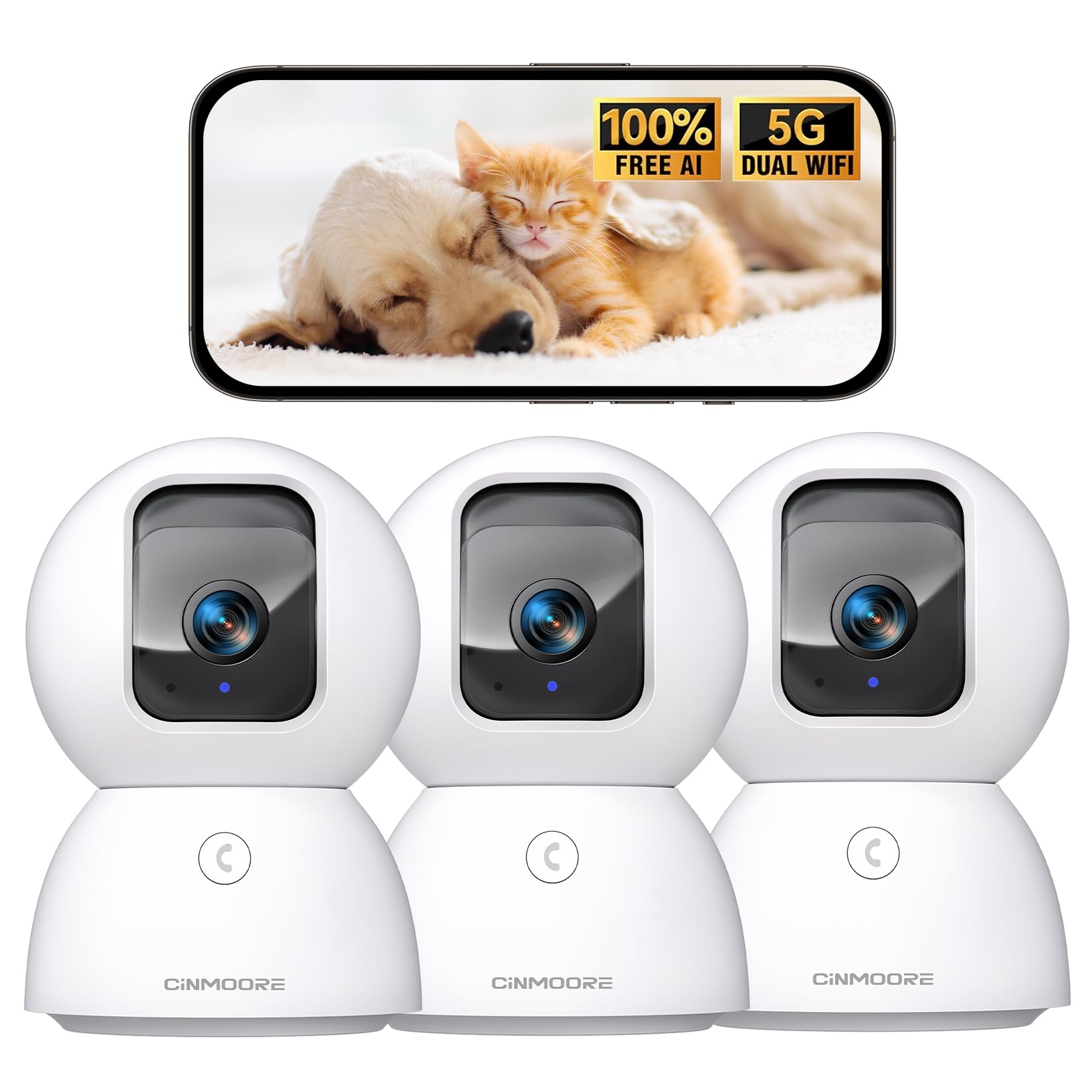
Figure 1: CINMOORE CM-C2U 3K Indoor Security Camera
2. Naon dina Box
- CINMOORE Security Camera (x3)
- Mounting Bracket Base (x3)
- Adaptor Daya (x3)
- Kabel Data (x3)
- Jangkar Sekrup (x3)
- Buku Panduan Pamaké (x1)
3. Parentah Setup
3.1 Mimiti Power-Up
- Connect the data cable to the camera's power port.
- Colokkeun adaptor kakuatan kana stop kontak listrik standar.
- The camera will power on, and an indicator light will blink, signaling it's ready for setup.
3.2 Ngundeur Aplikasi sareng Sambungan
- Download the official CINMOORE app from your smartphone's app store (iOS or Android).
- Jieun akun atanapi log in upami anjeun parantos gaduh.
- Follow the in-app instructions to add your new camera. This typically involves scanning a QR code located on the camera's base.
- Connect the camera to your home Wi-Fi network. The camera supports Dual-Band 2.4GHz/5GHz Wi-Fi 6 for a stable connection.
Video: C2U Indoor Camera 1-minute Setup. This video demonstrates the quick and easy setup process for the CINMOORE C2U Indoor Camera, guiding users through connecting the device to the power supply and linking it to the mobile application.
4. Parentah Operasi
4.1 Pemantauan Video Langsung
Access the live feed from your camera anytime, anywhere via the CINMOORE app. The 3K UHD resolution provides clear and detailed visuals.

Figure 2: Demonstrates the superior 3K clarity of the camera's video feed compared to 2K resolution, highlighting vivid detail for monitoring.
4.2 Pan-Dengdekkeun-Zoom (PTZ) kontrol
Use the virtual joystick in the app to remotely control the camera's movement. Enjoy a 360° horizontal pan and a 109° vertical tilt to cover every corner of your room. The camera also features AI auto-tracking to follow detected movement.

Figure 3: Illustrates the camera's comprehensive 360° pan and tilt capabilities, along with other key features like 3K Ultra HD, sound/crying alerts, and local facial recognition.
4.3 Audio Dua Arah
Engage in real-time conversations using the full-duplex two-way audio feature. Speak through the app and hear responses from the camera's location. A one-click call button can trigger family alerts.
4.4 AI Detection and Tracking
The camera offers free AI detections for facial recognition (stores up to 5 faces locally), person detection, pet detection, baby crying detection, and smoke/gas alarm recognition. Receive instant alerts on your smartphone when activity is detected. Customize detection zones to focus on specific areas.

Figure 4: Highlights the camera's no-subscription local AI detection features, including recognition of up to 5 faces and 6 types of detections (person, pet, motion, noise, loitering, facial) while ensuring 100% privacy.
4.5 Visi Peuting
The 0-Glow Night Vision 2.0 provides clear monitoring in low-light conditions without emitting a visible red glow, ensuring undisturbed sleep for babies and pets. The night vision range is up to 33 feet.

Figure 5: Compares the CINMOORE camera's 0-Glow Night Vision with a traditional camera's red glow, emphasizing safe and undisturbed monitoring for infants and pets.
4.6 Pilihan Panyimpenan
Choose between local storage via an SD card (up to 512GB, not included) for 24/7 recording, or optional AWS Cloud storage with bank-level security (30-day free trial available). SD card encryption ensures footage is only viewable within the CINMOORE App.

Figure 6: Details the camera's encrypted and secure storage options, including SD card support (up to 512GB, not included) and optional AWS Cloud Storage with a 30-day free trial.
4.7 Modeu Privasi
Activate the one-tap privacy mode, which physically covers the camera lens, ensuring your privacy when you are home.
5. Pilihan Pamasangan
The CINMOORE CM-C2U camera offers flexible mounting options to suit your needs:
- Tabletop Gunung: Simply place the camera on any flat surface like a table, shelf, or desk.
- Tembok Gunung: Use the included mounting bracket base and screw anchors to securely attach the camera to a wall.
- Gunung siling: The camera can also be mounted to the ceiling using the provided bracket for an overhead view.
Ensure the camera is positioned to provide the optimal viewing angle for your desired monitoring area.
Video: Setup Guide for IMILAB indoor camera. This video provides a step-by-step guide on how to set up an IMILAB indoor camera, including unboxing, connecting to power, app setup, and mounting options.
6. Spésifikasi
| Ngaran modél | CM-C2U |
| Pamakéan jero rohangan / outdoor | jero rohangan |
| Resolusi Capture Video | 3K/4MP |
| Protokol konektipitas | Wi-Fi (Dual-Band 2.4GHz/5GHz Wi-Fi 6) |
| Sumber Daya | Kabel Listrik |
| Tipe Controller | Amazon Alexa |
| Tipe Pamasangan | Ceiling Mount / Tabletop Mount / Wall Mount |
| Wengi Sawangan Sawangan | 33 Feet (0-Glow) |
| Panyimpenan Lokal | SD card (up to 512GB, not included) |
| Diménsi | 3 x 4.5 x 3 inci |
| Item Beurat | 2.33 pon |
7. Pangropéa
- beberesih: Lembut usap lénsa kaméra jeung awakna ku kaén nu garing tur lemes. Ulah make bahan kimia kasar atawa bahan abrasive.
- Pembaruan firmware: Regularly check the CINMOORE app for available firmware updates to ensure your camera has the latest features and security enhancements.
- Siklus kakuatan: If the camera experiences connectivity issues, try unplugging it from the power source for 10 seconds and then plugging it back in.
- Manajemén Kartu SD: Lamun maké kartu SD, périodik ulangview jeung ngatur foo dirékamtage pikeun nyegah kartu jadi pinuh.
8. Cara ngungkulan
- Kaméra Teu Nyambung ka Wi-Fi:
- Pastikeun jaringan Wi-Fi anjeun 2.4GHz atanapi 5GHz.
- Pariksa yén sandi Wi-Fi diasupkeun bener.
- Pindahkeun kaméra ngadeukeutan ka router Wi-Fi anjeun.
- Balikan deui router anjeun sareng kaméra.
- Kualitas pidéo goréng:
- Pariksa laju sambungan internét anjeun.
- Pastikeun lénsa kaméra beresih.
- Adjust video quality settings in the app if available.
- Teu Aya Peringatan Deteksi Gerakan:
- Pariksa yén deteksi gerak diaktipkeun dina setélan aplikasi.
- Adjust motion sensitivity levels.
- Pariksa setélan bewara aplikasi dina telepon pinter anjeun.
- Masalah Audio Dua Arah:
- Ensure your phone's microphone is enabled for the app.
- Check the volume settings in the app.
- Minimalkeun gangguan sora latar tukang pikeun komunikasi anu langkung jelas.
9. Garansi jeung Rojongan
The CINMOORE CM-C2U camera comes with a 24-month warranty. For any issues or inquiries, please contact CINMOORE customer support. We offer free replacement for eligible issues, extended warranty options, and professional support to ensure your satisfaction.
For further assistance, refer to the help section within the CINMOORE app or visit our official websitus.