
1. Bubuka
Thank you for choosing the Monster Prism Pro Bluetooth Speaker. This manual provides essential information for setting up, operating, and maintaining your speaker. Please read it thoroughly before use to ensure optimal performance and longevity of your device.
2. Eusi Paket
Pastikeun sadaya item aya dina bungkusan:
- Monster Prism Pro Bluetooth Speaker
- Kabel Ngecas USB-C
- Manual pamaké
3. Produk Langkungview
The Monster Prism Pro Bluetooth Speaker is designed for powerful, portable audio. It features dynamic RGB lighting, multiple input options, and True Wireless Stereo (TWS) pairing capability.

Hareupeun view of the Monster Prism Pro Bluetooth Speaker, showcasing its sleek design and central Monster logo.

Hiji ngabeledug view illustrating the internal components of the Monster Prism Pro speaker, highlighting the dual subwoofers and 60W stereo sound capability.
4. Setup jeung Ngecas
4.1 Muatan Awal
Before first use, fully charge the speaker. Connect the provided USB-C charging cable to the speaker's USB-C port and the other end to a compatible USB power adapter (not included).
- Lampu indikator ngecas bakal hurung nalika ngecas.
- Lampu bakal pareum atanapi robih warna nalika dicas pinuh.
4.2 Daya Hurung/Pareuman
Pencét jeung tahan tombol Daya (⏻) for 2-3 seconds to turn the speaker on or off.
5. Parentah Operasi
5.1 Nyapasangkeun Bluetooth
The Monster Prism Pro uses Bluetooth 6.0 for stable connections.

An illustration highlighting the advanced Bluetooth 6.0 technology, ensuring faster and more stable connections with all compatible devices.
- Hurungkeun spéker. Bakal otomatis asup kana mode papasangan Bluetooth, dituduhkeun ku LED kedip-kedip.
- Aktipkeun Bluetooth dina alat anjeun (smartphone, tablet, komputer).
- Milarian pikeun "Monster Prism Pro" in your device's Bluetooth list and select it to connect.
- Sakali disambungkeun, indikator LED bakal eureun kedip-kedip sarta tetep solid.
5.2 Leres Wireless Stereo (TWS) papasangan
Pair two Monster Prism Pro speakers for a powerful 120W stereo sound experience.
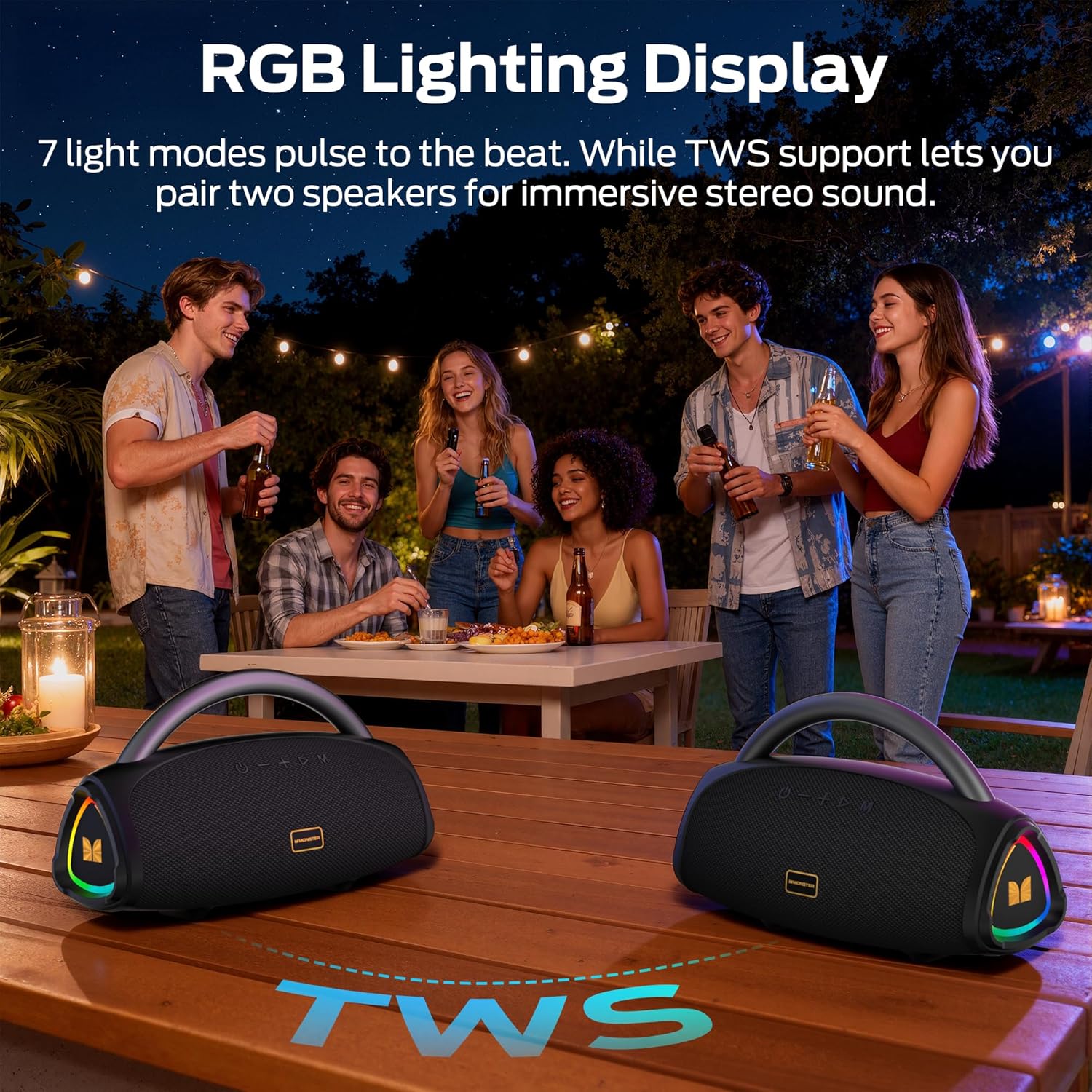
Two Monster Prism Pro speakers wirelessly connected, demonstrating the True Wireless Stereo (TWS) pairing feature for an enhanced audio experience.
- Pastikeun duanana spiker dihurungkeun sareng henteu nyambung ka alat Bluetooth mana waé.
- On one speaker (this will be the primary speaker), press the TWS button (often indicated by two interlocking circles or a similar icon). The speaker will emit a sound indicating it's searching for another speaker.
- Dua speaker bakal otomatis nyambung ka unggal lianna. Nada konfirmasi bakal disada.
- Ayeuna, sambungkeun alat Anjeun ka speaker primér via Bluetooth sakumaha dijelaskeun dina bagian 5.1. Audio bakal diputer ngaliwatan duanana speaker dina stereo.
5.3 Kontrol cahaya RGB
The speaker features dynamic RGB LED lights. Use the dedicated light mode button (often indicated by a lightbulb icon) to cycle through different lighting effects or turn them off.
5.4 Other Input Modes (AUX, USB, TF-Card)
The speaker supports multiple audio input options.
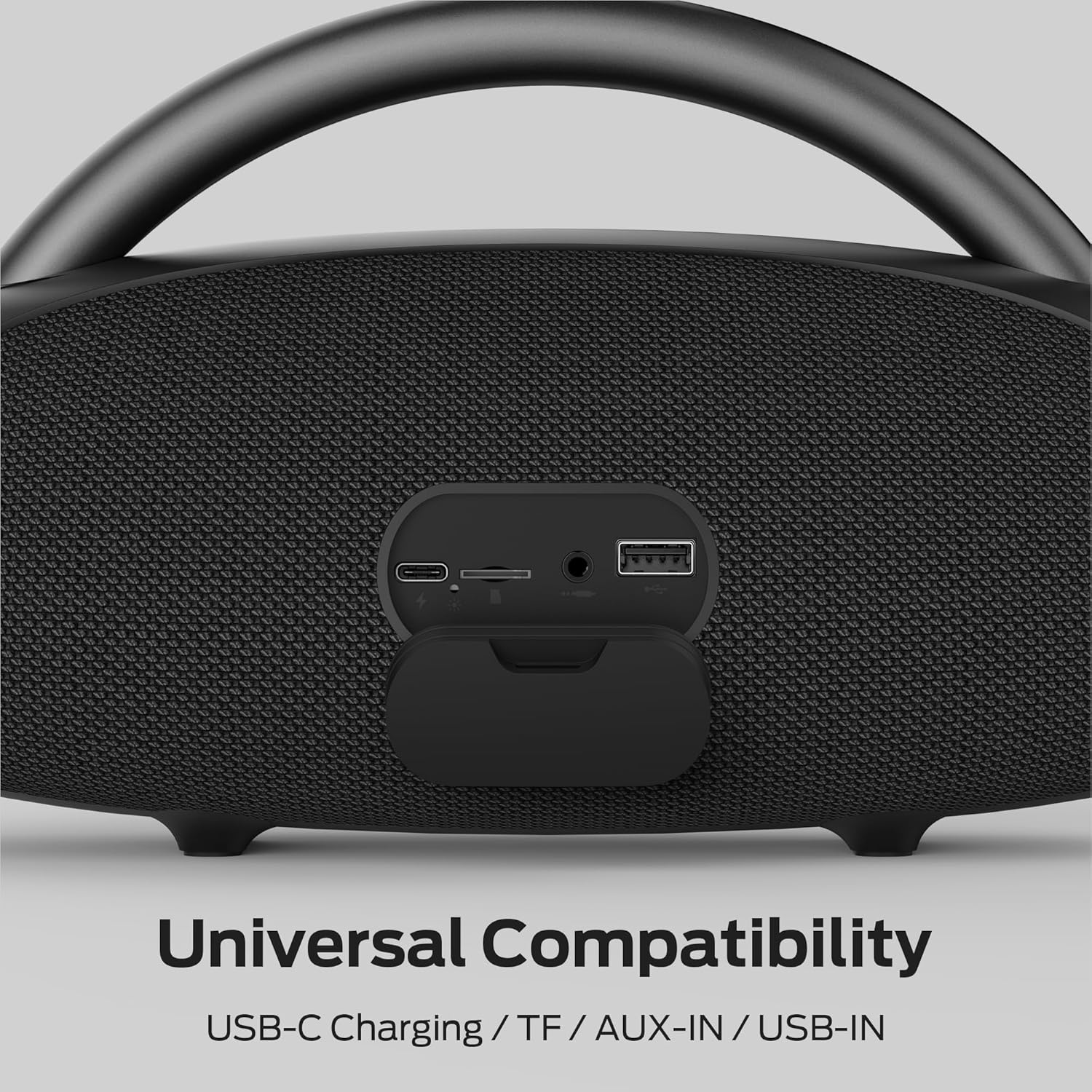
A lengkep view of the speaker's universal compatibility ports, including USB-C charging, TF card slot, AUX-in, and USB-in.
- AUX-in: Connect an audio device using a 3.5mm audio cable to the AUX port. The speaker will automatically switch to AUX mode.
- USB-in: Selapkeun USB flash drive nu ngandung audio files into the USB port. The speaker will automatically play music from the drive.
- TF-Card: Insert a TF (MicroSD) card containing audio files into the TF card slot. The speaker will automatically play music from the card.
5.5 Telepon bebas leungeun
Nalika disambungkeun via Bluetooth ka smartphone, mikropon diwangun-di ngamungkinkeun pikeun nelepon hands-free.
- Ngajawab / mungkas Telepon: Pencét tombol Play / Reureuh sakali.
- Nolak Telepon: Pencét jeung tahan tombol Play/Reureuh salila 2 detik.
6. Perawatan sareng Pangropéa
- Ngabersihan spéker nganggo kaén anu lemes sareng garing. Ulah make cleaners abrasive atawa pangleyur.
- Avoid exposing the speaker to extreme temperatures, direct sunlight, or excessive moisture.
- While water-resistant, do not submerge the speaker in water.
- Simpen spéker dina tempat anu tiis sareng garing upami henteu dianggo kanggo waktos anu lami.
7. Cara ngungkulan
| Masalah | Mungkin Cukang lantaranana | Solusi |
|---|---|---|
| Speaker teu hurung. | batré lemah. | Ngecas spéker pinuh. |
| Teu bisa masangkeun via Bluetooth. | Speaker teu aya dina mode papasangan atawa geus disambungkeun ka alat sejen. | Ensure speaker is in pairing mode (flashing LED). Disconnect from other devices. Restart both speaker and Bluetooth device. |
| Taya sora. | Volume too low, incorrect input mode, or device not playing. | Increase volume on both speaker and connected device. Check input mode. Ensure audio is playing on the source device. |
| Papasangan TWS gagal. | Spikerna jauh teuing atanapi parantos nyambung ka alat sanés. | Pastikeun duanana spiker caket sareng henteu nyambung ka alat Bluetooth anu sanés sateuacan ngamimitian papasangan TWS. |
8. Spésifikasi
| Fitur | Rincian |
|---|---|
| Ngaran modél | Prisma Pro |
| merek | Raksasa |
| Speaker Maksimum Kaluaran Power | 60 Watt |
| Téhnologi konektipitas | Bluetooth 6.0 |
| Mode Kaluaran Audio | Sakuriling |
| Batré Rata Kahirupan | 24 Jam |
| Tingkat Résistansi Cai | Tahan cai |
| Métode kontrol | Toél |
| Rentang Bluetooth | 30 méter |
| Ukuran barang (D x W x H) | 15 "D x 7" W x 8" H |
| Fitur tambahan | LED Light, Portable, Stereo Pairing, USB Port, Built-in Microphone |
9. Émbaran Kasalametan
- Ulah ngabongkar, ngalereskeun, atawa ngaropéa produk.
- Keep away from heat sources, direct sunlight, humidity, water, and other liquids.
- Do not operate the speaker with wet hands.
- Ulah ngalungkeun atawa ngagebugan speaker kalawan tarik.
- Jauhkeun tina jangkauan barudak.
10. Garansi jeung Rojongan
Kanggo inpormasi garansi sareng dukungan palanggan, mangga tingali dokuméntasi anu disayogikeun sareng pameseran anjeun atanapi kunjungi situs resmi Monster. websitus. Simpen bukti pameseran anjeun pikeun klaim garansi.