1. Bubuka
This manual provides essential information for setting up, operating, maintaining, and troubleshooting your Thunderobot Storm 15 4050 Gaming Laptop. Please read it thoroughly to ensure optimal performance and longevity of your device.
Fitur konci:
- Prosesor: Intel Core i7-13620H (10 Core, nepi ka 4.9 GHz)
- Grafik: GPU laptop NVIDIA GeForce RTX 4050
- Mémori: 32GB DDR4 RAM (3200 MHz)
- Panyimpenan: SSD PCIe M.1 2TB
- tampilan: 15.6-inch Full HD (1920x1080) 165Hz, 100% sRGB, DC Dimming
- Sistem operasi: Windows 11 Imah
- Cooling: Advanced Frost Cooling System with multi-heat-pipe design and high-pressure turbine fan
- kibor: Full-size backlit keyboard with numeric keypad
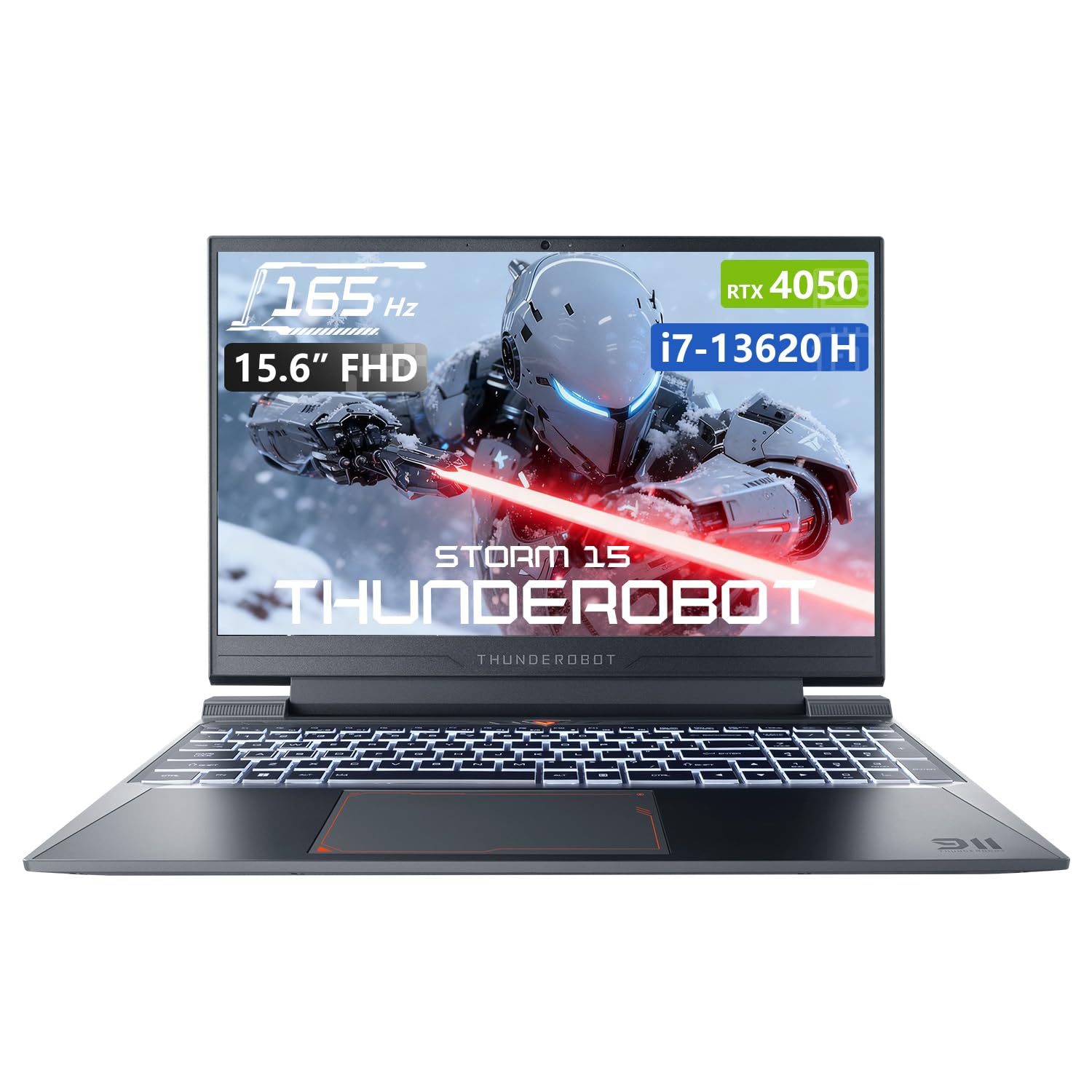
Image: The Thunderobot Storm 15 4050 Gaming Laptop, showcasing its sleek design and backlit keyboard.
2. Setélan
2.1 Daya Awal Hurung
- Ngabongkar: Cabut laptop sareng sadaya asesoris sacara saksama tina bungkusan.
- Sambungkeun Kakuatan: Colokkeun adaptor AC kana port daya laptop teras kana stop kontak.
- Daya Hurung: Buka tutup laptop sareng pencét tombol daya, biasana aya di luhur kibor atanapi di sisi.
- Setup Awal: Turutan parentah dina-layar pikeun ngarengsekeun setelan Imah Windows 11, kaasup basa, wewengkon, sambungan jaringan, jeung nyieun akun pamaké.
2.2 Nyambungkeun périferal
Your laptop is equipped with various ports for connecting external devices.

Image: Diagram illustrating the various ports and slots available on the Thunderobot Storm 15 laptop.
- Alat USB: Connect USB mice, keyboards, external drives, or other peripherals to the USB 3.1 Type-A ports or the USB 3.1 Gen 2 Type-C port.
- Tampilan éksternal: Anggo port HDMI pikeun nyambungkeun monitor éksternal atanapi TV.
- Jaringan: Pikeun sambungan internét kabel anu stabil, colokkeun kabel Ethernet kana port RJ-45.
- Audio: Connect headphones or external speakers to the 3.5mm Combo Jack.
3. Ngoperasikeun Laptop Anjeun
3.1 Fitur tampilan
The 15.6-inch Full HD display offers a 165Hz refresh rate for smooth visuals and 100% sRGB color gamut for accurate color reproduction. DC dimming technology helps reduce screen flickering.
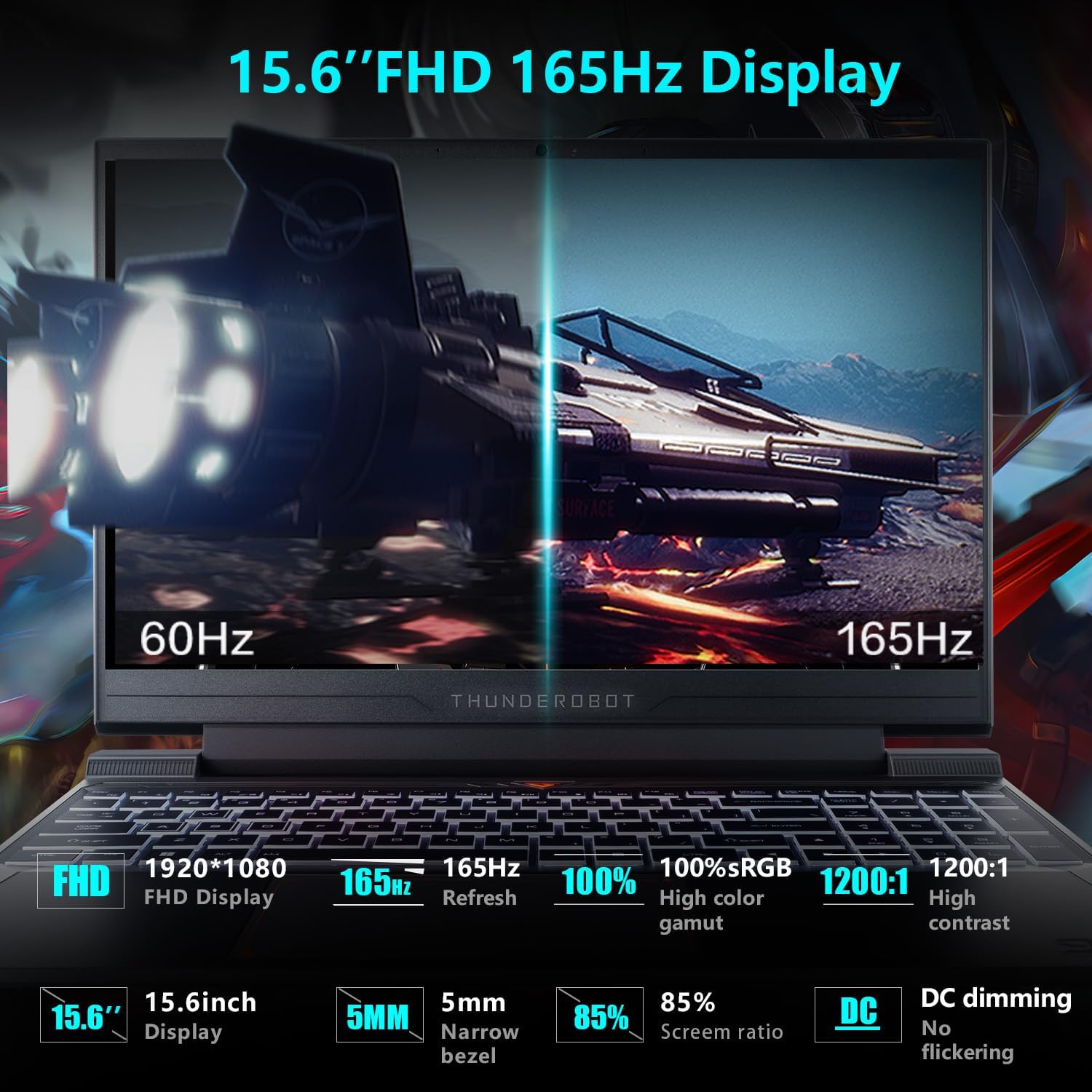
Image: Close-up of the 15.6-inch Full HD 165Hz display, highlighting its smooth motion capabilities.
3.2 Kibor sareng Touchpad
The full-size backlit keyboard includes a numeric keypad for enhanced productivity and gaming. The anti-fingerprint surface helps maintain a clean appearance.
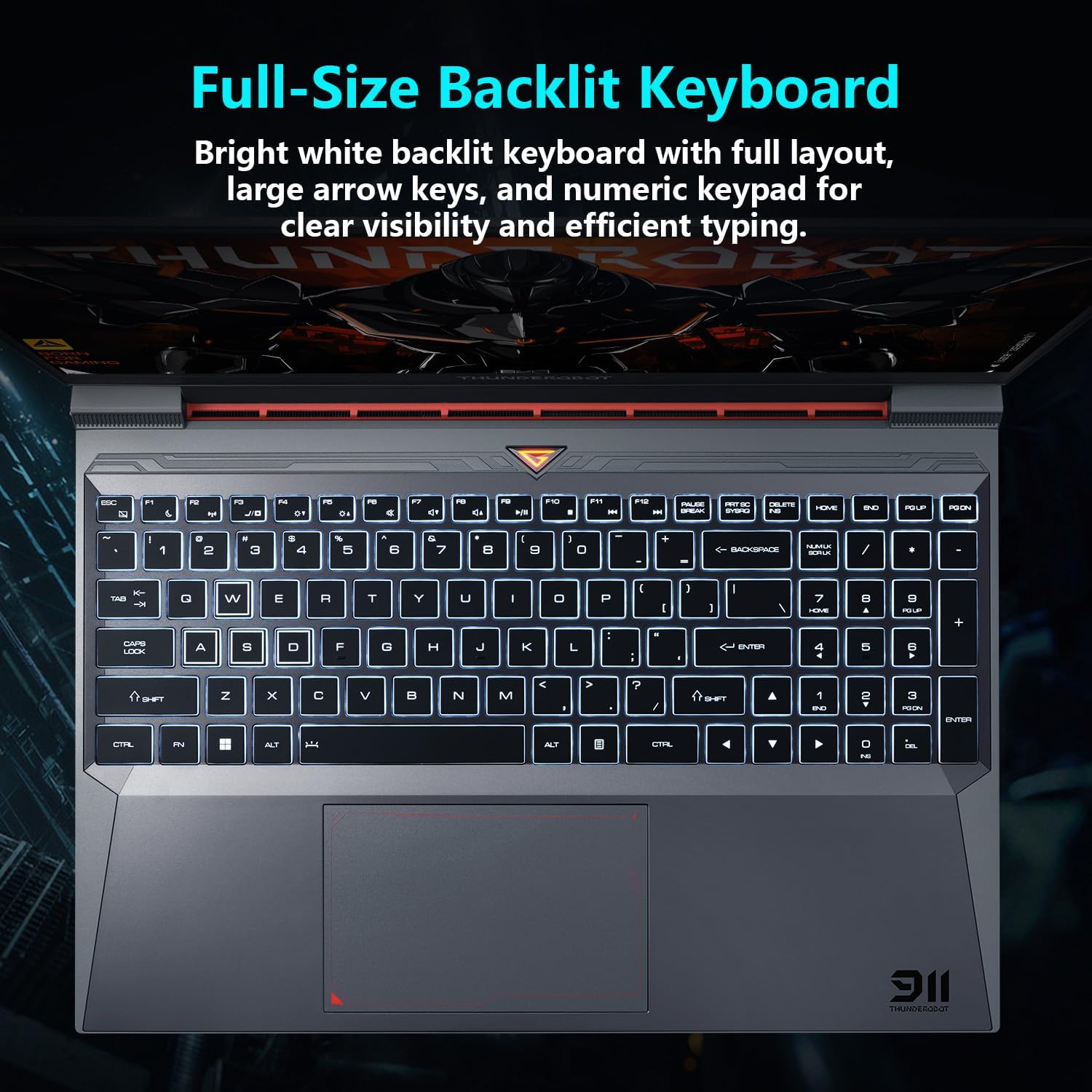
Gambar: View of the full-size backlit keyboard with its bright white backlighting and numeric keypad.
3.3 Sistim Audio
Experience immersive sound with the laptop's professional sound certification and high-specification speaker design.
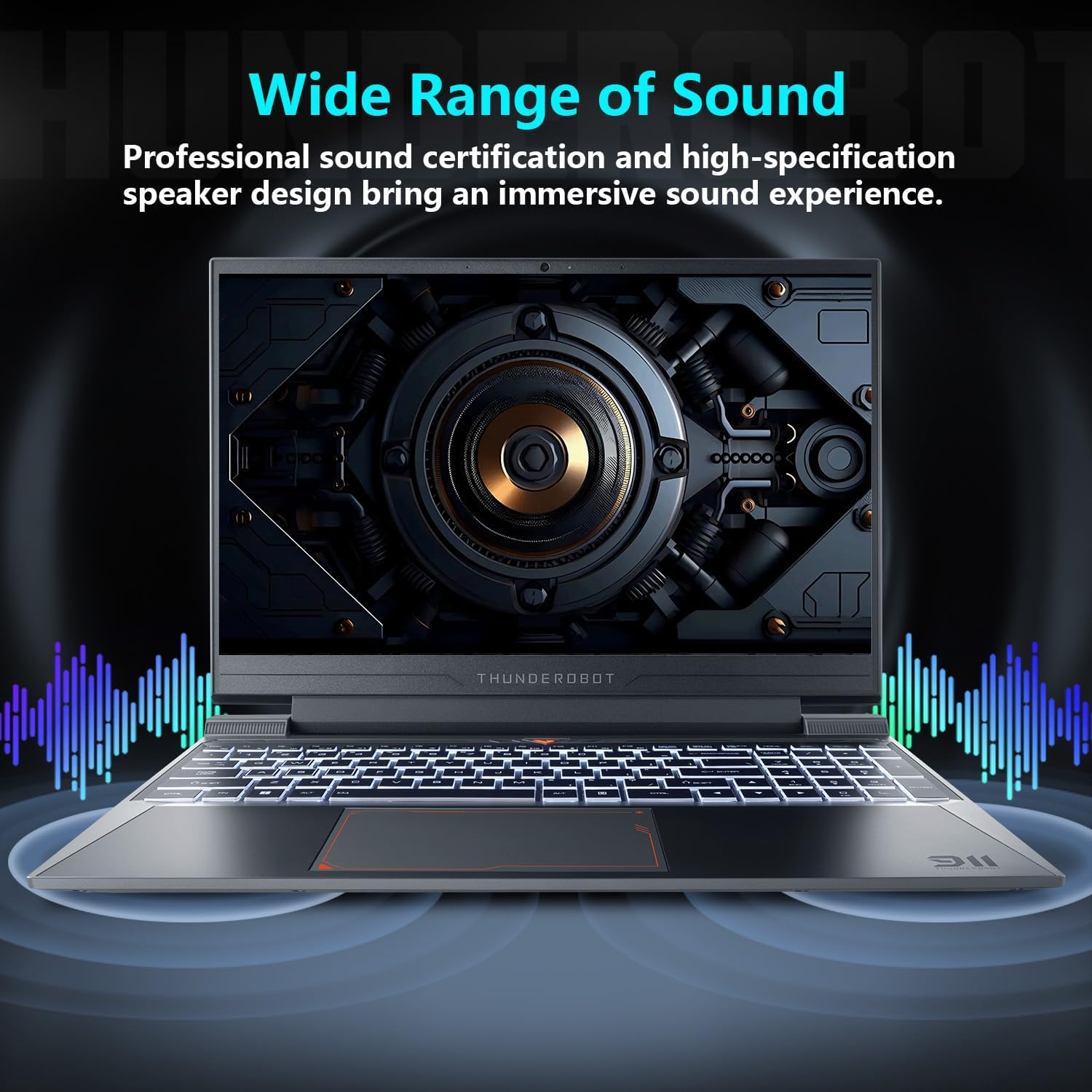
Image: Laptop displaying sound waves, illustrating its wide range of sound capabilities.
3.4 Sistim cooling
The Advanced Frost Cooling System features multi-heat-pipe design (10mm/8mm composite pipes), a high-pressure turbine fan with 80 ultra-thin LCP blades, and 126 dense copper fins (28,000mm²) to ensure efficient heat dissipation. This design keeps critical components cool during intensive use.
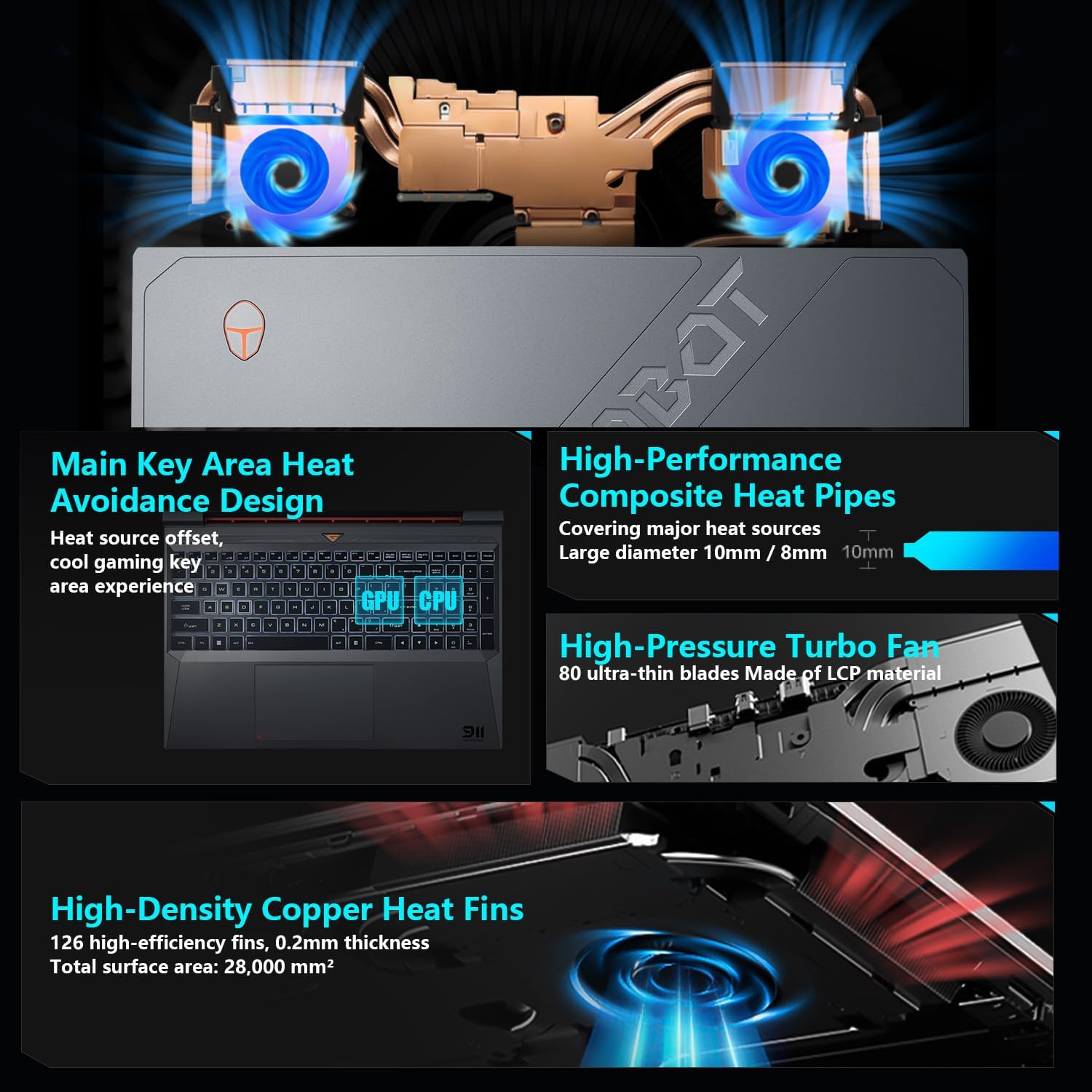
Image: Diagram showing the internal cooling system with heat pipes, fans, and copper fins.
3.5 Control Center Software
The Control Center software allows you to adjust and switch between various performance modes (e.g., Berserk mode, Game mode, Audio and Video Office mode) and customize fan speed and lighting settings. Access it by typing "Control Center" in the Windows search bar or using designated function keys.

Image: Screenshots of the Control Center software interface, showing options for performance modes, fan adjustment, and lighting controls.
4. Pangropéa
4.1 beberesih
- layar: Make lawon anu lemes, teu aya serat dampdikumbah ku cai atawa pembersih layar. Hindarkeun bahan kimia anu kasar.
- Keyboard sareng Chassis: Use a soft cloth to wipe surfaces. Compressed air can be used to clear dust from between keys and vents.
- ventilasi: Regularly check and clean the cooling vents to prevent dust buildup, which can hinder airflow and performance.
4.2 Apdet parangkat lunak
Keep your operating system and drivers updated to ensure optimal performance and security. Windows Update will handle OS updates, and you can check the Thunderobot support website for the latest driver versions for your specific model.
5. Cara ngungkulan
5.1 Isu umum
- Laptop teu hurung: Ensure the AC adapter is securely connected to both the laptop and a working power outlet. Check if the power button is functioning correctly.
- Overheating: Ensure cooling vents are not blocked. Use the Control Center to adjust fan speeds. Consider using the laptop on a hard, flat surface to improve airflow.
- Masalah tampilan: If the screen is blank, try connecting an external monitor to check if the issue is with the laptop's display or the graphics output. Update graphics drivers.
- kinerja slow: Check for background applications consuming resources. Ensure sufficient free storage space. Run a malware scan.
- Peripheral not detected: Ensure the peripheral is correctly plugged into the appropriate port. Try a different port or restart the laptop. Update relevant drivers.
5.2 Rojongan kontak
If you encounter issues that cannot be resolved using this guide, please refer to the Thunderobot official support channels for assistance.
6. Spésifikasi
| Fitur | Rincian |
|---|---|
| Ukuran tampilan layar nangtung | 15.6 inci |
| Resolusi layar | 1920 x 1080 piksel |
| Resolusi layar Max | 1920x1080 Piksel |
| Prosesor | Intel Core i7-13620H (4.9 GHz max turbo) |
| Ram | 32 GB DDR4 (3200 MHz) |
| Hard Drive | SSD 1 TB (PCIE x 4) |
| Grafik Coprocessor | GPU laptop NVIDIA GeForce RTX 4050 |
| Tipe Wireless | 802.11ax, Bluetooth |
| Jumlah USB 3.0 palabuhan | 3 |
| Sistem operasi | Windows 11 Imah |
| Item Beurat | 12 pon |
| Dimensi produk | 14.12 x 10.14 x 0.94 inci |
| Warna | Hideung |
| Fitur husus | Kibor anu diterangan ka tukang, Keypad Numerik |

Image: Performance benchmarks comparing the RTX 4050 and Intel Core i7-13620H against previous generations.
7. Garansi jeung Rojongan
Every Thunderobot laptop includes a 12-garansi sasih, nawiskeun dukungan ahli, diagnostik anu lengkep, sareng suku cadang asli upami diperyogikeun perbaikan. Salaku tambahan, a garansi 90 poé is provided on all warranty replacement parts, ensuring hassle-free repairs. Your complete satisfaction is our commitment.
For further support, please visit the official Thunderobot websitus atanapi ngahubungan layanan palanggan maranéhna.
Video: Hiji leuwihview of the Thunderobot Storm 15 Laptop, showcasing fitur sarta desain na.


