1. Produk Langkungview
The House of Marley Positive Vibration Rebel Wireless ANC Headphones are designed to provide an immersive audio experience with adaptive noise cancelling technology. Crafted from sustainable materials, these over-ear headphones offer extended playtime and comfortable wear.

Image 1.1: House of Marley Positive Vibration Rebel Wireless ANC Headphones, Cream.
Fitur konci:
- Ngabatalkeun Noise Adaptif: Intelligently blocks distractions for an immersive listening experience.
- Rich Balanced Sound: Precision-tuned 40mm drivers deliver full-spectrum audio.
- Manjangkeun Umur Batré: Up to 130 hours of playtime (75 hours with ANC activated).
- Bahan Sustainable: Constructed with FSC certified wood and recycled aluminum.
- Portable Comfort: Soft memory foam cushions, adjustable headband, foldable design, and IPX5 water resistance.
- Bluetooth 5.4: Ensures smooth and stable wireless connectivity.
2. Setélan
2.1 Naon dina Box
- Positive Vibration Rebel Wireless ANC Headphones
- Kabel Ngecas USB-C
- 3.5mm AUX Kabel Audio
- Pituduh Mimiti Gancang (tingali manual ieu kanggo petunjuk anu lengkep)
2.2 Ngecas Headphone
- Panggihan port ngecas USB-C dina headphone.
- Connect the provided USB-C cable to the headphones and the other end to a USB power source (e.g., wall adapter, computer USB port).
- The LED indicator on the headphones will show charging status. Refer to the LED indicator section for details.
- A full charge provides up to 130 hours of playtime (75 hours with ANC). A quick 15-minute charge can provide approximately 4 hours of playtime.
2.3 Nyapasangkeun Bluetooth
- Pastikeun headphone dipareuman.
- Pencét jeung tahan tombol Daya nepi ka indikator LED hurung biru jeung beureum, nuduhkeun mode papasangan.
- Dina alat anjeun (smartphone, laptop, tablet), aktipkeun Bluetooth teras milarian alat anu sayogi.
- Select "Positive Vibration Rebel" from the list of devices.
- Sakali disambungkeun, indikator LED bakal ngahurungkeun biru padet.
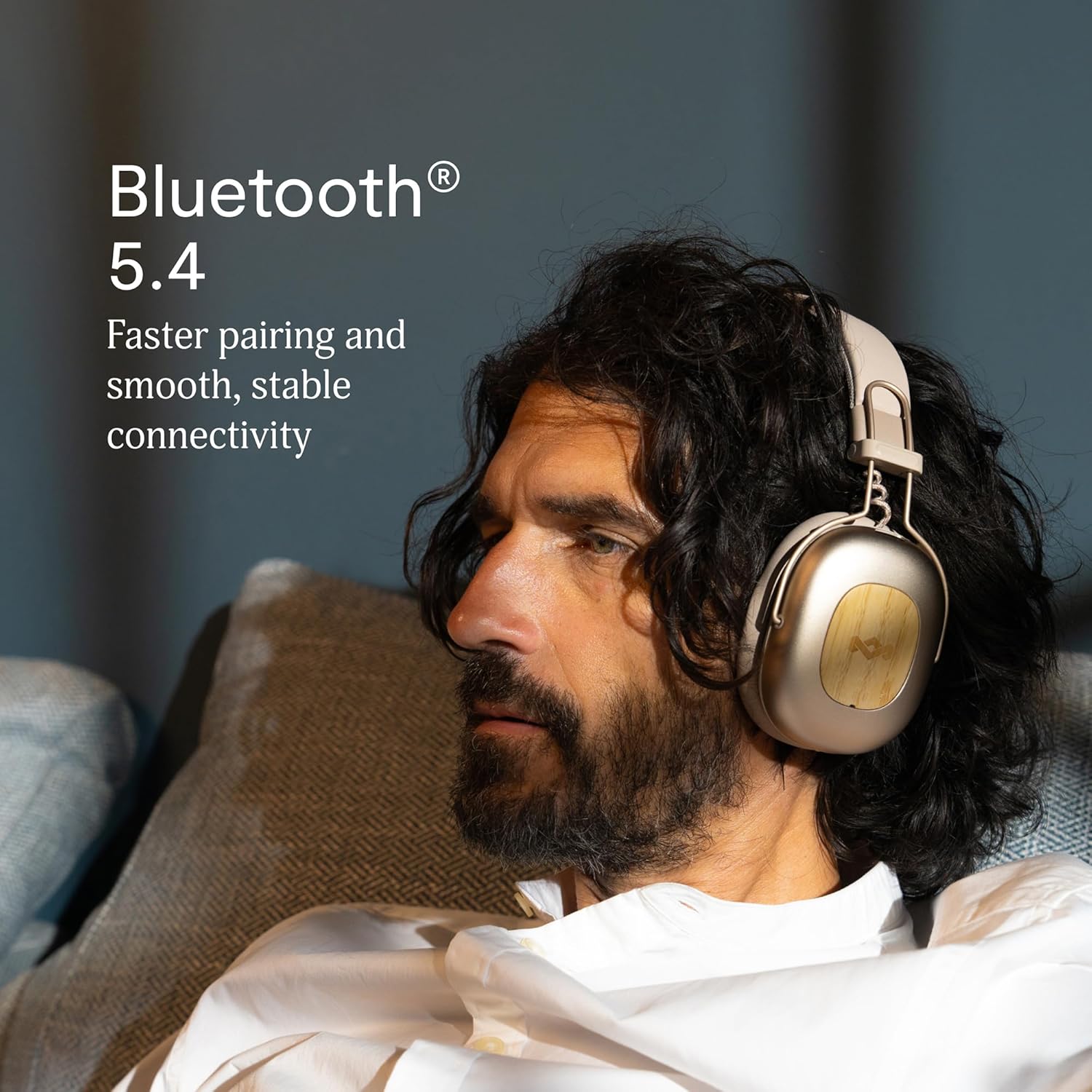
Image 2.1: Bluetooth 5.4 connectivity for stable pairing.
2.4 Nyaluyukeun Pas
The headphones feature an adjustable headband and soft memory foam ear cushions for comfortable wear. Adjust the headband to ensure the earcups sit comfortably over your ears, creating a good seal for optimal sound and noise cancelling performance.

Image 2.2: Ergonomic design for all-day comfort.
3. Parentah Operasi
3.1 Daya Hurung/Pareuman
- Daya Hurung: Pencét terus tahan tombol Daya salami 2-3 detik dugi ka indikator LED hurung.
- Pareum listrik: Pencét terus tahan tombol Daya salami 3-4 detik dugi ka indikator LED pareum.
3.2 Puterkeun Musik
- Puter / Reureuh: Pencét tombol Multi-fungsi sakali.
- Lagu salajengna: Pencét terus tahan tombol Volume Naék salila 2 detik.
- Lagu Sateuacanna: Pencét terus tahan tombol Volume Turun salami 2 detik.
- Volume Up: Pencét sakeudeung tombol Volume Up.
- Volume Turun: Pencét sakeudeung tombol Volume Turun.
3.3 Manajemén Telepon
- Ngajawab / mungkas Telepon: Pencét tombol Multi-fungsi sakali.
- Nolak Telepon: Pencét jeung tahan tombol Multi-fungsi salila 2 detik.
3.4 Adaptive Noise Cancelling (ANC)
The headphones feature Adaptive Noise Cancelling to reduce ambient noise. There are typically multiple modes:
- ANC On: Blocks out most external noise.
- Ambient Mode (Transparency): Ngidinan anjeun ngadangu sakuliling anjeun bari ngadangukeun audio.
- ANC Pareum: Standard listening without noise cancelling.
Press the ANC button (usually located on one of the earcups) to cycle through the available ANC modes.

Image 3.1: Adaptive Noise Cancelling for distraction-free listening.
3.5 Sambungan kabel
For a wired connection, use the provided 3.5mm AUX audio cable. Plug one end into the headphone's 3.5mm port and the other end into your audio device. Note that some features like ANC may still function, but power is drawn from the headphone's battery.
4. Pangropéa
4.1 beberesih
- Gently wipe the headphones with a soft, dry, lint-free cloth.
- Ulah make bahan kimia kasar, pangleyur beberesih, atawa detergents kuat.
- Ulah meunang Uap kana sagala bukaan.
4.2 Panyimpenan
When not in use, store the headphones in a cool, dry place, away from extreme temperatures and direct sunlight. The foldable design allows for compact storage.
4.3 Perawatan Batré
- Hindarkeun sering-sering ngeusi batre.
- Cas headphone sacara rutin, sanajan teu dianggo lila, pikeun ngajaga kaséhatan batréna.
- Ulah nyobian ngaganti batréna sorangan. Kontak rojongan customer lamun masalah batré timbul.
4.4 Tahan Cai (IPX5)
The headphones are rated IPX5 water resistant, meaning they can withstand a sustained, low-pressure water jet spray. This makes them suitable for light rain or sweaty workouts. However, they are not designed for submersion in water. Do not expose them to heavy rain or immerse them in any liquid.
5. Cara ngungkulan
5.1 Taya Daya
- Pastikeun headphone dicas. Sambungkeunana ka sumber listrik nganggo kabel USB-C.
- Press and hold the Power button for the specified duration to turn them on.
5.2 Teu Bisa Dipasangkeun jeung Alat
- Pastikeun headphone aya dina mode papasangan (LED kedip-kedip biru jeung beureum).
- Pastikeun Bluetooth dina alat anjeun diaktipkeun sareng aya dina jangkauan (biasana 10 méter).
- Poho alat tina setelan Bluetooth alat anjeun sareng cobian masangkeun deui.
- Balikan deui headphone sareng alat anjeun.
5.3 Taya Sora atawa Volume Low
- Pariksa tingkat polumeu boh dina headphone sareng alat Anjeun nu disambungkeun.
- Ensure the headphones are properly connected via Bluetooth or the 3.5mm AUX cable.
- If using a wired connection, ensure the cable is fully inserted into both ports.
- Coba maén audio tina sumber atanapi aplikasi anu béda.
5.4 Adaptive Noise Cancelling Not Working Effectively
- Ensure ANC is activated by pressing the ANC button.
- Pariksa yén panutup ceuli ngabentuk segel anu saé di sabudeureun ceuli anjeun. Saluyukeun ukuranana upami diperyogikeun.
- ANC is most effective against low-frequency, constant noise. It may not completely eliminate sudden or high-frequency sounds.
6. Spésifikasi
| Fitur | Rincian |
|---|---|
| Ngaran modél | Positive Vibration Rebel |
| Nomer Modél Item | EM-JH152 |
| Téhnologi konektipitas | Nirkabel (Bluetooth) |
| Vérsi Bluetooth | 5.4 |
| Tipe Supir Audio | Supir dinamis (40mm) |
| Fitur Control Noise | Ngabahekeun Noise Adaptif |
| Kahirupan batré | Up to 130 Hours (75 Hours with ANC) |
| Waktu Ngecas | 15 menit pikeun 4 jam playtime (ngecas gancang) |
| Tingkat Résistansi Cai | IPX5 |
| Bahan | Aluminum, Wood (FSC certified), REWIND™ Fabric |
| Panempatan Ceuli | Leuwih Ceuli |
| Alat nu cocog | Smartphone, Laptop, Tablet, Spiker Pinter |
| Dimensi produk | 8.13 x 3.75 x 8.36 inci |
| Item Beurat | 1.14 pon |
| UPC | 846885011874 |
7. Garansi jeung Rojongan
7.1 Émbaran jaminan
House of Marley products typically come with a limited warranty. For specific details regarding the warranty period and terms for your Positive Vibration Rebel Wireless ANC Headphones, please refer to the warranty card included with your product or visit the official House of Marley websitus. Simpen bukti pameseran anjeun pikeun klaim garansi.
7.2 Rojongan Palanggan
If you encounter any issues not covered in this manual or require further assistance, please contact House of Marley customer support. You can usually find contact information (phone, email, or support portal) on the official House of Marley websitus:


