Bubuka
This manual provides detailed instructions for the KOSPET Tank T4 Smart Watch. Please read this guide thoroughly to ensure proper usage and to maximize the features of your device. The KOSPET Tank T4 is a rugged smartwatch designed for various activities, featuring a durable stainless steel body, advanced GPS capabilities, comprehensive health monitoring, and extended battery life.
Naon dina Box
- 1 x KOSPET Tank T4 Stainless Steel Smart Watch
- 1 x Gelang Jam
- 1 x Kabel Charger
- 1 x Manual Pamaké

Image: KOSPET Tank T4 Smart Watch, watchband, charger cable, and user manual included in the packaging.
Guide Setup
1. Ngecas Awal
Upon receiving your KOSPET Tank T4 smart watch, it is recommended to fully charge it before first use. Connect the provided charger cable to the watch and a power source. The watch will display charging progress.
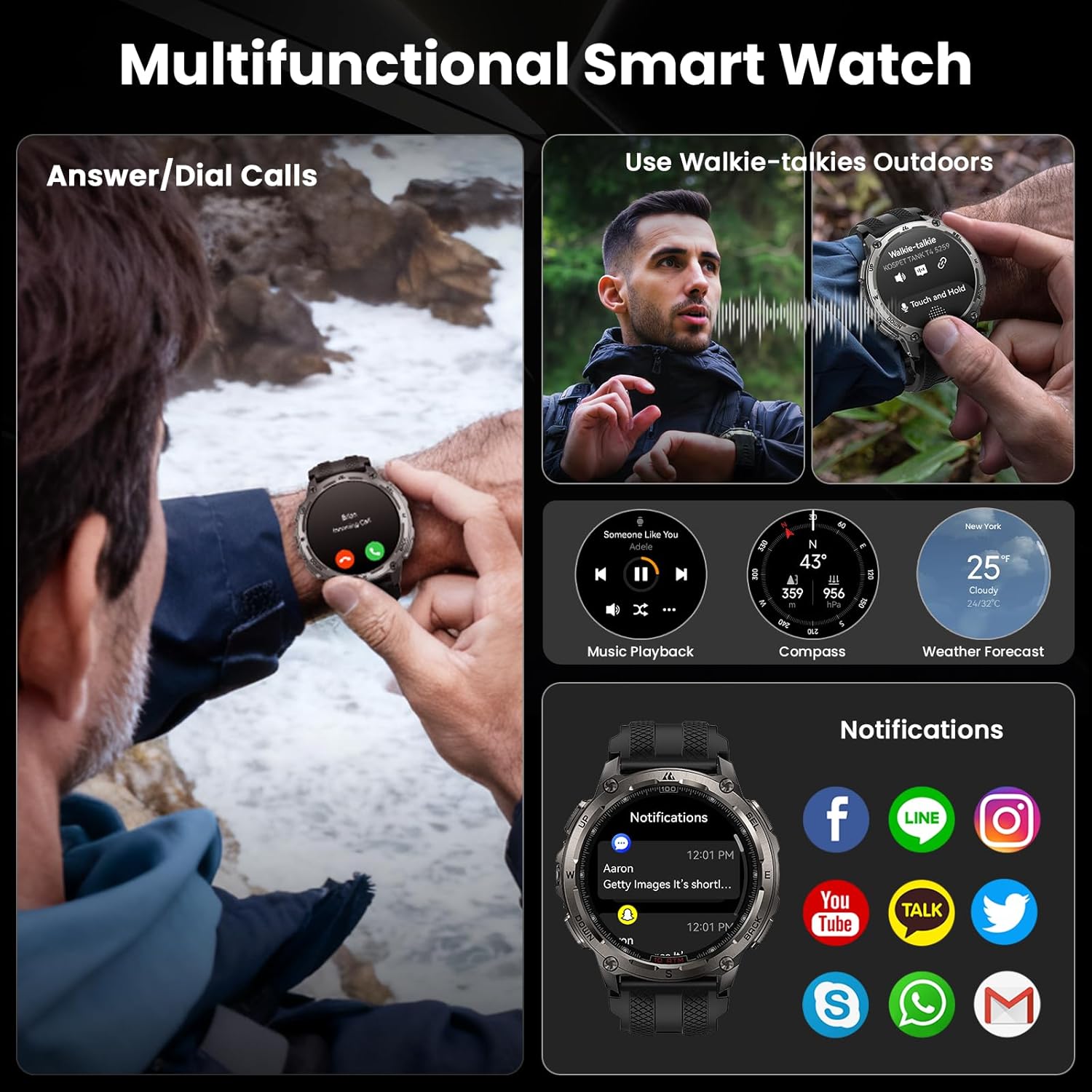
Image: The KOSPET Tank T4 Smart Watch being charged using its magnetic charging cable.
2. Instalasi App sarta Papasangan
To unlock the full functionality of your KOSPET Tank T4, download and install the "Apexmove" app on your smartphone. The app is available on both the Google Play Store and Apple App Store.
- Download the 'Apexmove' app from Google Play or App Store.
- Hurungkeun Bluetooth telepon anjeun.
- Open the 'Apexmove' app, go to 'Device' and click 'Add a new device'.
- Click 'Pair' in the pop-up window of the watch and app to establish the connection.
- Enable 'Notifications' permission when prompted.

Image: Visual guide demonstrating the five steps to connect the KOSPET Tank T4 smart watch to a smartphone using the Apexmove application.
3. Receiving Notifications (iOS)
For iOS devices, ensure the 'Apexmove' app remains active in the background. Disable 'Do Not Disturb' and 'Low Power Mode' on your iPhone. Message synchronization will not occur if the app is logged into other devices or phones in the chat interface.
- Sambungkeun jam tangan & telepon via Bluetooth.
- Buka "Alat" teras klik pikeun muka "SMS".
- Go to "Notification and Remind" and click "Notifications", then "App Notification/SMS Reminder".
- Buka "Setélan" telepon anjeun pikeun ngijinkeun "Apexmove" ngaksés "Bewara".

Image: Step-by-step instructions for configuring message and app notifications on an iOS device for the KOSPET Tank T4 smart watch.
4. Receiving Notifications (Android)
For Android devices, ensure the 'Apexmove' app remains active. Android users may need to add the app to the whitelist in Settings. Disable 'Do Not Disturb' and 'Low Power Mode'. Message synchronization will not occur if the app is logged into other devices or phones in the chat interface.
- Sambungkeun jam tangan & telepon via Bluetooth.
- Buka "Alat" teras klik pikeun muka "Panginget SMS".
- Go to "Device" and click the "Notifications" to allow "Apexmove" to access "Notifications".
- Go to "Device" and click "App Notification", then enable for desired apps.

Image: Step-by-step instructions for configuring message and app notifications on an Android device for the KOSPET Tank T4 smart watch.
Operating Your KOSPET Tank T4
1. Napigasi sareng tampilan
The KOSPET Tank T4 features a 1.43" AMOLED display with a 3rd generation Corning Gorilla 9H double layer glass. Navigate through menus by swiping across the screen or using the physical buttons on the side of the watch. The watch offers multiple watch faces, icon themes, and customizable shortcut cards.
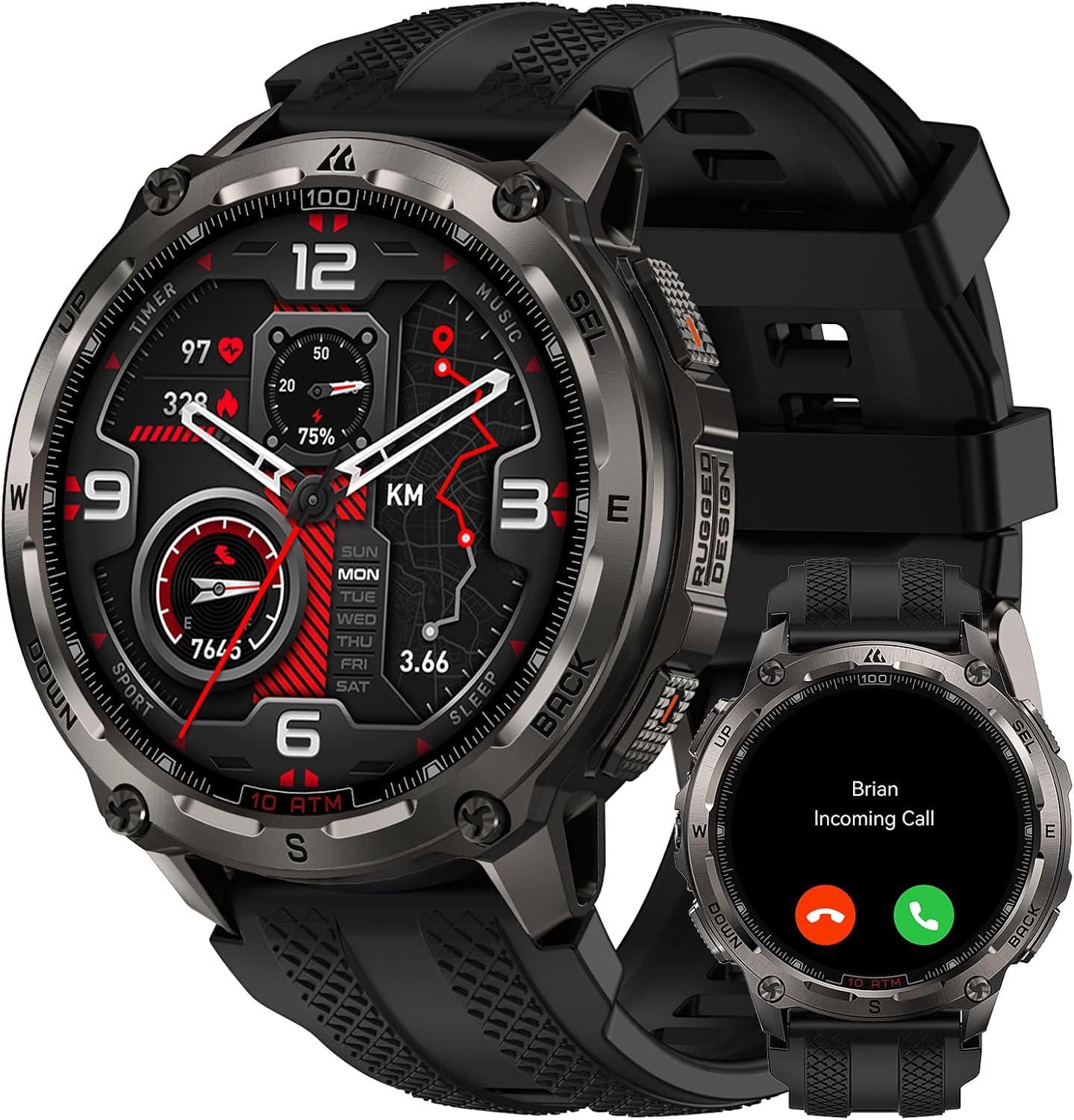
Image: The KOSPET Tank T4 Smart Watch displaying its main watch face with time, date, and various health indicators.

Image: A visual representation of the KOSPET Tank T4's customizable features, including multifunction dials, icon themes, shortcut cards, and menu layouts.
2. Pangimeutan Kaséhatan
The KOSPET Tank T4 provides 24/7 health monitoring using a 4PD sensor. It tracks the following metrics:
- Laju Jantung: Ngawaskeun denyut jantung kontinyu.
- Oksigén Getih (SpO₂): Pangukuran kadar oksigén getih dumasar paménta atanapi kontinyu.
- Nyukcruk saré: Monitor saré stages jeung durasi.
- Setrés & Émosi: Tracks stress levels and emotional state.
- Siklus Menstruasi: Provides tracking for female health.
To enable 24-hour automatic heart rate monitoring, open the Apexmove app, navigate to Device > Health Monitoring > Automatic Measurement, and set your desired monitoring frequency.
Catetan penting: This product is not a medical device and cannot be used to diagnose or monitor any medical conditions.

Image: The KOSPET Tank T4 Smart Watch showcasing its 24/7 health monitoring capabilities, including heart rate, blood oxygen, sleep tracking, and a one-tap health check feature.
3. Olahraga Mode jeung GPS
The KOSPET Tank T4 supports 23 ApexMotion sport modes and over 160 freestyle training modes. It features a built-in 6-axis gyroscope for accurate tracking of orientation, acceleration, and speed during activities.
The watch is equipped with dual-band GNSS positioning, connecting to six satellite systems for accurate location tracking. You can download offline maps and plan routes directly on the watch or through the Apexmove app.

Image: The KOSPET Tank T4 Smart Watch showing its dual-band GPS and offline map functionality, with a route displayed on both the watch and a smartphone.

Gambar: Hiji leuwihview of the KOSPET Tank T4's extensive sports modes, including freediving, running, cycling, weightlifting, and more.
4. Bluetooth Calls and Other Features
The KOSPET Tank T4 supports Bluetooth calls, allowing you to answer or dial directly from your wrist. Other integrated features include:
- Kontrol Puterkeun Musik
- Kompas
- Ramalan Cuaca
- Walkie-talkie function (via app)
- Notifications for various apps (WhatsApp, Messenger, Facebook, etc.)

Image: The KOSPET Tank T4 Smart Watch showcasing its multifunctional capabilities, including answering/dialing calls, walkie-talkie use, music playback, compass, weather forecast, and various app notifications.
Pangropéa sareng Perawatan
1. Waterproofing
The KOSPET Tank T4 boasts 10 ATM and IP69K ratings, making it suitable for demanding underwater activities, including freediving to depths of 148 feet (45 meters). After swimming or diving, use the watch's drainage function and wipe the watch body to keep it dry and extend its service life.

Image: The KOSPET Tank T4 Smart Watch being used by a diver, illustrating its 10ATM and IP69K waterproof capabilities for freediving, scuba diving, and gauge modes.
2. Battery Life and Power Saving
The KOSPET Tank T4 offers an extra-large battery life. Typical usage provides up to 14-15 days, continuous GPS usage up to 21-22 hours, heavy use 9-10 days, and AOD (Always On Display) mode 5-6 days. To conserve battery, the watch may enter a power-saving mode (displaying only time, steps, and battery). To exit power-saving mode, long-press the SEL button for 5 seconds.

Image: An infographic detailing the ultra-long battery life of the KOSPET Tank T4 Smart Watch under various usage scenarios, including typical use, continuous GPS, heavy use, and AOD mode.
3. beberesih
Regularly clean your watch and watchband with a soft, damp lawon. Ulah nganggo bahan kimia anu kasar atanapi bahan abrasif anu tiasa ngaruksak lapisan atanapi sénsor.
Pamérésan masalah
- Lalajo teu hurung: Pastikeun arloji dicas pinuh. Sambungkeun ka carjer sahenteuna 30 menit.
- Teu tiasa dipasangkeun sareng telepon:
- Pastikeun Bluetooth diaktipkeun dina telepon anjeun.
- Pastikeun arlojina aya dina jangkauan telepon anjeun.
- Balikan deui arloji sareng telepon anjeun.
- Check if the Apexmove app has necessary permissions.
- Bewara teu nampi:
- Verify notification settings in the Apexmove app and your phone's system settings (refer to Setup Guide).
- Ensure the Apexmove app is running in the background and not restricted by power-saving features.
- Nonaktipkeun 'Ulah Ganggu' sareng 'Modeu Daya Lemah' dina telepon anjeun.
- Watch is in power-saving mode: If the watch only displays time, steps, and battery, it is in power-saving mode. Long-press the SEL button for 5 seconds to exit this mode.
- Data kaséhatan teu akurat: Ensure the watch is worn snugly on your wrist. Avoid excessive movement during measurements. Remember, this is not a medical device.
spésifikasi
| Fitur | Rincian |
|---|---|
| Nomer modél | Tangki T4 |
| Ukuran tampilan | 1.43 inci AMOLED |
| Tipe tampilan | AMOLED with Corning Gorilla 9H Glass |
| Bahan Awak | Full Stainless Steel (Inox 360 Shield structure) |
| Tahan cai | 10 ATM & IP69K (up to 45m freediving) |
| GPS | Built-in Dual-Band GNSS (6 satellite systems), Offline Maps |
| Modeu Olahraga | 23 ApexMotion, 160+ Freestyle Training Modes |
| Pangimeutan Kaséhatan | Heart Rate, SpO₂, Sleep, Stress, Emotions, Menstrual Cycles |
| Kapasitas batré | 500 mAh |
| Kahirupan Batré (Typical) | Nepi ka 14-15 dinten |
| Panggunaan GPS Terus-terusan | Nepi ka 21-22 jam |
| Konektipitas | Bluetooth |
| Sistem operasi | Apexmove OS (Compatible with Android 7.0+ and iOS 14.0+) |
| Kapasitas Panyimpenan Mémori | 32 GB |
| RAM Mémori Dipasang Ukuran | 16 MB |
| Item Beurat | 11.3 ons |
| Ukuran Paket | 4.65 x 4.53 x 2.8 inci |

Image: Diagram illustrating the dimensions of the KOSPET Tank T4 Smart Watch and its packaging contents.
Garansi sareng Rojongan
Kanggo inpormasi garansi sareng dukungan palanggan, mangga tingal KOSPET resmi websitus atanapi ngahubungan pangecér dimana anjeun dibeuli produk. Simpen bukti pameseran anjeun pikeun klaim garansi.
KOSPET provides protection plans for extended coverage. Details can be found on the product's purchase page or by contacting KOSPET customer service.


