1. Bubuka
The KLIM K10 is a versatile portable cassette tape player and recorder designed to modernize your audio experience. It allows you to convert your cherished cassette tapes into digital MP3 files, record new audio, and play back digital music from a Micro SD card. With its built-in speaker, headphone jack, and flexible power options, the K10 is ideal for enjoying your music collection anywhere.
2. Produk Langkungview jeung Komponén
Familiarize yourself with the components of your KLIM K10 device.
2.1. Eusi Paket
- KLIM K10 Portable Cassette Player & Recorder
- 8GB Micro SD Card
- Kabel Daya USB
- Premium Earphones
- Manual pangguna (dokumén ieu)
- 4 x Batré AA
2.2. Tata perenah
Below are key features and controls of the KLIM K10.

This image displays the KLIM K10 unit, emphasizing its capabilities as a cassette to MP3/PC digital converter, a tape player and recorder, and an SD card player and recorder. It shows the device's front with the cassette window, speaker grille, and control buttons.

A hareup lengkep view of the KLIM K10, showing the cassette compartment, speaker, LCD display, and playback/recording control buttons.
Gambar ieu nyadiakeun sisi view of the device, highlighting the Micro SD card slot, 3.5mm headphone jack, volume control dial, and the DC 5V USB power input.

The KLIM K10 is shown with its cassette compartment door open, exposing the internal tape playback and recording mechanism.
2.3. Pidéo Unboxing
Video ieu nyayogikeun gambaran gancangview of the items included in the KLIM K10 package, demonstrating the unboxing experience and showing the main unit and accessories.
3. Setélan
3.1. Powering Alat
The KLIM K10 can be powered in two ways:
- Daya Batré: Insert 4 x AA batteries into the battery compartment located on the back of the device. Ensure correct polarity.
- USB Power: Connect the provided USB cable to the DC 5V input port on the side of the device and plug the other end into a 5V USB adapter, laptop, or power bank.

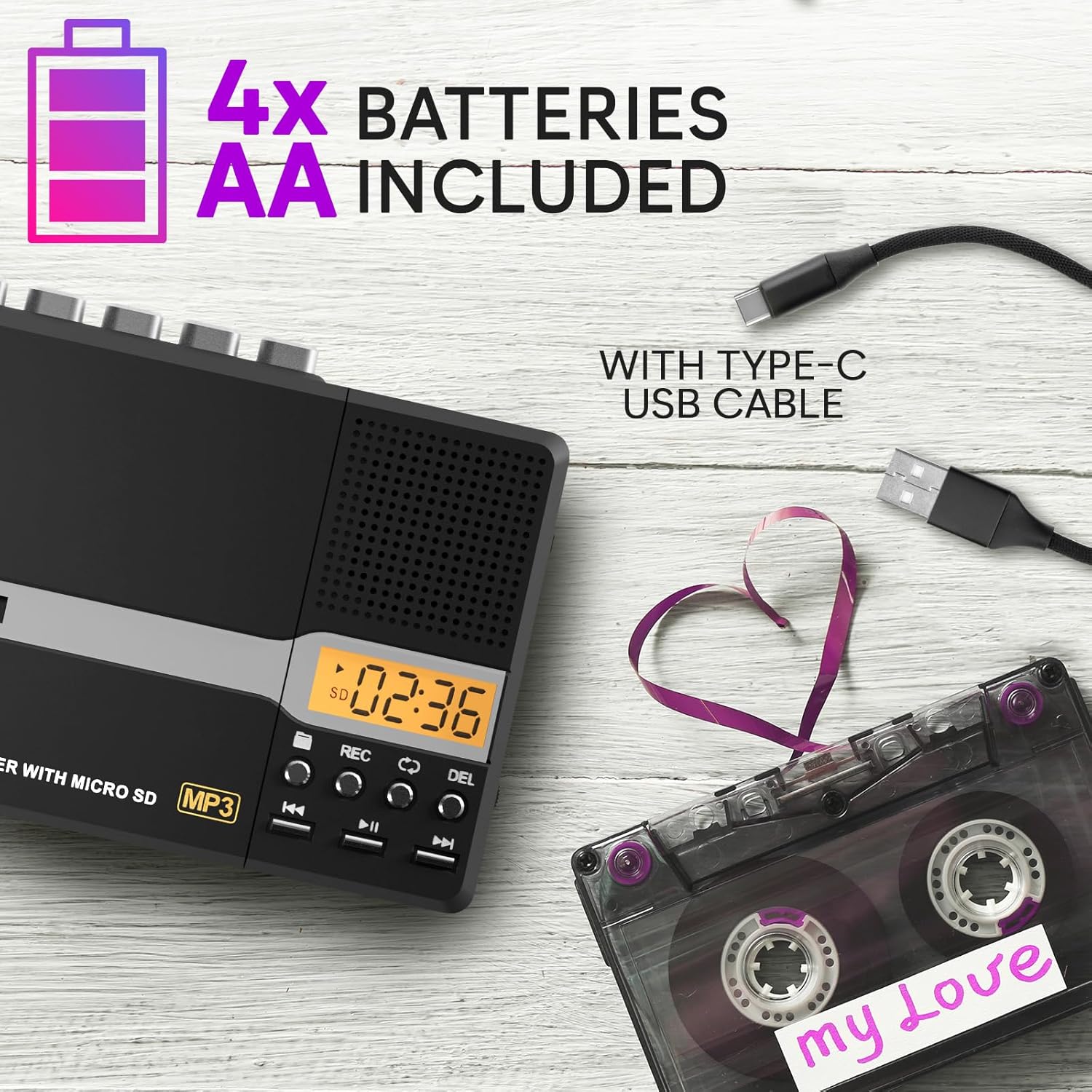
This image illustrates the two power options for the KLIM K10: using four AA batteries for portability or connecting via the included USB Type-C cable for continuous power.
3.2. Nyelapkeun Kaset
- Gently open the cassette compartment door.
- Insert your cassette tape with the exposed tape facing downwards.
- Close the cassette compartment door until it clicks securely.
3.3. Nyelapkeun Kartu Micro SD
The 8GB Micro SD card is pre-installed. If you need to insert or replace it:
- Tangtukeun lokasi slot kartu Micro SD di sisi alat.
- Insert the Micro SD card gently until it clicks into place. To remove, push it in again until it springs out.
This image shows the KLIM K10 with an 8GB Micro SD card being inserted into its dedicated slot on the side of the device.
4. Parentah Operasi
4.1. Maén kaset kaset
- Pastikeun pita kaset diselapkeun leres.
- Slide the "TAPE/OFF" switch to "TAPE".
- Pencét éta ulin tombol pikeun ngamimitian playback.
- Saluyukeun polumeu nganggo VOL dial on the side.
- Paké F.FWD (Maju Gancang) sareng F.REW (Fast Rewind) buttons to navigate the tape.
- Pencét éta EUREUN button to stop playback. The auto-stop feature will also stop the tape at the end.
4.2. Ngarékam Audio
The KLIM K10 offers four recording modes:
- Cassette to Micro SD (Tape to Digital): Convert your analog tapes to digital MP3 files.
- Micro SD to Cassette (Digital to Tape): Transfer digital audio from the SD card onto a blank cassette.
- Built-in Microphone to Cassette: Record voice or external sounds directly onto a cassette tape.
- Built-in Microphone to Micro SD: Record voice or external sounds directly onto the Micro SD card.
Refer to the detailed instructions in the included user manual for specific steps on each recording mode.
4.2.1. Cassette to Digital Conversion (Micro SD)
- Insert your cassette tape and the Micro SD card.
- Set the device to "TAPE" mode.
- Pencét éta ulin button on the cassette player.
- Pencét panjang REC button until the LCD screen turns on and displays "SD REC". The conversion has started.
- Pencét éta REC tombol deui pikeun ngeureunkeun ngarékam.

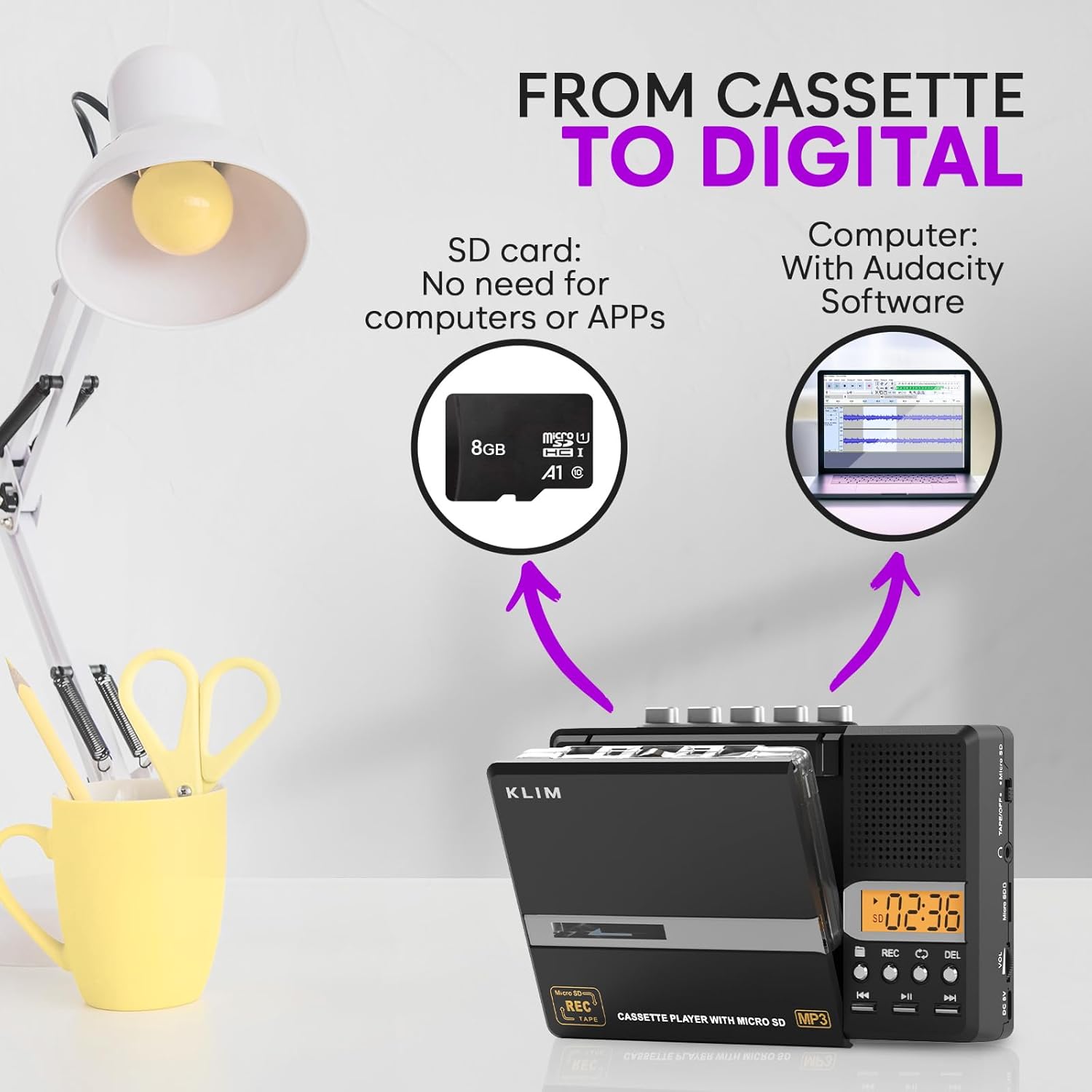
This diagram illustrates how to convert audio from a cassette tape to either a Micro SD card directly or to a computer using Audacity software. It shows the steps involved in inserting the tape and SD card, playing the tape, and initiating the recording process.
This video demonstrates the process of converting cassette tapes to digital files using the device, including inserting the tape and Micro SD card, and initiating the recording.
This video illustrates how to use the KLIM K10 to convert audio from cassette tapes into MP3 digital format, showcasing the steps for a seamless conversion process.
4.2.2. USB PC Transfer with Audacity Software
To transfer audio to your computer and edit it, you can use Audacity software. Download it from www.audacityteam.org.
- Install Audacity on your computer.
- Connect the KLIM K10 to your computer using the USB cable.
- Open Audacity and configure it to record from the connected device.
- Play the cassette tape on the KLIM K10 and start recording in Audacity.
- Once recording is complete, save the audio file in your desired format (e.g., MP3).
4.3. Playing MP3/WMA from Micro SD
- Ensure the Micro SD card is inserted.
- Slide the "TAPE/OFF" switch to "OFF" (or "Micro SD" if available, refer to device markings).
- Use the playback control buttons (e.g., MUTER / Reureuh, SUSUSUNYA / Sateuacanna) to navigate and play your digital audio files.
- The DEL button can be used for file ngahapus.
- The REP button allows for repeat playback options.
4.4. Using Earphones
For private listening, plug the included premium earphones into the 3.5mm headphone jack on the side of the device.

This image shows a user wearing earphones, connected to the KLIM K10, illustrating the private listening experience. The included premium earphones are also depicted.
5. Pangropéa
- beberesih: Anggo kaén anu garing sareng lemes pikeun ngabersihan bagian luar alat. Ulah make cleaners cair atawa aerosol.
- Ngabersihan sirah pita: Periodically clean the tape heads with a specialized cassette head cleaner to ensure optimal audio quality.
- Panyimpenan: Simpen alat dina tempat anu tiis sareng garing jauh tina sinar panonpoé langsung sareng suhu anu ekstrim.
- Perawatan batré: Cabut batré upami alat moal dianggo kanggo waktos anu panjang pikeun nyegah bocor.
6. Cara ngungkulan
| Masalah | Mungkin Cukang lantaranana | Solusi |
|---|---|---|
| Alat teu hurung. | Low or dead batteries; USB cable not connected properly. | Replace batteries or ensure USB power cable is securely connected. |
| No sound during cassette playback. | Volume too low; earphones not plugged in correctly; tape head dirty. | Increase volume; re-insert earphones; clean tape head. |
| Recording quality is poor. | Dirty tape head; worn-out cassette tape; microphone too far from source. | Clean tape head; use a new cassette; position microphone closer to the sound source. |
| kartu Micro SD teu dipikawanoh. | Card not inserted correctly; card is corrupted or incompatible. | Re-insert card; try a different Micro SD card; format the card (this will erase data). |
7. Spésifikasi
- model: K10
- merek: KLIM
- Ukuran produk: 6.3 x 4.21 x 1.26 inci (160 x 107 x 31 mm)
- Beurat barang: 8.8 ons (249 gram)
- Sumber Daya: 4 x AA batteries (included) or DC 5V USB
- Média Rékam: Kartu Micro SD (8GB kalebet)
- Audio Formats (Playback): MP3/WMA
- Tanggal munggaran sayogi: 8 Séptémber 2025

This image provides a visual representation of the KLIM K10's compact and lightweight design, with its dimensions (6.3" x 3.9" x 1.3") and weight (9 oz) clearly indicated, highlighting its portability.
8. Garansi jeung Rojongan
The KLIM K10 is backed by KLIM's reliable build quality. For any technical support, warranty claims, or further assistance, please refer to the contact information provided in your product packaging or visit the official KLIM websitus.


