1. Bubuka
The Nikon ZR Cinema Camera, co-developed by Nikon and RED, is a full-frame 6K cinema camera designed for professional cinematic capture. It features REDCODE RAW (R3D NE) footage and 32-bit float audio, offering the same color space and Log curve as other RED cameras. Its compact and durable design, weighing just 1.18 lbs, integrates seamlessly with various rigs and grips. The camera includes an extra-large 4-inch DCI-P3 swiveling touchscreen monitor, eliminating the need for an external display.
This manual provides essential information for setting up, operating, and maintaining your Nikon ZR Cinema Camera.
2. Naon dina Box
- Nikon ZR Full-Frame Camera Body
- NIKKOR Z 50mm f/1.4 Prime Lens
- EN-EL15c Rechargeable Li-ion Battery
- Kabel Ngecas USB Tipe-C
- kaméra tali
- Manual Pangguna (dokumen ieu)
3. Setélan
3.1. Ngalampirkeun Lensa
- Remove the body cap from the camera and the rear lens cap from the NIKKOR Z 50mm f/1.4 lens.
- Sejajarkeun tanda dipasang dina lensa sareng tanda dipasang dina awak kaméra.
- Puterkeun lénsa sabalikna jarum jam nepi ka ngaklik kana tempatna.
3.2. Nyelapkeun Batré sareng Kartu Mémori
The Nikon ZR uses an EN-EL15c Rechargeable Li-ion Battery and CF Express Type B memory cards. Ensure the battery is fully charged before use.
- Buka panutup kamar batré anu aya di handapeun kaméra.
- Insert the EN-EL15c battery with the correct orientation until it locks into place.
- Buka panutup slot kartu memori.
- Insert the CF Express Type B card into the designated slot until it clicks. The camera supports dual card slots for extended recording or backup.
- Tutup duanana panutup kalawan aman.
3.3. Daya Awal Hurung sareng Setélan
- Hurungkeun kaméra nganggo saklar daya.
- Turutan parentah dina-layar pikeun nyetel basa, kaping, jeung waktu.
- Familiarize yourself with the 4-inch DCI-P3 swiveling touchscreen monitor for navigation and settings adjustments.

Gambar: Hareupeun view of the Nikon ZR Cinema Camera with the NIKKOR Z 50mm f/1.4 lens attached.
Gambar: Tukangeun view of the Nikon ZR Cinema Camera, highlighting the swiveling 4-inch DCI-P3 touchscreen monitor.
4. Ngoperasikeun kaméra
4.1. Modeu shooting
The Nikon ZR offers various shooting modes for both stills and video. Use the mode dial on the top of the camera to select between Program (P), Shutter-priority (S), Aperture-priority (A), Manual (M), and User-defined settings (U1, U2, U3).
4.2. Ngarekam Pidéo
The camera supports 6K video recording at 60p and 4K at 120p. It captures REDCODE RAW (R3D NE) footage, offering extensive post-production flexibility. The industry-leading 32-bit float audio recording ensures high-quality sound capture, with support for external microphones via dedicated ports.
- Resolution & Frame Rates: Up to 6K/60p, 4K/120p, Full HD/240p.
- Codecs: REDCODE RAW (R3D NE), N-RAW, ProRes RAW HQ, ProRes 422 HQ, H.265, H.264.
- Audio: 32-bit float (excluding H.264), 24-bit (excluding H.264), Linear PCM 48kHz, Line input.
4.3. Sistim pokus otomatis
The advanced autofocus system detects 9 subject types, ensuring sharp focus for both stills and video. This system is designed to maintain focus even with motion-heavy subjects.
4.4. DCI-P3 Monitor
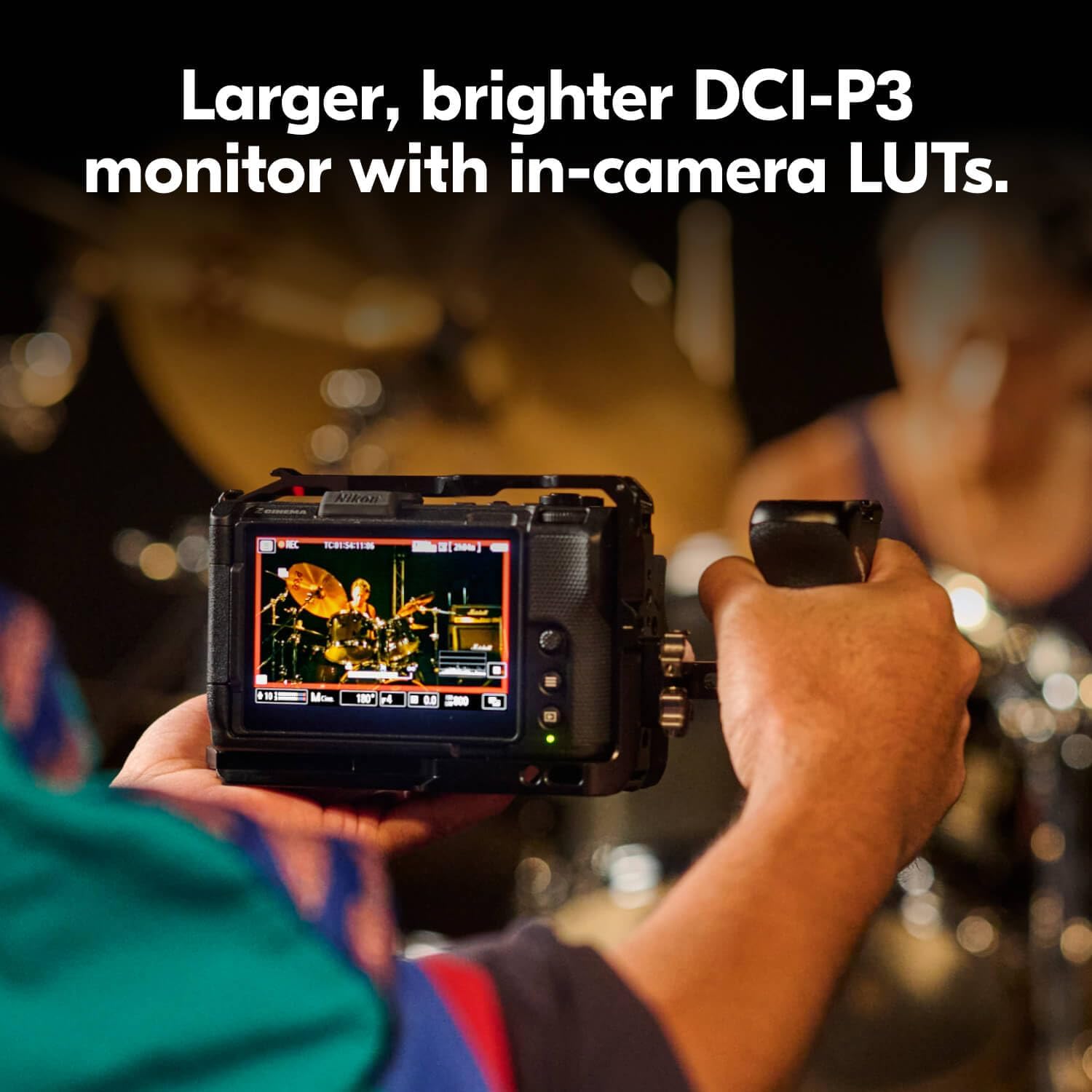
The 4-inch DCI-P3 swiveling touchscreen monitor provides a clear and accurate view tina dahareun anjeuntage, supporting in-camera LUTs for real-time monitoring of your cinematic look.

Image: The Nikon ZR Cinema Camera mounted on a rig, showcasing its 4-inch DCI-P3 monitor and compact size.

Image: A close-up of the Nikon ZR's 4-inch DCI-P3 monitor, showing a live video feed with exposure information.
5. Media Features
5.1. Produk Langkungview Video
Video: Produk ringkes réngséview of the Nikon ZR Cinema Camera, highlighting its key features and design. This video is provided by the seller.
5.2. Nikon Z6 III Hybrid Mirrorless Camera Overview
Video: An in-depth look at the Nikon Z6 III, a hybrid mirrorless camera. While not the ZR model, it shares some core technologies and features from Nikon's Z-series lineup. This video is provided by an influencer.
5.3. Nikon Z f Camera Introduction
Video: An introduction to the Nikon Z f camera, showcasing its design and features. This video is provided by Nikon Inc.
6. Spésifikasi
| Fitur | Rincian |
|---|---|
| merek | Nikon |
| Ngaran modél | ZR 50mm Lens Kit |
| Nomer modél | 2041 |
| Resolusi Sénsor Poto | 24.5 MP |
| Ukuran Sénsor Poto | Pigura Pinuh (35mm) |
| Resolusi Video | 6K |
| Dynamic Stops | 15 Eureun |
| Jerona Jerona | 12 bit |
| Format Gambar Anu Didukung | REDCODE RAW (R3D NE), JPEG |
| Dirojong File Formatna | JPEG |
| Ukuran layar | 4 inci |
| Tipe tampilan | LCD |
| Témbongkeun Fixture Tipe | Artikulasi |
| Tipe Mémori Flash | CF Express Type B |
| Téhnologi konektipitas | Bluetooth, WiFi |
| Panganteur Hardware | USB Tipe C |
| Kaluaran Video | HDMI |
| Item Beurat | 2.12 pon |
| Mountings cocog | Nikon Z |
| Tipe Lénsa | Standard (50mm Prime) |
7. Pangropéa
- Jaga kaméra sareng lensa bersih nganggo lawon anu lemes sareng teu aya serat.
- Ulah ngalaan kaméra ka suhu ekstrim, kalembaban, atawa lebu.
- Regularly check for firmware updates on the Nikon support websitus pikeun mastikeun kinerja anu optimal sareng aksés kana fitur-fitur énggal.
- Store the camera in a dry, cool place, preferably in a camera bag with desiccant packs to prevent moisture buildup.
8. Cara ngungkulan
8.1. Kaméra Teu Bisa Dihurungkeun
- Pastikeun batre tos dicas pinuh sareng diselapkeun leres.
- Coba nganggo batré anu béda, anu dicas pinuh upami sayogi.
- Check the USB Type-C charging cable for damage and ensure it's properly connected if attempting to charge.
8.2. Lens Error Message
- Remove the lens and reattach it, ensuring it clicks securely into place.
- Clean the electrical contacts on both the lens and the camera body with a clean, dry cloth.
- Ensure the lens firmware is up to date.
8.3. Autofocus Issues
- Check that the autofocus mode is set appropriately for your subject (e.g., Continuous-Servo AF for moving subjects).
- Ensure there is sufficient light for the autofocus system to operate effectively.
- Clean the lens elements and the camera's sensor.
9. Jaminan & Dukungan
The Nikon ZR Cinema Camera comes with a 1 Taun Garansi Produsén Terbatas. For detailed warranty terms, service requests, or technical support, please visit the official Nikon websitus atanapi ngahubungan layanan palanggan Nikon.
Pikeun sumberdaya tambahan sarta informasi produk, mangga buka Toko Nikon dina Amazon.


