Introduction to FC Points
This manual provides essential information for the EA SPORTS FC 26 - FC POINTS 5900 Xbox Digital Code. FC Points are an in-game currency used to acquire various content within EA SPORTS FC 26, enhancing your gameplay experience. This digital code provides 5900 FC Points for use on the Xbox platform.
Image: Official cover art for EA SPORTS FC 26 - FC POINTS 5900 Xbox Digital Code.
Setup and Redemption
To use your FC Points, you must first redeem the digital code on your Xbox account. An Xbox account is required to download and install the game content.
- Ensure you have an active Xbox account: If you do not have one, please create an account through your Xbox console or the official Xbox websitus.
- Access the Xbox Store: On your Xbox console, navigate to the Xbox Store. Alternatively, you can redeem the code via the Xbox website on a computer or mobile device.
- Select 'Redeem a code': Within the Xbox Store, locate and select the option to redeem a code. This is typically found in the menu or by searching.
- Enter the 25-character code: Carefully enter the 25-character digital code provided with your purchase. Double-check for accuracy to avoid errors.
- Confirm redemption: Follow the on-screen prompts to confirm the redemption. Once successful, the 5900 FC Points will be added to your EA SPORTS FC 26 game account linked to your Xbox profile.
If EA SPORTS FC 26 is not already installed, you may need to download and install the game before the points become accessible.
Operating and Using FC Points
FC Points can be utilized within EA SPORTS FC 26 to unlock various in-game content and enhance your experience across different game modes.
- Football Ultimate Team (FUT) Content: Use FC Points to acquire Packs, which contain player items, club items, and consumables. They can also be used for Stadium customization Items, Evolutions slots, and Draft entries to build and compete with your dream squad.
- Premium Passes: Purchase Premium Passes for seasonal content, unlocking additional rewards and challenges.
- Clubs Content: Customize your Clubs experience with Cosmetics, Archetype card backgrounds, and Consumables.

Image: Screenshot depicting the 'Build Your Dream Squad' feature in EA SPORTS FC 26 Ultimate Team.
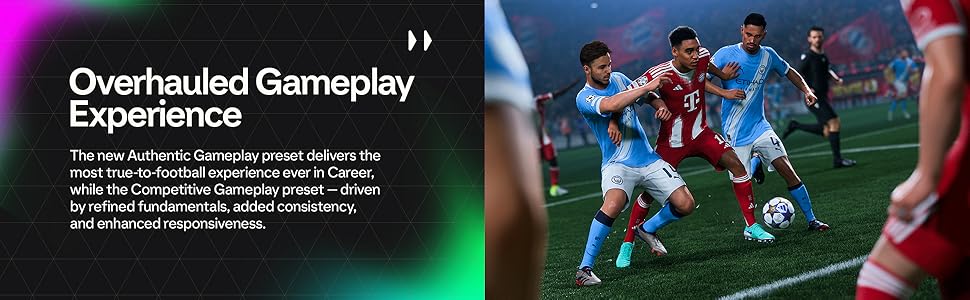
Image: Visual showcasing the 'Overhauled Gameplay Experience' in EA SPORTS FC 26.
Pangropéa
While FC Points are a digital currency, maintaining your game and account ensures a smooth experience.
- Keep your Xbox software updated: Regularly update your Xbox console's operating system and EA SPORTS FC 26 game client to ensure optimal performance and access to the latest features and bug fixes.
- Ensure a stable internet connection: A reliable internet connection is crucial for game updates, accessing online features, and ensuring FC Points transactions are processed correctly.
- Account Security: Protect your Xbox and EA accounts with strong, unique passwords and enable two-factor authentication where available to prevent unauthorized access.
Pamérésan masalah
If you encounter issues with your FC Points or digital code, consider the following steps:
- Digital Code Not Working:
- Verify the code: Double-check that you have entered the 25-character code correctly, paying attention to similar-looking characters (e.g., '0' and 'O', '1' and 'I').
- Check regional compatibility: Ensure the code is for the correct region associated with your Xbox account.
- Internet connection: Confirm your Xbox console or device has a stable internet connection during redemption.
- FC Points Not Appearing In-Game:
- Restart the game: Close and restart EA SPORTS FC 26.
- Restart your console: Perform a full power cycle of your Xbox console.
- Check transaction history: Verify the redemption was successful in your Xbox account's transaction history.
- Allow time: Sometimes, it may take a few minutes for the points to reflect in your game account.
- Kontak Rojongan: If issues persist after trying the above steps, contact Xbox Support for code redemption problems or Electronic Arts Support for in-game FC Points display issues.
spésifikasi
| Fitur | Rincian |
|---|---|
| Jenis produk | Digital Code (In-game Currency) |
| Platform | Xbox |
| FC Points Quantity | 5900 |
| Judul Kaulinan | EA SPORTS FC 26 |
| ASIN | B0FPNVCLGF |
| Tanggal paleupasan | 19 Séptémber 2025 |
| Dipeunteun | dulur |
| Produsén | Seni Éléktronik |
Garansi sareng Rojongan
Mangga deuiview the following information regarding returns, refunds, and terms of use for your digital code.
- Kabijakan pamulangan: This product is non-returnable and non-refundable. Digital codes are typically final sale once purchased.
- Syarat panggunaan: By placing your order, you are purchasing digital currency or a license to a digital product. You agree to the Games and Software Terms of Use provided by the retailer and any Developer or Publisher Terms of Use that apply (e.g., Electronic Arts' terms). It is recommended to review these terms before purchase and redemption.
- Bantosan Téknis: For technical issues related to the EA SPORTS FC 26 game or the functionality of FC Points within the game, please visit the official Electronic Arts support website. For issues related to Xbox account or code redemption, please contact Xbox Support.


