Bubuka
Thank you for choosing the Vandlion V11B Digital Voice Recorder. This manual provides detailed instructions on how to set up, operate, and maintain your device. Please read it carefully to ensure optimal performance and longevity of your recorder.

Image: The Vandlion V11B Digital Voice Recorder, a compact device shown held in a hand, highlighting its portable design.
Naon dina Box
Pastikeun yén sadaya item aya dina bungkusan:
- 1 x Digital voice recorder
- 1 x Kabel Data USB-C
- 1 x Headphone
- 1 x Manual Pamaké (dokumén ieu)

Image: A visual representation of the package contents, including the digital voice recorder, USB-C cable, headphones, lanyard, and user manual.
Alat Langkungview
Familiarize yourself with the physical components of your Vandlion V11B recorder.

Gambar: A lengkep view of the Vandlion V11B digital voice recorder, showing its display, control buttons (REC, SAVE, POWER, RESET), and integrated carabiner clip.

Image: The Vandlion V11B digital voice recorder shown attached to a backpack and a belt loop, illustrating its compact size and ease of carrying.
fitur konci ngawengku:
- Layar tampilan: Shows recording status, time, battery level, and file inpormasi.
- REC/SAVE Switch: Slide up to start recording, slide down to save.
- Tombol DAYA: Pencét jeung tahan pikeun ngahurungkeun/pareum.
- Tombol RESET: Small pinhole button for factory reset if needed.
- Palabuhan USB-C: Pikeun ngecas sareng mindahkeun data.
- Jack headphone: 3.5mm port for audio playback.
- Klip terpadu: Pikeun portability gampang.
Disetél
1. Ngecas Alat
Before first use, fully charge the recorder. Connect the supplied USB-C cable to the device's USB-C port and the other end to a computer or a USB power adapter (not included).
- Ngecas pinuh peryogi sakitar 1.5 jam.
- A fully charged device provides up to 20 jam of continuous recording.
- Layar bakal nunjukkeun status ngecas.

Image: The Vandlion V11B digital voice recorder connected to a laptop via its USB-C port for charging and data transfer.
2. Powering on / Pareum
- Pikeun ngahurungkeun: Pencét jeung tahan kenop POWER tombol nepi ka layar illuminates.
- Pikeun mareuman: Pencét jeung tahan tombol POWER button until the screen turns off.
Parentah Operasi
1. One-Button Recording
The device features a simple slide switch for quick recording.
- To start recording: Slide the REC/SAVE switch upwards to the "REC" position. The device will begin recording immediately.
- To save recording: Slide the REC/SAVE switch downwards to the "SAVE" position. The current recording will be saved, and the device will stop recording.

Image: An illustration demonstrating the one-button recording function, showing a finger sliding the REC/SAVE switch to initiate recording.
2. Pangurangan Noise AI
The Vandlion V11B incorporates an advanced AI chip to enhance audio clarity by reducing background noise.
- This feature automatically identifies and minimizes distracting sounds, focusing on human speech.
- It is active during recording to provide high-fidelity voice capture.

Image: A graphic illustrating how AI noise reduction works, showing various types of noise (wind, static, hum) being filtered out to produce clear sound.
3. Voice Activated Recording (VOR)
The Voice Activated Recording function allows the device to record only when sound is detected, conserving memory and battery life.
- To enable VOR: Access the device's menu by long pressing the Play / Reureuh / Konfirmasi button when not recording, then navigate to the VOR settings. Set VOR to "ON".
- Once enabled, slide the REC/SAVE button to "REC". The recorder will start recording when sound above a set threshold (e.g., >65dB) is detected and pause when sound falls below the threshold (e.g., <65dB).
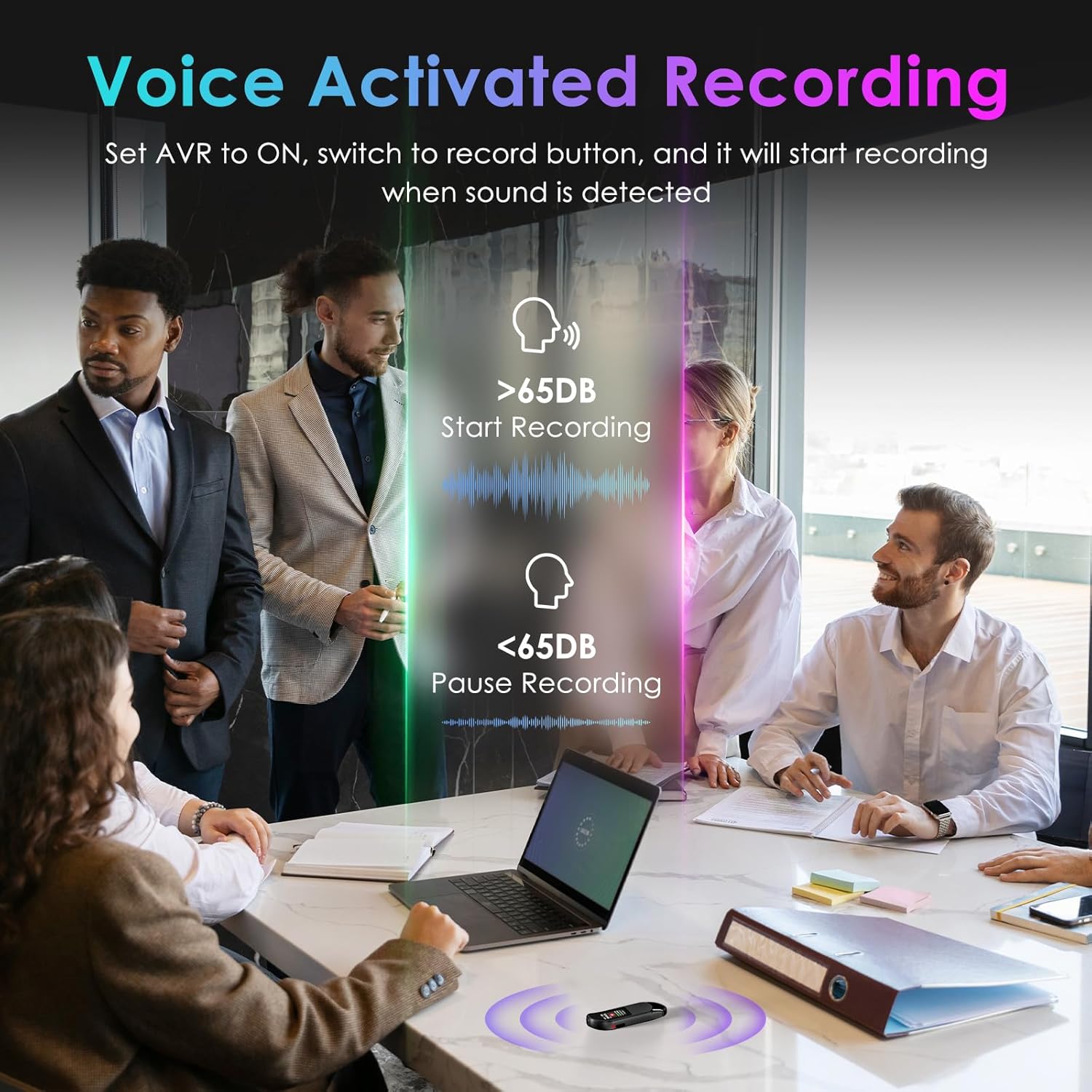
Image: A visual demonstrating voice-activated recording in a meeting, showing the device starting to record when sound is above 65dB and pausing when below.
4. Puterkeun deui
You can listen to your recordings directly from the device using headphones or by transferring files to a computer or Android phone.
- Ngagunakeun Headphone: Connect the included headphones to the 3.5mm jack. Use the control buttons (Vol+, Vol-, Previous, Next, Play/Pause/Confirm) on the headphone cable to navigate and play recordings.
- Connecting to Computer/Phone: Mindahkeun files as described in the "File Management" section below.

Image: A diagram showing various playback methods: using wired headphones, connecting to a computer, and connecting to an Android phone. The image also illustrates the control buttons on the headphone cable for navigation.
5. Sandi Protection
To protect your recordings, you can set a 4-digit password.
- To set a password: Access the device's menu (long press the Play / Reureuh / Konfirmasi button when not recording) and navigate to the "Password" settings. Follow the on-screen prompts to set your 4-digit code.
- Once enabled, the password will be required to access the device's files.

Image: A visual representation of the password protection feature, showing the device screen prompting for a 4-digit password.
6. File Manajemén sareng Transfer
Recordings are saved with timestamps for easy organization. You can transfer files to a computer (Windows/Mac) or an Android phone.
- Connect the device to your computer or Android phone using the supplied USB-C cable.
- Alat éta bakal némbongan salaku drive panyimpenan anu tiasa dicabut.
- You can then drag and drop recording files (MP3 or WAV format) to your desired location.
- Catetan: This device is not compatible with iPhones for direct file mindahkeun.

Image: The Vandlion V11B connected to a laptop via USB-C, demonstrating file transfer and showing example filenames with timestamps.
Pangropéa
- Jaga alat tetep garing sareng jauh tina suhu anu ekstrim.
- Bersihkeun alatna nganggo lawon anu lemes sareng garing. Ulah nganggo pembersih cair.
- Hindarkeun ngaragragkeun alatna atanapi mangaruhan kana tabrakan anu kuat.
- Regularly back up your recordings to prevent data loss.
- If the device becomes unresponsive, use a small pin to press the RESET kancing.
Pamérésan masalah
| Masalah | Mungkin Cukang lantaranana | Solusi |
|---|---|---|
| Alat teu hurung. | batré lemah. | Ngecas alat pikeun sahenteuna 1.5 jam. |
| Teu bisa ngarékam. | Memory full; device frozen. | Mindahkeun files to a computer to free up space. Press the RESET button. |
| Kualitas audio goréng. | Microphone obstructed; excessive background noise. | Ensure microphone is clear. Use AI Noise Reduction in appropriate environments. |
| Teu bisa mindahkeun files to iPhone. | Device is not compatible with iPhone for direct transfer. | Mindahkeun files to a computer (Windows/Mac) or Android phone instead. |
| Hilap kecap konci. | Sandi leungit. | Contact customer support for assistance. A factory reset might be required, which will erase all data. |
spésifikasi
| Fitur | Rincian |
|---|---|
| Nomer modél | V11B |
| Kapasitas Panyimpenan Mémori | 64 GB (up to 900 hours of recording) |
| Format Rékam | Audio MP3, WAV |
| Kualitas Audio | 1536Kbps Crystal Audio |
| Réduksi Noise | AI Noise Pembatalan |
| Kahirupan Batré (Rekaman) | Nepi ka 20 jam |
| Waktu Ngecas | Kira-kira. 1.5 jam |
| Alat nu cocog | Personal Computer (Windows/Mac), Smartphone (Android) |
| Panganteur Hardware | USB Tipe C |
| Faktor Bentuk Mikropon | Diwangun-Di |
| Headphone Jack | 3.5 milimeter |
| Dimensi produk | 0.39"D x 0.86"W x 2.99"H (10mm x 22mm x 76mm) |
| Item Beurat | 1.41 ons (40 gram) |
| Diagonal layar katempo | 1" / 3 cm |
Garansi sareng Rojongan
Vandlion products are built for performance and durability. For warranty information or technical support, please refer to the contact details provided with your purchase or visit the official Vandlion websitus.
Pikeun masalah umum, mangga tingali bagian Ngatasi Masalah dina manual ieu.
Pabrikan: Vandlion
Catetan penting
- Always ensure the device is fully charged before important recording sessions.
- Regularly transfer and back up your recordings to avoid data loss.
- The device does not have a built-in speaker; headphones or external playback devices are required to listen to recordings.