1. Bubuka
The Jebao Jecod DCW-70 is a Bluetooth-enabled submersible Vario Cross Flow Wave Maker Pump designed for creating natural water movement in aquariums. It is suitable for both saltwater and freshwater environments and features an automatic power-off protection system when no water is detected. Control is available via a manual controller and a dedicated mobile application.
2. Parentah Kasalametan
- Salawasna pegatkeun sambungan kakuatan saméméh ngajalankeun sagala pangropéa atawa instalasi.
- Pastikeun pompa pinuh submerged dina cai salila operasi pikeun nyegah karuksakan.
- Entong jalankeun pompa upami kabel listrik atanapi colokan rusak.
- Parabot ieu didesain kanggo panggunaan hungkul.
- Jauhkeun tina jangkauan barudak.
- The maximum water temperature for operation is 35°C (95°F).
3. Eusi Paket
Pastikeun yén sadaya komponén aya dina bungkusan:
- DCW-70 Wave Maker Pump
- Controller
- Adaptor Daya (DC 24V)
- Manual pamaké
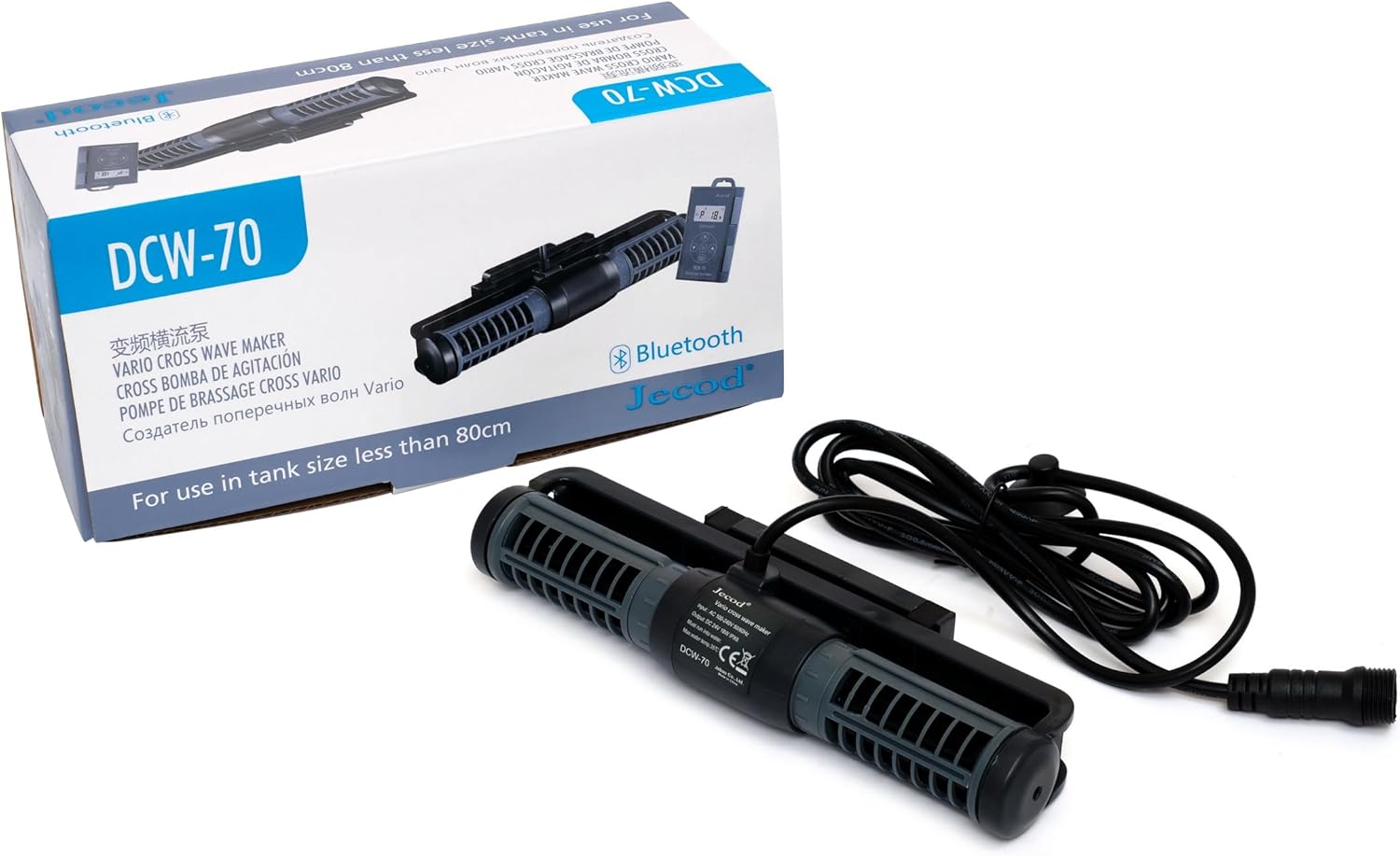
Image: The DCW-70 wave maker pump, its controller, and power adapter, displayed alongside its product packaging.
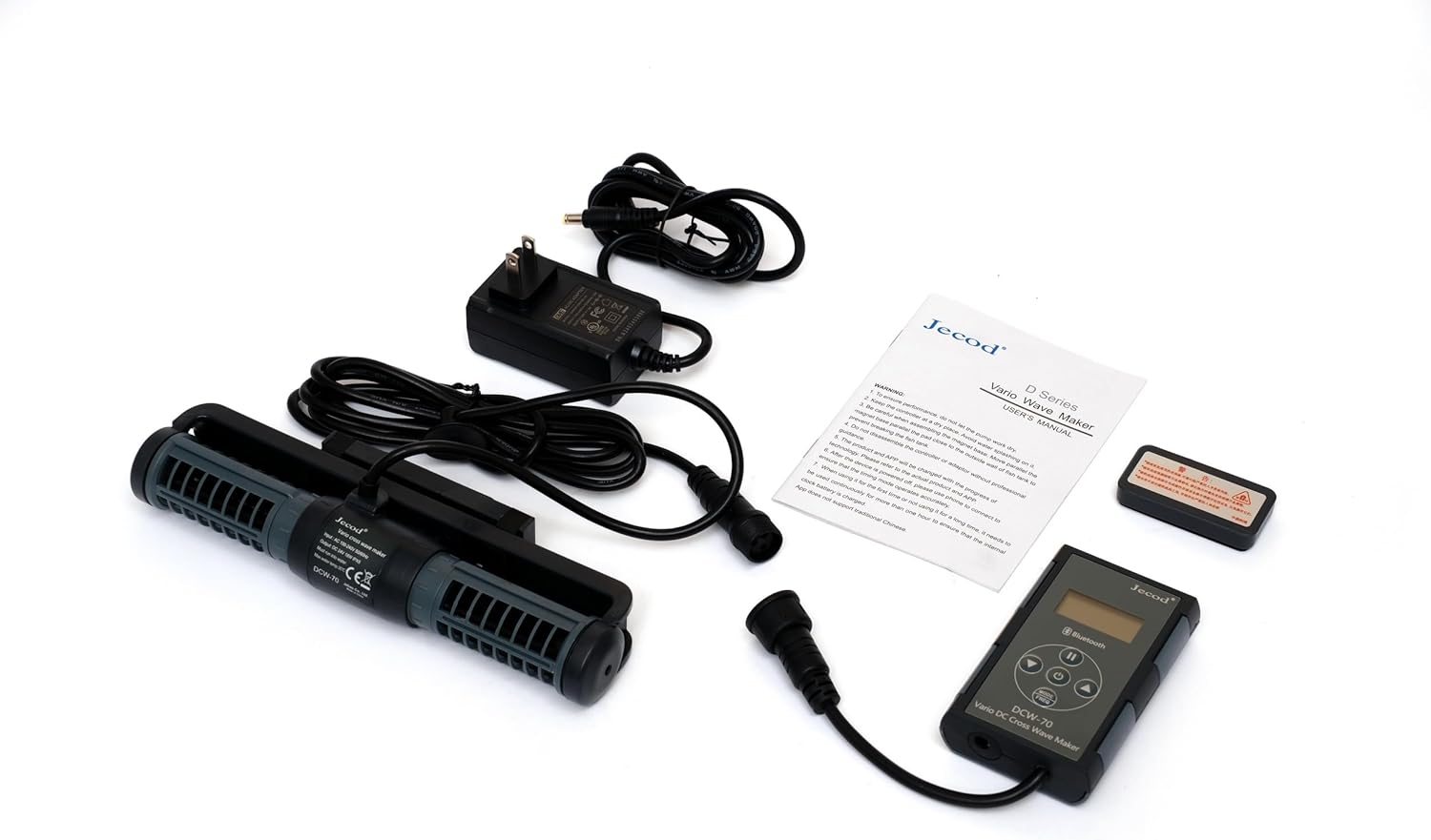
Image: All included components of the DCW-70 system, including the pump, controller, power adapter, and user manual, laid out on a white surface.
4. Setup jeung Instalasi
- panempatan: Position the wave maker pump inside your aquarium. Ensure it is fully submerged and securely attached to the aquarium wall using its magnetic mount or suction cups (if included). The pump features a 3D rotation angle for adjusting the output water direction.
- Sambungkeun Controller: Connect the pump's power cable to the controller.
- Sambungkeun Adaptor Daya: Connect the power adapter to the controller, then plug the adapter into a suitable electrical outlet.
- Daya mimiti Hurung: Once connected, the pump will power on. Refer to the "Operation" section for initial settings.

Gambar: A pungkur view of the DCW-70 pump, showing the power cable connection point and the mounting bracket.

Gambar: Hiji sudut view of the DCW-70 pump, highlighting the central motor housing and the label displaying input/output specifications and model number.
5. Operasi
5.1 Kontrol Manual
The included controller features a visual LCD display and buttons for adjusting pump settings. Specific modes and intensity levels can be selected directly from this unit. Refer to the controller's specific instructions for detailed button functions.
5.2 Kontrol Aplikasi Bluetooth
The DCW-70 pump can be controlled via a Bluetooth application on your iOS or Android device. This allows for advanced programming and control of one or multiple pumps.
- Unduh App: Milarian pikeun the "Jebao" or "Jecod" control app in your device's app store (Google Play Store for Android, Apple App Store for iOS).
- Aktipkeun Bluetooth: Pastikeun Bluetooth diaktipkeun dina alat sélulér Anjeun.
- Pasangkeun Alat: Open the app and follow the on-screen instructions to discover and pair with your DCW-70 pump.
- Control and Program: Use the app interface to adjust flow patterns, intensity, and set schedules. The app supports master and slave mode wireless control for multiple units.
6. Pangropéa
- Ngabersihan rutin: Periodically remove the pump from the aquarium and clean any accumulated algae or debris from the impeller and housing. Use a soft brush and clean water.
- Inspeksi Impeller: Check the impeller for any signs of wear or damage. Replace if necessary.
- Pamariksaan kabel: Regularly inspect the power cord for any cuts, fraying, or damage.
- Submersible: Always ensure the pump is fully submerged during operation to prevent overheating and damage.
7. Cara ngungkulan
| Masalah | Mungkin Cukang lantaranana | Solusi |
|---|---|---|
| Pompa teu beroperasi | No power; Impeller jammed; Not submerged | Check power connection; Clean impeller; Ensure full submersion. |
| Aliran lemah | Impeller dirty; Obstruction in pump; Incorrect setting | Clean impeller; Remove obstructions; Adjust flow settings via controller or app. |
| Sora teu biasa | Debris in impeller; Impeller worn; Not properly mounted | Clean impeller; Inspect and replace impeller if worn; Re-secure pump mounting. |
| Masalah sambungan Bluetooth | Bluetooth off; App not updated; Interference | Ensure Bluetooth is on; Update app; Move closer to pump; Restart device/app. |
8. Spésifikasi
| Modél | DCW-70 |
| Diménsi | 8.5" x 2.0" x 1.2" (kira-kira) |
| Masukan Voltage | AC 100V-240V, 50 / 60Hz |
| Kaluaran Voltage | DC 24V |
| Konsumsi Daya | 18W |
| Laju Ngalir | 925 to 1850 GPH (Gallons Per Hour) |
| Jenis Cai | Suitable for Saltwater and Freshwater |
| Suhu Cai Max | 35°C (95°F) |
| Kontrol | Manual Controller, Bluetooth App (iOS/Android) |
9. Garansi jeung Rojongan
For warranty information and technical support, please refer to the documentation included with your product or contact Jebao customer service directly. Keep your purchase receipt as proof of purchase.
For further assistance, visit the official Jebao websitus atawa ngahubungan saluran rojongan maranéhanana.


