
Bubuka
The SmailWolf RS8 is an ultra-light gaming mouse designed for high performance and versatility. It features a 1000Hz polling rate, multiple connectivity options (Bluetooth, 2.4GHz wireless, and wired USB), and customizable RGB lighting. This manual provides instructions for setup, operation, maintenance, and troubleshooting.
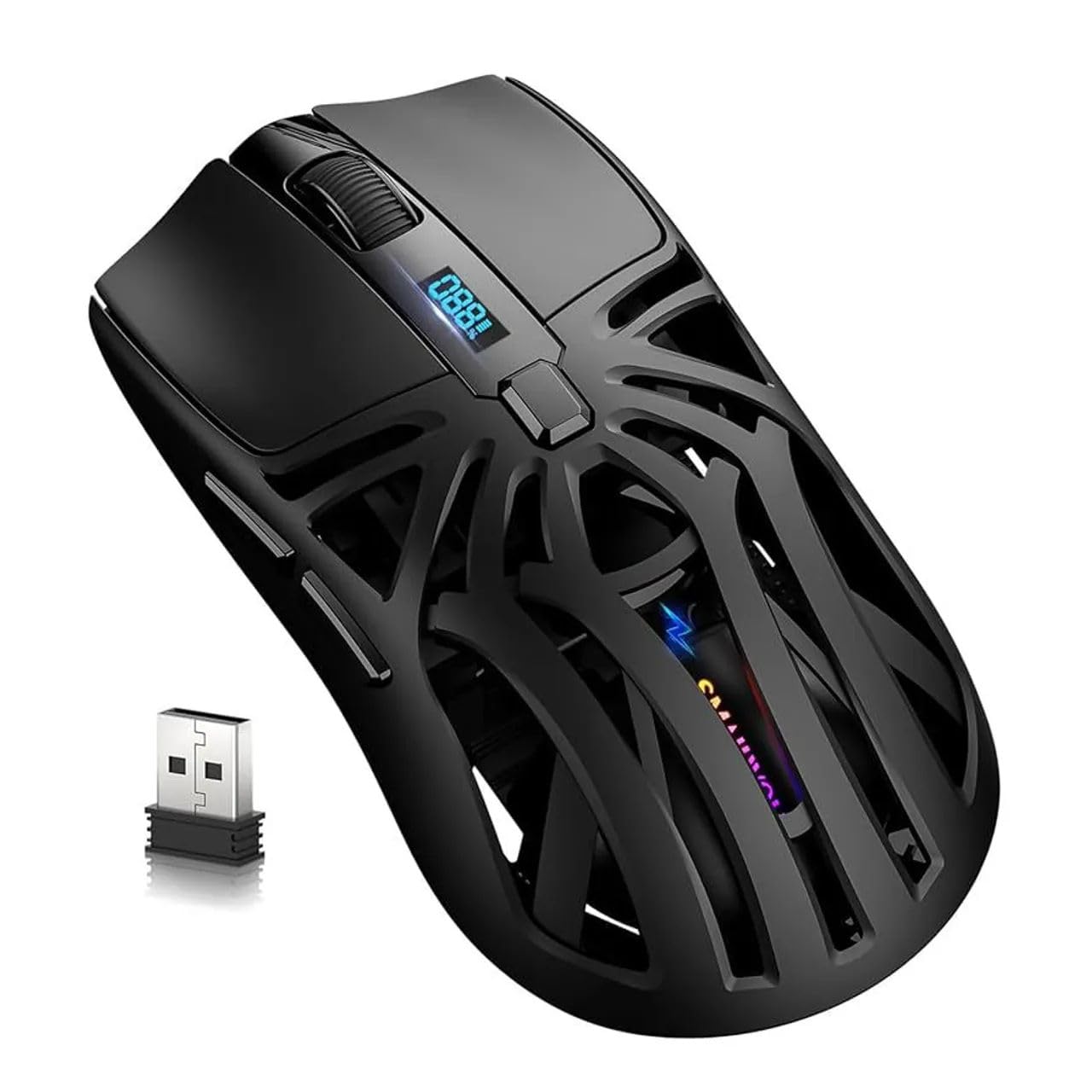
Gambar: Top view of the SmailWolf RS8 gaming mouse, highlighting its ergonomic design and central digital display.
Disetél
Eusi pakét
Ensure the following items are included in your package: SmailWolf RS8 Gaming Mouse, USB Receiver, USB Charging Cable.
Ngecas Beurit
Connect the USB charging cable to the mouse's charging port and to a USB power source. The digital display will indicate the battery level.
Pilihan konektipitas
The SmailWolf RS8 supports three connection modes: 2.4GHz wireless, Bluetooth, and wired USB.

Image: Underside of the SmailWolf RS8 mouse, showing the mode switches and the compartment for the USB receiver.
Sambungan nirkabel 2.4GHz
- Tangtukeun lokasi panarima USB disimpen dina kompartemen dina underside beurit.
- Colokkeun panarima USB ka port USB nu sadia dina komputer Anjeun.
- Pindahkeun pamilih modeu di handapeun beurit ka posisi 2.4G.
- Beurit kedah otomatis nyambung ka komputer anjeun.
Sambungan Bluetooth
- Pindahkeun pamilih modeu di handapeun beurit ka posisi Bluetooth.
- Dina komputer Anjeun, buka setelan Bluetooth tur neangan alat anyar.
- Select "SmailWolf RS8" from the list of available devices to pair.
- The mouse should connect and be ready for use.
Sambungan USB kabel
- Connect the USB charging cable to the mouse and to a USB port on your computer.
- The mouse will function as a wired mouse and will also charge simultaneously.
Parentah Operasi
Adjustment DPI
The SmailWolf RS8 features six-speed DPI adjustment, with a maximum sensitivity of 12000 DPI. Use the dedicated DPI button (usually located behind the scroll wheel) to cycle through the preset DPI levels (e.g., 1200, 1600, 3200, 6400, 10000, 12000). The digital display may show the current DPI setting.
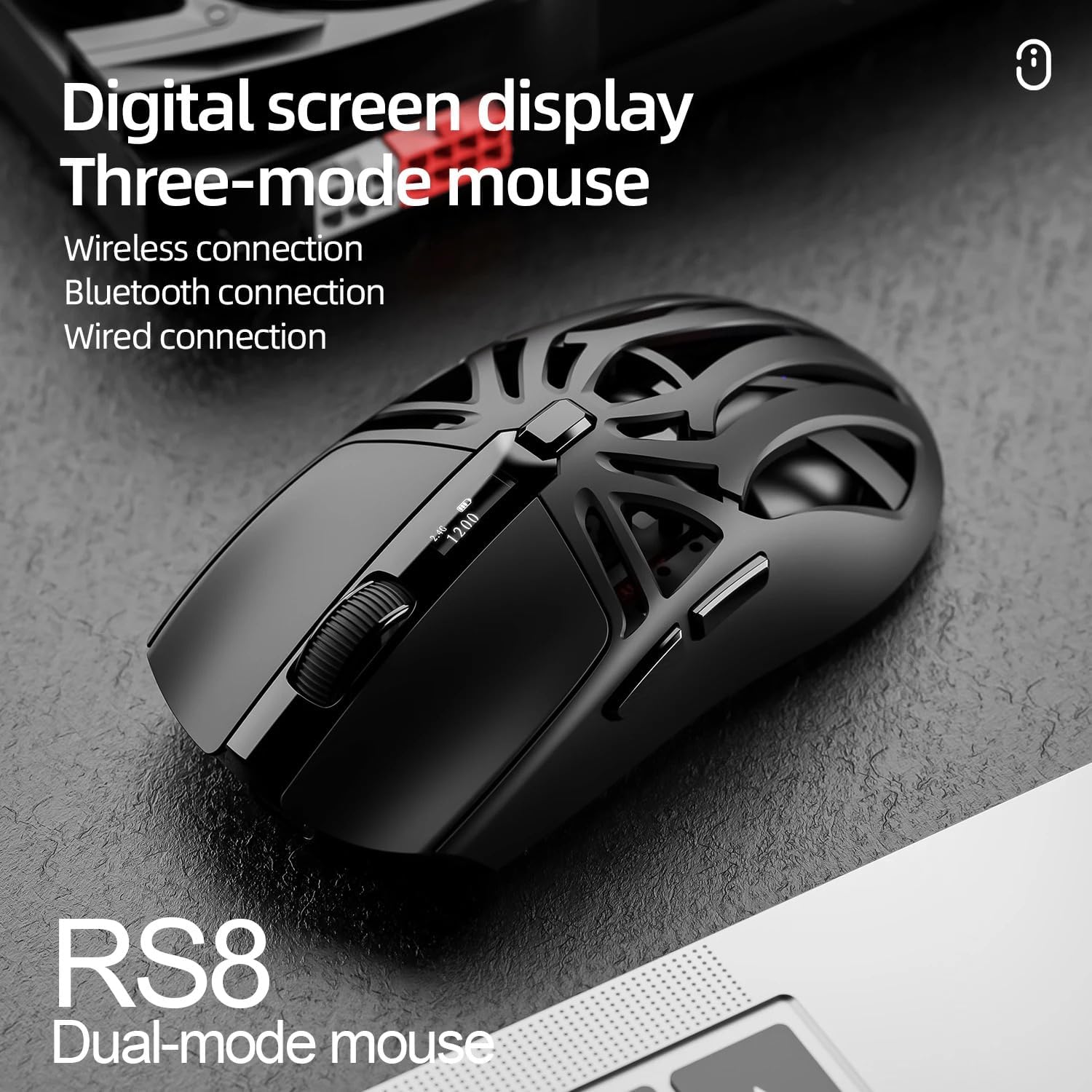
Image: SmailWolf RS8 mouse displaying DPI settings on its digital screen.
RGB Lighting Configuration
The mouse features customizable RGB lighting with 16.8 million colors. Specific buttons or software (if available) can be used to change lighting modes and colors. Refer to the manufacturer's website for any available software.

Image: Detail of the SmailWolf RS8 mouse showcasing its RGB lighting effect.
Fungsi Tombol
The mouse has 6 programmable buttons. Default functions include:
- Klik Kénca
- Klik katuhu
- Scroll Wheel (Click and Scroll)
- Tombol Siklus DPI
- Tombol Maju (Sisi)
- Back Button (Side)
For advanced customization, check if dedicated software is available from the manufacturer.
Pangropéa
beberesih
To clean the mouse, use a soft, dry cloth. For stubborn dirt, slightly dampen lawon ku cai atawa solusi beberesih hampang. Ulah make bahan kimia kasar atawa bahan abrasive.
Perawatan batré
To prolong battery life, avoid fully discharging the mouse frequently. Charge the mouse when the battery indicator is low. If storing the mouse for an extended period, charge it to approximately 50% and store in a cool, dry place.
Pamérésan masalah
Beurit Teu Ngabales
- Pastikeun mouse tos dicas.
- Check the connection mode (2.4GHz, Bluetooth, or wired).
- Pikeun 2.4GHz, pastikeun panarima USB dipasang kalayan pageuh. Cobi port USB anu sanés.
- For Bluetooth, ensure Bluetooth is enabled on your computer and the mouse is paired correctly. Try re-pairing.
- For wired, ensure the USB cable is securely connected.
- Balikan deui komputer anjeun.
Sambungan Intermittent
- Pindahkeun beurit leuwih deukeut kana panarima USB atawa alat Bluetooth.
- Hindarkeun gangguan ti alat nirkabel anu sanés.
- Ensure the mouse battery is not low.
DPI Teu Robah
- Pencét tombol DPI pageuh.
- Pastikeun mouse dihurungkeun tur disambungkeun.
spésifikasi
- model: SmailWolf RS8
- Konektipitas: Bluetooth, 2.4GHz Wireless, USB Wired (Tri-mode)
- Sensitivitas DPI: Up to 12000 DPI (6 adjustable levels)
- Laju Polling: 1000 Hz
- Tombol: 6
- beurat: 49 Grams (Ultra-light)
- Ukuran (L x W): 12 cm x 6.5 cm
- Pencahayaan: RGB (16.8 juta warna)
- Kasaluyuan Sistem Operasi: Windows (Windows 10 minimum)
- Dianjurkeun pamakéan: Kaulinan
- Bahan: palastik
- warna: Hideung
- Sumber Daya: Built-in rechargeable battery (charged via USB)
- Sénsor optik: Sumuhun
- Orientasi: Leungeun katuhu
- Negara asal: Brazil
Garansi sareng Rojongan
This product is manufactured by HYPEDFLOW. For warranty information or technical support, please refer to the retailer or manufacturer's official website. The product description indicates that specific warranty details may be provided by the seller or local regulations.
Pabrikan: HYPEDFLOW