Bubuka
This manual provides essential information for the setup, operation, and maintenance of your LILYGO T-Deck Pro SX1262 LoRa 915Mhz GPS Wireless Module. This development board features a 3.1-inch ultra-wide viewing low-power E-Paper display and an external antenna, pre-installed with A7682E Meshtastic Firmware for wireless communication. Please read this manual thoroughly before use to ensure optimal performance and longevity of your device.
Fitur
- LoRa Connectivity: SX1262 Low Power LoRa Transceiver with 915Mhz frequency.
- Fungsi GPS: GPS terpadu pikeun layanan lokasi.
- tampilan: 3.1-inch Ultra Wide Viewing Low Power E-Paper display (320x240 resolution).
- Konéktipitas nirkabel: Wi-Fi 2.4 GHz & Bluetooth 5 (LE).
- Prosesor: Mikroprosesor LX7 dual-core ESP32-S3FN16R8.
- Mémori: 16MB PSRAM, 8MB optional.
- Antena éksternal: This version includes an external antenna for enhanced signal.
- Firmware: Supports Meshtastic and LILYGO firmware.
- Fungsi Onboard: TF Card slot, Microphone, Speaker, QWIIC, Touch, Vibration Motor, Keyboard.
- Modul 4G: Equipped with a 4G module A7682E.
Naon dina Box
- LILYGO T-Deck Pro Device
- anteneu éksternal
- T-USBANT V1.0
- Manual pamaké

Image: LILYGO T-Deck Pro device, external antenna, and T-USBANT accessory.
Disetél
1. Majelis Awal
- Pasang anteneu éksternal: Carefully screw the provided external antenna into the antenna port on the device. Ensure it is finger-tight to avoid damage.
- Lebetkeun Kartu TF (Opsional): If using, insert a compatible TF card into the designated slot.
- Daya Hurung: Pencét jeung tahan tombol daya pikeun ngahurungkeun alat.
2. Firmware and Software
Your LILYGO T-Deck Pro comes pre-installed with Meshtastic Firmware. For detailed information on firmware updates, custom development, or accessing the LILYGO firmware, please refer to the official GitHub and Wiki resources:
- GitHub: github.com/Xinyuan-LilyGO/T-Deck-Pro
- Wiki: wiki.lilygo.cc/
3. Connecting to Meshtastic App
To utilize the Meshtastic network, install the Meshtastic App on your smartphone. After connecting the device via USB, you can search for the updated device in the app's connection interface.
Video: Demonstrates how to install Meshtastic firmware on a LILYGO T-Echo device, which is similar to the T-Deck Pro for firmware flashing procedures.
Ngoperasikeun
1. Napigasi Dasar
- Use the physical keyboard for text input and navigation.
- The E-Paper display provides clear, low-power visual feedback.
2. LoRa Communication (Meshtastic)
With Meshtastic firmware, your T-Deck Pro acts as a long-range off-grid communicator. You can send and receive text messages, share GPS locations, and participate in a mesh network. Refer to the Meshtastic documentation for detailed usage instructions.
Video: Leuwihview of the LILYGO T-Deck Pro device, showcasing its features and basic operation.
3. Fungsi GPS
The integrated GPS module allows for location tracking and sharing within the Meshtastic network. Ensure a clear view langit pikeun panarimaan sinyal GPS optimal.
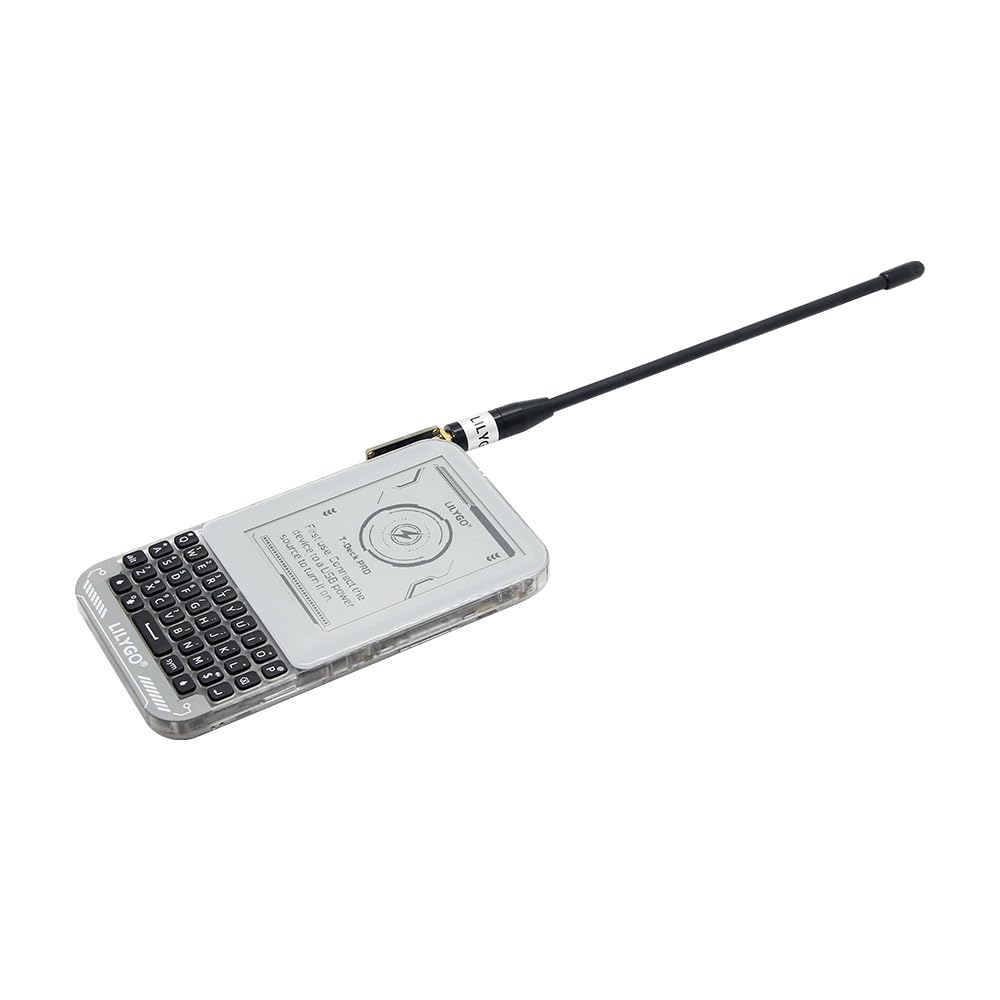
Image: LILYGO T-Deck Pro device shown with its external antenna attached, highlighting its compact design.
Integrasi Média
Gambar produk

LILYGO T-Deck Pro with external antenna connected, showcasing faktor bentukna anu ringkes.

Hareupeun view of the LILYGO T-Deck Pro, displaying the e-paper screen and QWERTY keyboard.

Balik deui view of the LILYGO T-Deck Pro, showing the transparent casing and the A7682E module.

LILYGO T-Deck Pro device placed next to its protective carrying case.

Packaging box for the LILYGO T-Deck Pro, showing its dimensions (L:165mm, W:97mm, H:31mm).

Detailed dimensions of the LILYGO T-Deck Pro device and its components.
Video Produk Resmi
Video: Leuwihview of the LILYGO T-Deck Pro device, showcasing its features and basic operation.
Video: Demonstrates how to install Meshtastic firmware on a LILYGO T-Echo device, which is similar to the T-Deck Pro for firmware flashing procedures.
Video: A brief demonstration of the LILYGO T-Lora Pager, highlighting its compact size and functionality.
Pangropéa
1. Perawatan Antena
The external antenna connects via a USB port. Handle with care to prevent wobbling or damage to the connection point. Avoid excessive force when attaching or detaching the antenna.
2. Manajemén batré
The device includes a Lithium Ion battery. For optimal battery life, ensure proper charging practices. If experiencing rapid battery drain, verify that power-saving modes are enabled in your firmware settings.
Pamérésan masalah
- Antenna Wobble: If the external antenna feels insecure, ensure it is properly screwed in. Avoid applying glue or Velcro to the USB port as it is also used for charging.
- Kahirupan batré goréng: Check firmware settings for power-saving options. Ensure the device is fully charged before extended use.
- Masalah firmware: If the device is not functioning as expected, consider updating or re-flashing the firmware using the official GitHub resources.
- Device Not for Beginners: This device is intended for users with intermediate to advanced technical skills or those who enjoy tinkering with development boards. Basic troubleshooting may require familiarity with firmware flashing and hardware configurations.
spésifikasi
| Ram | LPDDR |
| merek | LILYGO |
| Runtuyan | A7682E |
| Nomer modél barang | A7682E Meshtastic Firmware |
| Sistem operasi | Linux |
| Prosésor Brand | ARM |
| Jumlah prosésor | 1 |
| Batré | 1 batré Litium Ion diperlukeun. (kaasup) |
| Téhnologi konektipitas | USB, HDMI, LoRa 915Mhz, GPS |
| Komponén Kaasup | Manual pamaké |
Garansi sareng Rojongan
LILYGO products are designed for reliability and performance. For any questions or suggestions regarding your LILYGO T-Deck Pro, please feel free to contact us. We are committed to providing prompt assistance.
While specific warranty details are not provided in this manual, general product support is available through the seller. Please retain your proof of purchase for any warranty claims.


