1. Bubuka
Thank you for choosing the KTC H32S5 31.5-inch QHD Curved Gaming Monitor. This manual provides essential information for setting up, operating, and maintaining your monitor to ensure optimal performance and longevity. Please read this manual thoroughly before using the product.
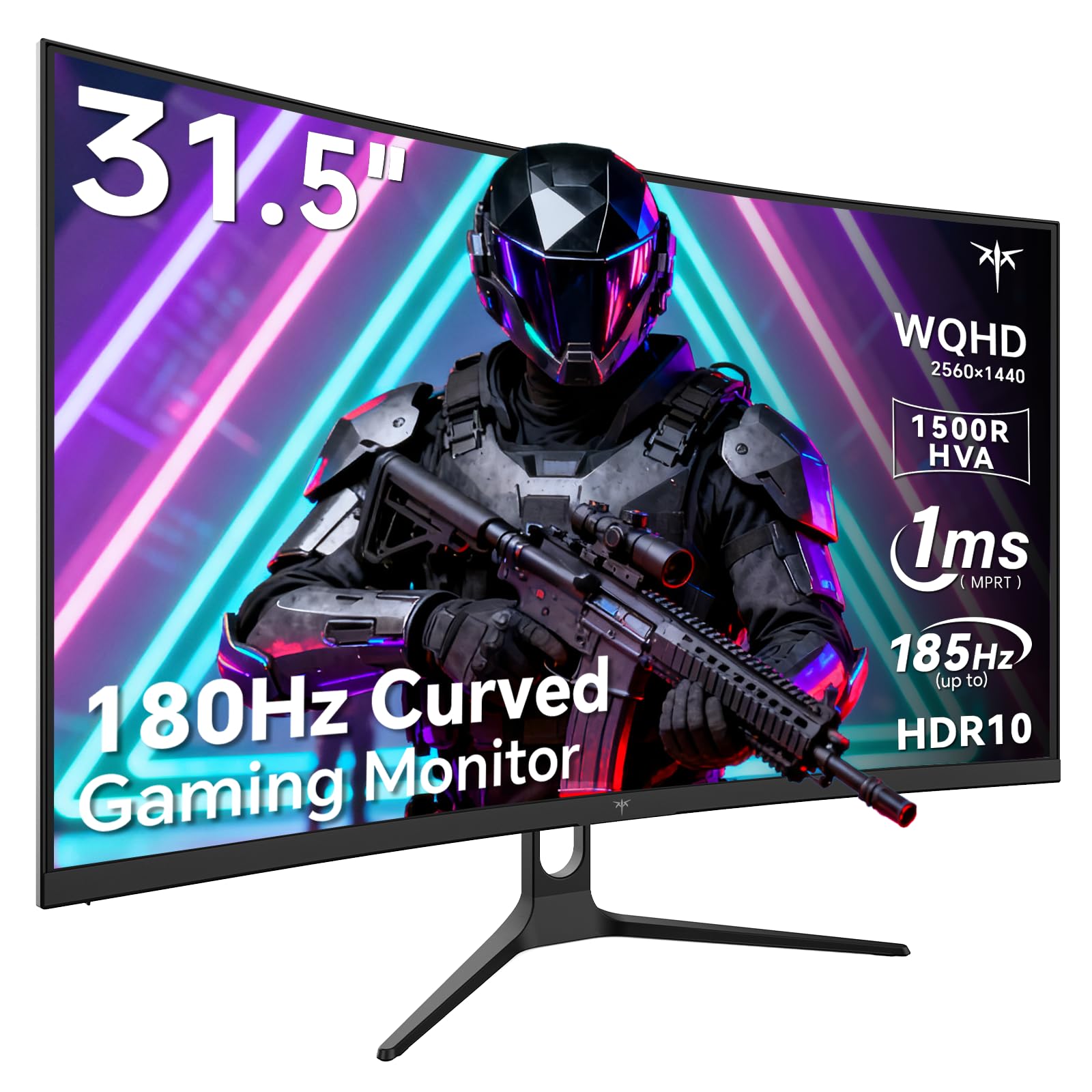
Image 1: KTC H32S5 31.5-inch QHD Curved Gaming Monitor.
2. Eusi Paket
Pastikeun yén sadaya item aya dina bungkusan:
- 31.5" 2K Curved Monitor x1
- Monitor Stand x1
- Pituduh Mimitian Gancang (QSG) x1
- Kabel DP x1
- Adaptor kakuatan x1
3. Monitor Setup
3.1 Ngagantelkeun Stand
Carefully attach the monitor stand to the back of the monitor following the instructions in the Quick Start Guide. Ensure all screws are tightened securely.
3.2 Pamasangan Tembok VESA
The monitor supports VESA 100mm x 100mm mounting. If you prefer to wall-mount the monitor, remove the stand and attach a compatible VESA mount (not included) to the designated holes on the back of the monitor. Ensure the wall mount can support the monitor's weight (approximately 16.87 pounds).

Gambar 2: Tukangeun view of the monitor showing connectivity ports and VESA mount area.
3.3 Nyambungkeun ka Alat
Sambungkeun alat anjeun nganggo port anu sayogi:
- DisplayPort 1.4 (x2): For connecting to PCs and other devices supporting up to 185Hz refresh rate.
- HDMI 2.0 (x2): For connecting to gaming consoles, laptops, and desktops supporting up to 144Hz refresh rate.
- USB 2.0 (x2): For connecting peripherals (upgrade only).
- Jack headphone: Pikeun kaluaran audio.
- Input Daya DC: Sambungkeun adaptor daya anu disayogikeun.
3.4 Mimiti Power-On
After connecting all necessary cables, press the power button to turn on the monitor. The monitor will automatically detect the input signal. If no signal is detected, ensure your device is powered on and the correct input source is selected on the monitor.
4. Parentah Operasi
4.1 Menu dina layar (OSD).
The OSD menu allows you to adjust various monitor settings. Refer to the Quick Start Guide for detailed instructions on navigating the OSD menu using the monitor's control buttons.
4.2 Setélan tampilan
- Resolusi: The monitor features WQHD (2560 x 1440) resolution for sharp and detailed images.
- Laju Refresh: Enjoy a smooth visual experience with a 180Hz refresh rate, overclockable to 185Hz via DisplayPort.
- Waktu ngaréspon: A 1ms MPRT response time minimizes motion blur, ideal for fast-paced gaming.
- Singkronisasi adaptif: Adaptive FreeSync technology eliminates screen tearing and stuttering for fluid gameplay.
- Warna Gamut: Experience vivid and realistic colors with 99% sRGB color gamut coverage, 126% sRGB color volume, and a 5000:1 contrast ratio. HDR10 support provides enhanced contrast and a wider color palette.
- Perawatan Mata: Features like Low Blue Light and Flicker-Free technology help reduce eye strain during extended use.

Image 3: Visual representation of the monitor's high refresh rate for smoother gaming.

Image 4: Demonstration of Adaptive Sync technology eliminating screen tearing.

Image 5: Illustration of the 1500R curved display for an immersive viewpangalaman.
4.3 GamePlus Mode
Activate GamePlus mode for in-game enhancements such as a customizable crosshair, on-screen timer, and display modes optimized for FPS (First-Person Shooter) and RTS (Real-Time Strategy) games.

Gambar 6: Leuwihview of GamePlus features including Crosshair, Timer, FPS, and RTS modes.
5. Pangropéa
To ensure the longevity and optimal performance of your KTC H32S5 monitor, follow these maintenance guidelines:
- Ngabersihan layar: Ngusap layar nganggo kaén anu lembut sareng teu aya serat. Pikeun tanda pengkuh, enteng dampen the cloth with water or a mild, non-abrasive screen cleaner. Avoid using alcohol, ammonia, or abrasive cleaners.
- Ngabersihan Luar: Anggo kaén anu lemes sareng garing pikeun ngabersihan monitor casing.
- Penanganan: Avoid touching the screen directly with your fingers or sharp objects. Do not place heavy objects on the monitor.
- Ventilasi: Ensure adequate ventilation around the monitor to prevent overheating. Do not block the ventilation openings.
- Pareum listrik: Pareuman monitor teras cabut tina stop kontak sateuacan dibersihkeun atanapi upami moal dianggo salami lami.
6. Cara ngungkulan
If you encounter any issues with your monitor, refer to the following common troubleshooting steps:
- Henteu aya tampilan/layar hideung:
- Pastikeun kabel daya disambungkeun sacara aman ka monitor sareng stopkontak.
- Verify that the video cable (DP or HDMI) is firmly connected to both the monitor and your computer/device.
- Check if the correct input source is selected on the monitor via the OSD menu.
- Balikan deui komputer / alat anjeun.
- Gambar kedip-kedip atanapi menyimpang:
- Check the video cable for any damage or loose connections. Try a different cable if available.
- Atur laju refresh dina setélan tampilan komputer anjeun.
- Ensure Adaptive Sync is enabled in both the monitor's OSD and your graphics card settings.
- Masalah Warna:
- Reset the monitor's color settings to factory defaults via the OSD menu.
- Saluyukeun suhu warna atanapi setélan gamma dina OSD.
- Henteu aya Audio:
- Ensure headphones are properly connected to the headphone jack.
- Check audio settings on your connected device and the monitor's OSD.
Upami masalahna teras-terasan saatos nyobian léngkah-léngkah ieu, mangga ngahubungi dukungan palanggan.
7. Spésifikasi produk
| Fitur | Spésifikasi |
|---|---|
| merek | CTC |
| Nomer modél | H32S5 |
| Ukuran layar | 31.5 inci |
| Resolusi | 2560 x 1440 Piksel (QHD Lega 1440p) |
| Rasio Aspék | 16:9 |
| Curvature | 1500R |
| Refresh Laju | 180Hz (up to 185Hz via DP) |
| Waktu Tanggapan | 1 ms MPRT |
| Tipe Panel | HVA |
| Warna Gamut | 99% sRGB coverage, 126% sRGB volume |
| Babandingan Kontras | 5000:1 |
| Caang Gambar | 300 Candela |
| Rojongan HDR | HDR10 |
| Konektipitas | DisplayPort 1.4 x2, HDMI 2.0 x2, USB 2.0 x2 |
| Audio | Jack headphone |
| Adjustability | Tilt adjustment (-5° to 20°) |
| Gunung VESA | 100 mm x 100 mm |
| Dimensi produk | 5.8 x 27.9 x 20.4 inci |
| Item Beurat | 16.87 pon |
| Voltage | 19 Volt (DC) |
8. Émbaran jaminan
This product is subject to a 30-day return/replacement policy. For detailed warranty terms and conditions, please refer to the documentation provided with your purchase or contact the seller directly.
9. Rojongan Palanggan
For any questions, technical assistance, or support regarding your KTC H32S5 monitor, please contact the seller, KTC-Official, through the Amazon messaging system. They are available to assist you with product inquiries and troubleshooting.
Anjeun oge bisa nganjang ka KTC Store on Amazon pikeun inpo nu leuwih lengkep jeung produk.
10. Video Produk Resmi
Watch this official product video from KTC-Official for a closer look at the KTC 32 Inch 2K 180Hz Curved Gaming Monitor.


