1. Bubuka
This manual provides essential instructions for the safe and effective use of your Sony Alpha a7 II ILCE-7M2/B Full-Frame Mirrorless Camera. Please read this manual thoroughly before operating the camera and retain it for future reference. The Sony Alpha a7 II is designed for high-quality photography and videography, featuring a 24.3MP full-frame sensor, 5-axis in-body image stabilization, and a fast hybrid autofocus system.
2. Produk Langkungview
The Sony Alpha a7 II is a full-frame mirrorless camera body equipped with advanced features for capturing detailed images and smooth videos. Key features include:
- 24.3MP Full-Frame Exmor CMOS Sensor: Delivers high resolution and excellent low-light performance.
- 5-Axis SteadyShot INSIDE Image Stabilization: Compensates for camera shake across five axes, enhancing sharpness for both stills and video, even with non-stabilized lenses.
- Fast Hybrid Autofocus System: Combines 117 phase-detection and 25 contrast-detection points for quick and accurate subject tracking.
- Rekaman Video Full HD 1080p: Supports up to 60 fps with XAVC S compression and S-Log2 gamma for professional-grade video.
- BIONZ X Image Processor: Ensures rapid processing and high image quality.
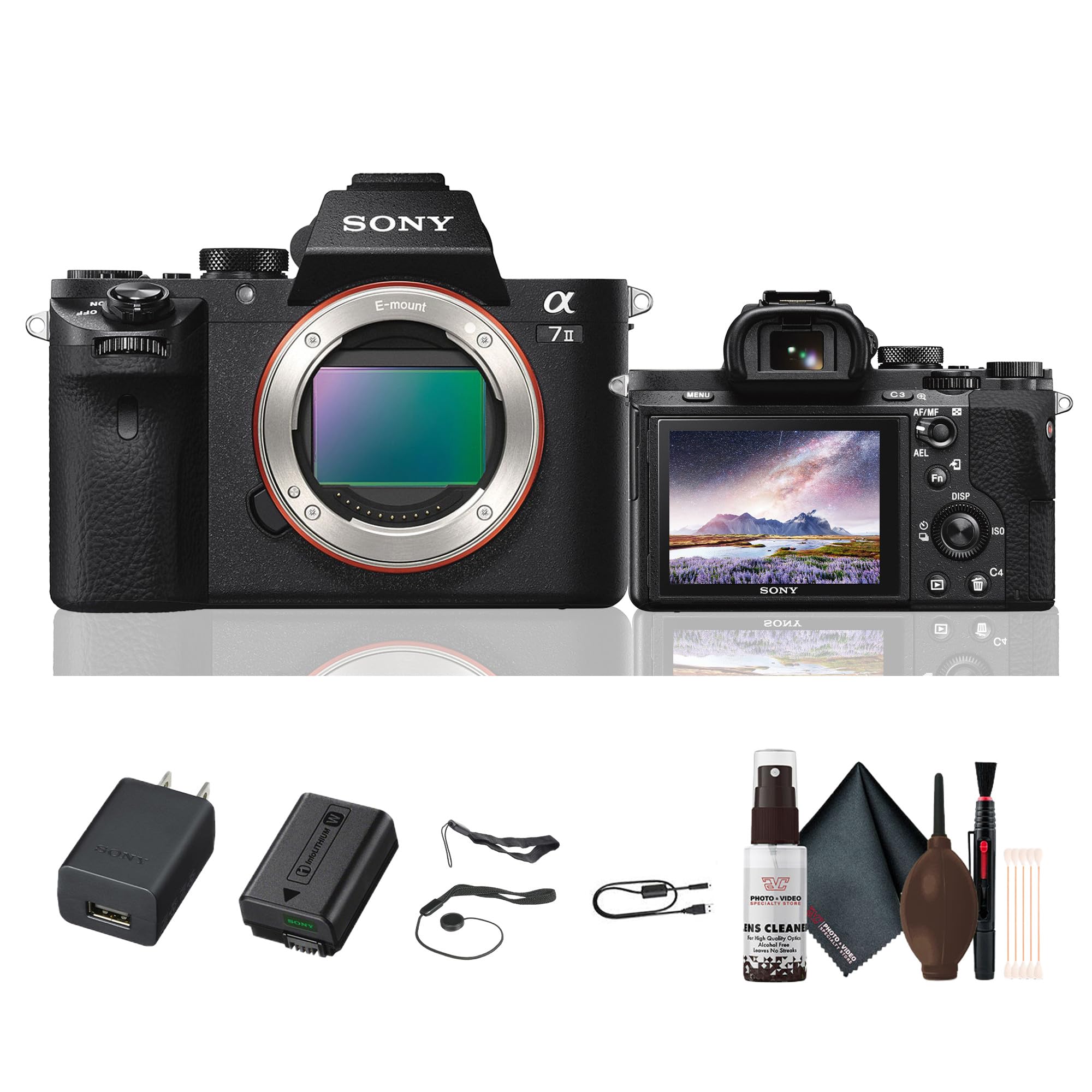
Gambar 2.1: Tukangeun view of the Sony Alpha a7 II camera with the LCD screen closed, showing the electronic viewfinder, control dials, and buttons.
3. Setélan
3.1. Ngabongkar sareng Inspeksi Awal
Cabut sadaya komponén tina bungkusna kalayan ati-ati. Pariksa yén sadaya barang anu didaptarkeun di handap aya. Upami aya barang anu leungit atanapi ruksak, hubungi padagang anjeun.
Item kaasup:
- Sony Alpha a7 II Mirrorless Digital Camera Body
- Pack batré Rechargeable
- Adaptor AC
- Kabel USB
- Tali taktak
- Cap awak
- Cap sapatu aksésori
- Cangkir panon
3.2. Ngalampirkeun Lensa
- Cabut tutup awak tina kaméra sareng tutup lénsa tukang tina lensa.
- Sejajarkeun tanda indéks bodas dina lensa jeung tanda indéks bodas dina awak kaméra.
- Pasang lénsa ku cara muterkeun searah jarum jam dugi ka ngaklik kana tempatna.
Note: The a7 II uses Sony E-mount lenses. A-mount lenses can be used with an optional adapter.
3.3. Nyelapkeun Batré sareng Kartu Mémori
- Buka tutup batré/kartu mémori anu aya di handapeun kaméra.
- Insert the fully charged battery pack with the arrow pointing towards the camera, pushing it in until it locks.
- Insert a compatible memory card (SD card, Memory Stick PRO Duo) into the memory card slot with the notched corner facing the correct direction, pushing until it clicks.
- Tutup panutup batré/kartu mémori aman.
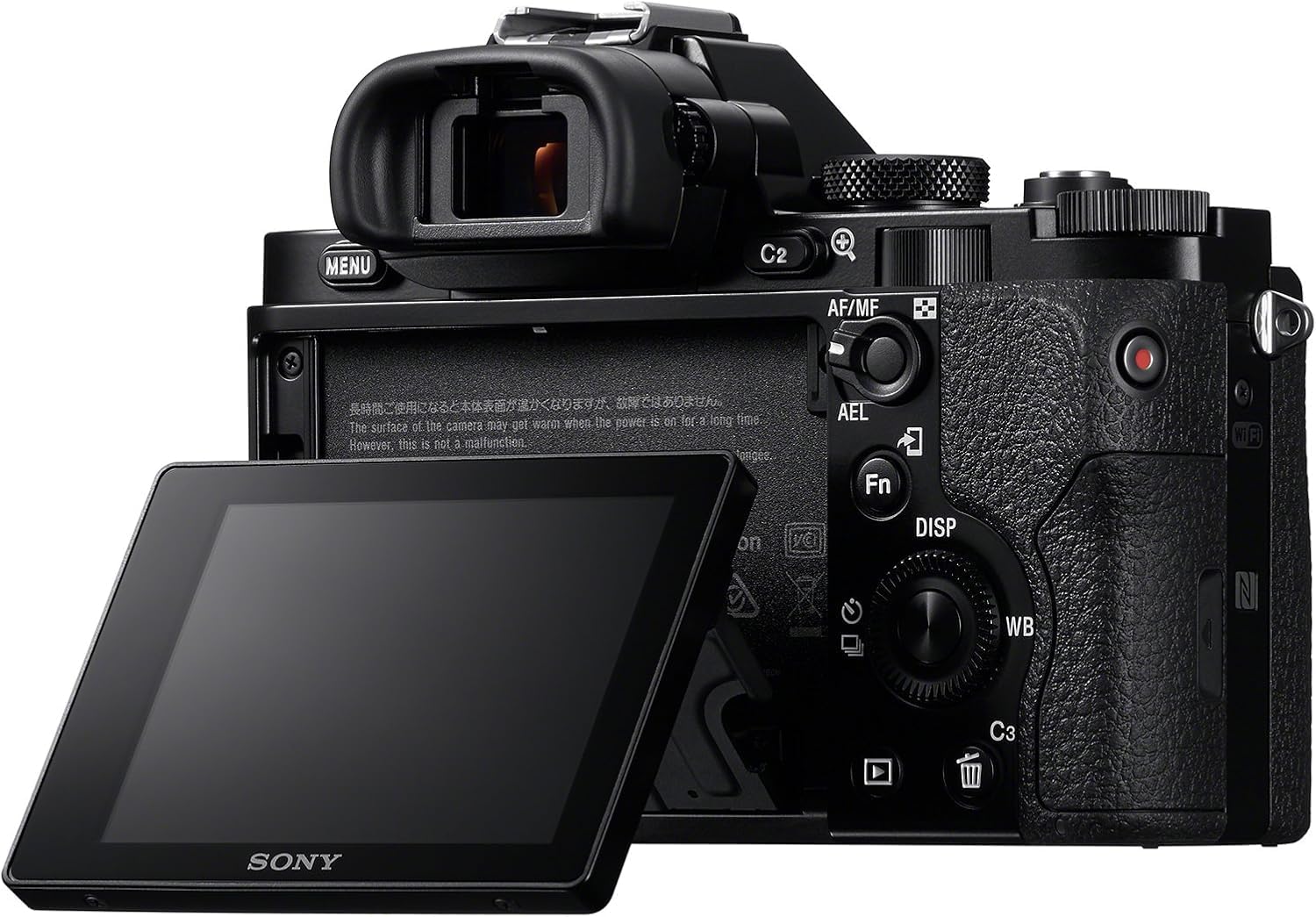
Gambar 3.1: Tukangeun view of the Sony Alpha a7 II camera with the LCD screen tilted outwards, showing the battery/memory card compartment.
3.4. Ngecas Batré
Connect the camera to the AC adaptor using the supplied USB cable. The charging indicator lamp will light up during charging and turn off when charging is complete. A full charge typically takes approximately 150 minutes.
4. Ngoperasikeun kaméra
4.1. Daya Hurung / Pareum
To turn the camera on or off, slide the ON/OFF switch located around the shutter button.
4.2. Modeu Shooting Dasar
Rotate the Mode Dial (located on the top plate) to select your desired shooting mode:
- otomatis: Kaméra otomatis nyaluyukeun setelan pikeun hasil nu optimal.
- Program Otomatis (P): Kaméra ngatur aperture sareng kecepatan rana, tapi anjeun tiasa nyaluyukeun setélan anu sanés.
- Prioritas aperture (A): Anjeun nyetel aperture, kaméra nyetél speed jepret.
- Prioritas jepret (S): Anjeun nyetél laju jepret, kaméra nyetél aperture.
- Manual (M): Anjeun ngadalikeun duanana aperture jeung speed jepret.
- Pilem: Pikeun ngarékam pidéo.
- Pilihan Adegan: Pre-set modes for specific scenes (e.g., Landscape, Portrait, Sports).
4.3. Fokus
The a7 II features a Fast Hybrid Autofocus system. To focus, half-press the shutter button. The camera will automatically detect and focus on your subject. You can also manually select focus points or use manual focus (MF) by setting the focus mode switch on your lens or in the camera menu.
4.4. Stabilisasi Gambar
The camera's 5-axis SteadyShot INSIDE image stabilization system is active by default. This system helps reduce blur caused by camera shake, especially useful in low light or when using longer focal lengths. The system works with both native E-mount lenses and adapted lenses.
4.5. Ngarékam Pidéo
To record video, set the Mode Dial to the Movie mode. Press the dedicated MOVIE button (usually located on the side or rear of the camera grip) to start and stop recording. The camera records Full HD 1080p video at various frame rates up to 60 fps.
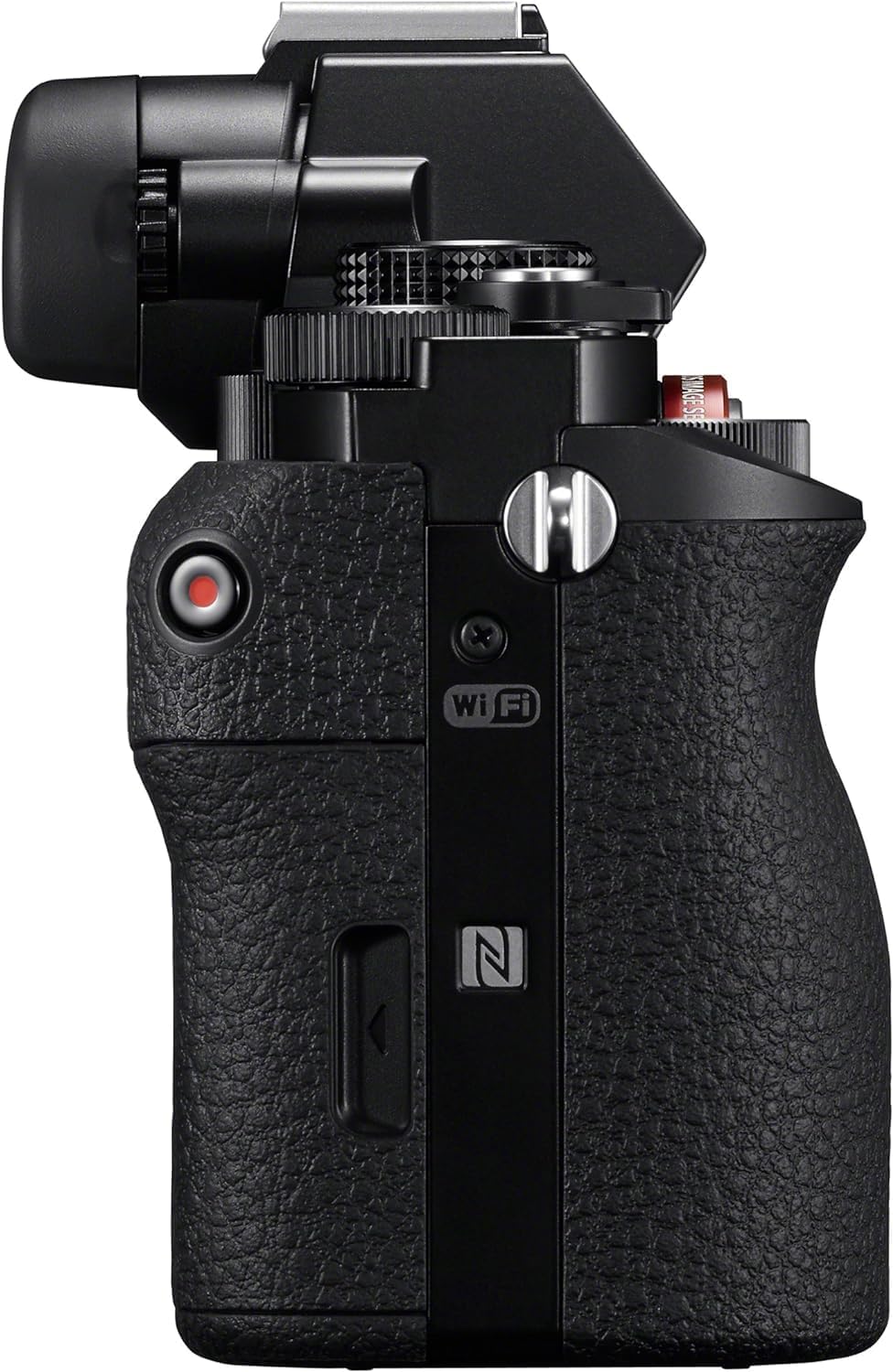
Gambar 4.1: Sisi view of the Sony Alpha a7 II camera, highlighting the grip and movie record button.
4.6. Konektipitas
The camera supports HDMI and USB connectivity. Use the HDMI output to view photos and videos on a compatible display. The USB port can be used for charging, data transfer to a computer, or connecting to other compatible devices.
5. Pangropéa
5.1. Ngabersihan Kaméra
- Awak kaméra: Ngusap ku lawon lemes, garing. Pikeun kokotor bandel, make kaen hampang dampdieusi cai. Hindarkeun bahan kimia anu kasar.
- Lensa: Use a lens brush or blower to remove dust. For smudges, use a lens cleaning solution and a microfiber cloth specifically designed for optics.
- Sénsor: Sensor cleaning should only be performed by authorized service personnel or experienced users with appropriate tools to avoid damage.
- Layar LCD: Gently ngusap ku lawon lemes, garing.
5.2. Kaperawatan batré
- Always use genuine Sony battery packs.
- Charge the battery fully before first use and after extended periods of non-use.
- Store batteries in a cool, dry place. Do not expose to extreme temperatures.
5.3. Panyimpenan
When storing the camera for an extended period, remove the battery and memory card. Store the camera in a dry, well-ventilated area, preferably with a desiccant to prevent mold and mildew.
6. Cara ngungkulan
Upami anjeun ngalaman masalah sareng kaméra anjeun, tingali léngkah-léngkah ngungkulan masalah umum ieu:
- Kaméra henteu hurung:
- Pastikeun batre tos dicas pinuh sareng diselapkeun leres.
- Coba nganggo batré anu béda, anu dicas pinuh upami sayogi.
- Teu tiasa nyandak gambar:
- Check if a memory card is inserted and has sufficient free space.
- Pastikeun tutup lénsa parantos dicabut.
- Verify the camera is not in a mode that prevents shooting (e.g., playback mode).
- Gambar kabur:
- Check focus settings (Autofocus vs. Manual Focus).
- Ensure shutter speed is fast enough for the shooting conditions to prevent motion blur.
- Verify image stabilization is active if shooting handheld in low light.
- Bersihkeun lensa upami aya noda.
- Batré gancang boros:
- Kurangkeun kacaangan LCD.
- Turn off Wi-Fi/NFC when not in use.
- Limit continuous shooting or video recording.
- Pastikeun batréna henteu lami atanapi rusak.
For more detailed troubleshooting, consult the comprehensive online manual available on the Sony support websitus.
7. Spésifikasi
| Nomer modél | ILCE-7M2/B |
| Tipe sénsor | Full Frame (35mm) Exmor CMOS |
| Resolusi Masih Éféktif | 24.3 MP |
| Stabilisasi Gambar | 5-axis Sensor-shift (SteadyShot INSIDE) |
| Sistem pokus otomatis | Fast Hybrid AF (117 phase-detection, 25 contrast-detection points) |
| Resolusi Video | Full HD 1080p (up to 60 fps) |
| Format pidéo | XAVC S, AVCHD, MP4 |
| Format Gambar | JPEG, RAW |
| Mountings cocog | Sony E-pasang |
| Tipe tampilan | LCD Tilt 3.0 inci (1,228,800 titik) |
| Viewpanyungsi | 0.5-inch XGA OLED Electronic Viewfinder (2,359,296 dots) |
| Konektipitas | HDMI (Type A), USB 2.0, Wi-Fi, NFC |
| Jenis Batré | NP-FW50 Lithium-Ion Rechargeable Battery |
| Ukuran (W x H x D) | Approx. 126.9 x 95.7 x 59.7 mm (5 x 3 7/8 x 2 3/8 inches) |
| Weight (with battery and memory card) | Kira-kira. 599 g (1 pon 5.2 oz) |
8. Garansi jeung Rojongan
8.1. Émbaran jaminan
Your Sony Alpha a7 II camera is covered by a manufacturer's limited warranty. Please refer to the warranty card included in your product packaging for specific terms and conditions, including warranty period and coverage details. Retain your proof of purchase for warranty claims.
8.2. Rojongan Palanggan
For technical assistance, service, or additional product information, please visit the official Sony support website or contact Sony customer service in your region. Online resources often include FAQs, driver downloads, and comprehensive digital manuals.
Rojongan Sony Websitus: www.sony.com/electronics/support


