
1. Produk Langkungview
The Ring Wired Doorbell (2nd Gen) provides advanced home security with continuous power and comprehensive monitoring features. This device offers Retinal 2K video resolution, a wide-angle view, and up to 6x enhanced zoom for clear visuals. It includes two-way talk functionality, real-time motion detection alerts, and seamless integration with Alexa-enabled devices. Designed for hardwired installation, it ensures nonstop power for reliable protection.

2. Naon dina Box
Pariksa yén sadaya komponén aya sateuacan ngamimitian pamasangan:
- Ring Wired Doorbell (2nd Gen)
- Lempeng Pamasangan
- Parabot Instalasi jeung Hardware
- Guide Setup
- Stiker Kaamanan
3. Setup jeung Instalasi
The average installation time for the Ring Wired Doorbell is approximately 15 minutes. This device requires a standard doorbell system or a compatible transformer for power.
3.1 Sarat kakuatan
The Ring Wired Doorbell connects directly to your home's existing doorbell wiring. It is compatible with:
- Standard doorbell systems
- Ring plug-in adapter (not included)
- Ring hardwired transformer (not included) with 16 or 24VAC, 10 to 40VA (30 to 40VA recommended for optimal performance), 50/60Hz or 24VDC 12W.
penting: Do not use halogen or garden-lighting transformers. Ensure your existing doorbell system meets these power specifications for proper operation.

3.2 Léngkah-léngkah Instalasi
- Pareuman Daya: Before starting, turn off the power to your existing doorbell at the circuit breaker.
- Cabut Bel Panto Anu Lawas: Pegatkeun sambungan sareng cabut tombol bel panto anjeun anu tos aya.
- Pasang Plat Pemasangan: Use the provided tools and hardware to secure the mounting plate to your wall.
- Sambungkeun kawat: Connect the doorbell wires to the terminals on the back of your Ring Doorbell.
- Bel panto Gunung: Attach the Ring Doorbell to the mounting plate.
- Mulangkeun Daya: Hurungkeun deui kakuatan dina circuit breaker.
- In-App Setup: Follow the instructions in the Ring app to complete the setup, connect to Wi-Fi, and configure settings.
4. Parentah Operasi
4.1 Pangimeutan Video
The Ring Wired Doorbell features Retinal 2K video with a 140° horizontal and 140° vertical field of view. You can utilize up to 6x enhanced zoom to focus on specific details within the video feed.

4.2 Obrolan Dua Arah
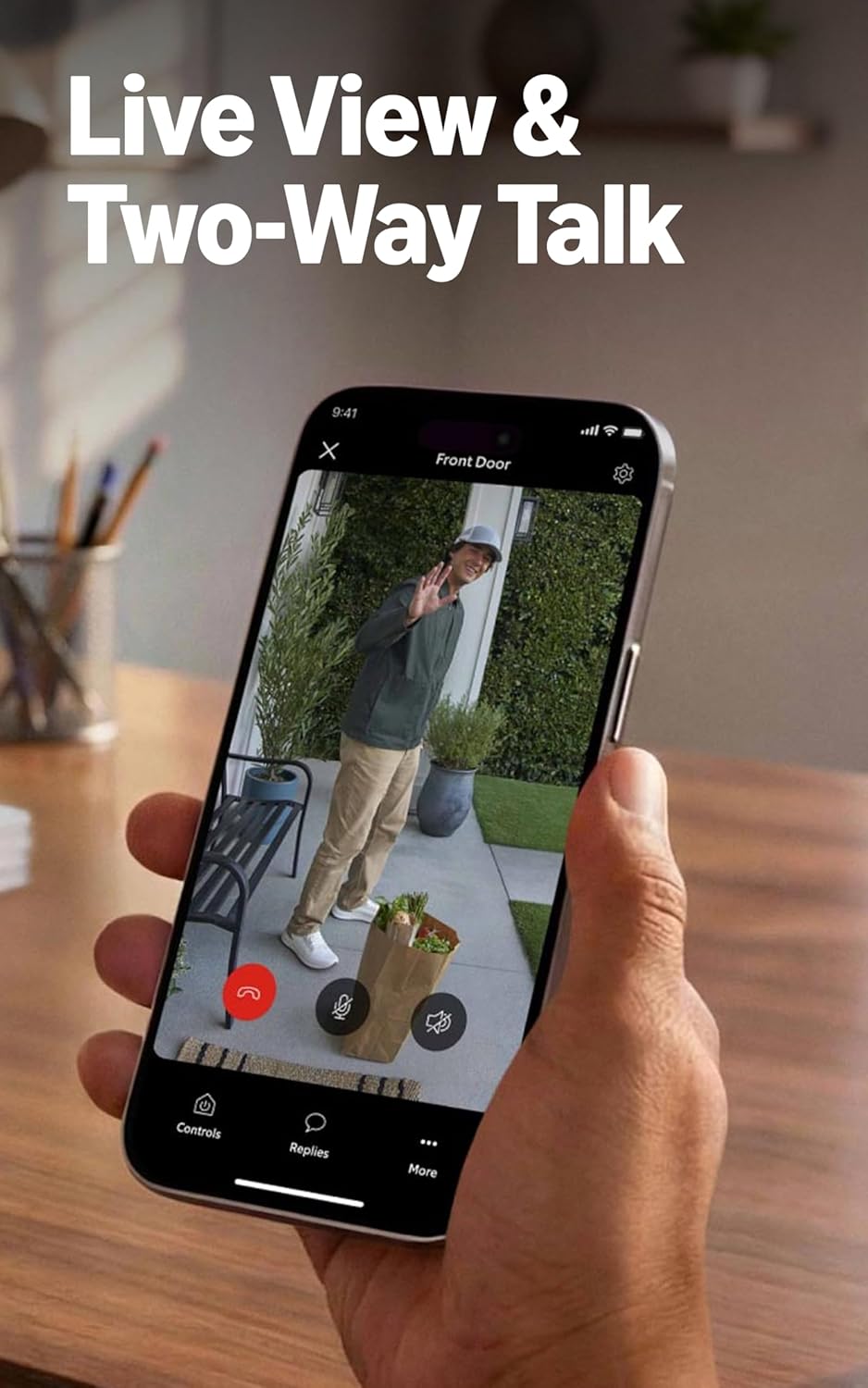
Engage in real-time conversations with visitors at your door using the Live View and Two-Way Talk feature through the Ring app on your smartphone or tablet.
4.3 Deteksi Gerak
The doorbell is equipped with motion detection technology that sends real-time notifications to your phone when activity is detected in the monitored area. You can customize motion zones and sensitivity settings within the Ring app to optimize alerts.

4.4 Konéktipitas
The Ring Wired Doorbell connects to your home network via WiFi 4 (2.4GHz single band WiFi). A minimum upload speed of 10 Mbps is recommended for optimal performance with Ring 2K devices. Video resolution may vary based on internet bandwidth.
4.5 Pamaduan Alexa
Integrate your Ring Doorbell with Alexa-enabled devices for enhanced convenience. You can receive custom notifications from Echo Dot devices, launch video feeds on Echo Show devices, and utilize hands-free home monitoring features.
4.6 Ring Protect Subscription (Sold Separately)
A compatible Ring Protect subscription unlocks additional features, including the ability to review recorded motion events, access AI-powered alerts, and more. Video storage duration in the cloud can be up to 180 days, depending on your subscription plan. Features like Quick Replies recordings, AI Video Descriptions, and Familiar Faces may require a subscription and are subject to regional availability and legislation.
5. Pangropéa
To ensure optimal performance and longevity of your Ring Wired Doorbell, follow these maintenance guidelines:
- beberesih: Usap lénsa kaméra sareng bagian luar bel panto sacara berkala nganggo kaén anu lemesamp lawon pikeun ngaleungitkeun lebu sareng kokotor. Ulah make bahan kimia kasar atawa bahan abrasive.
- Kaayaan Operasi: The doorbell is designed to operate in temperatures ranging from -5°F to 120°F (-20.5°C to 48.5°C) and is weather-resistant with an IP65 rating. Ensure it is not exposed to conditions outside this range.
- Apdet parangkat lunak: Keep your device's software updated. The Ring app will notify you of available updates. Regular updates ensure optimal performance, security, and access to new features.
6. Cara ngungkulan
If you encounter issues with your Ring Wired Doorbell, consider the following troubleshooting steps:
6.1 Poor Motion Detection Performance
- Saluyukeun Zona Gerakan: In the Ring app, review and adjust your motion zones to cover the desired areas accurately.
- Setélan sensitipitas: Increase the motion sensitivity in the app settings. If you have Smart Alerts enabled, try disabling them temporarily to see if it improves detection.
- Halangan: Ensure there are no physical obstructions blocking the doorbell's field of view.
6.2 Masalah konektipitas
- Kakuatan Sinyal Wi-Fi: Check the Wi-Fi signal strength in the Ring app. If it's weak, consider moving your Wi-Fi router closer or using a Wi-Fi extender.
- Router Reboot: Try restarting your home Wi-Fi router.
- Ngadegkeun deui Sambungan: In the Ring app, attempt to reconnect your doorbell to your Wi-Fi network.
6.3 No Power or Intermittent Power
- Pariksa Circuit Breaker: Ensure the circuit breaker supplying power to your doorbell is on.
- Pariksa Wiring: Double-check that the doorbell wires are securely connected to the terminals.
- Kasaluyuan trafo: Confirm that your existing doorbell transformer meets the specified power requirements (16-24VAC, 10-40VA).
For further assistance, refer to the Ring support websitus atanapi ngahubungan layanan palanggan.
7. Spésifikasi
| Fitur | Rincian |
|---|---|
| Diménsi | 2.1 di x 5.2 di x 1.02 di (5.36 cm x 13.25 cm x 2.6 cm) |
| Warna sadia | Speckled Gray |
| Video | Retinal 2K with 6x Enhanced Zoom |
| Deteksi gerak | Deteksi gerak canggih |
| widang View | 140° Horizontal x 140° Vertikal |
| Audio | Obrolan Dua arah |
| Kakuatan | Standard doorbell system, Ring plug-in adapter (not included), or Ring hardwired transformer (not included) with 16 or 24VAC, 10 to 40VA (30 to 40VA recommended), 50/60Hz or 24VDC 12W. No halogen or garden-lighting transformers. |
| Syarat Internét | Minimum 10 Mbps upload speed recommended for 2K devices. |
| Konektipitas | WiFi 4, 2.4Ghz Single Band WiFi |
| Rata-rata Waktu Pasang | ~ 15 menit |
| Kaayaan Operasi | -5°F to 120°F (-20.5°C to 48.5°C), Weather Resistant IP65 |
| Sarat Setup | Standard doorbell/transformer system. |
8. Garansi jeung Rojongan
8.1 Garansi Produk
The Ring Wired Doorbell (2nd Gen) comes with a one-year limited warranty. Please retain your proof of purchase for warranty claims.
8.2 Apdet Kaamanan Parangkat Lunak
Ring provides ongoing software security updates for your device. For information specific to your device and to learn more about these updates, visit the Software Security Updates section in the Ring Control Center within the Ring app.
8.3 Rojongan Palanggan
For additional support, technical assistance, or to access frequently asked questions, please visit the official Ring support website or contact Ring customer service directly.