Bubuka
This manual provides essential information for the safe and efficient use of your ASUS ROG Strix G18 G814 Gaming Laptop. Please read this guide thoroughly before operating your device to ensure proper setup, operation, and maintenance.
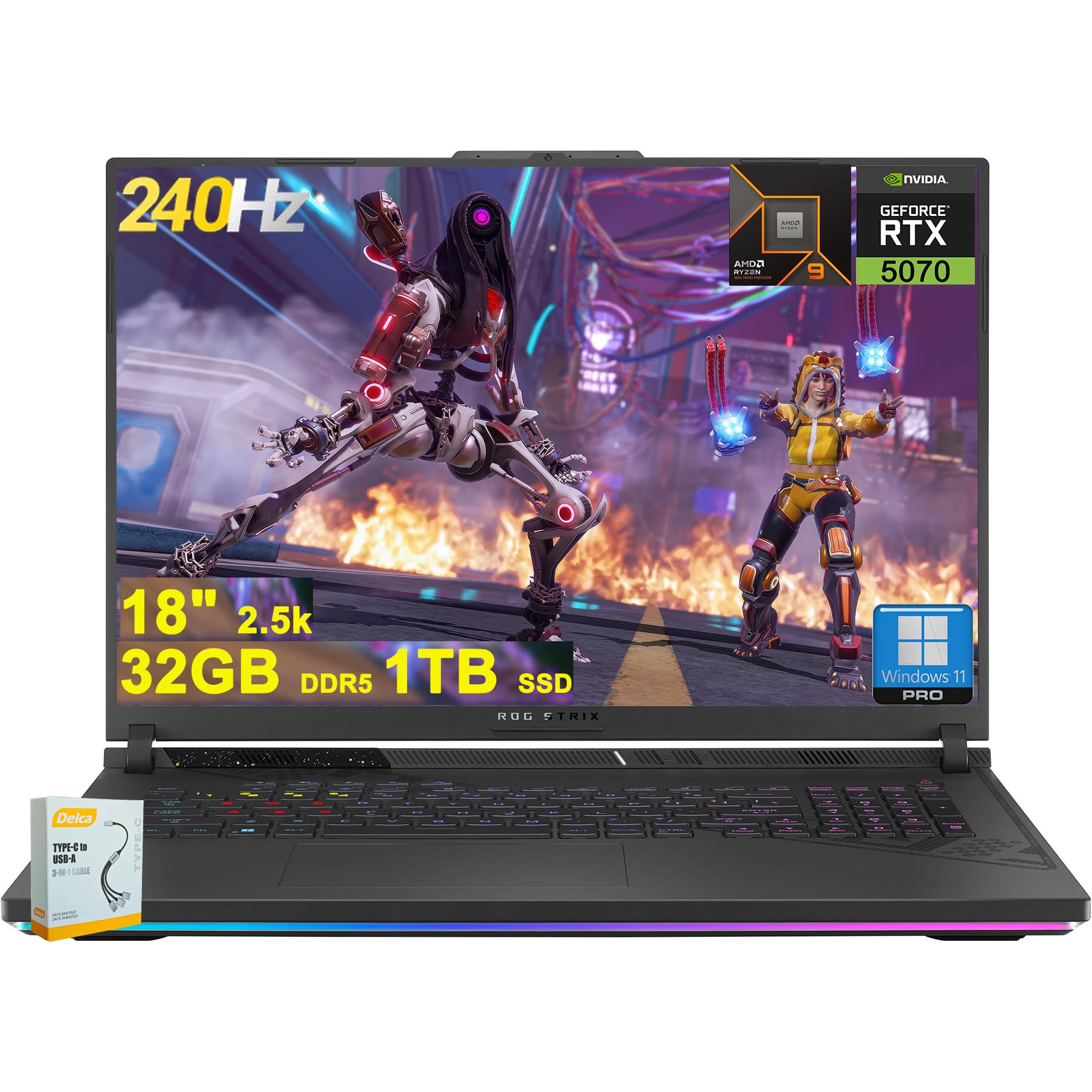
Figure 1: ASUS ROG Strix G18 G814 Gaming Laptop, front view with screen open.
Naon dina Box
Verify that all items are present and in good condition upon unboxing.
- Laptop Kaulinan ASUS ROG Strix G18 G814
- adaptor kakuatan / carjer

Figure 2: Contents of the ASUS ROG Strix G18 G814 package, including the laptop and power adapter.
Disetél
1. Mimiti Power-On
- Sambungkeun Adaptor Daya: Colokkeun adaptor daya kana port input daya laptop teras kana stop kontak.
- Buka Laptopna: Buka tutup laptop kalawan ati-ati.
- Daya Hurung: Press the power button, typically located on the keyboard deck. The laptop will begin its initial boot sequence.
- Turutan parentah dina layar: Complete the Windows 11 setup process, including language selection, network connection, and user account creation.
2. Nyambungkeun périferal
Connect external devices such as a mouse, keyboard, or external display to the available ports.

Gambar 3: Sisi view of the ASUS ROG Strix G18 G814, illustrating the various input/output ports including USB-A, USB-C, HDMI, and RJ45 Ethernet.
- USB-A 3.2: For standard USB devices like mice, keyboards, and external drives. (2 ports)
- Type USB 4: For high-speed data transfer, display output, and power delivery. (1 port)
- HDMI 2.1 FRL: Pikeun nyambungkeun ka monitor éksternal atanapi TV.
- Ethernet RJ45: Pikeun sambungan jaringan kabel.
- Headphone/Mic Combo Jack: Pikeun asupan/kaluaran audio.
Parentah Operasi
Manajemén kakuatan
- Daya Hurung: Pencét tombol daya.
- Pareuman: Klik tombol Mimitian, teras Daya, teras Pareuman.
- Modeu Bobo: Close the lid or select Sleep from the Power menu.
Kibor sareng Touchpad
The laptop features a 4-zone RGB backlit keyboard and a precision touchpad for navigation.

angka 4: Tutup-up view of the ASUS ROG Strix G18 G814's 4-zone RGB backlit keyboard and touchpad.
- Kontrol lampu latar: Use the dedicated function keys (Fn + Fx) to adjust keyboard backlight brightness or effects.
- Sapuan touchpad: Refer to Windows settings for customizable multi-touch gestures.
Tampilan sareng Grafik
Your laptop is equipped with an 18-inch 2560x1600 IPS display with a 240Hz refresh rate and 100% DCI-P3 color gamut, powered by an NVIDIA GeForce RTX 5070 8GB graphics card.

Figure 5: Visual representation of the 18-inch IPS display with 2560x1600 resolution and 240Hz refresh rate.

Figure 6: Image highlighting the NVIDIA GeForce RTX 5070 graphics card, emphasizing its role in visual performance.
Sistim Audio
Experience enhanced audio with Smart Amp technology, Dolby Atmos support, and AI Noise-canceling for clear communication.

Figure 7: Visual depicting the audio features, including Dolby Atmos and AI Noise-Canceling Microphone.
Kinerja sareng Parangkat Lunak
The laptop is powered by an AMD 16-core Ryzen 9 9955HX processor and runs on Windows 11 Pro. It includes 32GB DDR5 RAM and a 1TB SSD for fast performance and storage.

Figure 8: Image illustrating the AMD Ryzen 9 9955HX processor, highlighting its 16-core architecture.
- Sistem operasi: Windows 11 Pro provides a secure and efficient computing environment.
- Peti Gudang Senjata: Update Armoury Crate software for optimal system management and performance tuning.
Pangropéa
Ngabersihkeun Laptop
- layar: Anggo kaén anu lemes sareng teu aya serat anu hampang dampdikumbah ku cai atawa pembersih layar. Hindarkeun bahan kimia anu kasar.
- Keyboard sareng Chassis: Paké lawon lemes. Pikeun kokotor nekad, a rada damp cloth is acceptable. Ensure no liquid enters openings.
- ventilasi: Periodically clean dust from the ventilation grilles using compressed air to maintain optimal cooling performance.
Perawatan batré
- Hindarkeun suhu anu ekstrim.
- Ulah pinuh discharge batré remen.
- Pikeun neundeun jangka panjang, ngeusi batre kira-kira 50-60%.
Pamérésan masalah
| Masalah | Solusi anu mungkin |
|---|---|
| Laptop teu hurung. | Pastikeun adaptor daya disambungkeun pageuh kana laptop sareng stop kontak anu tiasa dianggo. Pariksa naha stop kontakna tiasa dianggo. |
| Layar tetep hideung saatos hurung. | Connect an external monitor to verify if the issue is with the laptop's display. Try pressing Fn + F6 (or the appropriate function key) to toggle display output. |
| kinerja lalaunan. | Close unnecessary applications. Check for background processes consuming high resources. Ensure drivers are updated, especially graphics drivers. Verify sufficient free storage space on the SSD. |
| Masalah sambungan Wi-Fi. | Restart the laptop and the wireless router. Check Wi-Fi settings in Windows. Ensure Wi-Fi drivers are up to date. |
| Long reboot time after BIOS updates. | This is normal behavior for some BIOS updates. Allow the system to complete the process, which may take several minutes. Do not interrupt the power. |
| Operating System discrepancy (e.g., Windows 11 Home instead of Pro). | Verify the installed OS version via System Information. If there is a discrepancy with the purchased specification, contact your retailer or ASUS support for clarification. |
spésifikasi
| Ngaran modél | ASUS ROG Strix G18 G814 |
| Prosesor | AMD 16-core Ryzen 9 9955HX (3 GHz) |
| Grafika | NVIDIA GeForce RTX 5070 8GB Khusus |
| tampilan | 18-inch IPS, 2560x1600 resolution, 240Hz refresh rate, 100% DCI-P3 |
| Ram | 32GB DDR5 SDRAM |
| Panyimpenan | SSD (Solid State Drive) 1TB |
| Sistem operasi | Windows 11 Pro |
| Konéktipitas Wireless | Wi-Fi 6E (802.11ax) |
| Palabuhan | 2x USB-A 3.2, 1x Type USB 4, 1x HDMI 2.1 FRL, 1x RJ45 Ethernet, Headphone/Mic Combo Jack |
| kibor | Kibor Lampu Latar RGB 4-zona |
| Audio | Pinter Amp, Dolby Atmos, AI Noise-canceling |
| Webkaméra | Kaméra FHD |
| Batré | 90Wh |
| Ukuran (L x W x H) | 11.57 x 15.71 x 1.21 inci |
| Beurat | 6.63 pon |
Garansi sareng Rojongan
For warranty information, technical support, or service inquiries, please refer to the official ASUS support websitus atanapi ngahubungan pangecér Anjeun.
Rojongan ASUS Websitus: https://www.asus.com/support/
Please have your product model number (ROG Strix G18 G814) and serial number ready when contacting support.


