
Bubuka
This manual provides instructions for the setup, operation, and maintenance of your Yaheetech Folding Desk with Monitor Stand. Please read these instructions carefully before use and retain them for future reference.
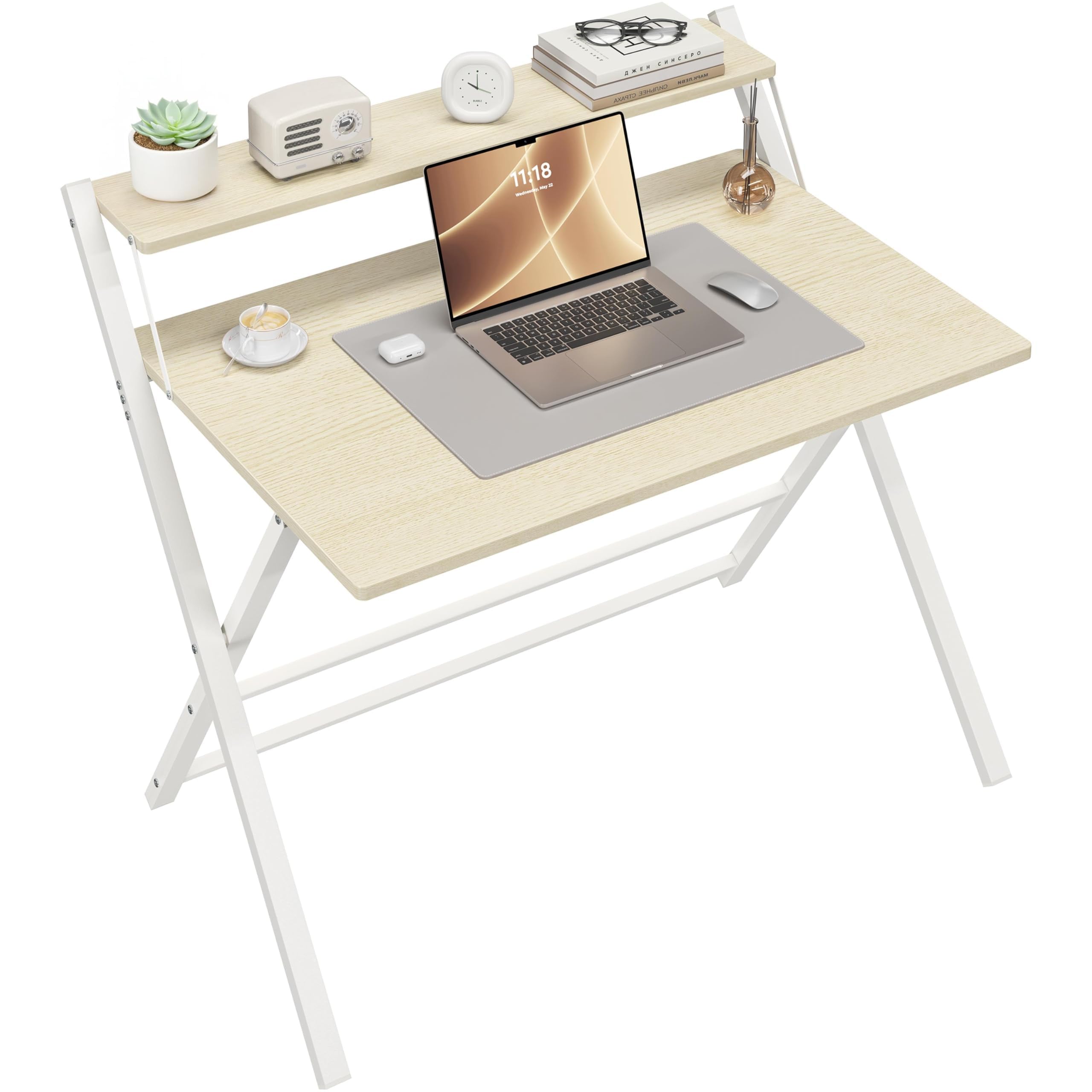
Gambar: Yaheetech Folding Desk with Monitor Stand. This image shows the desk in a typical home office or bedroom setup, highlighting its design and functionality.
Émbaran Kasalametan
Always ensure the desk is placed on a stable, level surface before use. Do not exceed the maximum weight capacities specified in the 'Specifications' section.

Gambar: Caution diagram for safe folding. Ensure fingers are kept away from metal tubes underneath while folding the table to avoid pinching.
PERHATOSAN: Ensure fingers are kept away from the metal tubes underneath while folding the table to avoid pinching.
Parentah Setup
Your Yaheetech Folding Desk is designed for easy setup with minimal assembly required. It arrives largely pre-assembled and only needs to be unfolded and secured. The package includes 1 Foldable Computer Desk, 1 Assembly Instructions, and 1 Accessory Kit.
Unfolding the Desk
- Carefully remove the desk from its packaging.
- Place the folded desk on a flat surface.
- Gently unfold the main tabletop and the support legs. Ensure the X-shaped metal frame is fully extended and locked into position for stability.
- Raise the monitor stand to its upright position and ensure it is securely seated.

Gambar: Unfolded and folded desk with key dimensions. This image illustrates the desk's configuration when ready for use and when stored.

Gambar: Stable X-shaped metal legs. These legs are made of strong steel to provide reliable support for the desk.
Parentah Operasi
Using the Monitor Stand
The integrated monitor stand is designed to elevate your screen to a comfortable eye level, promoting better posture and freeing up valuable space on the main tabletop. Place your monitor or laptop on this elevated shelf.
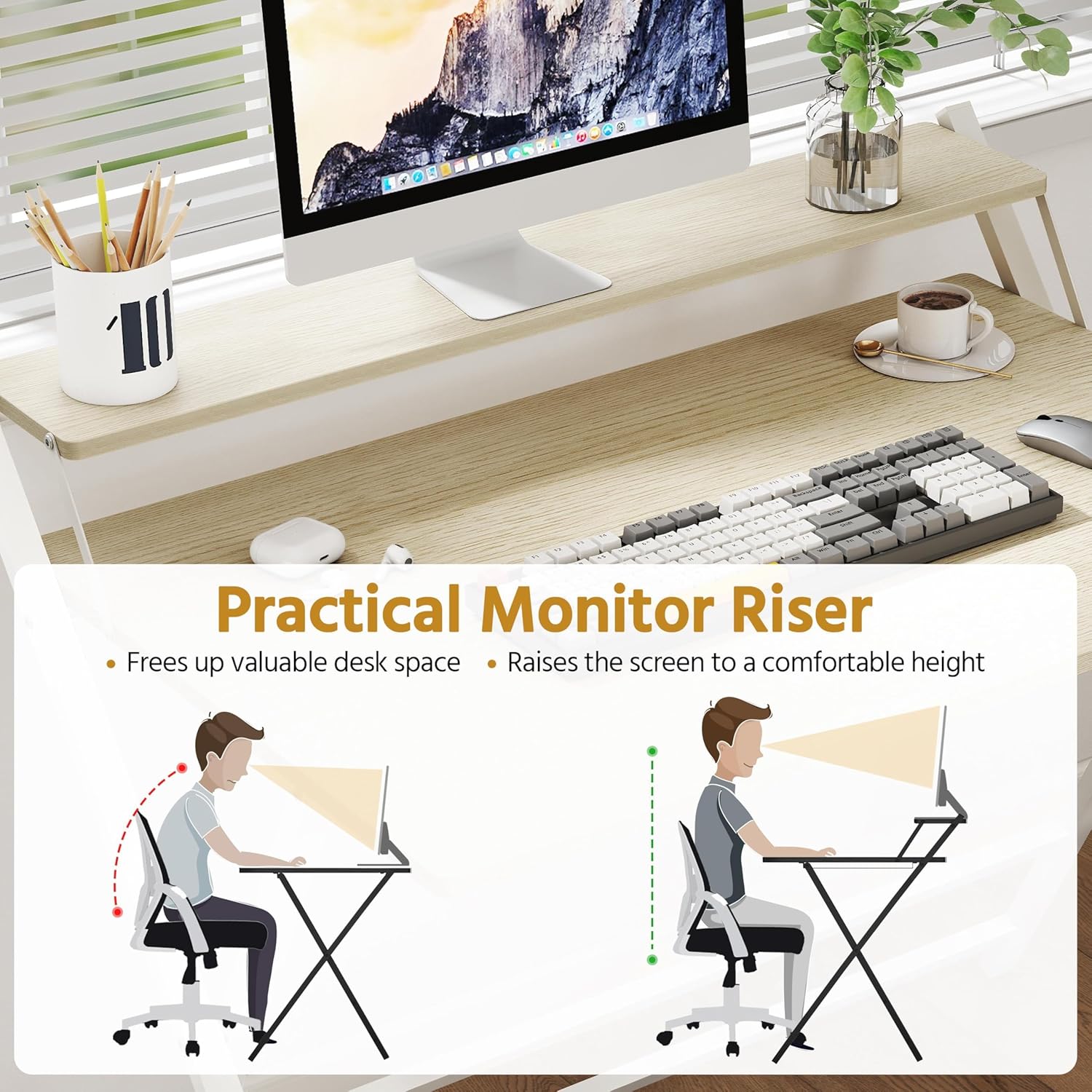
Gambar: Practical Monitor Riser. This image demonstrates how the elevated monitor stand helps maintain ergonomic posture by raising the screen to a comfortable height.
Tilepan pikeun Panyimpenan
When not in use, the desk can be easily folded flat for compact storage. Follow the unfolding steps in reverse, ensuring to keep fingers clear of moving parts as indicated in the safety section.
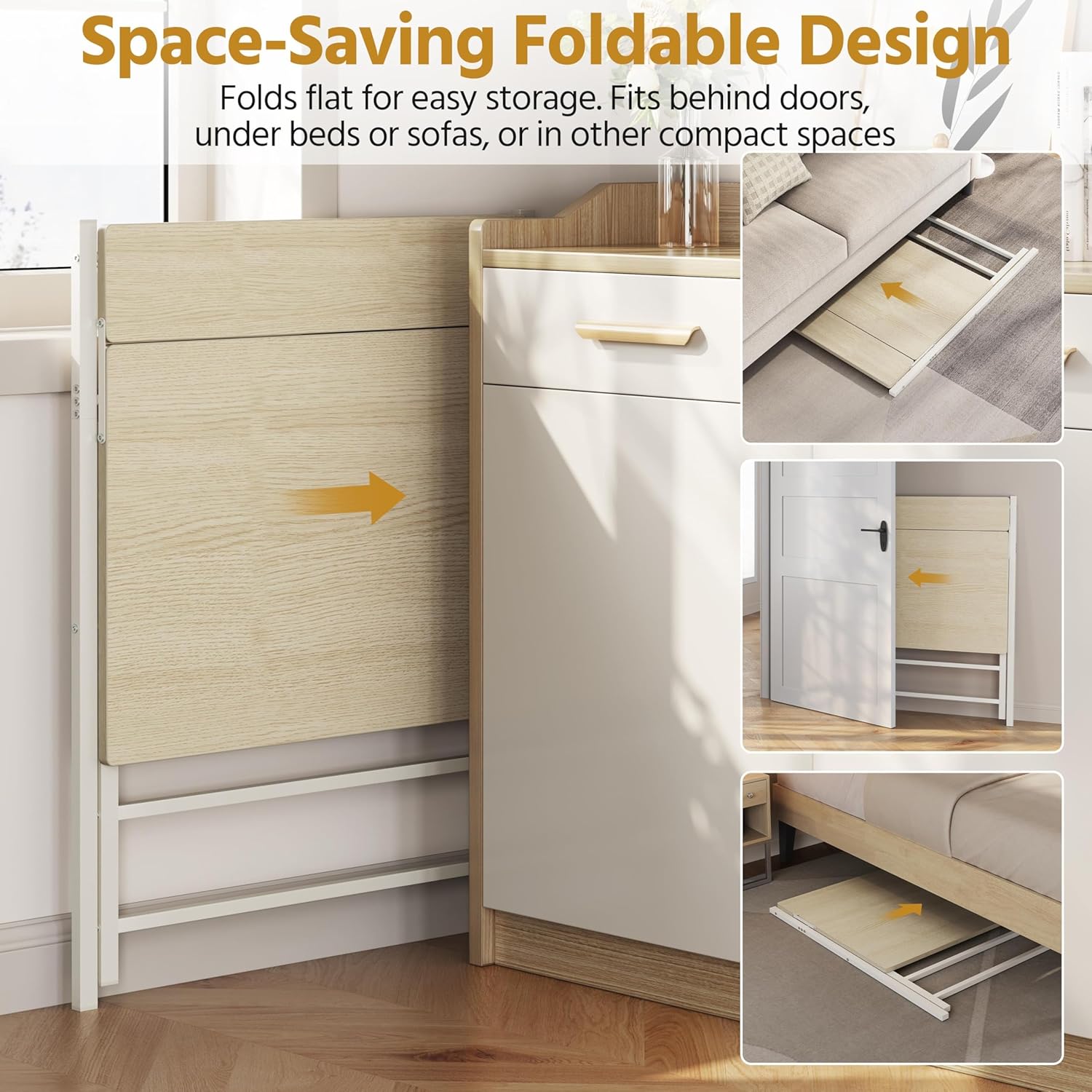
Gambar: Space-Saving Foldable Design. This image illustrates how the desk folds flat for easy storage, fitting in compact spaces like behind doors or under furniture.
Panempatan serbaguna
The lightweight design allows for easy relocation, making it suitable for various environments such as living rooms, bedrooms, or study rooms. Its compact footprint is ideal for small spaces.

Gambar: Designed for Various Scenes. This collage shows the desk being used in a living room, bedroom, and study room, highlighting its versatility.
Pangropéa
The desk features a smooth, waterproof, and stain-resistant desktop surface. For cleaning, simply wipe with a damp cloth. Avoid using abrasive cleaners or harsh chemicals, which may damage the finish.
Pamérésan masalah
- Gubrak meja: If the desk feels unstable or wobbles, ensure that all X-shaped metal frame components are fully extended and securely locked into their operating positions. Check that the desk is placed on a flat and even surface.
- Kasesahan Lipatan / Unfolding: Ensure no obstructions are present. Refer to the safety caution regarding finger placement during folding. Apply gentle, even pressure.
- Bagian anu ruksak: If any parts appear damaged upon arrival or during use, do not attempt to force assembly or use. Contact customer support for assistance.
spésifikasi
| merek | Yaheetech |
| Nomer modél | MM-00149828 |
| Dipasang Ukuran (L x W x H) | 106.5 cm L × 60.5 cm W × 90.5 cm H (41.93" L × 23.82" W × 35.63" H) |
| Dilipat Ukuran (L x W x H) | 107 cm L × 86.5 cm W × 4 cm H (42" L × 34" W × 2" H) |
| Diménsi Méja (P x L) | 80 cm L × 50 cm W (31.5" L × 19.7" W) |
| Diménsi Rak (P x L) | 80 cm L × 12 cm W (31.5" L × 4.7" W) |
| Jangkungna Tabletop | 74.5 cm (29.3") |
| Kapasitas Beurat Maksimum (Total) | 60 kg / 132 lb |
| Kapasitas Beurat Maksimum (Tabletop) | 50 kg / 110 lb |
| Maximum Weight Capacity (Shelf) | 10 kg / 22 lb |
| Item Beurat | 10.77 kg / 23.74 lb |
| Bahan | Particle Board, Powder-coated Steel |
| Warna | Kayu Alam |
| Fitur husus | Lipat |
Garansi sareng Rojongan
Inpormasi ngeunaan garansi produk sareng dukungan palanggan teu sayogi dina data produk anu disayogikeun. Mangga tingali bungkus produk atanapi inpormasi resmi produsén. websitus pikeun detil ngeunaan sinyalna jaminan na kumaha ngahubungan rojongan customer.