Bubuka
Thank you for choosing the pTron Bassbuds Senz Open Ear Wireless Earbuds. These earbuds are designed to provide a comfortable and pressure-free listening experience while keeping you aware of your surroundings. Featuring 13mm dynamic drivers, dual HD microphones with AI-ENC for clear calls, Bluetooth v6.0 connectivity, and IPX5 water resistance, the Bassbuds Senz are ideal for various activities. This manual provides detailed instructions for setup, operation, maintenance, and troubleshooting to ensure optimal performance.
Naon dina Box
- pTron Bassbuds Senz Wireless Earbuds
- Ngecas Case
- Kabel Ngecas USB Tipe-C
- Manual pamaké
Produk Leuwihview
The pTron Bassbuds Senz feature an open-ear design for comfort and situational awareness, along with a compact charging case.

Image: pTron Bassbuds Senz Open Ear Wireless Earbuds and Charging Case. This image displays the two earbuds and their oval-shaped charging case.

Image: Key features of pTron Bassbuds Senz. This collage highlights SafeBeats Design, Dual HD Mics, 50 Hours Playtime, 13mm Dynamic Drivers, Bluetooth 6.0, LED Battery Indicator, Type-C Charging, and IPX5 Water & Sweat Resistant.

Image: Diagram showing the 13mm dynamic drivers of pTron Bassbuds Senz. This close-up view illustrates the internal components of the earbud's audio driver.

Image: User wearing pTron Bassbuds Senz, highlighting Dual HD Mics for clear calls. A person is shown wearing one earbud, emphasizing its ergonomic fit and microphone placement.

Image: Close-up of pTron Bassbuds Senz charging case with digital LED display and Type-C charging port. This image shows the charging case with its lid open, revealing the earbuds inside and the battery percentage tampilan.
Parentah Setup
1. Ngecas Earbuds jeung Case
Sateuacan dianggo anu munggaran, eusian heula earbud sareng wadah ngecas pinuh. Anggo kabel USB Tipe-C anu disayogikeun pikeun nyambungkeun wadah ngecas ka sumber daya.
- The digital LED display on the charging case will show the battery percentage.
- The earbuds will charge automatically when placed inside the case.
- Ngeusi batre pinuh biasana butuh 1.5-2 jam.
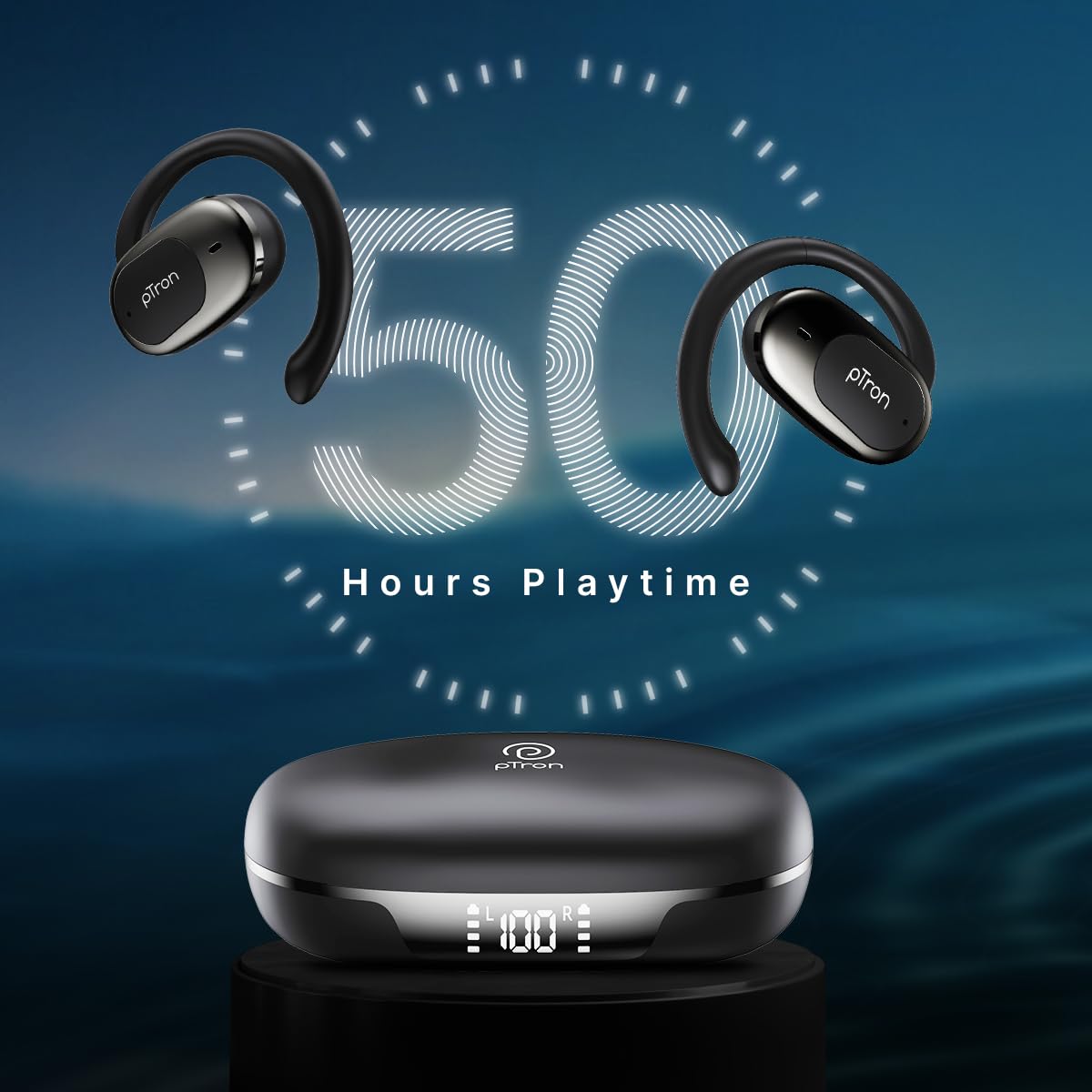
Image: pTron Bassbuds Senz earbuds and charging case, illustrating 50 hours combined playtime. This image visually represents the extended battery life of the product.
2. Papasangan Bluetooth
- Daya Hurung: Open the charging case. The earbuds will automatically power on and enter pairing mode. You may hear a voice prompt indicating they are ready to pair.
- Aktipkeun Bluetooth: On your smartphone or device, go to the Bluetooth settings and turn Bluetooth on.
- Pilih Alat: Look for "pTron OWS" (or similar name) in the list of available devices and select it to connect.
- Konfirmasi: Sakali disambungkeun, anjeun bakal ngadéngé ajakan sora confirming pasangan suksés.
- Sambungan deui otomatis: Saatos dipasangkeun heula, earbud bakal otomatis nyambung ka alat anu terakhir dipasangkeun nalika dicabut tina casingna, salami Bluetooth diaktipkeun dina alat éta.

Image: Smartphone screen showing Bluetooth pairing with pTron OWS, next to the earbuds and charging case. This image demonstrates the process of connecting the earbuds to a mobile device via Bluetooth.
Parentah Operasi
The pTron Bassbuds Senz feature touch controls for easy management of music and calls.
Toél Kontrol
| Fungsi | Aksi |
|---|---|
| Daya Hurungkeun | Bisi ngecas kabuka |
| Daya Pareum | Place earbuds back into charging case and close lid |
| Puter/Reureuh Musik | Ketok tunggal dina boh earbud |
| Lagu salajengna | Ketok dua kali dina earbud Katuhu |
| Lagu saméméhna | Ketok dua kali dina ceuli Kénca |
| Ngajawab / mungkas Telepon | Single tap on either earbud during an incoming call |
| Nolak Telepon | Long press on either earbud during an incoming call |
| Aktipkeun Asisten Sora | Ketok tilu kali dina boh earbud |
| Volume Up | Long press on the Right earbud |
| Volume Turun | Long press on the Left earbud |
Pangropéa
beberesih
- Rutin ngabersihkeun earbuds sareng wadah ngecas ku lawon anu lemes, garing, teu aya lint.
- Ulah make bahan kimia kasar, pangleyur beberesih, atawa detergents kuat.
- Pastikeun ngecas kontak dina duanana earbuds jeung wadahna beresih jeung bébas tina lebu.
Panyimpenan
- Simpen earbuds dina wadah ngecas nalika henteu dianggo pikeun ngajagi sareng tetep dicas.
- Ulah disimpen dina suhu anu ekstrim (panas atanapi tiis) atanapi dina lingkungan anu berdebu/lembab.
Perawatan batré
- Pikeun manjangkeun umur batre, ulah miceun sapinuhna earbuds sareng sering ngecas wadahna.
- Ngeusi batre alat sacara rutin, sanajan henteu sering dianggo.

Image: User exercising with pTron Bassbuds Senz, demonstrating IPX5 water and sweat resistance. This image shows the earbuds being used during a workout, highlighting their durability against sweat and splashes.
Pamérésan masalah
If you encounter issues with your pTron Bassbuds Senz, refer to the following common solutions:
- Earbuds henteu dipasangkeun sareng alat:
Ensure both earbuds are charged. Turn off Bluetooth on your device, then turn it back on. Forget "pTron OWS" from your device's Bluetooth list and try pairing again. Make sure the earbuds are in pairing mode (out of the case). - Ngan hiji earbud jalan:
Place both earbuds back into the charging case, close the lid, wait a few seconds, then open the lid and take them out. This often resets the connection between the two earbuds. If the issue persists, try re-pairing them with your device. - Earbuds teu ngecas:
Check if the charging cable is securely connected to both the case and the power source. Ensure the charging contacts on the earbuds and inside the case are clean and free of obstructions. Verify the charging case has sufficient battery. - Volume lemah atawa kualitas sora goréng:
Adjust the volume on both your device and the earbuds. Ensure the earbuds are properly seated in your ears. Clean any debris from the earbud speakers. - Connectivity issues (disconnections):
Ensure your device is within the 10-meter Bluetooth range. Avoid obstacles between your device and the earbuds. Minimize interference from other wireless devices.
spésifikasi
| Fitur | Rincian |
|---|---|
| Ngaran modél | Bassbuds Senz |
| Téhnologi konektipitas | Nirkabel (Bluetooth v6.0) |
| Rentang Bluetooth | 10 Méter |
| Tipe Supir Audio | 13mm Supir Dinamis |
| Daya Tahan Batré (Gabungan) | Nepi ka 50 Jam |
| Port ngecas | USB Tipe-C |
| Tahan cai | IPX5 (Tahan Cai) |
| Mikropon | Dual HD Mics with AI-ENC |
| Métode kontrol | Toél |
| Panempatan Ceuli | Buka Ceuli |
| Bahan | Acrylonitrile Butadiene Styrene (ABS) |
| Item Beurat | 67 gram |
| Dimensi produk | 9.1 x 5.9 x 3.1 cm |
Garansi sareng Rojongan
The pTron Bassbuds Senz comes with a 1-year manufacturer warranty from the date of purchase, covering manufacturing defects only.
Rojongan Palanggan
For any queries, support, or warranty claims, please contact pTron customer care:
- Telepon: 040-67138888
- Surélék: rojongan@ptron.in
- Pabrikan: Palred Electronics Pvt. Ltd., SY.NO. 56, LANTAI KA-1, GUNDLAPOCHAMPDésa Ally, Gunung Taman Téknologi, TSIIC-IALA NACHARAM, Hyderabad - 500076, Telangana, India


