1. Bubuka
This manual provides detailed instructions for the installation, operation, and maintenance of your AINAVI 7-inch Android Car Stereo. This advanced multimedia system is designed to enhance your driving experience with features such as wireless CarPlay, Android Auto, DSP audio processing, and GPS navigation. Please read this manual thoroughly before installation and use to ensure proper function and safety.
2. Produk Langkungview
The AINAVI 7-inch Android Car Stereo is a comprehensive in-dash navigation and entertainment system. It features a 7-inch QLED touchscreen display, Android 13 operating system, 2GB RAM, and 64GB ROM for smooth performance. Key functionalities include:
- Wireless CarPlay and Android Auto for seamless smartphone integration.
- Built-in GPS navigation with support for various map software.
- Digital Sound Processor (DSP) with Time Correction and 48-band EQ for optimized audio.
- Bluetooth and Wi-Fi connectivity.
- Rojongan pikeun pungkurview input kaméra.
- Steering wheel control compatibility.
- Split-screen multitasking.
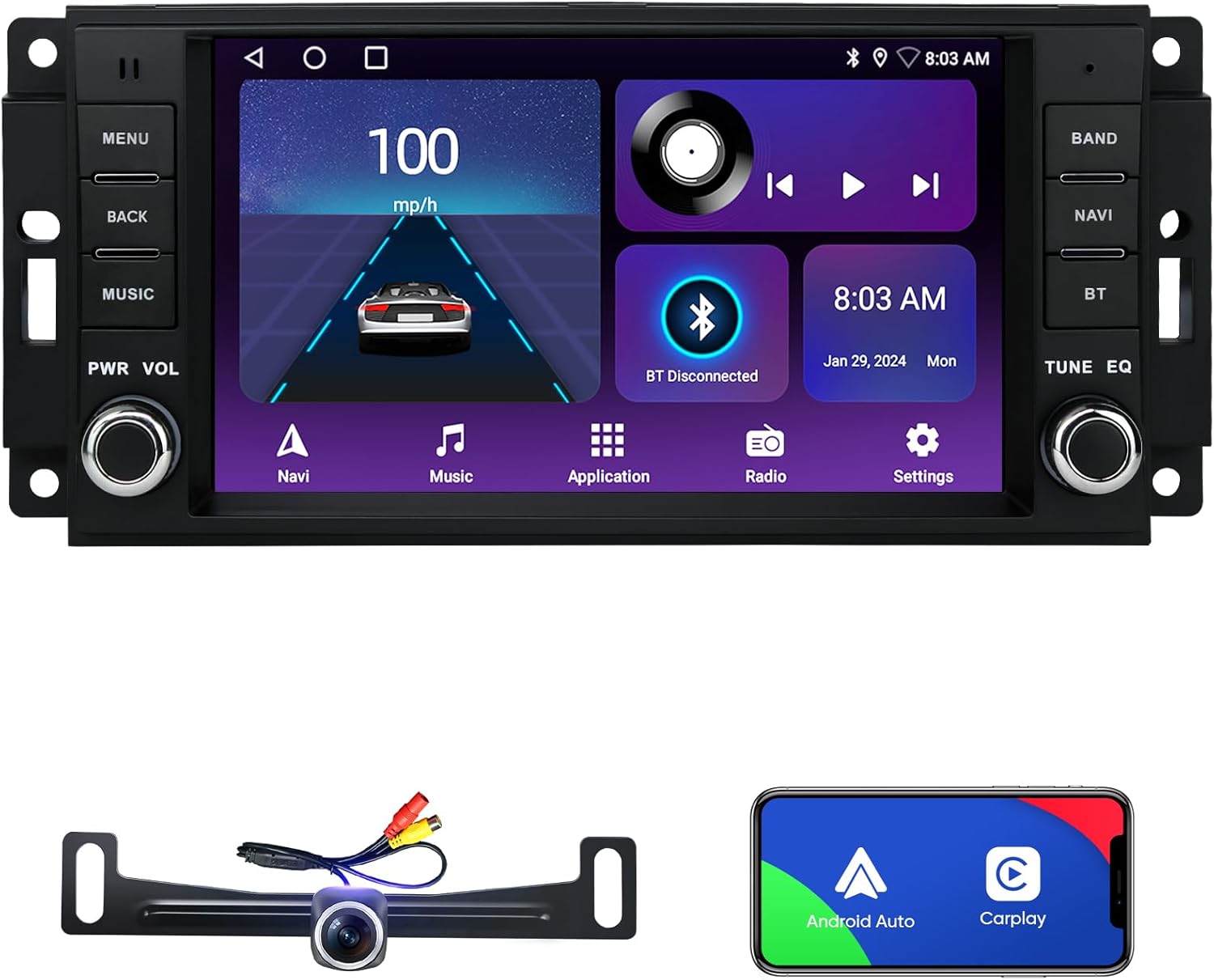
Figure 2.1: AINAVI 7-inch Android Car Stereo unit, rearview camera, and smartphone displaying CarPlay/Android Auto interface.
3. Kasaluyuan
This AINAVI car stereo is compatible with a range of Jeep, Dodge, and Chrysler vehicles. Please verify your vehicle's make, model, and year against the list below to ensure compatibility.

Figure 3.1: Visual representation of compatible vehicle models and years.
- Pikeun jeep:
- Wrangler/Unlimited (2007-2018)
- Compass (2009-2016)
- Patriot (2009-2016)
- Grand Cherokee (2005-2011)
- Liberty (2008-2011)
- Commander (2008-2011)
- Pikeun Chrysler:
- Sébring (2007-2010)
- Town&Country (2007-2010)
- Pikeun Dodge:
- Grand Caravan (2011-2014)
- Charger (2008-2010)
- Ram Pickup 1500/2500/3500 (2009-2012)
4. Naon Kaasup
pakét ngawengku komponén di handap:

Figure 4.1: Diagram of included components and their dimensions.
- AINAVI 7-inch Android Car Stereo Unit
- Power Cable (some models with CANbus)
- RCA Kabel
- Car Microphone
- Modul GPS
- 2x Kabel USB
- Reversing Control Cable
- 1080P Pungkur View Kaméra
- Frame Removal Tool
Note: The specific cables included may vary slightly by model. Please refer to the actual package contents.
5. Setup jeung Instalasi
Installation of a car stereo can be complex and may require professional assistance. Incorrect installation can damage the unit or your vehicle's electrical system. If you are unsure, it is recommended to seek professional installation.
5.1 Cék Pra-Pamasangan
- Pegatkeun sambungan batré: Sateuacan ngamimitian, pegatkeun terminal négatif batré kendaraan anjeun pikeun nyegah korsleting listrik.
- Pariksa kasaluyuan: Ensure the stereo is compatible with your vehicle (refer to Section 3).
- Mariksa komponén: Check all included components against the "What's Included" list.
5.2 Léngkah-léngkah Pamasangan (Panduan Umum)
- Cabut Stereo Lawas: Carefully remove the existing car stereo and trim using the frame removal tool or appropriate tools for your vehicle.
- Sambungkeun Wiring Harness: Connect the provided power cable and RCA cables to the corresponding ports on the new stereo and your vehicle's wiring harness. Ensure all connections are secure.
- GPS Module Installation: Pasang modul GPS di tempat anu jelas view of the sky, typically on the dashboard or under the windshield, away from metal obstructions.
- Pamasangan Mikropon: Install the external microphone in a suitable location for clear voice pickup, such as near the rearview mirror or on the A-pillar.
- Tukangeunview Camera Installation (Optional): If installing the rearview camera, route the camera cable from the rear of the vehicle to the stereo unit. Connect the video signal cable and power the camera from the reverse light circuit.
- Sambungan tés: Before fully reassembling the dashboard, temporarily reconnect the vehicle battery and power on the stereo to test basic functions (power, audio, display).
- Secure Stereo: Mount the new stereo securely into the dashboard opening.
- Pasang deui Dashboard: Reinstall all trim pieces and panels.
- Final Battery Connection: Sambungkeun deui terminal négatip batré kendaraan.

Figure 5.1: Comparison of a vehicle dashboard before and after the AINAVI stereo installation.
6. Parentah Operasi
6.1 Operasi Dasar
- Hurungkeun/Pareuman: Press the PWR button to turn the unit on or off.
- Kontrol volume: Use the VOL knob to adjust the audio volume.
- Napigasi Menu: Use the touch screen or physical buttons (MENU, BACK) to navigate through the system interface.
6.2 CarPlay Nirkabel sareng Android Auto
The stereo supports both wired and wireless CarPlay and Android Auto. This allows you to integrate your smartphone for navigation, music, calls, and messages.
- Sambungan nirkabel:
- Pastikeun Bluetooth sareng Wi-Fi diaktipkeun dina smartphone anjeun.
- On the stereo, go to the CarPlay/Android Auto application.
- Pair your phone via Bluetooth with the stereo.
- Follow the on-screen prompts to establish the wireless CarPlay or Android Auto connection.
- Sambungan kabel:
- Connect your smartphone to the stereo using a USB cable.
- Sistem éta kedahna otomatis ngadeteksi sareng ngajalankeun CarPlay atanapi Android Auto.

Figure 6.1: Apple CarPlay and Android Auto interfaces displayed on the stereo.
6.3 Napigasi GPS
The unit features a built-in GPS module for navigation. You can use pre-installed maps or download additional map software from the Google Play Store.
- Access the Navigation application from the main menu.
- Lebetkeun tujuan anjeun pikeun nampi pituduh jalan demi jalan.
- Ensure the GPS antenna is properly installed for optimal signal reception.

Figure 6.2: GPS navigation interface showing a map and route details.
6.4 Setélan Audio DSP
Utilize the built-in Digital Sound Processor (DSP) to customize your audio experience. Access the DSP settings to adjust:
- Koréksi Waktos: Adjust the sound delay for each speaker to create an optimal sound stage.
- 48-band Equalizer (EQ): Fine-tune audio frequencies to match your preferences.
- Nguatkeun Bass: Enhance low-frequency output.
6.5 Split Screen Mode
Fitur layar pamisah ngamungkinkeun anjeun ngajalankeun dua aplikasi sacara babarengan dina tampilan, sapertos navigasi sareng pamuteran musik.
- Pikeun ngaktipkeun, pencét lila tombol aplikasi panganyarna atanapi sered aplikasi ka hiji sisi layar.
- Pilih aplikasi kadua pikeun ngeusian satengah layar anu sanés.

Figure 6.3: Split screen mode showing navigation and video playback.
6.6 Kontrol Setir (SWC)
If your vehicle supports steering wheel controls, you can configure them to operate the stereo functions (e.g., volume, track skip, mode). Refer to the system settings for SWC learning and mapping.
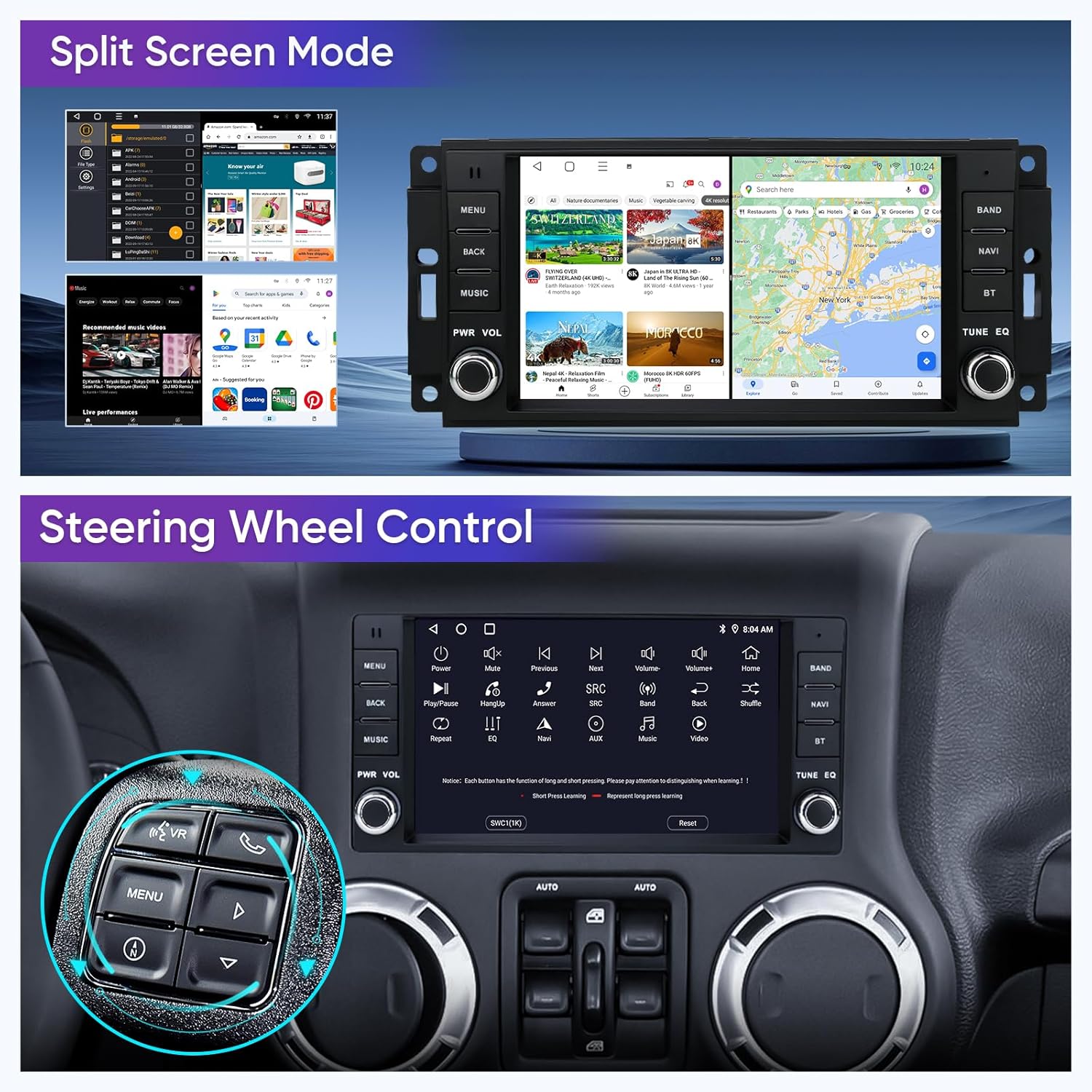
Figure 6.4: Steering wheel controls highlighted for integration with the stereo.
6.7 Konektipitas Bluetooth sareng Wi-Fi
Connect your smartphone or other devices via Bluetooth for hands-free calling and audio streaming. Use Wi-Fi to connect to a mobile hotspot for internet access, enabling online navigation, app downloads, and streaming services.
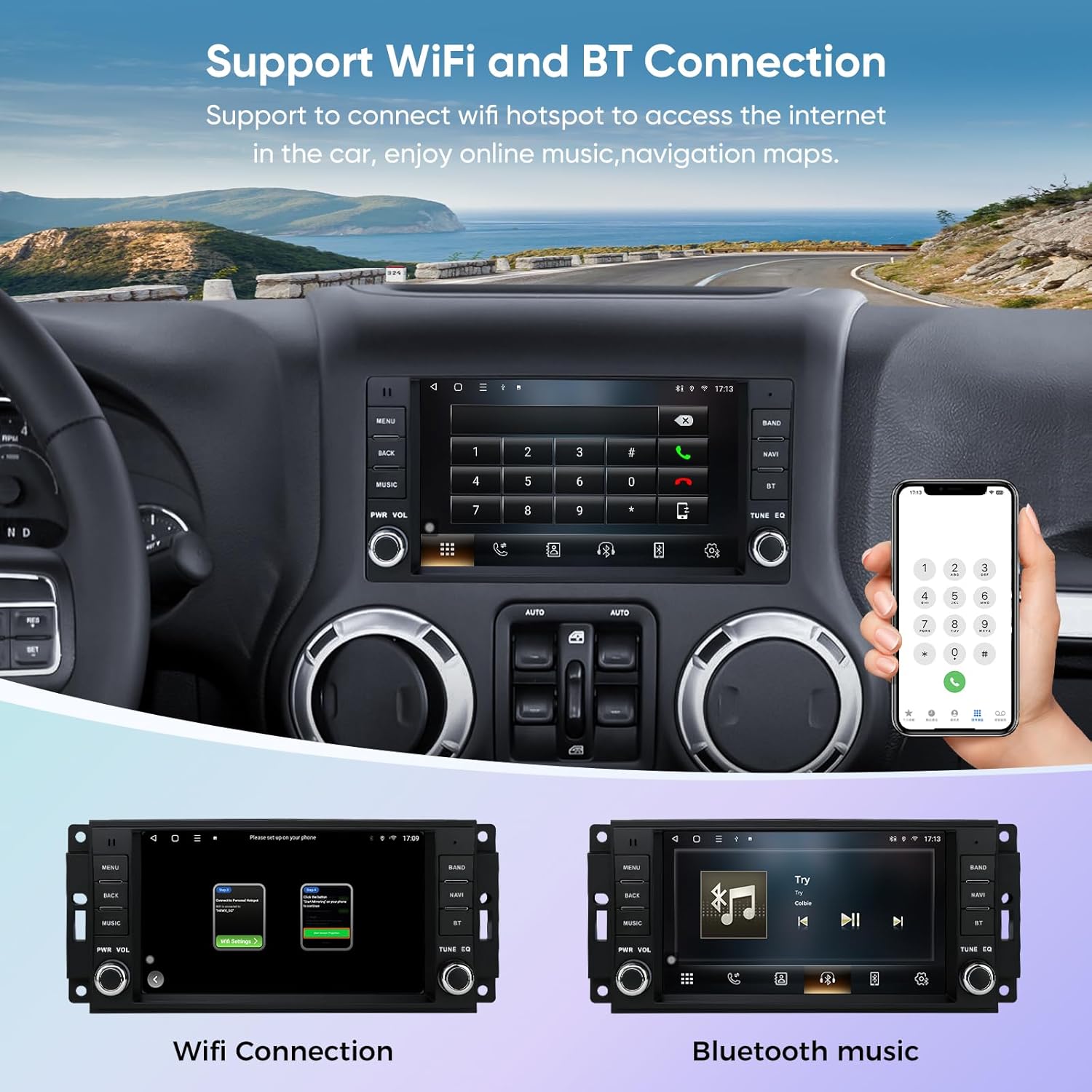
Figure 6.5: Interfaces for Wi-Fi connection and Bluetooth music playback.
6.8 Tukangeunview Kaméra
The system supports a 1080P rearview camera input. When the vehicle is shifted into reverse, the display will automatically switch to the camera feed, providing a wide-angle view pikeun ngabantosan parkir sareng manuver.

Gambar 6.6: Tukangeunview camera display with parking assistance lines.
6.9 Kontrol Sora Smart
With CarPlay or Android Auto connected, you can use voice commands (e.g., "Hey Siri" or "Hey Google") to control various functions, including navigation, calls, messages, and music playback, allowing for safer operation while driving.

Gambar 6.7: Kelamples of voice commands and their corresponding actions on the stereo.
7. Pangropéa
Pangropéa anu leres mastikeun umur panjang sareng kinerja optimal stereo mobil anjeun.
- Ngabersihan layar: Anggo lawon anu lemes sareng henteu lint pikeun ngusap layar rampa. Pikeun smudges nekad, rada dampen lawon jeung cai atawa cleaner aman layar. Hindarkeun bahan kimia anu kasar atanapi bahan abrasive.
- Apdet parangkat lunak: Pariksa apdet parangkat lunak sacara berkala ngalangkungan setélan sistem atanapi setélan produsén websitus pikeun mastikeun anjeun gaduh fitur sareng perbaikan bug pangénggalna.
- Hindarkeun Suhu Ekstrim: Do not expose the unit to extreme heat or cold for extended periods, as this can affect performance and lifespan.
- Sambungan kabel: Pastikeun sadaya kabel disambungkeun sacara aman sareng henteu diciwit atanapi ruksak.
8. Cara ngungkulan
If you encounter issues with your AINAVI car stereo, refer to the following common problems and solutions:
| Masalah | Mungkin Cukang lantaranana | Solusi |
|---|---|---|
| Taya Daya | Sambungan kakuatan leupas, sekering ditiup, masalah batré kandaraan. | Pariksa sambungan kabel listrik. Pariksa sekring kendaraan. Pastikeun batré kendaraan tos dicas. |
| Taya Sora | Volume too low, mute activated, incorrect audio source, loose speaker wires. | Increase volume. Check mute status. Select correct audio source. Verify speaker wire connections. |
| GPS Signal Lost/Inaccurate | GPS antenna obstruction, poor placement, software issue. | Ensure GPS antenna has clear sky view. Relocate antenna if necessary. Restart the unit. |
| CarPlay / Android Auto Teu Nyambung | Bluetooth/Wi-Fi off, incorrect pairing, faulty USB cable, phone software issue. | Enable Bluetooth/Wi-Fi on phone and stereo. Re-pair devices. Try a different USB cable. Update phone OS. |
| Layar rampa teu ngaréspon | System freeze, dirt on screen, hardware malfunction. | Pareuman heula unitna. Bersihkeun layarna. Upami masalahna masih aya, hubungi dukungan. |
Lamun masalah persists sanggeus nyobian solusi ieu, mangga ngahubungan rojongan customer.
9. Spésifikasi
| Fitur | Rincian |
|---|---|
| Ukuran tampilan | 7 inci |
| Resolusi | 1024 x 600 (QLED) |
| Sistem operasi | Android 13 |
| Prosesor | ARM Cortex A55 4-Core |
| Ram | 2GB |
| Panyimpenan internal (ROM) | 64GB |
| Konektipitas | Bluetooth, USB, Wi-Fi |
| Fitur husus | Wireless CarPlay, Android Auto, Built-in DSP (Time Correction & 48-band EQ), GPS Navigation, Touchscreen, Microphone |
| Mode Kaluaran Audio | Stereo (Max. output 4*45W) |
| Tipe Pamasangan | Dasbor Gunung |
| Item Beurat | 3.45 pon |
| Ukuran Paket | 13.94 x 9.76 x 5.16 inci |
10. Garansi sarta Rojongan Palanggan
10.1 Émbaran jaminan
Your AINAVI car stereo comes with a 12-Month Manufacturer's Guarantee ti tanggal beuli. Garansi ieu nyertakeun cacad dina bahan sareng pagawean dina panggunaan normal. Punten tahan bukti pameseran anjeun pikeun klaim garansi.
10.2 Rojongan Palanggan
For technical assistance, installation support, or warranty inquiries, please contact AINAVI customer support:
- Telepon: +1 (833) 858-5016
- Jam Gawé: 01:00 PM to 00:00 AM PST
- Surélék: info@ainavi.com

Figure 10.1: AINAVI Customer Support contact information.
You can also seek help via your order center on Amazon.


