1. Bubuka
The Waveshare Four-Channel PCIe FFC Expansion Board is specifically designed for the Raspberry Pi 5, enabling the expansion of its PCIe interface. This board allows for flexible configurations, including stacking multiple PCIe HAT modules, to enhance the functionality and versatility of your Raspberry Pi 5 in various applications. It supports PCIe Gen2 (PCIe 2.0) speed for reliable data transfer and efficient performance.
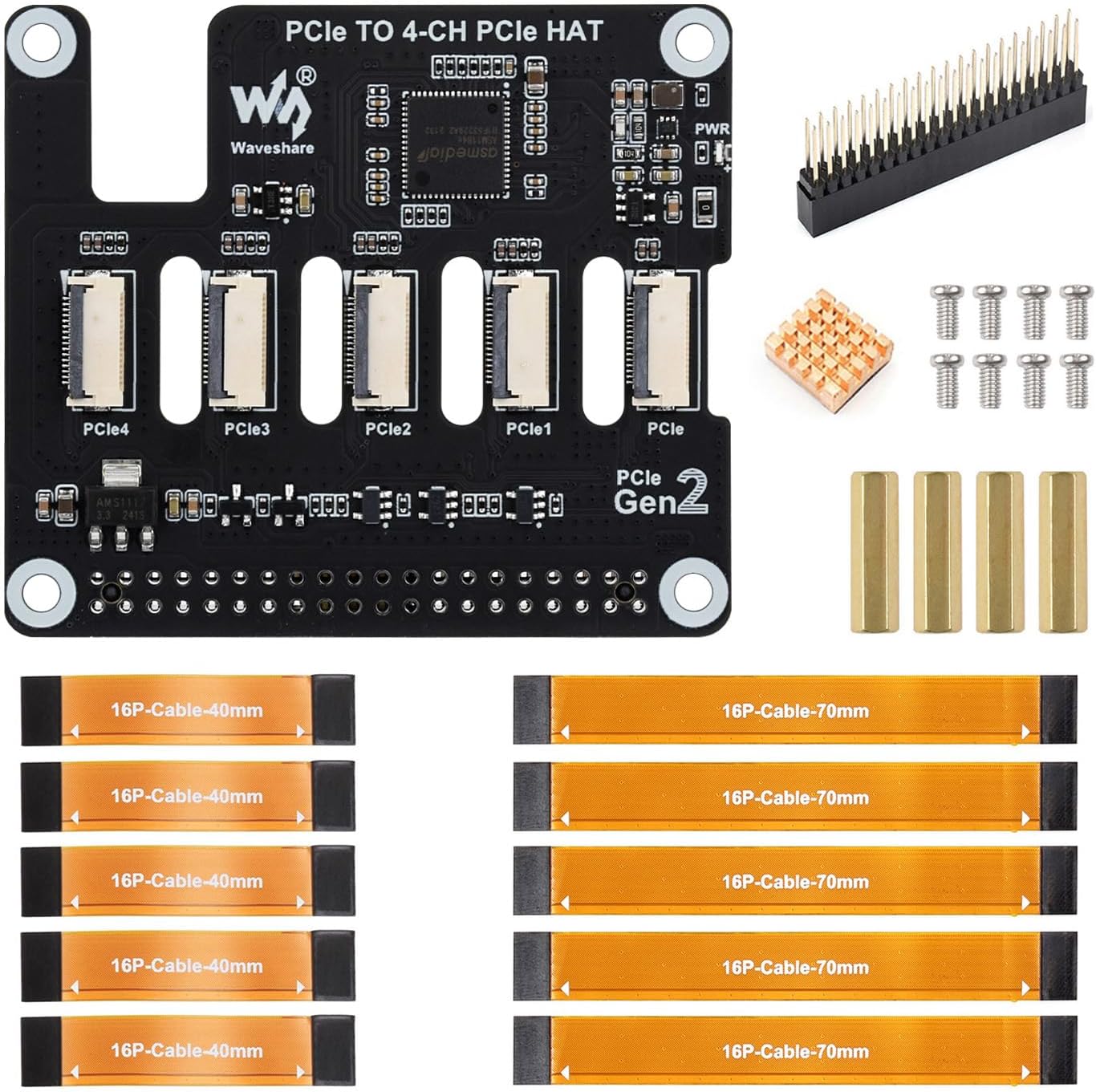
Image: The Waveshare Four-Channel PCIe FFC Expansion Board, showcasing its four PCIe FFC connectors and overall design.
2. Eusi Paket
Punten parios yén sadaya barang anu didaptarkeun di handap kalebet kana pakét anjeun:
- PCIe TO 4-CH PCIe HAT (x1)
- 2*20 Pin header (x1)
- Heatsink (x1)
- Standoff pack (x1)
- 16P-Cable-40mm (x5)
- 16P-Cable-70mm (x5)

Image: A visual representation of all components included in the Waveshare Four-Channel PCIe FFC Expansion Board package.
3. Setup jeung Instalasi
3.1 Connecting to Raspberry Pi 5
The expansion board connects to the Raspberry Pi 5 via a 16PIN ribbon cable. Ensure the cable is connected correctly to avoid malfunction or damage.
- Locate the 16PIN PCIe interface on your Raspberry Pi 5.
- Carefully align the 16PIN ribbon cable with the connector on the Raspberry Pi 5 and the expansion board.
- Gently insert the cable, ensuring it is fully seated and oriented correctly. Refer to the diagram below for correct connection.

Image: A diagram illustrating the correct and incorrect ways to connect the 16PIN ribbon cable between the expansion board and Raspberry Pi 5.
3.2 Stacking Multiple PCIe HAT Modules
This board supports stacking multiple PCIe HAT modules for enhanced functionality. The flexible design allows for various configurations to suit your project needs.
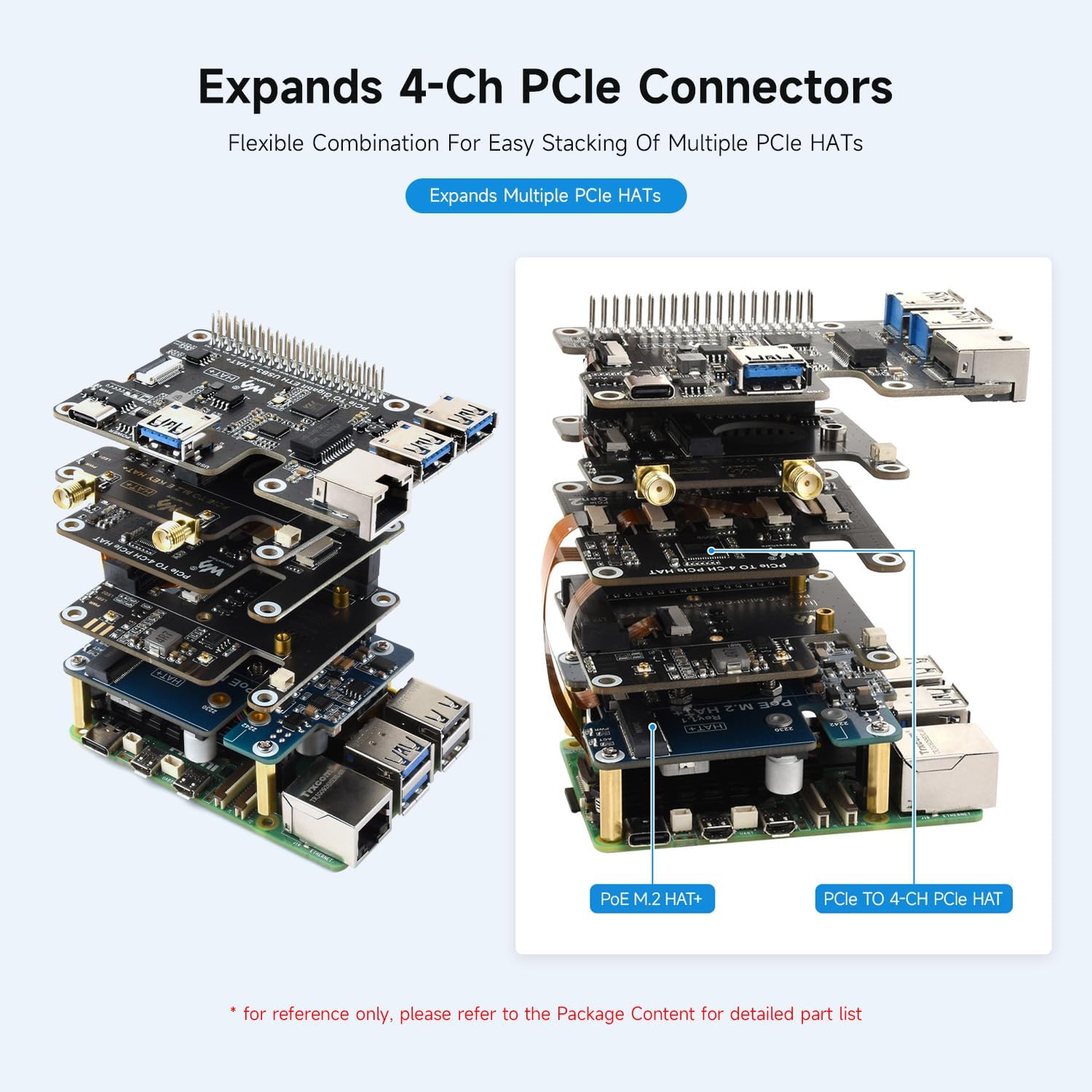
Gambar: Mantanample of multiple Waveshare PCIe HAT modules stacked on a Raspberry Pi 5, showcasing the modular expansion capability.
3.3 Heatsink Installation
A heatsink is included to help manage thermal performance. Remove the release paper from the heatsink and attach it to the designated chip on the expansion board.

Gambar: A lengkep view of the expansion board, indicating the location for heatsink installation and providing outline dimensions.
4. Parentah Operasi
Once connected, the Waveshare Four-Channel PCIe FFC Expansion Board provides four PCIe Gen2 interfaces for connecting various PCIe HAT modules. The board supports PCIe Gen2 (PCIe 2.0) speed, ensuring efficient data transfer for connected devices.

Image: The expansion board in operation with a Raspberry Pi 5, illustrating its PCIe Gen2 transmission speed capabilities.
The board is equipped with a power monitoring chip and EEPROM, allowing for real-time monitoring of power status and storing HAT ID and product information. Dual LED indicators (ACT Status and PWR) provide clear visual feedback on the device's working status.
4.1 Video Produk Resmi
Video: An official Waveshare video showcasing the PCIe TO Series expansion boards, including the Four-Channel PCIe FFC HAT, demonstrating their features, connectivity, and stacking capabilities with Raspberry Pi 5.
5. Spésifikasi
| Fitur | Rincian |
|---|---|
| merek | Waveshare |
| Ngaran modél | PCIe ka 4-CH PCIe HAT |
| Kasaluyuan | Raspberry Pi 5 |
| Panganteur PCIe | 16PIN PCIe interface, supports PCIe Gen2 (PCIe 2.0) |
| Expansion Channels | 4-Channel FFC connectors |
| Stacking Support | Supports stacking multiple PCIe HAT modules |
| Pangimeutan kakuatan | Equipped with power monitoring chip |
| Product Information Storage | EEPROM for HAT ID and product information |
| Item Beurat | 1.76 ons |
| Ukuran Paket | 3.1 x 2.7 x 0.6 inci |
6. Cara ngungkulan
- Masalah sambungan: Ensure the 16PIN ribbon cable is correctly and securely connected to both the Raspberry Pi 5 and the expansion board. Incorrect orientation can prevent functionality.
- Modul Teu Dideteksi: Verify that the PCIe HAT module is properly seated in its connector. Check for any physical obstructions or damage.
- Masalah Kinerja: Confirm that your Raspberry Pi 5 firmware and operating system are up to date. Ensure that the connected PCIe modules are compatible with PCIe Gen2 speeds.
- Indikator Kakuatan: Observe the dual LED indicators (ACT Status and PWR) for diagnostic information. Refer to the Raspberry Pi 5 documentation for specific LED behavior.
7. Garansi jeung Rojongan
Waveshare products are designed for reliability and performance. For technical support, troubleshooting assistance, or warranty inquiries, please visit the official Waveshare websitus atanapi ngahubungan layanan palanggan maranéhanana langsung. Simpen resi pameseran anjeun pikeun validasi jaminan.
For additional resources and community support, consider visiting Raspberry Pi forums and online communities where users often share solutions and experiences with expansion boards.


