1. Bubuka
The Truefree HF10 Hybrid Active Noise Cancelling Headphones are designed to provide an immersive audio experience with advanced noise cancellation technology. This manual provides essential information for setting up, operating, and maintaining your headphones.

Image: Truefree HF10 headphones in black.
2. Naon dina Box
- HF-10 ANC Headphones
- Kabel Ngecas USB-C
- Kabel Audio 3.5mm
- Manual pamaké

Image: Box contents of the Truefree HF10 headphones.
3. Produk Langkungview
The Truefree HF10 headphones feature a foldable design for portability, adjustable headband for comfort, and soft protein leather ear cups with memory foam padding for extended wear. Controls are located on the earcups.

Image: Right earcup controls and ports.

Image: Soft and breathable ear cushions.
4. Setélan
Papasangan Bluetooth
- Pastikeun headphone dicas.
- Power on the headphones to enter pairing mode (indicator light will flash).
- Dina alat anjeun (smartphone, tablet, komputer), aktipkeun Bluetooth.
- Select "TRUEFREE HF-10" from the list of available devices to connect.
- Once connected, the indicator light will change, and a voice prompt will confirm.
Sambungan Ganda
The HF10 headphones support simultaneous connection to two devices, allowing seamless switching between audio sources.
Video: Instructions on how to connect Truefree HF10 headphones to two devices simultaneously.
Sambungan Aplikasi
Enhance your experience by connecting your HF10 headphones to the Truefree App. The app allows for custom EQ settings, ANC mode adjustments, and other features.
Video: Guide on operating the Truefree HF10 headphones via the companion app.
5. Parentah Operasi
Modeu pembatalan Noise aktip (ANC).
The HF10 headphones feature Hybrid Active Noise Cancellation, reducing external noise by up to 45dB. You can switch between various modes:
- ANC adaptif: Automatically adjusts noise cancellation based on your surroundings.
- Mode jero rohangan: Optimized for indoor environments.
- Modeu luar: Optimized for outdoor environments.
- Commute Mode: Optimized for public transport and commuting.
- Modeu Transparansi: Ngamungkinkeun anjeun ngadangu sora di sakuriling anjeun tanpa kedah nyabut headphone.

Image: User experiencing ANC on Truefree HF10 headphones.
Spatial Audio & Deep Bass
Equipped with 40mm dynamic drivers, the headphones deliver rich bass and clear audio. Spatial audio enhances the listening experience with a 360° surround sound effect.
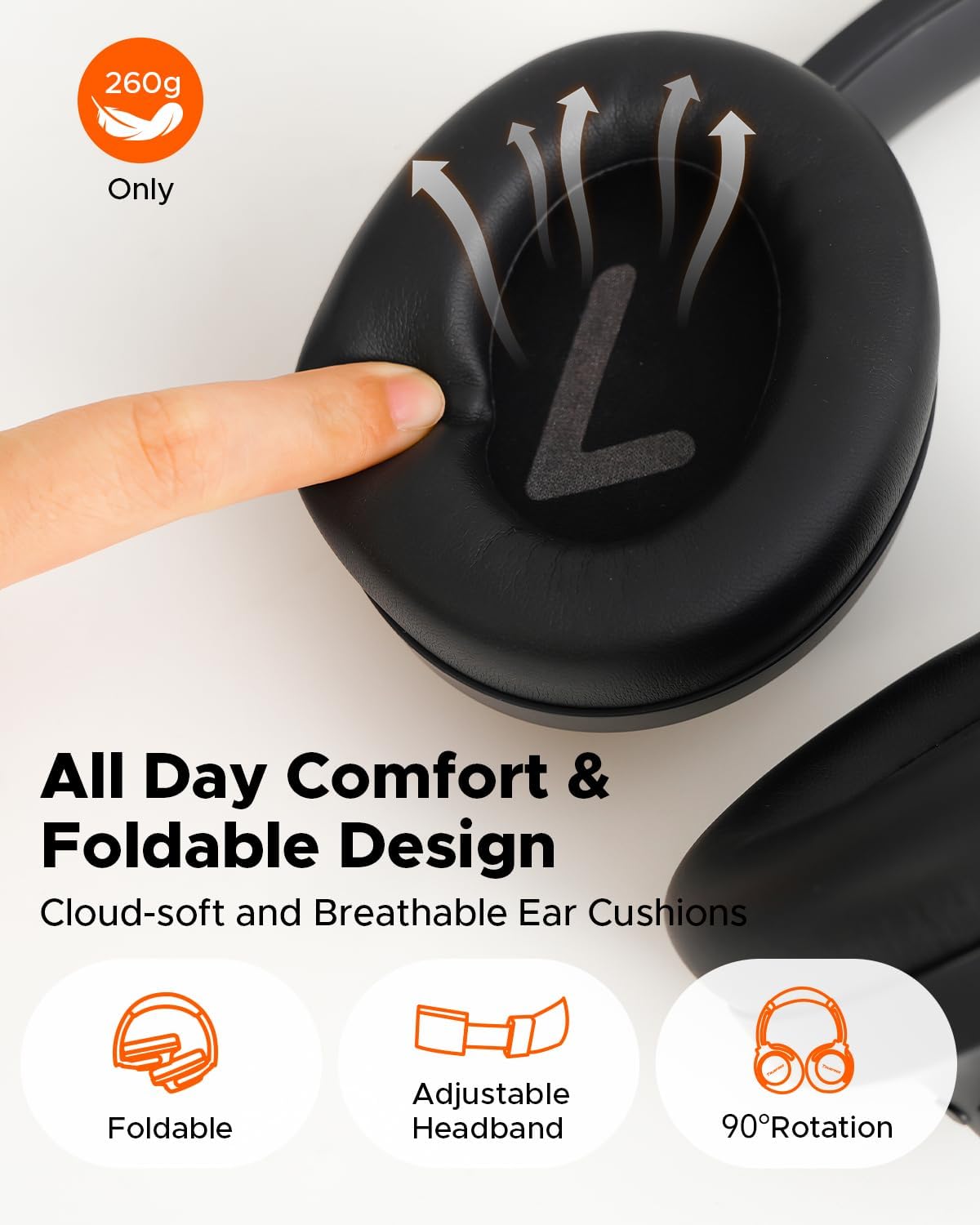
Image: Illustration of 40mm dynamic drivers and spatial audio.
Modeu Kaulinan Low-Latency
Activate Game Mode for ultra-low latency (70ms) during wireless use, ensuring synchronized audio for gaming. Wired mode offers zero delay.
Telepon anu Ditingkatkeun ku AI
Four microphones combined with an AI Environmental Noise Cancellation (ENC) algorithm ensure clear voice capture and reduced background noise during calls.
6. Ngecas sareng Umur Batré
The HF10 headphones offer extended playtime:
- Up to 125 hours of playback with ANC off.
- Up to 85 hours of playback with ANC on.
A quick 10-minute charge provides up to 8 hours of listening. Recharge via the included USB-C cable or use the 3.5mm AUX cable for continuous audio.

Image: Battery life and rapid charging details.
7. App Control
The Truefree App provides comprehensive control over your HF10 headphones, including:
- Customizable EQ settings and sound presets.
- Adaptive EQ for personalized sound.
- ANC/Transparency/Normal mode switching.
- Aktivasina Modeu Kaulinan.
- "Find My Earbuds" feature to locate misplaced headphones.
- Voice prompt language selection and volume adjustment.
- Ngamutahirkeun firmware.

Image: Custom sound tuning options via the app.
8. Pangropéa
- Clean earcups regularly with a soft, dry cloth.
- Avoid exposing headphones to extreme temperatures or moisture.
- Nyimpen dina tiis, tempat garing lamun teu dipaké.
- Ulah make cleaners abrasive atawa pangleyur.
9. Cara ngungkulan
Ngareset Headphone
Upami anjeun ngalaman masalah konektivitas atanapi gangguan sanésna, ngalakukeun reset pabrik tiasa ngabéréskeun masalah éta.
Video: How to reset the Truefree HF10 headphones.
Masalah umum
- Henteu aya kakuatan: Pastikeun headphone dicas pinuh.
- Teu Bisa Dipasangkeun: Ensure headphones are in pairing mode and not connected to another device. Delete previous pairing records on your device and try again.
- Kualitas Sora goréng: Check audio source, adjust EQ settings in the app, or try a different audio cable if using wired mode.
- ANC Henteu Éféktif: Ensure earcups form a good seal around your ears. Adjust ANC modes in the app.
10. Spésifikasi
| Fitur | Rincian |
|---|---|
| Ngaran modél | Truefree HF-10 |
| Kontrol bising | Hybrid Active Noise Cancellation |
| Téhnologi konektipitas | Nirkabel (Bluetooth 6.0), Kabel (AUX 3.5mm) |
| Waktu maén (ANC Pareum) | Nepi ka 125 jam |
| Waktu maén (ANC Hurung) | Nepi ka 85 jam |
| Ngecas Gancang | 10-minute charge for 8 hours play |
| Supir | 40mm Supir dinamis |
| Fitur husus | Adjustable Headband, Foldable, Multipoint Pairing, Spatial Audio, App Control, Low-Latency Game Mode, AI ENC Calls |
| Beurat | 14.8 ons |
| Bahan | Plastik, Poliuretana (PU) |
11. Garansi jeung Rojongan
Truefree offers the following support for the HF10 headphones:
- Garansi 12 Bulan: Ngawengku cacad produksi.
- Jaminan Duit Balik 30 Dinten: For returns within 30 days of purchase.
- 24 Hours Customer Service: Kanggo bantosan téknis sareng patarosan.
For further assistance, please refer to the official Truefree websitus atanapi ngahubungan rojongan customer.


