1. Bubuka
The NiTHO NEXUS DARK OPS is a versatile wireless controller designed for multi-platform gaming. It offers compatibility with PC (Windows), Nintendo Switch, Switch Lite, Switch OLED, Android, and iOS devices. This controller features a precise 6-axis gyro, four levels of vibration, and magnetic Hall Effect triggers for enhanced gaming accuracy and responsiveness. Customizable RGB lighting and a programmable turbo function further enrich the gaming experience. This manual provides essential information for setting up, operating, maintaining, and troubleshooting your controller.

The NiTHO NEXUS DARK OPS controller features an ergonomic design for comfortable extended gameplay sessions.
2. Eusi Paket
- NiTHO NEXUS DARK OPS Wireless Controller
- Kabel Ngecas USB-C
- Manual pangguna (dokumén ieu)
3. Tata Letak Pangontrol

Diwincik view of the controller's components and their labels.
- Left Rocker: Analog joystick for movement and camera control.
- - Key: Tombol fungsi sistem.
- Tombol pasangan: Used to initiate Bluetooth pairing mode.
- Cross Arrow Key (D-Pad): Directional input for navigation and specific game actions.
- Tombol TURBO: Activates and adjusts the turbo function.
- Tombol HOME: Balik deui ka layar utama sistem.
- Konci Potret Layar: Ngarekam cuplikan layar nalika maén.
- + Konci: Tombol fungsi sistem.
- A/B/X/Y Keys: Tombol aksi baku.
- Right Rocker: Analog joystick for movement and camera control.
- Lampu Indikator Mode: Displays current connection mode and battery status.
- R1/L1 (Shoulder Buttons): Top trigger buttons.
- R2/L2 (Trigger Buttons): Bottom trigger buttons with Hall Effect technology.
- Port ngecas TIPE-C: Pikeun ngecas controller.
- Force Online Button: For specific connection scenarios.
4. Setup jeung Connection
The NiTHO NEXUS DARK OPS controller supports wireless connection via Bluetooth to various platforms.

The controller is compatible with Nintendo Switch, PC, Android, and iOS devices.
4.1 General Pairing Instructions
- Pastikeun yén controller dieusi cukup.
- Pencét jeung tahan tombol Tombol papasangan on the controller until the Mode Indicator Light begins to flash rapidly, indicating it is in pairing mode.
- On your device (Switch, PC, Android, iOS), navigate to the Bluetooth settings.
- Milarian pikeun available Bluetooth devices and select "NEXUS DARK OPS" or a similar name.
- Once connected, the Mode Indicator Light will become solid.
4.2 Nyambungkeun ka Nintendo Switch
- Tina Menu RUMAH, pilih Controllers > Robah Pakem / Orde.
- While on this screen, press and hold the Tombol papasangan on the NEXUS DARK OPS controller.
- The controller will pair with the Switch, and the player indicator lights will illuminate.
4.3 Nyambungkeun ka PC (Windows)
- Pindah ka Setélan > Paranti > Bluetooth & alat sejenna.
- Pastikeun Bluetooth dihurungkeun On.
- Pencét Tambahkeun Bluetooth atawa alat sejen > Bluetooth.
- Pencét jeung tahan tombol Tombol papasangan dina controller.
- Select "NEXUS DARK OPS" from the list of devices to pair.
4.4 Nyambungkeun ka Alat Android/iOS
- Aktipkeun Bluetooth dina alat Android atawa ios Anjeun.
- Pindah ka setélan Bluetooth.
- Pencét jeung tahan tombol Tombol papasangan dina controller.
- Select "NEXUS DARK OPS" from the list of available devices to connect.
5. Parentah Operasi
5.1 Lampu RGB
The controller features customizable RGB lighting with 7 vibrant colors and 4 dynamic lighting modes.

Explore 7 colors and 4 lighting modes including Jumping, Colorful Constant, Rainbow Mixing, and Breathing effects.
To cycle through the lighting modes or colors, refer to the specific button combination in the quick start guide included with your product. Typically, a dedicated button or a combination with the TURBO button controls RGB effects.
5.2 Eupan Balik Getaran
The controller includes dual motors for vibration feedback with 4 adjustable levels: Off, Low, Medium, and High.

Adjust vibration intensity from 0% to 100% for personalized feedback.
To adjust vibration intensity, consult the quick start guide for the specific button sequence, often involving the TURBO button and a directional input.
5.3 Fungsi Turbo
The programmable turbo function allows for rapid-fire actions with three speed settings: 5, 10, or 15 shots per second.

Set your turbo speed to 5, 10, or 15 shots per second for competitive advantage.
To activate turbo for a button, press and hold the TURBO button, then press the desired action button. Repeat the process to adjust speed or deactivate turbo for that button.
5.4 Magnetic Hall Effect Triggers
The controller is equipped with magnetic Hall Effect triggers. This technology provides smooth, accurate trigger response and helps prevent common issues like analog stick drift, ensuring long-lasting precision.

Magnetic Hall Effect triggers offer precise and durable input.
5.5 6-Axis Gyro Motion Sensor
A precise 6-axis gyro sensor is integrated into the controller, allowing for responsive motion control in games that support it. This feature captures tilts and rotations, enhancing gameplay in racing, action, and adventure titles.
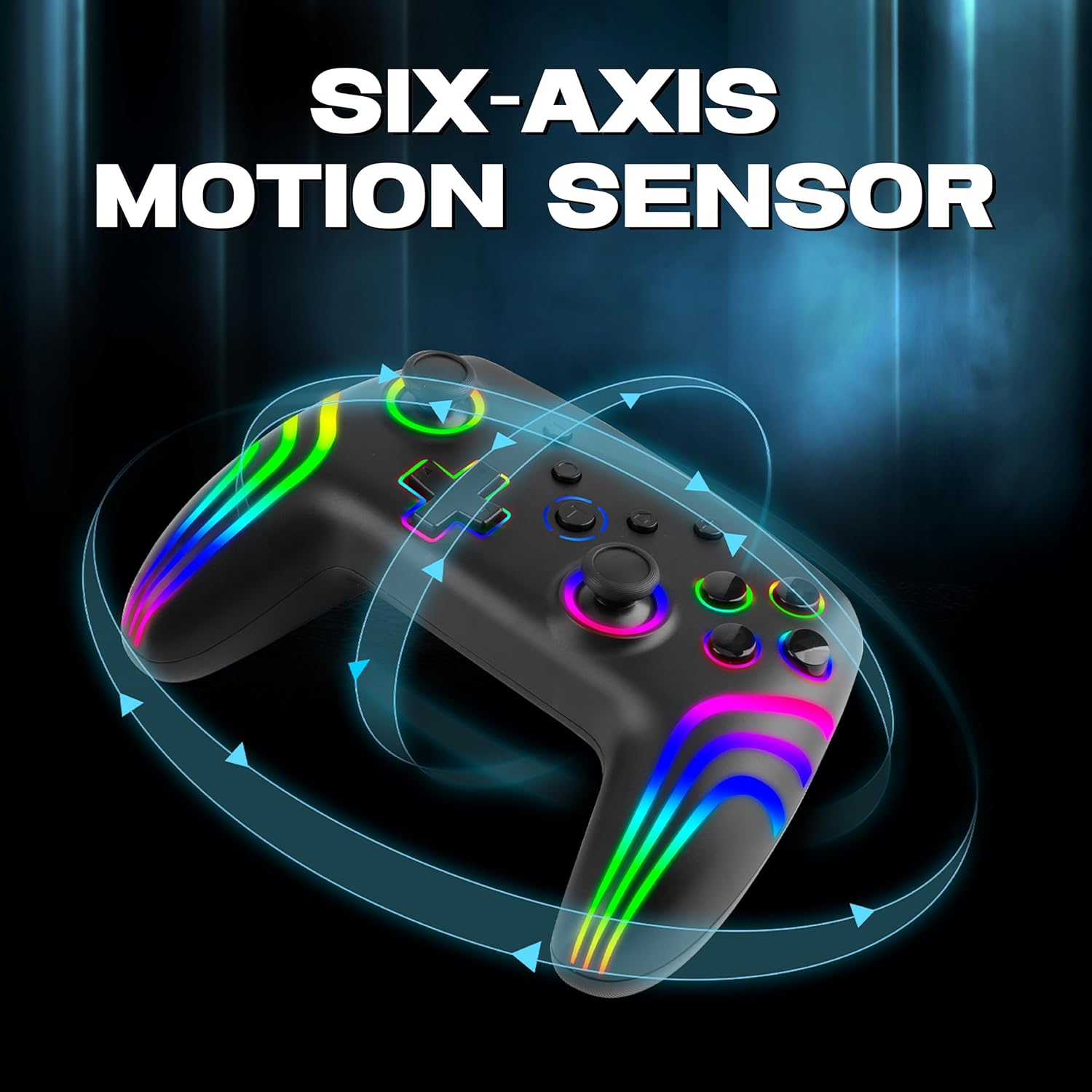
The 6-axis gyro provides accurate motion sensing for immersive gameplay.
6. Ngecas Controller
The NiTHO NEXUS DARK OPS controller is equipped with a built-in 800mAh rechargeable battery.

The 800mAh battery offers up to 9 hours of gameplay on a 2.5-hour charge.
- Connect the supplied USB-C charging cable to the TYPE-C charging port on the controller.
- Connect the other end of the cable to a USB power source (e.g., console, PC, USB wall adapter).
- The Mode Indicator Light will typically show charging status (e.g., blinking while charging, solid when fully charged).
- A full charge takes approximately 2.5 hours and provides up to 9 hours of continuous gameplay.
7. Pangropéa
- beberesih: Paké kaen lemes, garing pikeun ngabersihan controller. Ulah make bahan kimia kasar atawa bahan abrasive.
- Panyimpenan: Nyimpen controller dina tiis, tempat garing jauh ti sinar panonpoé langsung jeung hawa ekstrim.
- Perawatan batré: Pikeun manjangkeun umur batre, ulah pinuh discharging controller remen. Ngeusi batre rutin, sanajan teu dipaké pikeun période nambahan.
- Hindarkeun tetes: Nangtayungan controller tina tetes jeung dampak, nu bisa ngaruksak komponén internal.
8. Cara ngungkulan
- Kontroler teu hurung:
- Ensure the controller is fully charged. Connect it to a power source and wait for the charging indicator.
- If the battery is completely drained, it may take a few minutes of charging before the controller responds.
- Unable to pair the controller:
- Make sure the controller is in pairing mode (Mode Indicator Light flashing rapidly).
- Pastikeun Bluetooth diaktipkeun dina alat anjeun sareng tiasa kapanggih.
- Pindahkeun controller ngadeukeutan ka alat Anjeun.
- Pupus pasangan pangendali samemehna tina setelan Bluetooth alat anjeun teras cobian pasangkeun deui.
- Balikan deui controller sareng alat anjeun.
- Kontroler sering pegat sambungan:
- Ensure there are no obstructions or sources of interference (e.g., Wi-Fi routers, other Bluetooth devices) between the controller and your device.
- Keep the controller within the effective Bluetooth range (typically up to 10 meters).
- Check the controller's battery level. Low battery can affect connection stability.
- Tombol atanapi joystick teu responsif:
- Ensure the controller is properly connected to your device.
- Uji controller dina alat atanapi gim anu sanés pikeun nangtoskeun naha masalahna khusus pikeun hiji setelan.
- Perform a factory reset if available (refer to the quick start guide for specific instructions, often involves a small reset button).
- Motion sensor (gyro) not working:
- Pariksa yén kaulinan anu anjeun maénkeun ngadukung kontrol gerakan.
- Ensure the controller is properly calibrated. Some systems or games may require manual calibration.
- If connected to PC, ensure necessary drivers or software are installed and updated.
9. Spésifikasi
| Nomer modél | NEXUS DARK OPS |
| Konektipitas | Nirkabel (Bluetooth) |
| Kasaluyuan | PC (Windows), Nintendo Switch / Lite / OLED / Switch 2, Android, iOS |
| Jenis Batré | Built-in Rechargeable Nonstandard Battery |
| Kapasitas batré | 800 mah |
| Waktu maén | Nepi ka 9 jam |
| Waktu Ngecas | Kurang leuwih 2.5 jam |
| Port ngecas | USB Tipe-C |
| Ukuran (L x W x H) | 16.1 x 6.5 x 11.1 cm |
| Beurat | 270 g |
| Fitur | RGB Lighting, Hall Effect Triggers, 6-Axis Gyro, Dual Motor Vibration, Turbo Function, Programmable Buttons |
10. Garansi jeung Rojongan
Kanggo inpormasi garansi, mangga tingal dokuméntasi anu disayogikeun nalika mésér atanapi hubungi pangecér anjeun. Sarat garansi khusus tiasa bénten-bénten gumantung kana daérah sareng pangecér.
10.1 Rojongan Téknis
If you encounter issues not covered in the troubleshooting section or require further assistance, please contact NiTHO customer support:
- Manufacturer Support Email: nithoamazonin@mtm-t.com
- Importer Support Email (India): marketgateindia@gmail.com


