1. Bubuka
Thank you for choosing the AINAVI 11.5 inch Touchscreen Car Stereo Radio. This advanced in-dash unit is designed to seamlessly integrate with your Dodge Ram 1500, 2500, or 3500 (2013-2018 models), offering a significant upgrade to your vehicle's infotainment system. Featuring Android 13 OS, a powerful Qualcomm 8-Core processor, 6GB RAM, and 64GB ROM, it provides a fast and smooth user experience.
The QLED screen, with its 2000x1200 resolution and G+G full lamination technology, ensures clear viewing from wide angles, even in daylight. Key features include wireless and wired CarPlay, Android Auto, built-in DSP for superior audio, GPS navigation, 5G WiFi, and Bluetooth 5.0. This manual will guide you through the installation, operation, and maintenance of your new car stereo.

Figure 1.1: AINAVI 11.5 inch Touchscreen Car Stereo Radio with its components.
2. Setup jeung Instalasi
The AINAVI car stereo is designed for a plug-and-play installation in compatible Dodge Ram models (2013-2018) with either manual or auto AC climate control. No modification to your car's original wiring is typically required.
2.1. Eusi Paket
Sateuacan ngamimitian pamasangan, pastikeun sadaya komponén aya dina pakét anjeun:
- 1x Android Car Stereo (11.5 inch Head Unit)
- 1x Wiring Harness Power Cable (with CANbus Decoder)
- 1x Automatic Air Conditioning Panel (if applicable)
- 1x Manual Air Conditioning Panel (if applicable)
- 1x Radio Antenna Adaptor
- 1 x Antena GPS
- 2x Kabel USB
- 1 x Kabel RCA
- 1x USB Microphone
- 1x Reversing Control Cable
- 1x 1080P Rear View Kaméra
- 1x Frame Removal Tool
- Manual pamaké

Figure 2.1: Included components in the package. Note: Cables may vary slightly by model.
2.2. Cék kasaluyuan
This stereo is specifically designed for Dodge Ram 1500, 2500, and 3500 models manufactured between 2013 and 2018. It supports both manual and automatic AC climate control systems. Ensure your vehicle falls within this range for proper fitment and functionality.

Figure 2.2: Visual comparison of the dashboard before and after installing the AINAVI stereo.
2.3. Prosés instalasi
While designed for plug-and-play, professional installation is recommended. Refer to the detailed installation guide provided in the box for step-by-step instructions. Key steps include:
- Carefully remove the original dash components using the provided frame removal tool.
- Connect the wiring harness, CANbus decoder, and other necessary cables to the corresponding ports. Ensure all connections are secure.
- Install the appropriate AC climate control panel (manual or auto) into the new dash kit.
- Mount the 11.5-inch head unit into the dash opening.
- Connect the GPS antenna and route the rearview camera cable if installing.
- Secure all components and reassemble the dash.
For any installation difficulties, please refer to the 'Support' section of this manual for technical assistance.
3. Parentah Operasi
This section details the primary functions and operations of your AINAVI car stereo.
3.1. Panganteur layar rampa
The 11.5-inch QLED touchscreen provides a responsive and intuitive interface. Navigate through menus, select applications, and control functions with simple taps and swipes.

Figure 3.1: The high-definition 11.5-inch QLED touchscreen.
3.2. CarPlay & Android Auto
Enjoy seamless integration with your smartphone via built-in wireless and wired CarPlay (for iOS devices) and USB connection Android Auto (for Android devices). Access navigation, make calls, send/receive messages, and stream music directly from your phone while driving safely.
- CarPlay nirkabel: Connect your iPhone wirelessly for a convenient experience.
- Kabel Android Auto: Connect your Android phone via USB for Android Auto functionality.
- Paréntah sora: Activate Siri or Google Assistant by saying “Hey Siri” or “Hey Google” for hands-free control.

Figure 3.2: Wireless CarPlay and Android Auto interface.

Figure 3.3: iOS CarPlay and Android Auto interfaces.
3.3. GPS Napigasi
The built-in GPS navigation supports both online and offline maps. Connect to a network for real-time traffic information or download offline maps for navigation without an internet connection.
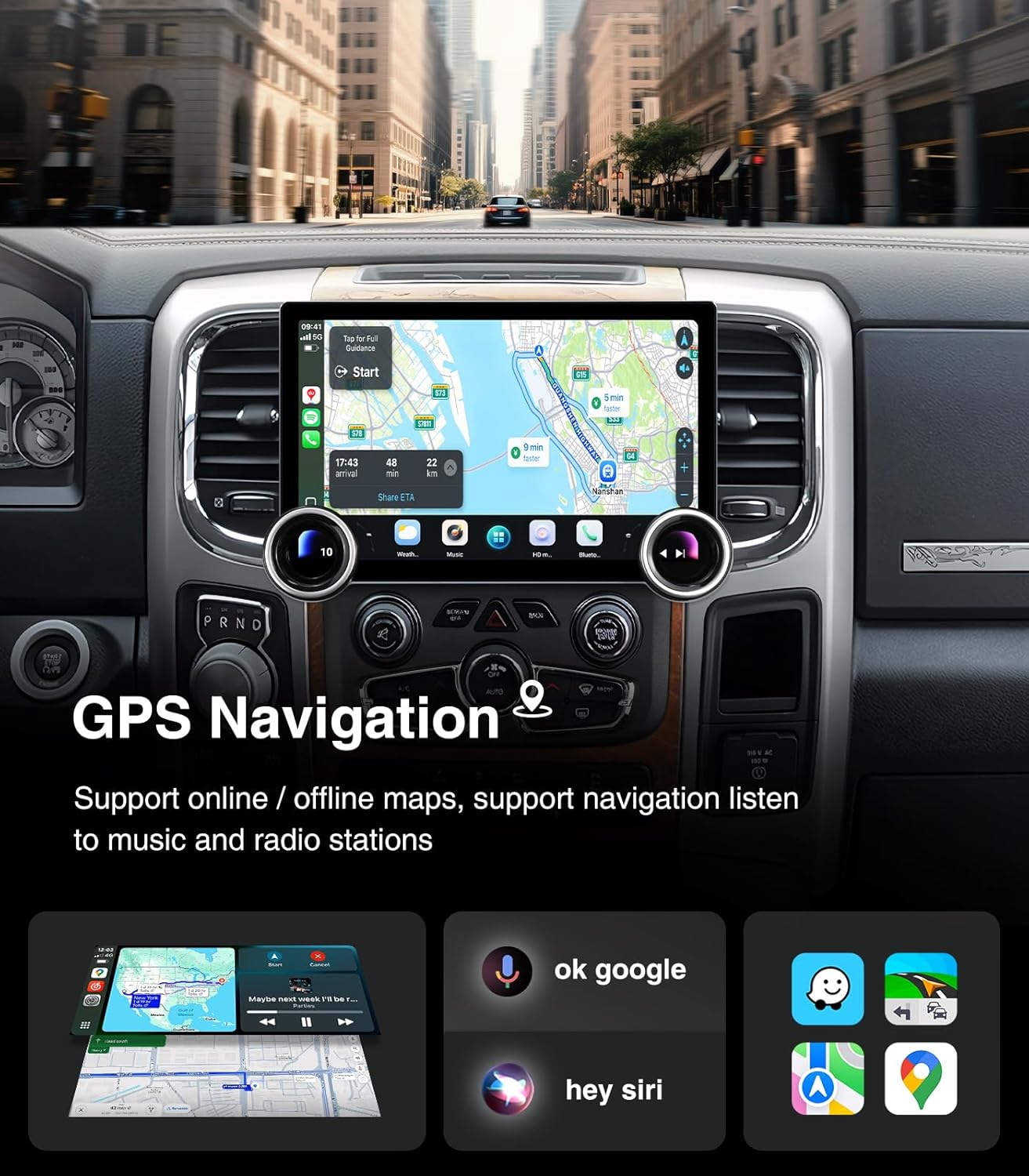
Figure 3.4: GPS Navigation interface with voice command options.
3.4. Connectivity (WiFi & Bluetooth)
The stereo features dual-band WiFi (2.4GHz & 5GHz) for high-speed internet access and Bluetooth 5.0 for seamless device connections.
- 5G WiFi Hotspot: Connect to a mobile hotspot or home WiFi for internet access, app downloads, and online services.
- Bluetooth 5.0: Enable hands-free calls, stream music, and download your phonebook for convenient in-car communication and entertainment.

Figure 3.5: WiFi Hotspot and Bluetooth Connection interface.

Figure 3.6: Support for Bluetooth Hands-Free Connection.
3.5. Audio Features (DSP & EQ)
The built-in Digital Sound Processor (DSP) with Time Correction and a 48-band Equalizer allows for precise audio customization, delivering a premium sound experience.
- 4*45W Amppanguat: Provides robust sound output for each channel.
- Koréksi Waktos: Digitally control the sound timing for each speaker to optimize the sound field position.
- Ékualiser 48-pita: Fine-tune audio frequencies to match your preferences and vehicle acoustics.

Figure 3.7: Multi-band Audio Equalization interface.
3.6. Manual Knobs & Steering Wheel Control
The stereo features dual physical knobs for quick adjustments and supports your vehicle's original steering wheel controls for added convenience.
- Kenop kénca: Rotate to adjust volume (+/-), Press to Mute.
- Kenop katuhu: Rotate for Previous/Next track, Press for Play/Pause.
- Kontrol setir: Retains most original steering wheel functions for safe operation.

Figure 3.8: Manual Knob Design and Steering Wheel Control functions.
3.7. Fungsi Radio
Access your favorite radio stations with AM/FM/RDS support.
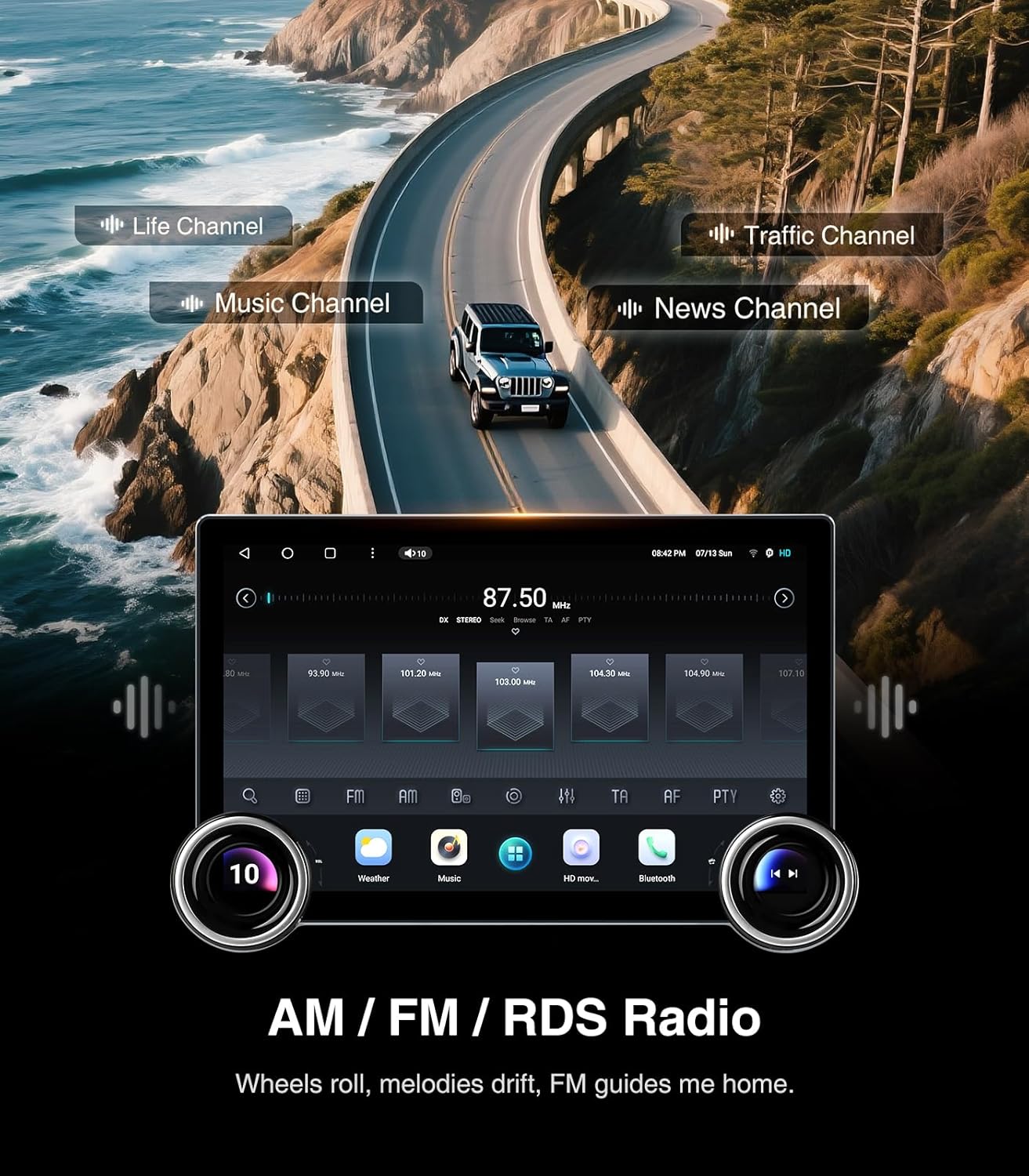
Figure 3.9: AM/FM/RDS Radio interface.
3.8. Advanced Display Features
Enhance your in-car experience with split-screen and screen mirroring capabilities.
- Fungsi Layar Pamisah: Run two applications simultaneously on the screen, such as navigation and music playback.
- Pangeunteungan layar: Mirror your smartphone's display directly onto the car stereo screen.

Figure 3.10: Split Screen and Screen Mirroring functions.
3.9. Tukangeunview Kaméra
The included 1080P AHD rearview camera provides a clear, wide-angle view to assist with safer reversing and parking.

Figure 3.11: 1080P Rearview Camera features and display.
4. Pangropéa
Proper maintenance ensures the longevity and optimal performance of your AINAVI car stereo.
4.1. Ngabersihan layar
To clean the touchscreen, power off the unit. Use a soft, lint-free cloth (preferably microfiber) lightly dampened with water or a screen-specific cleaning solution. Avoid harsh chemicals, abrasive materials, or excessive moisture, as these can damage the screen.
4.2. Apdet parangkat lunak
Periodically check for software updates to ensure your system has the latest features, performance improvements, and bug fixes. Updates can typically be found via the system settings menu when connected to Wi-Fi, or through the manufacturer's official website. Follow the on-screen instructions carefully during any update process.
4.3. Kaperawatan Umum
- Hindarkeun ngalaan unit ka suhu anu ekstrim atanapi sinar panonpoé langsung kanggo waktos anu berkepanjangan.
- Do not attempt to disassemble the unit. Refer to qualified technicians for any repairs.
- Pastikeun ventilasi anu pas di sabudeureun unit pikeun nyegah overheating.
5. Cara ngungkulan
Bagian ieu ngabahas masalah umum anu anjeun tingali. Lamun masalah persists, mangga ngahubungan rojongan customer.
| Masalah | Mungkin Cukang lantaranana | Solusi |
|---|---|---|
| Unit teu hurung. | Kabelna salah; Sekringna putus; Catu dayana teu cekap. | Check all wiring connections. Verify vehicle's fuse box and the unit's fuse. Ensure stable 12V power supply. |
| Taya sora atawa kualitas sora goréng. | Incorrect speaker wiring; DSP/EQ settings misconfigured; Volume too low. | Check speaker connections. Adjust DSP and EQ settings. Increase volume. |
| CarPlay / Android Auto teu nyambung. | Incorrect USB cable; Bluetooth/WiFi not enabled; Phone software issue. | Use a high-quality USB cable. Ensure Bluetooth and WiFi are enabled on both devices. Restart phone and stereo. |
| Sinyal GPS lemah atanapi teu akurat. | Anteneu GPS ngahalangan atanapi teu leres disimpen. | Pastikeun anteneu GPS boga jelas view langit sareng nyambung kalayan aman. |
| Knobs are glitchy or unresponsive. | Software issue; Loose connection. | Perform a system restart. Check connections to the knob assembly. Ensure latest software is installed. |
| Slow boot time or occasional lag. | Too many background apps; System overload. | Close unnecessary applications. Perform a system restart. Ensure sufficient free storage. |
For more complex issues or persistent problems, please refer to the 'Support' section for technical assistance.
6. Spésifikasi
Detailed technical specifications for the AINAVI 11.5 inch Touchscreen Car Stereo Radio (Model: 6G+64G).
| Fitur | Rincian |
|---|---|
| Nomer modél | 6G+64G |
| Sistem operasi | Android 13 OS |
| Prosesor | Qualcomm 8 Core |
| Ram | 6GB |
| Panyimpenan internal | 64GB |
| Ukuran tampilan | 11.5 inci |
| Resolusi tampilan | 2000x1200 (2K HD Screen) |
| Téknologi tampilan | QLED, G+G Full Lamination, IPS Screen |
| Mode Kaluaran Audio | Sakuliling Sora stereo |
| Amplifier Kaluaran | Max. 4*45W |
| DSP | Built-in with Time Correction & 48-band EQ |
| Téhnologi konektipitas | Bluetooth 5.0, USB, Wi-Fi (2.4Ghz & 5Ghz), Wired, Wireless |
| Integrasi Mobil | Wireless/Wired CarPlay, USB Android Auto |
| Napigasi | GPS internal (ngarojong peta online/offline) |
| Radio | AM/FM/RDS |
| Tukangeun View Input kaméra | Supports AHD 1080P (camera included) |
| Tipe Pamasangan | Dasbor Gunung |
| Item Beurat | 4.75 pon |
| Ukuran Paket | 13.11 x 11.1 x 5.59 inci |

Figure 6.1: Qualcomm Octa-core processor details.
7. Émbaran jaminan
Your AINAVI 11.5 inch Touchscreen Car Stereo Radio comes with a 12 Months Manufacturer GuaranteeGaransi ieu ngawengku cacad dina bahan sareng padamelan dina panggunaan normal salami periode garansi.
Please retain your proof of purchase for warranty claims. The warranty does not cover damage caused by improper installation, accident, misuse, abuse, neglect, unauthorized modification, or natural disasters.
8. Rojongan Palanggan
For technical assistance, installation support, or any questions regarding your AINAVI car stereo, please contact our professional technical support team.
8.1. Contact Methods
- Email Amazon: Contact us directly via Amazon's messaging system. We aim to reply as soon as possible.
- Hotline: +1 (833) 858-5016
- Jam Gawé: 01:00 PM to 00:00 AM PST
- Surélék: info@ainavi.com

Figure 8.1: Our dedicated customer support team is ready to assist you.

Figure 8.2: Customer support contact details.


