Produk Leuwihview
The ECHTPower PC Controller is a versatile wireless gaming controller designed for PC, Switch, iOS, and Android platforms. It features Hall Effect joysticks and triggers for precise control, a 1000Hz polling rate for instant response, and an intelligent TFT display for on-screen adjustments of settings like vibration intensity, RGB lighting, and button mapping. The controller is equipped with a 1000mAh battery for extended gameplay.
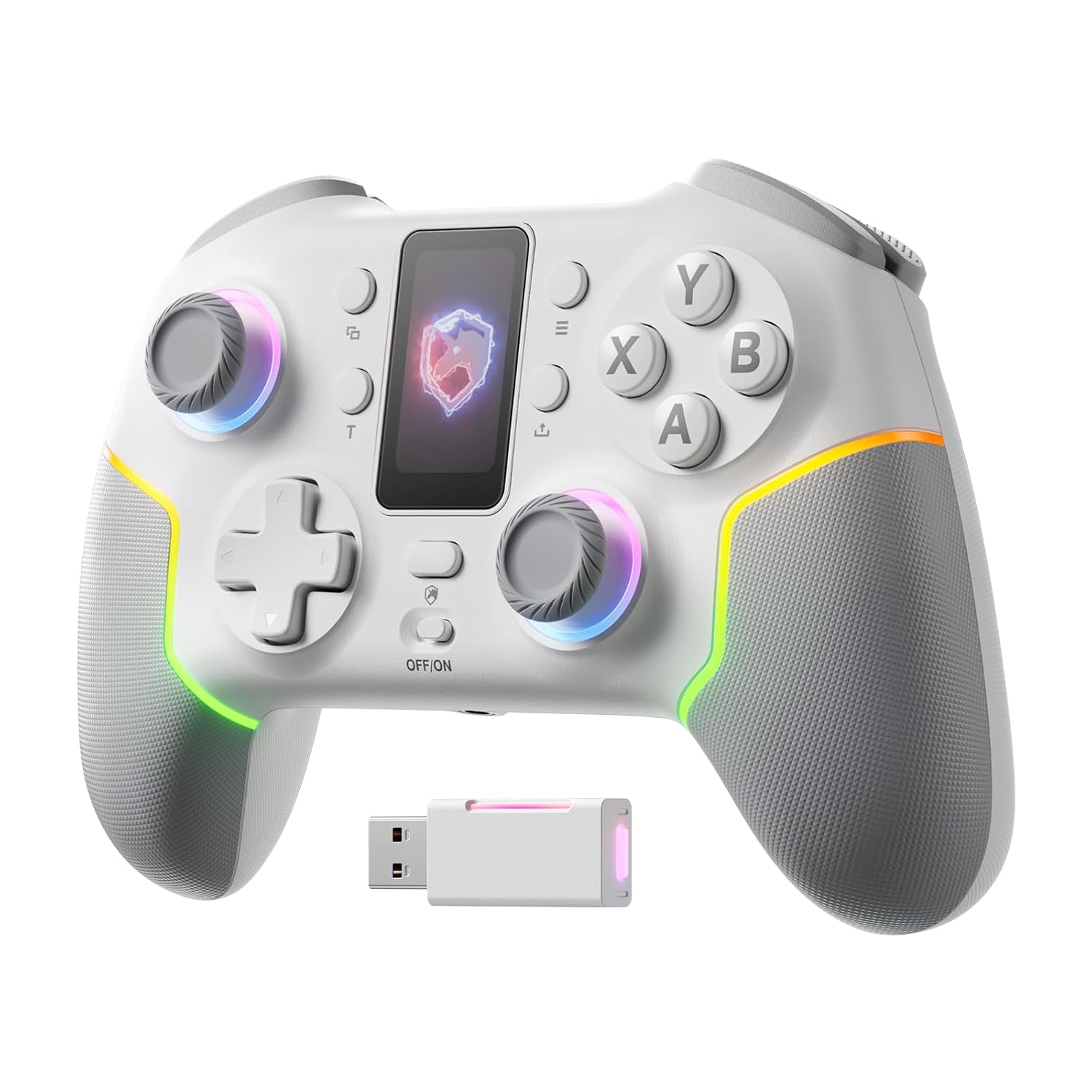
Gambar: Hareupeun view of the ECHTPower PC Controller, showcasing its intelligent screen, joysticks, and face buttons.
Eusi pakét
- ECHTPower PC Controller (White)
- Kabel Ngecas USB-C
- Dongle Nirkabel 2.4G
- Manual pamaké
Disetél
Ngecas Controller
Before first use, fully charge the controller using the provided USB-C cable. Connect the USB-C end to the controller and the USB-A end to a power source (e.g., PC USB port, USB wall adapter). The intelligent screen will indicate charging status.
Nyambungkeun ka Alat
The ECHTPower PC Controller supports three connection modes: Bluetooth, 2.4G Wireless, and USB-C Wired.
- Bluetooth Connection (iOS/Android/Switch):
- Ensure the mode switch on the back of the controller is set to the appropriate platform (e.g., Switch, iOS, Android).
- Press and hold the pairing button on the controller until the indicator lights flash rapidly.
- On your device, go to Bluetooth settings and select "ECHTPower Controller" to pair.
- 2.4G Wireless Connection (PC/Switch):
- Plug the 2.4G wireless dongle into an available USB port on your PC or Switch dock.
- Ensure the mode switch on the back of the controller is set to PC or Switch.
- The controller should automatically connect to the dongle. If not, press the pairing button on the controller.
Image: The ECHTPower PC Controller shown alongside its 2.4G wireless USB dongle, illustrating the wireless connection method.
- USB-C Wired Connection (PC/Switch):
- Connect the controller to your PC or Switch dock using the USB-C cable.
- The controller will be recognized automatically as a wired device.
Note: This controller is not compatible with Xbox or PlayStation consoles.
Parentah Operasi
Intelligent Screen Functions
The integrated TFT display allows for direct adjustment of various controller settings without external software.

Image: Close-up of the controller's intelligent screen, displaying various menu options for settings like pairing, mode, language, and macro.
- Pindah mode: Change between PC, Switch, iOS, and Android modes.
- Inténsitas Geter: Adjust the haptic feedback level (four settings: 0%, 30%, 60%, 100%).
- Lampu RGB: Customize the 10 dynamic RGB lighting modes and brightness.
- Pemetaan Tombol: Remap buttons directly on the screen.
- Setélan makro: Program complex button sequences.
- Basa: Pilih basa tampilan.
Joystick sareng Pemicu Efek Hall
The controller features Hall Effect joysticks and dual Hall Effect triggers for enhanced precision and durability, eliminating drift issues.
- Joysticks: Provide smooth, accurate 360-degree movement with no dead zones.
- pemicu: Offer a one-click switch between long (6mm) and short (2mm) travel distances. The 2mm short travel is ideal for rapid firing in FPS games, while the 6mm long travel provides smoother, more precise control for racing games.
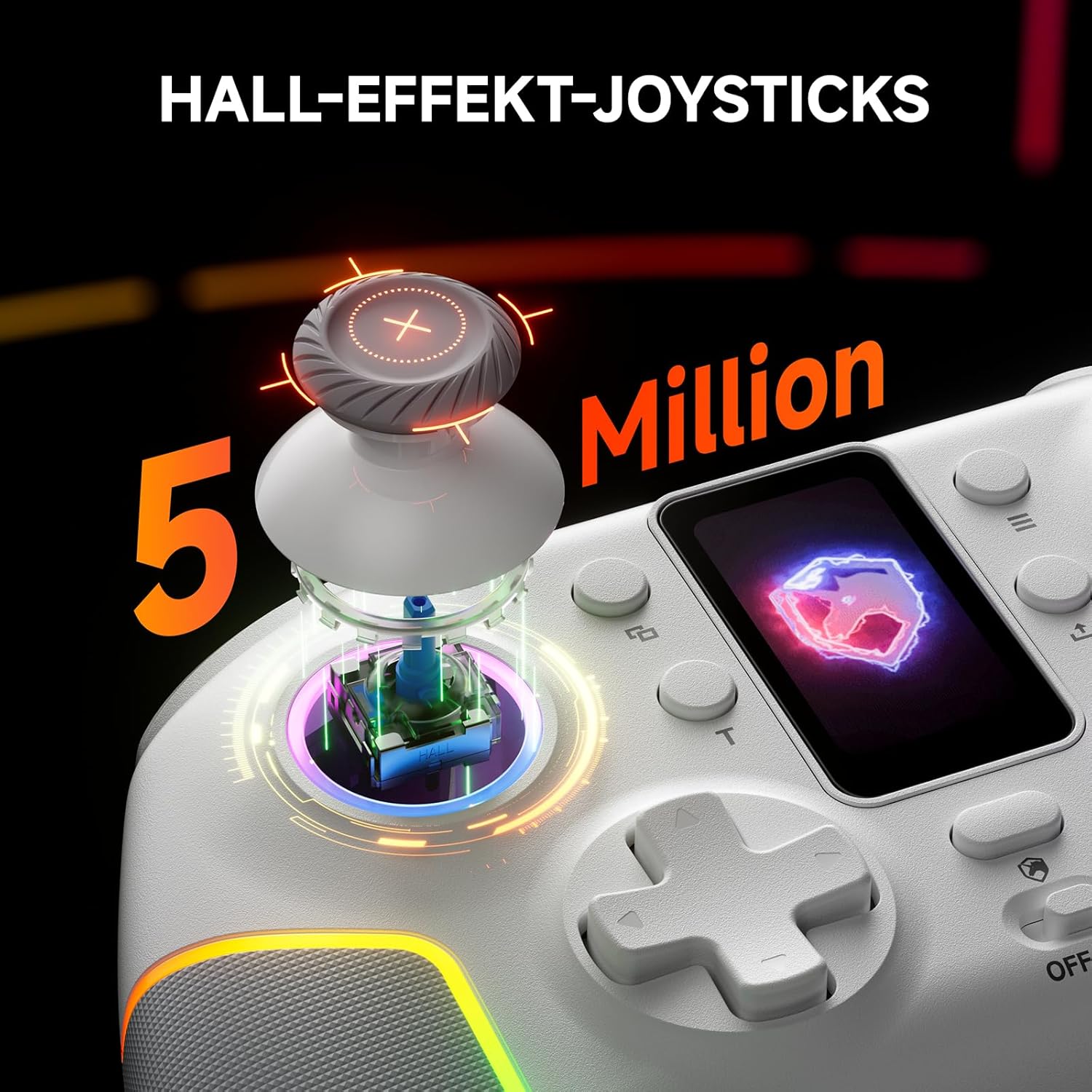
Gambar: Hiji ngabeledug view of the controller's Hall Effect joystick, highlighting its internal components and precision.

Gambar: A lengkep view of the controller's dual Hall Effect triggers, showing the 2mm and 6mm travel options for different gaming scenarios.
Fungsi Turbo
The controller supports three adjustable turbo levels for rapid button presses. Activate and adjust the turbo speed via the intelligent screen or dedicated buttons.
Tombol Balik anu Tiasa Dipetakeun
Two mappable back buttons provide additional customization options for competitive gameplay. These can be assigned to various functions or macros.

Gambar: Underside view of the ECHTPower PC Controller, highlighting the location of the two mappable back buttons.
Pangropéa
- Tetep controller bersih ku ngusap eta ku lawon lemes, garing.
- Ulah ngalaan controller ka suhu ekstrim, kalembaban, atawa sinar panonpoé langsung.
- Ulah ngabongkar controller, sabab ieu bisa batal jaminan.
- Nyimpen controller dina tempat anu aman lamun teu dipaké pikeun nyegah karuksakan.
Pamérésan masalah
| Masalah | Mungkin Cukang lantaranana | Solusi |
|---|---|---|
| Controller teu hurung. | batré lemah. | Charge the controller fully using the USB-C cable. |
| Controller henteu nyambung sacara nirkabel. | Incorrect mode selected; pairing issue; dongle not properly inserted. | Ensure the mode switch is set correctly. Re-initiate pairing. Re-insert the 2.4G dongle. |
| Joystick drift atawa input nu teu akurat. | Software calibration needed (unlikely with Hall Effect, but possible); minor interference. | Check for firmware updates. If issues persist, contact customer support. |
| Geter teu jalan. | Vibration intensity set to 0%; game does not support vibration. | Adjust vibration intensity via the intelligent screen. Verify game compatibility. |
spésifikasi
- model: EP05WH
- Konektipitas: Bluetooth, 2.4G Nirkabel, USB-C Kabel
- Kasaluyuan: PC, Nintendo Switch, iOS, Android (Not compatible with Xbox, PlayStation)
- Joysticks: Balé Pangaruh
- pemicu: Dual Hall Effect (2mm/6mm adjustable travel)
- Laju Polling: 1000Hz (2.4GHz/Wired)
- Batré: 1000mAh (bisa dicas deui)
- Tombol: Conductive Gel Buttons (3 Million Clicks lifespan), Mappable Back Buttons
- Pencahayaan: Dynamic RGB (10 modes)
- Geter: 4-tingkat adjustable
- ukuran: 6.3 x 4.61 x 2.64 inci
- beurat: 11.7 ons
Video Produk Resmi
Video: Hiji acara video produk resmicasing the key features and functionalities of the ECHTPower PC Controller, including its intelligent screen, Hall Effect components, and multi-platform compatibility.
Garansi sareng Rojongan
For warranty information and technical support, please refer to the official ECHTPower websitus atanapi ngahubungan layanan palanggan maranéhanana langsung. Simpen resi pameseran anjeun salaku bukti pameseran.
Pabrikan: ECHTPPOWER


