Bubuka
This manual provides detailed instructions for the setup, operation, maintenance, and troubleshooting of your DIERYA DK68E 60% Mechanical Gaming Keyboard. Please read this manual thoroughly to ensure proper use and to maximize your keyboard's performance and longevity.
Naon dina Box
- DIERYA DK68E Mechanical Keyboard
- USB-C ka USB-A Cable
- Keycap Puller
- Manual pangguna (dokumén ieu)

Image: The DIERYA DK68E keyboard with its detachable USB-C cable.
Disetél
- Buka bungkus kibor: Cabut keyboard sareng sadaya asesoris sacara saksama tina bungkusan.
- Sambungkeun kabel USB: Insert the USB-C end of the provided cable into the port on the keyboard. Connect the USB-A end to an available USB port on your computer.
- Pangwanoh awal: Your computer should automatically detect and install the necessary drivers for the keyboard. This process may take a few moments.
- panempatan: Position the keyboard comfortably on your desk. The keyboard features two-stage adjustable feet for ergonomic typing angles.

Image: Illustration of the USB-C port on the keyboard and the USB-A connector for the computer.

Image: Detail of the keyboard's adjustable feet and anti-slip pads for customized tilt.
Parentah Operasi
Fungsi Keyboard Dasar
The DIERYA DK68E is a 60% layout keyboard, meaning some keys are accessed via function (Fn) layer combinations. Refer to the keycaps for secondary functions, typically indicated on the front or side of the key.
RGB Backlighting Control
The keyboard features 16.8 million colors and 20 pre-set RGB lighting effects. These can be customized directly on the keyboard or through the websupir anu dumasar kana.
- Robah Pangaruh Cahya: Use the designated Fn key combination (e.g., Fn + \) to cycle through pre-set effects.
- Saluyukeun Caang: Use Fn key combinations to increase or decrease backlight brightness.
- Pareuman Lampu Latar: A specific Fn key combination will typically toggle the backlight on/off.
Knob Jilid khusus
The multi-functional knob located on the top right of the keyboard provides convenient media control:
- Rotasikeun: Nyaluyukeun volume sistem.
- Pencét: Toggles play/pause for media.
- Pencét jeung tahan: May mute/unmute audio (refer to specific keyboard documentation for exact function).

Image: The multi-function metal knob for volume and media control.
Web-based Driver (KeyFlow WebOS)
The DIERYA DK68E features a driver-free, web-based customization tool. This allows for advanced personalization without software installation, compatible with Windows, Mac, and Linux.
- Aksés: Buka a web browser and navigate to the official DIERYA web driver portal (URL typically provided in a quick start guide or on the manufacturer's websitus).
- fungsi: Dina jero web interface, you can perform:
- Pemetaan ulang konci
- Complex macro recording
- Quick shortcuts assignment
- Per-key RGB personalization

Image: The KeyFlow WebOS interface for programming and RGB customization.
Fitur konci Leuwihview
- Desain anu Tiasa Ditukerkeun Panas: Supports both 3-pin and 5-pin mechanical switches, allowing for easy customization of typing feel and sound without soldering.
- Struktur Pemasangan Gasket: Provides a flexible typing feel and contributes to a satisfying acoustic profile.
- Pre-Lubed Linear Switches: Factory-lubricated for smooth and consistent keystrokes, rated for 50 million keystrokes.
- 5-Layer Sound-Dampening Foam: Reduces hollow sounds and minimizes noise for an enhanced typing experience.
- Dobel-shot Keycaps: Constructed with double-shot injection molding to ensure legends never fade from wear.
- Laju Polling 1000Hz: Ensures ultra-responsive gaming and typing with lightning-fast command execution.

Gambar: Leuwihview of the DIERYA DK68E's core features.
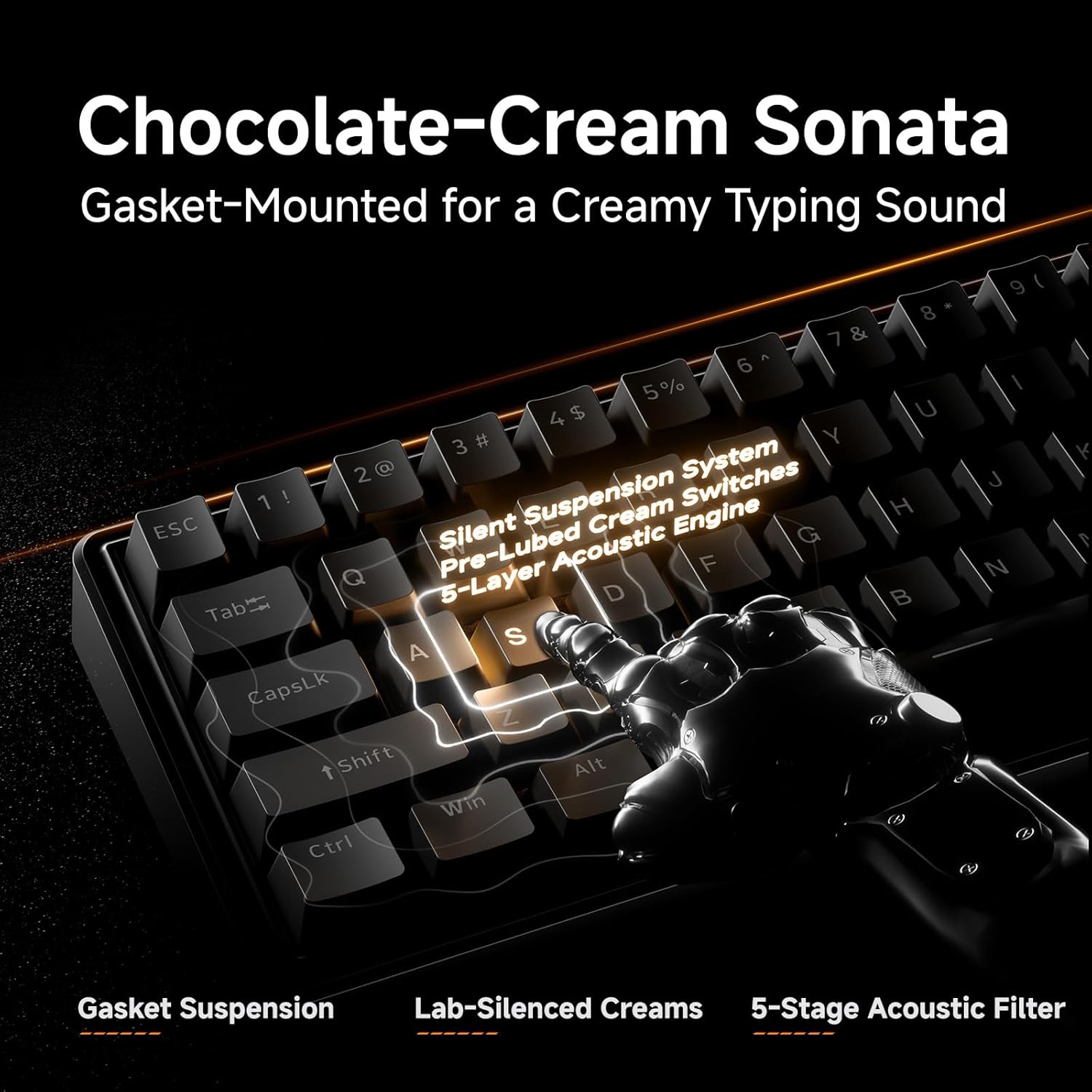
Gambar: Detil view of the gasket-mounted design and internal damplapisan-lapisan ening.

Image: Demonstration of the hot-swappable switch system.
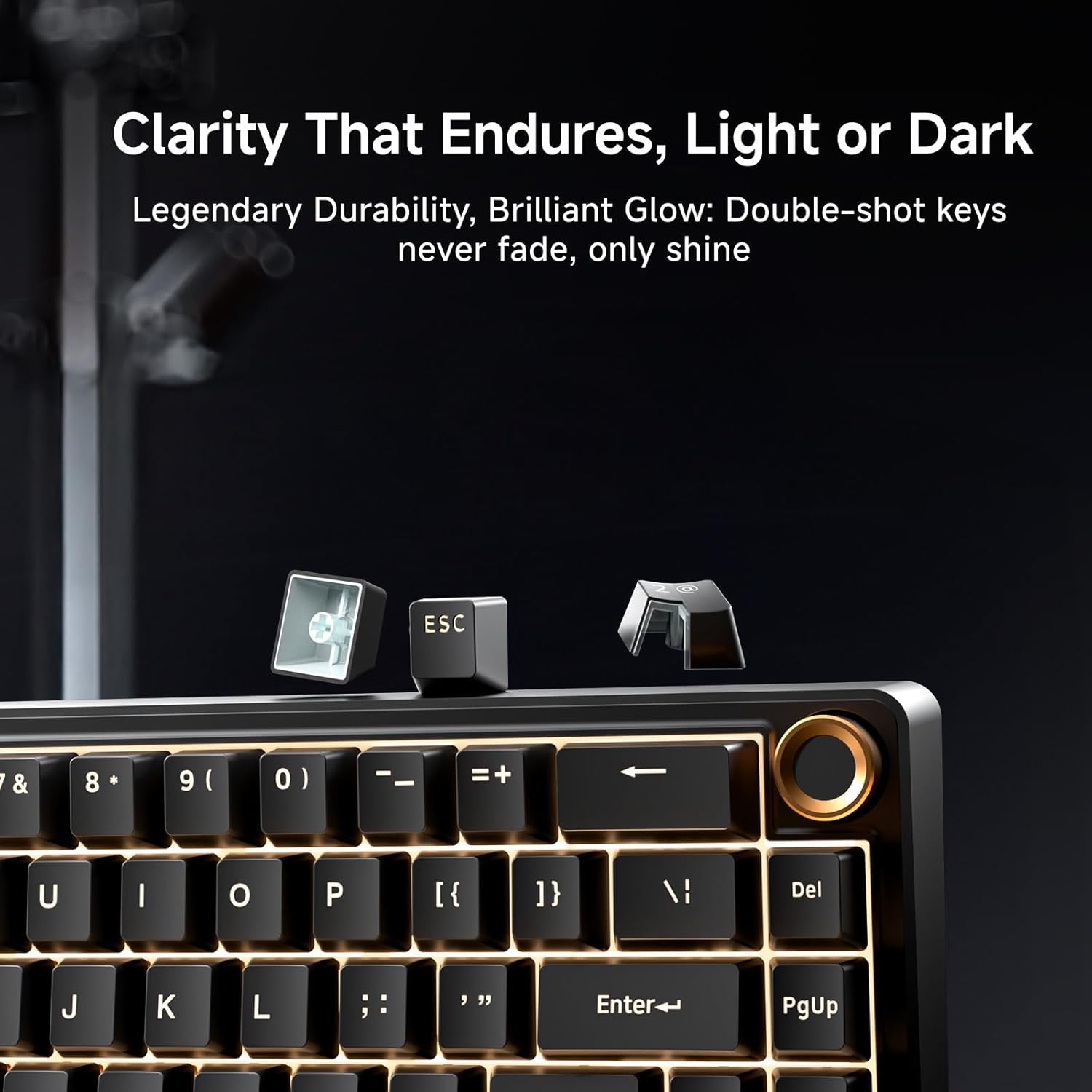
Image: Examination of the durable double-shot keycaps.
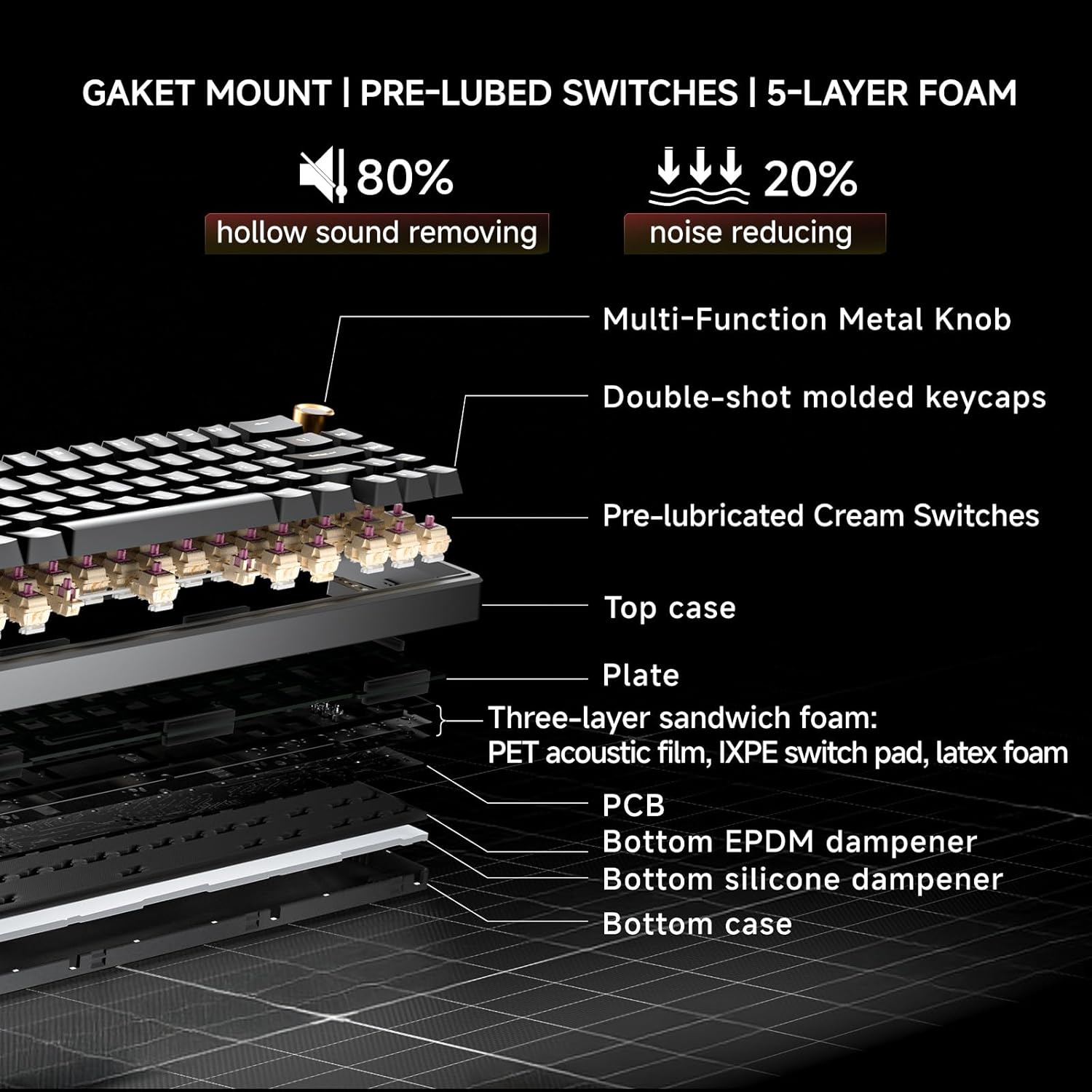
Image: Cross-section diagram detailing the gasket mount, pre-lubed switches, and 5-layer foam construction.
Pangropéa
beberesih
- beberesih umum: Use a soft, dry cloth to wipe the keyboard surface. For dust between keycaps, use compressed air.
- Pembersihan Jero (Keycaps): Use the provided keycap puller to carefully remove keycaps. Clean the keycaps with mild soap and water, then ensure they are completely dry before reattaching. Clean the exposed switch stems and plate with a brush or compressed air.
Switch Replacement (Hot-Swappable)
The DK68E's hot-swappable sockets allow for easy switch replacement without soldering.
- Hapus Keycap: Anggo penarik keycap pikeun nyabut keycap tina saklar anu anjeun hoyong gentos sacara lalaunan.
- Leupaskeun switch: Use a switch puller (often integrated with the keycap puller) to grasp the top and bottom clips of the switch. Gently pull the switch straight up to remove it from the PCB.
- Selapkeun Switch Anyar: Sejajarkeun pin saklar anyar jeung liang dina PCB. Pastikeun pin lempeng sangkan teu bengkok. Pencét saklar pageuh nepi ka ngaklik kana tempatna.
- Pasangkeun deui Keycap: Teundeun keycap deui kana batang switch anyar.
Awas: Ensure the keyboard is unplugged before performing any maintenance involving switch or keycap removal to prevent accidental inputs or damage.
Pamérésan masalah
- Keyboard Teu Ngabales:
- Pastikeun kabel USB disambungkeun sacara aman ka kibor sareng komputer.
- Coba sambungkeun kibor ka port USB anu béda dina komputer anjeun.
- Nguji keyboard dina komputer sejen lamun mungkin pikeun ngaluarkeun masalah komputer-spésifik.
- Lampu RGB Teu Jalan/Salah:
- Check the Fn key combinations for RGB control (e.g., brightness, mode change).
- Aksés ka web-based driver to verify or reset RGB settings.
- Konci Henteu Ngadaptar atanapi Ngetik Ganda:
- For hot-swappable switches, carefully remove the keycap and then the switch. Reinsert the switch firmly to ensure proper contact with the PCB.
- Bersihkeun sakuriling saklar anu kapangaruhan pikeun miceun kokotor naon waé.
- Computer Wakes Up from Sleep When Keyboard is Connected:
- This can sometimes occur due to USB power settings. In your computer's Device Manager (Windows) or System Information (Mac), locate the USB Root Hubs or keyboard entry. In the power management tab, uncheck "Allow this device to wake the computer."
- Alternatively, unplug the keyboard's USB-C cable when putting the computer to sleep.
spésifikasi
| Fitur | Rincian |
|---|---|
| Ngaran modél | DK68E |
| merek | DIERYA |
| Katerangan kibor | Kaulinan, Mékanik |
| Tata perenah | 60% (68 Konci) |
| Téhnologi konektipitas | Wired (USB-A, USB-C) |
| Saklar | Pre-Lubed Linear, Hot-Swappable (3-pin & 5-pin compatible) |
| Gaya Pamasangan | Gasket Gunung |
| Dampening | 5-Layer Sound-Dampening Busa |
| Kancing konci | Double-Shot Molded |
| Lampu tukang | RGB (16.8 million colors, 20 pre-set effects) |
| Programmability | Web-based Driver (KeyFlow WebOS) |
| Laju Polling | 1000Hz |
| Alat nu cocog | Laptop, PC |
| Bahan | palastik |
| Item Beurat | 1.65 pon |
| Ukuran Paket | 14.8 x 4.72 x 1.93 inci |
Garansi sareng Rojongan
Warranty information for your DIERYA DK68E keyboard is typically included with your purchase documentation. Please refer to those materials for specific terms and conditions.
For further assistance, technical support, or to access the latest drivers and firmware updates, please visit the official DIERYA websitus atanapi ngahubungi dukungan palangganna sacara langsung. Anjeun ogé tiasa nganjang ka DIERYA Store on Amazon pikeun inpormasi produk sareng sumber dukungan.


