1. Émbaran Kasalametan penting
Please read all safety and operating instructions carefully before using your new television. Keep these instructions for future reference. Always follow basic safety precautions to reduce the risk of fire, electric shock, and injury to persons.
- Ulah meungpeuk sagala bukaan ventilasi.
- Entong dipasang di deukeut sumber panas sapertos radiator, register panas, kompor, atanapi aparat sanésna (kalebet ampLiifiers) anu ngahasilkeun panas.
- Nangtayungan kabel listrik tina leumpang atawa diciwit, utamana dina colokan, wadah merenah, jeung titik dimana aranjeunna kaluar tina aparat.
- Ngan anggo kantétan/aksésori anu ditunjuk ku produsén.
- Cabut colokan alat ieu nalika badai kilat atanapi nalika henteu dianggo kanggo waktos anu lami.
- Rujuk sadayana jasa ka tanaga jasa anu mumpuni.
2. Naon dina Box
Carefully unpack your TCL 55C72K TV and ensure all items are present. The package should contain the following:
- TV LED 1N (TCL 55C72K)
- 1N Stand (Stand Luhur Méja)
- 1N Kadali Jauh
- 2N AAA Batteries for Remote Control

Image: Contents of the box, showing the TCL 55C72K television, remote control, and two AAA batteries.
Catetan: A fixed or adjustable wall mount is not included in the box. This can be purchased separately or through a service provider.
3. Setélan
3.1. Masang Stand atanapi Pemasangan Tembok
Your TCL 55C72K TV comes with a table-top stand. For wall mounting, a compatible VESA mount (not included) is required. Ensure the TV is placed on a stable, level surface or securely mounted to a wall.
3.2. Alat Sambungkeun
The TCL 55C72K offers various connectivity options:
- Port HDMI: 4 HDMI ports are available. HDMI 1 and HDMI 2 support 4K/144Hz, with HDMI 1 also supporting (e)ARC for enhanced audio return. HDMI 3 and HDMI 4 support 4K/60Hz.
- Port USB: 1 USB 3.0 port and 1 USB 2.0 port for connecting external storage devices.
- Port LAN: Pikeun sambungan internét kabel.
- Input anteneu: Pikeun nyambungkeun anteneu terestrial atanapi kabel.
- Audio optik kaluar: Pikeun nyambungkeun ka sistem audio éksternal.

Image: Side and rear view of the TCL 55C72K TV, highlighting USB 3.0, USB 2.0, LAN, HDMI (4K/144Hz, 4K/60Hz), Cable/Antenna, and Optical Audio Out ports.
3.3. Daya Awal Hurung sareng Setup Wizard
After connecting the power cord and any external devices, press the power button on the remote control. The TV will guide you through the initial setup process, including network connection, Google account login, and basic picture/sound settings.
4. Ngoperasikeun TV Anjeun
4.1. Fungsi Jauh Jauh
The smart remote control provides quick access to various functions and streaming services. Insert the two AAA batteries into the remote control before use.

Image: The TCL 55C72K remote control, featuring a D-pad, number buttons, and dedicated hotkeys for Netflix, Prime Video, YouTube, and other services, along with a Google Assistant button.
- Tombol Daya: Ngahurungkeun atawa mareuman TV.
- Tombol Asisten Google: Activates voice control for searching content, controlling smart devices, and getting information.
- Navigation Pad (D-pad): Pikeun navigasi menu.
- Volume Kaluhur/Turun: Saluyukeun tingkat polumeu.
- Saluran luhur/handap: Robah saluran TV.
- Hotkeys husus: One-button quick access to popular streaming platforms like Netflix, Prime Video, YouTube, and more.
4.2. Fitur Smart TV (Google TV)
The TCL 55C72K runs on Google TV, offering a personalized and integrated smart TV experience.

Image: The Google TV home screen displaying recommended content and icons for popular streaming applications such as YouTube, Prime Video, Disney+ Hotstar, Netflix, and more.
- Papanggihan eusi: Google TV organizes movies, shows, and live TV from your subscriptions and apps into one place.
- Kontrol sora: Use Hands-Free Voice Control or the remote's Google Assistant button to search, control playback, and manage smart home devices.
- Aksés Aplikasi: Access a wide range of applications from the Google Play Store, including Prime Video, Netflix, Hotstar, Zee5, and more.
- Pangeunteungan layar: Cast content from your smartphone or tablet to the TV. Supports Airplay 2.
- Gawe sareng Alexa: Integrate with Amazon Alexa-enabled devices for voice control.
- Master kaulinan: Optimized settings for an enhanced gaming experience.
4.3. Fitur tampilan
The TCL 55C72K features advanced display technologies for superior picture quality:
- Panel LED QD-Mini: Combines Quantum Dot and Mini LED technologies for ultra-high peak brightness, contrast, and color gamut.
- Precise Dimming Series: Up to 2048 local dimming zones for deeper blacks and higher brightness, enhancing picture performance.
- HDR 2600 nits: Delivers stunning brightness and vivid details in HDR content. Supports HDR10+, HLG, and Dolby Vision IQ.
- Laju Refresh 144Hz: Native 144Hz refresh rate (VRR 48-288Hz/DLG 240Hz) for smoother motion and clearer images, especially in fast-paced scenes and gaming.
- Prosesor AiPQ Pro: An AI picture quality processor that optimizes color, contrast, and clarity.
- IMAX ditingkatkeun: Certified for IMAX Enhanced content, providing a premium audio-visual experience.
- FreeSync Premium Pro: Mastikeun kaulinan anu bébas soék sareng latency rendah.

Image: Explanation of QD-Mini LED technology, combining QLED and Mini LED for superior display performance.

Image: Visual demonstrating the Precise Dimming Series with up to 2048 zones, illustrating how it achieves deeper blacks and higher brightness.

Image: A dynamic scene with a car, highlighting the smooth and clear motion achieved with the 144Hz Native Refresh Rate.
4.4. Fitur Audio
Experience immersive sound with the integrated audio system:
- Kaluaran 60 Watt: Kaluaran audio anu kuat pikeun sora anu jelas sareng dinamis.
- Dolby Atmos: Ngaluarkeun sora multi-diménsi anu ngalir di sakuriling anjeun.
- DTS Virtual-X: Provides an immersive audio experience without the need for additional speakers.
- ONKYO 2.1.2 CH Hi-Fi System: Integrated ONKYO speakers for a high-fidelity audio experience.
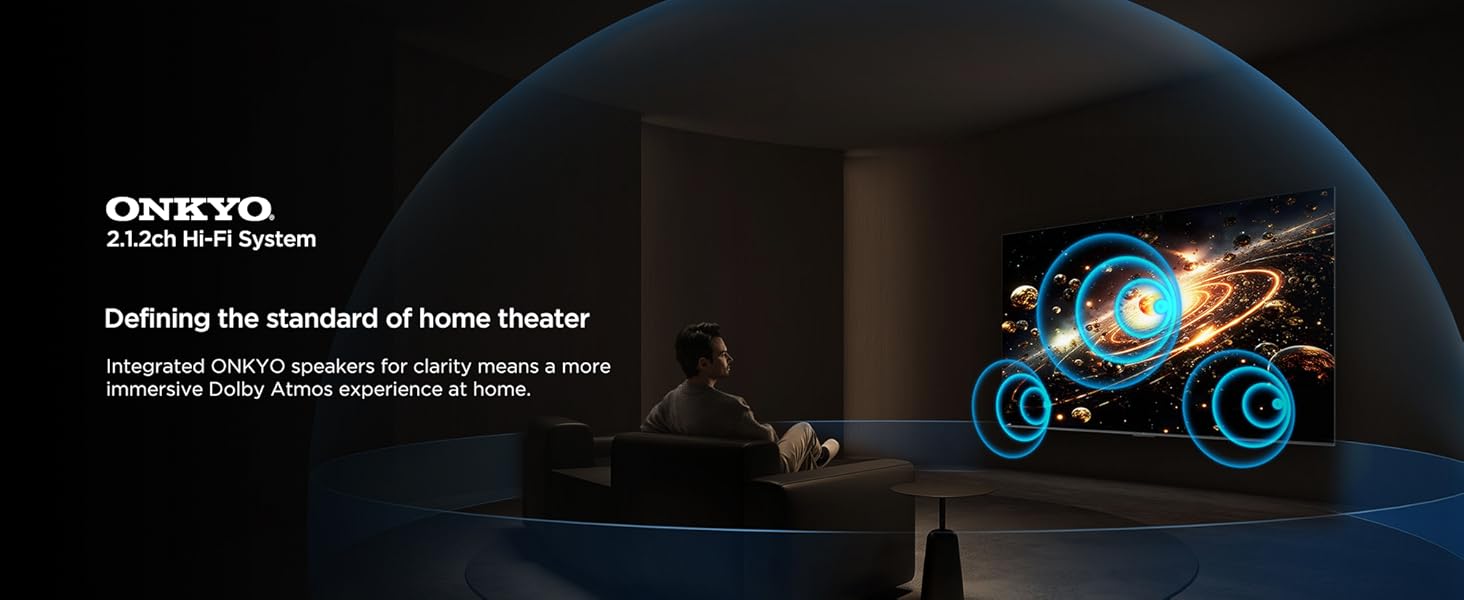
Image: A visual representation of the ONKYO 2.1.2ch Hi-Fi System, emphasizing its role in delivering an immersive Dolby Atmos home theater experience.
4.5. Fitur kaulinan
The TCL 55C72K is designed for an optimal gaming experience:
- Master kaulinan: A suite of features to enhance gaming, including low input lag and optimized picture settings.
- AMD FreeSync Premium Pro: Ngaleungitkeun layar robek sareng gagap pikeun midangkeun cairan.
- HDMI2.1: Supports advanced gaming features like 4K@120Hz (or 144Hz) and Variable Refresh Rate (VRR).
Image: A vibrant gaming illustration showcasing the 'Game Master' feature, designed to provide a professional and smooth gaming experience.
4.6. Fitur Perawatan Panon
The TV incorporates features to reduce eye strain during prolonged viewing:
- Multiple Perawatan Mata: Certified with TUV Low Blue Light and Flicker Free technologies.
- Hibrid Log Gamma (HLG): Supports HLG for compatible content.

Gambar: Visual examples demonstrating the benefits of Multiple Eye Care features, including low blue light and flicker-free technology, for protecting viewers' eyes.
4.7. Énergi Hemat Mode
The TCL 55C72K includes an energy-saving mode to reduce power consumption.

Image: The Energy Dashboard interface on the TCL TV, illustrating options for Energy Saving, Brightness, Adaptive Brightness, and Dynamic Brightness settings.
The energy-saving mode integrates features like Adaptive Brightness and Dynamic Brightness to optimize power usage. You can configure these settings in the TV's menu.
5. Pangropéa
To ensure the longevity and optimal performance of your TCL 55C72K TV, follow these maintenance guidelines:
- Ngabersihan layar: Lembut usap layar nganggo lawon anu lemes sareng teu aya serat. Pikeun tanda nekad, rada dampen lawon jeung cai atawa cleaner layar husus. Hindarkeun bahan kimia anu kasar.
- Ngabersihkeun pigura: Anggo lawon anu lembut sareng garing pikeun ngabersihan pigura TV sareng nangtung.
- Ventilasi: Pastikeun bukaan ventilasi dina tonggong TV teu diblokir pikeun nyegah overheating.
- Kabel listrik: Pariksa kabel listrik sacara rutin pikeun ningali karusakan naon waé. Upami ruksak, hubungi petugas servis anu mumpuni pikeun ngagantina.
- Debu: Periodically dust the TV and surrounding area to prevent dust buildup.
6. Cara ngungkulan
If you encounter issues with your TCL 55C72K TV, refer to the following common troubleshooting steps:
6.1. Taya Daya
- Pariksa naha kabel listrik dicolokkeun sacara aman kana TV sareng stopkontak.
- Pastikeun stop kontak listrik berpungsi ku cara nyolokkeun alat anu sanés.
- Coba pencét tombol daya dina TV sorangan, teu ngan jauh.
6.2. Taya Gambar/Kualitas Gambar Miskin
- Pastikeun sumber input anu bener dipilih (contona, HDMI 1, AV).
- Pariksa sadaya sambungan kabel antara TV jeung alat éksternal.
- Saluyukeun setelan gambar (kacaangan, kontras, warna) dina menu TV.
- Upami nganggo anteneu, pariksa sambungan anteneu sareng cobian nyeken deui saluran.
- For low-quality video sources, note that upscaling performance varies.
6.3. Taya Sora/Kualitas Sora Miskin
- Pastikeun polumeu teu dipareuman sareng dihurungkeun.
- Pariksa kabel audio upami nganggo spiker éksternal atanapi soundbar.
- Adjust sound settings (equalizer, sound mode) in the TV menu.
- If using HDMI (e)ARC, ensure the external audio system is correctly configured.
6.4. Remote Control Teu Gawé
- Ganti batré dina kadali jauh.
- Pastikeun teu aya halangan antara jauh sareng sénsor IR TV.
- Upami éta remot Bluetooth, pastikeun éta dipasangkeun kalayan leres.
6.5. Smart TV/Internet Connectivity Issues
- Check your Wi-Fi connection or LAN cable.
- Balikan deui router / modem anjeun.
- Go to the TV's network settings and try reconnecting to your network.
- Pastikeun parangkat lunak TV parantos diropéa.
For more complex issues, please refer to the support section or contact TCL customer service.
7. Spésifikasi
Detailed technical specifications for the TCL 55C72K 4K UHD Smart QD-Mini LED Google TV:
| Fitur | Spésifikasi |
|---|---|
| merek | TCL |
| Modél | 55C72K |
| Ukuran layar | 55 Inci (139 cm) |
| Téknologi tampilan | QD-Mini LED |
| Resolusi | 4K UHD (3840 x 2160 piksel) |
| Refresh Laju | 144 Hz (VRR 48-288Hz/DLG 240Hz) |
| Sistem operasi | Google TV |
| Prosesor | 64-bit Quad Core Processor (AiPQ Pro Processor) |
| Mémori RAM | 3 GB |
| Kapasitas Panyimpenan Mémori | 64 GB |
| Rojongan HDR | HDR 2600 nits, Dolby Vision IQ, HDR10+, HLG |
| Zona Dimming Lokal | Up to 2048 Zones (Precise Dimming Series) |
| Kaluaran Audio | 60 Watts (ONKYO 2.1.2 CH Hi-Fi System) |
| Téhnologi Audio | Dolby Atmos, DTS Virtual-X |
| Konektipitas | 4 HDMI Ports (2x 4K/144Hz, 2x 4K/60Hz), 1 USB 3.0, 1 USB 2.0, 1 LAN, 1 Antenna Input, 1 Optical Audio Out, Wi-Fi, Bluetooth |
| Fitur husus | Hands Free Voice Control, Screen Mirroring, Works with Alexa, Airplay 2, Game Master, IMAX Enhanced, FreeSync Premium Pro, Multiple Eye Care (TUV Low Blue Light Certified), Energy Saving Mode |
| Ukuran produk (L x W x H) | 122.6 x 31.5 x 71.1 cm (kalayan nangtung) |
| Item Beurat | 13.3 kg |
| Sumber Daya | AC 240 volt |
| Model Taun | 2025 |

Image: Detailed dimensions of the TCL 55C72K television, including height, width, and depth with and without the stand, along with weight information.
8. Garansi jeung Rojongan
8.1. Émbaran jaminan
The TCL 55C72K television comes with a garansi 2 taun disadiakeun ku produsén ti tanggal dibeuli. Kadali jauh ngagaduhan anu misah 6-garansi sasih. Klaim garansi tiasa diolah nganggo e-invoice Amazon anjeun.
8.2. Rojongan Palanggan
For technical assistance, service requests, or any queries regarding your TCL 55C72K TV, please contact TCL customer support. You can find contact details on the official TCL India websitus atanapi tingal dokuméntasi anu disayogikeun sareng produk anjeun.
9. Video Produk Leuwihview
Lalajo video ieu pikeun visual leuwihview of the TCL 55C72K's display capabilities and features.
Video: Pra pondokview mintonkeuncasing the display quality and visual performance of the TCL 55C72K 4K UHD Smart QD-Mini LED Google TV.