1. Bubuka
The Haozee Smart Irrigation Computer YCF-Zigbee-WT-2 OUTLET is an intelligent watering timer designed for garden hoses. It features two independent water outlets and can be controlled remotely via an application when connected to a Tuya Zigbee Hub. This manual provides instructions for setup, operation, and maintenance to ensure optimal performance of your device.

Figure 1: Haozee Smart Irrigation Computer and its mobile application interface.
2. Émbaran Kasalametan
- Baca sagala parentah taliti saméméh pamakéan.
- This device is designed for outdoor use with garden hoses.
- Do not immerse the device in water. The device has an IPX5 waterproof rating, meaning it is protected against low-pressure water jets from any direction, but not submersion.
- Pastikeun sadaya sambungan aman pikeun nyegah bocor.
- Keep out of reach of children. Contains small parts that may pose a choking hazard.
- Use only the specified battery type (check device for markings).

Figure 2: Product label showing safety warnings regarding small parts and choking hazards.
3. Eusi Paket
Pastikeun yén sadaya komponén aya:
- Haozee Smart Irrigation Computer (YCF-Zigbee-WT-2 OUTLET)
- Manual pangguna (dokumén ieu)
- Note: Tuya Zigbee Hub and batteries are not included and must be purchased separately.
4. Setélan
4.1. Pamasangan batré
- Panggihan kompartemen batré dina alat.
- Buka panutup kompartemen batré.
- Insert the required batteries (e.g., AA or AAA, check device for specific type) ensuring correct polarity.
- Tutup panutup kompartemen batré aman.
4.2. Instalasi fisik
- Attach the Haozee Smart Irrigation Computer to a standard outdoor faucet. Ensure the connection is tight to prevent leaks.
- Connect your garden hoses to the two independent water outlets at the bottom of the device. The connections are made of 30% reinforced nylon fiber material for durability.

Figure 3: Device connected to a faucet with two hoses, illustrating independent zone control.
4.3. Connecting to Tuya Zigbee Hub and App
The Haozee Smart Irrigation Computer requires a Tuya Zigbee Hub for remote control functionality. Ensure your Zigbee Hub is set up and connected to your home network according to its own instructions.
- Download the Tuya Smart or Smart Life application from your mobile device's app store.
- Daptar atanapi lebet kana akun anjeun.
- Add your Tuya Zigbee Hub to the application if you haven't already.
- Follow the in-app instructions to add the Haozee Smart Irrigation Computer to your Zigbee network via the Tuya Zigbee Hub.
- Once paired, you can manage the device remotely.

Figure 4: Remote control of the irrigation timer via the mobile application.
5. Parentah Operasi
5.1. Independent Water Outlets
The device features two independent water outlets, each with its own switch. This allows for separate watering schedules and durations for different areas of your garden, such as flower beds, lawns, or vegetable gardens.
Figure 5: Illustration of two independent watering zones with distinct schedules.
5.2. Modeu Nyiram
The Haozee Smart Irrigation Computer supports various watering modes accessible through the mobile application:
- Kontrol Manual: Turn the device on or off instantly as needed directly from the app.
- Mode waktos: Set specific start and end times for watering to maintain consistent garden humidity.
- Mode siklik: Configure watering to repeat within a set period of time, allowing for interval-based irrigation.

Figure 6: Application interface for setting timed and cyclical watering schedules.
5.3. Fungsi Reureuh Hujan
To prevent overwatering during rainy periods, the device offers a Rain Delay mode. You can manually set a delay from 1 to 7 days based on real-time weather forecasts available in the mobile application. This feature helps conserve water and protects your plants from excessive moisture.
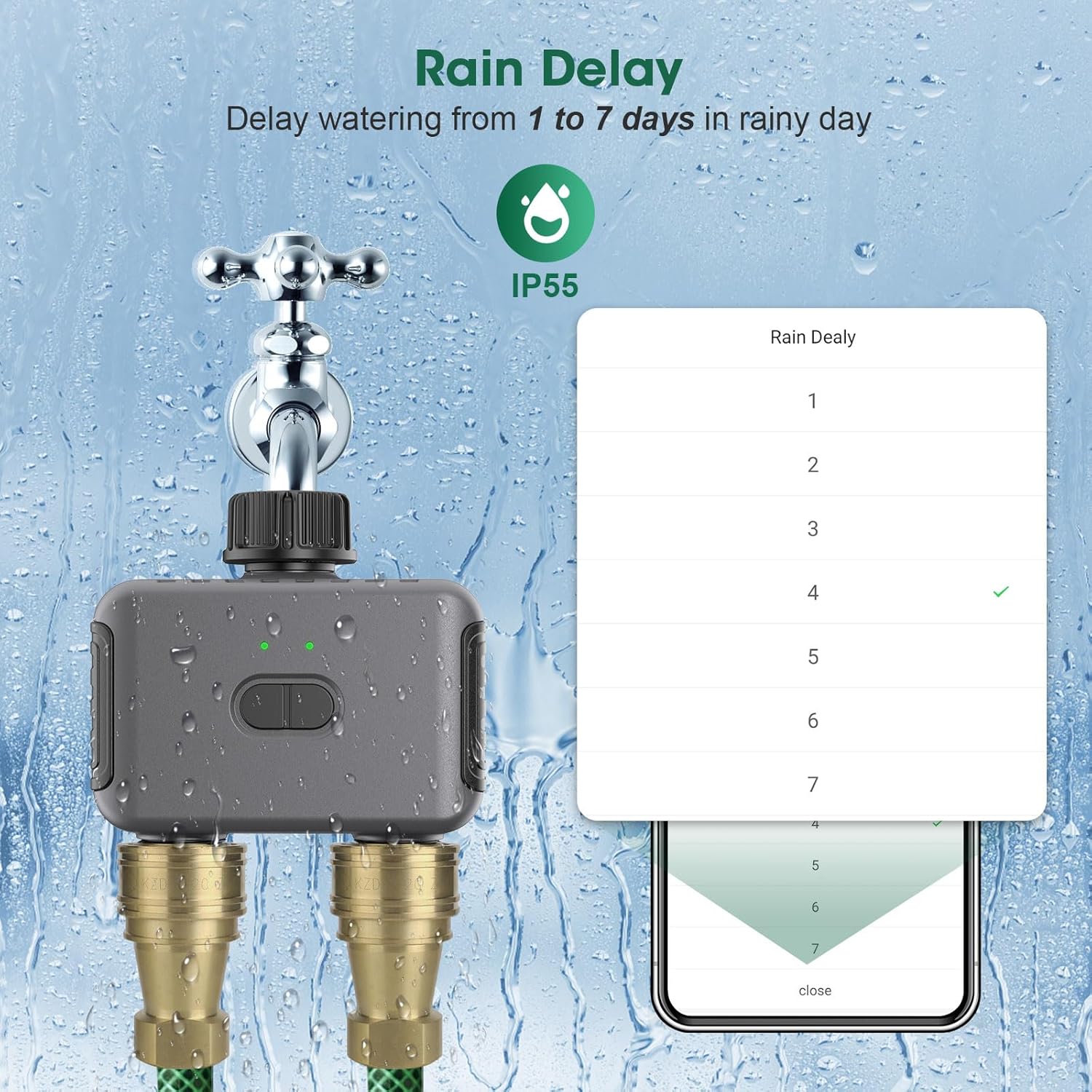
Figure 7: Rain Delay feature selection in the mobile application.
5.4. Pamaduan Kontrol Sora
The Haozee Smart Irrigation Computer supports voice control through Amazon Alexa and Google Assistant. After linking your Tuya account with your voice assistant, you can issue commands such as "Alexa, open the Smart Dual Water Timer" to manage your watering schedules.

Figure 8: Voice control functionality with Amazon Alexa and Google Assistant.
5.5. Home Assistant and Zigbee2mqtt Support
For advanced users, the Haozee Smart Irrigation Computer supports integration with Home Assistant via Zigbee2mqtt. This allows for linking with other Tuya sensors, such as soil temperature and humidity sensors, to create a more comprehensive smart irrigation system.
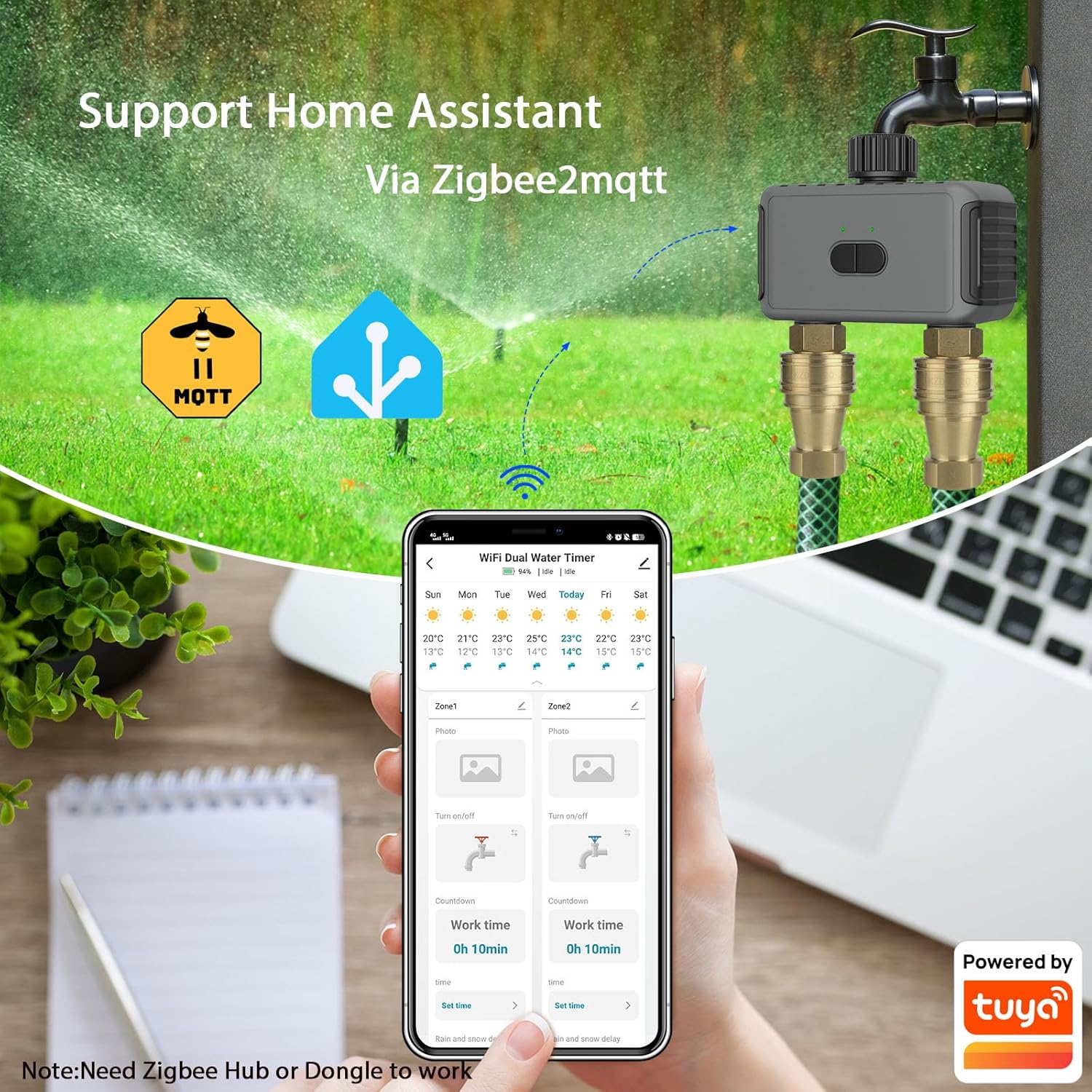
Figure 9: Integration with Home Assistant and Zigbee2mqtt for advanced automation.
6. Pangropéa
- Ngagantian batré: Replace batteries when the low battery indicator appears in the app or on the device.
- beberesih: Periodically wipe the exterior of the device with a damp lawon. Ulah make cleaners abrasive atawa pangleyur.
- Winterization: In freezing climates, disconnect the device from the faucet and store it indoors to prevent damage from ice expansion.
- Pariksa sambungan: Regularly inspect hose connections for wear or leaks and tighten as necessary.
7. Cara ngungkulan
| Masalah | Mungkin Cukang lantaranana | Solusi |
|---|---|---|
| Device not responding in app |
|
|
| Cai teu ngocor |
|
|
| Bocor dina sambungan |
|
|
8. Spésifikasi
| Nomer modél | YCF-Zigbee-WT-2 OUTLET |
| merek | Haozee |
| Dimensi produk | 12D x 12W x 6H séntiméter |
| Item Beurat | 0.43 kg |
| Peunteun waterproof | IPX5 |
| Jumlah Setélan | 4 (referring to watering modes/schedules) |
| Batré Diperlukeun | Yes (type not specified, typically AA or AAA) |
| Konektipitas | Zigbee (merlukeun Tuya Zigbee Hub) |
| UPC | 640712053590 |
9. Garansi jeung Rojongan
The Haozee Smart Irrigation Computer is manufactured with high-quality materials and undergoes rigorous testing. While specific warranty details are not provided in this manual, please refer to the product packaging or the retailer's websitus kanggo inpormasi jaminan.
For technical support or inquiries, please contact your retailer or the manufacturer, Haozee. Contact information may be available on the product packaging or the official Haozee websitus.


