1. Bubuka
This user manual provides essential information for the safe and efficient operation of your Thunderobot Radiant 16 5060 Gaming Laptop. Please read this manual thoroughly before using the device to ensure proper setup, usage, and maintenance. Keep this manual for future reference.

Image: The Thunderobot Radiant 16 Gaming Laptop, showcasing its display and RGB backlit keyboard.
2. Produk Langkungview
2.1 Fitur konci
- Prosesor: Intel Core i7-14650HX (16 Cores, 24 Threads, up to 5.2 GHz)
- Grafik: NVIDIA GeForce RTX 5060
- tampilan: 16-inch QHD+ (2560x1600) 300Hz display
- Mémori: 32 GB DDR5 RAM
- Panyimpenan: SSD PCIe M.2 2TB
- Sistem operasi: Windows 11 Imah
- Konektipitas: Wi-Fi 6, Bluetooth, Multiple USB ports (Type-A, Type-C), HDMI, RJ-45, Audio Port
- kibor: RGB Backlit Keyboard with Numeric Keypad
- Cooling: Advanced thermal management with dual turbofans and copper fins
2.2 Komponén jeung palabuhan
Familiarize yourself with the various components and ports of your laptop for optimal usage.

Image: Diagram illustrating the various ports and slots on the Thunderobot Radiant 16 laptop, including USB, HDMI, RJ45, and power input.
- Sisi kénca: USB 3.1 Gen1 Type-A, Audio Port
- Sisi katuhu: USB 3.1 Gen1 Type-A, USB 3.1 Gen1 Type-A
- Sisi pungkur: AC Power Supply, USB 3.1 Gen2 Type-C, HDMI 2.1, RJ45
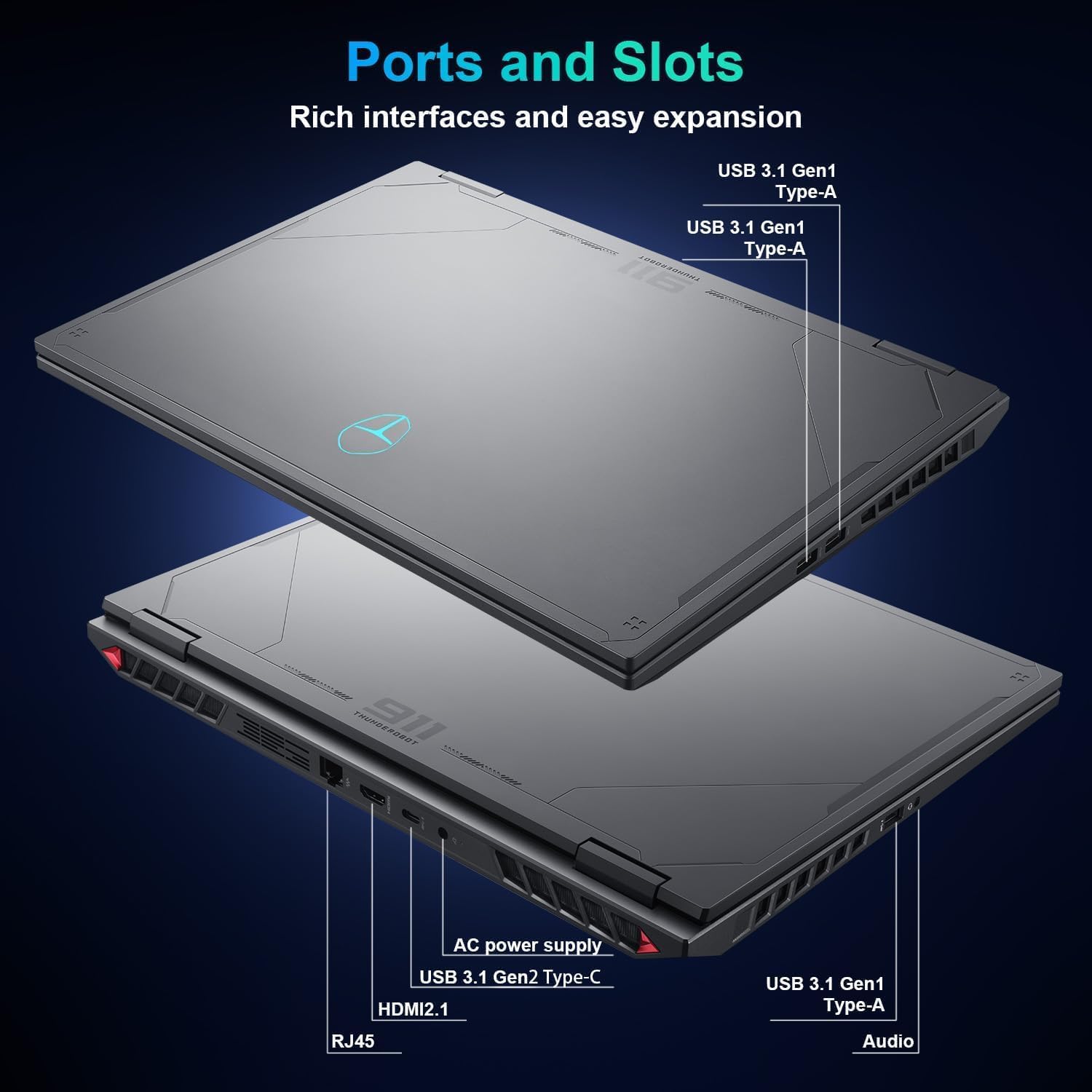
Image: Close-up of the Thunderobot Radiant 16 keyboard, highlighting the RGB backlighting, numeric keypad, and key travel.
- kibor: Features three-zone RGB backlighting, 1.8mm key travel, 0.2T micro arc keycaps, sunken full-size arrow keys, and an independent numeric keypad.
3. Setélan
3.1 Mimiti Power-On
- Buka bungkus laptop sareng sadaya asesoris tina kotakna.
- Connect the AC power adapter to the laptop's power input port and then to a power outlet.
- Buka tutup laptop sareng pencét tombol daya, biasana aya di luhur kibor atanapi di sisi.
- Turutan parentah dina layar pikeun ngalengkepan setelan Windows 11 Home awal, kalebet pilihan basa, sambungan jaringan, sareng nyieun akun pangguna.
3.2 Nyambungkeun périferal
Connect external devices such as a mouse, external keyboard, or monitor to the appropriate ports as needed.
4. Parentah Operasi
4.1 Panggunaan Tampilan
The 16-inch QHD+ (2560x1600) display offers a 300Hz refresh rate for smooth visuals. Adjust display settings through Windows Display Settings (Right-click on desktop > Display settings) to optimize resolution, refresh rate, and color profiles.

Image: Details of the 16-inch IPS Esports Display, highlighting 300Hz refresh rate, 100% sRGB, 2560x1600 QHD+ resolution, and 500 Nit brightness.
4.2 Fungsi kibor
The RGB backlit keyboard includes a numeric keypad. Use the Fn key in combination with other keys to access special functions (e.g., screen brightness, volume control, keyboard backlight adjustment). Refer to the keyboard legends for specific functions.
4.3 Control Center Software
The Thunderobot Control Center software allows you to manage performance modes, fan speeds, and lighting settings.

Image: Screenshots of the Control Center interface, showing options for performance modes (Berserk, Game, Audio/Video Office), fan adjustment, and system monitoring. Note: System mode switching requires the device to be connected to a power source.
- Modeu kinerja: Switch between Berserk mode (full performance), Game mode (smooth and online), and Audio/Video Office mode (power-efficient).
- Penyesuaian kipas: Sesuaikeun kecepatan kipas profiles.
- Setélan cahaya: Adjust RGB keyboard backlighting.
- Note: System mode switching in Control Center requires the device to be connected to a power source.
4.4 Sistim Audio
The laptop features Nahimic-powered audio for immersive sound. Adjust audio settings through the Nahimic software or Windows Sound settings.
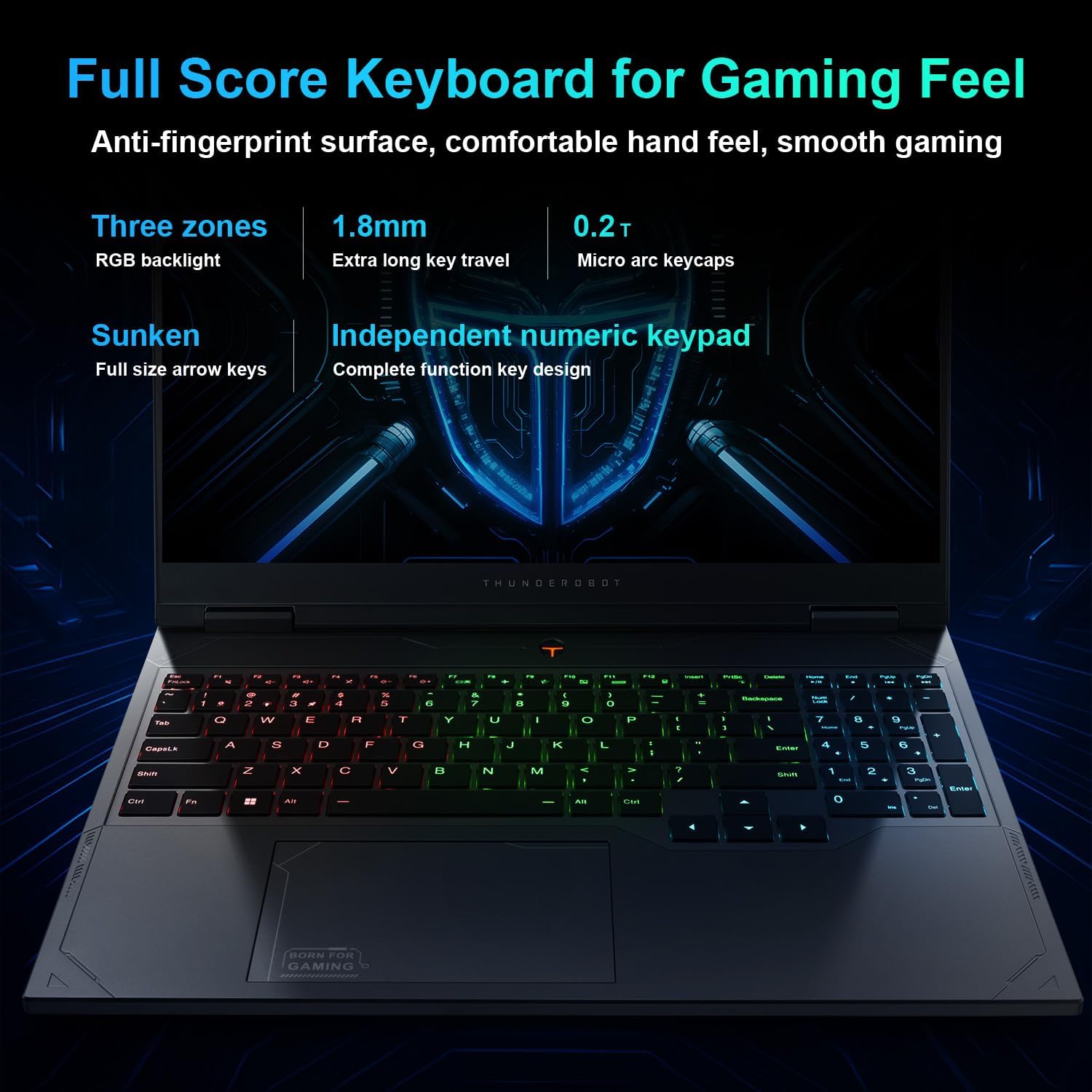
Image: Visual representation of the Nahimic audio system, emphasizing rich bass and crystal highs for immersive soundscapes.
5. Pangropéa
5.1 beberesih
- Anggo lawon anu lemes sareng henteu buluan pikeun ngabersihkeun layar sareng permukaan luar.
- Pikeun tanda nekad, dampbilas lawon saeutik ku cai atawa pembersih anu aman pikeun layar.
- Ulah nyemprotkeun cairan langsung kana laptop.
- Anggo hawa anu dikomprés pikeun ngabersihan lebu tina tombol kibor sareng kisi-kisi ventilasi.
5.2 Manajemén termal
The laptop is equipped with an advanced cooling system. Ensure ventilation openings are not obstructed during use. Regularly clean dust from the fan vents to maintain optimal cooling performance.
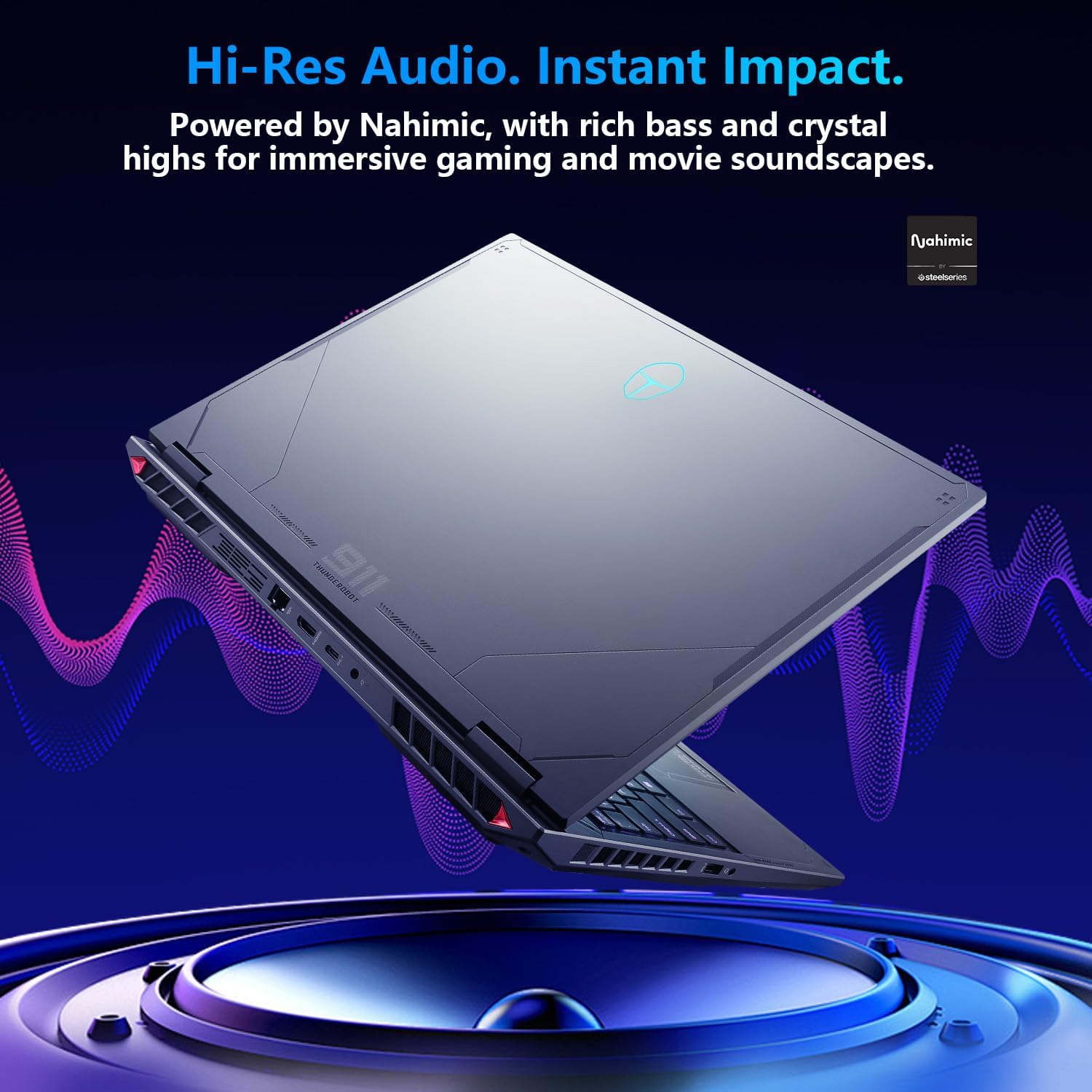
Image: Diagram illustrating the laptop's thermal management, including ultra-thin copper fins and dual turbofans for rapid cooling.
5.3 Perawatan Batré
- Pikeun umur batre optimal, ulah pinuh discharging batré remen.
- Simpen laptop di tempat anu tiis sareng garing upami henteu dianggo kanggo waktos anu lami.
- Anggo ngan ukur adaptor daya asli anu disayogikeun sareng laptop.
6. Cara ngungkulan
6.1 Isu umum jeung Solusi
| Masalah | Solusi anu mungkin |
|---|---|
| Laptop teu hurung. | Ensure the power adapter is securely connected to both the laptop and a working power outlet. Check if the power outlet is functional. Try pressing the power button for 10-15 seconds. |
| Layarna kosong atawa hideung. | Check if the laptop is powered on. Connect an external monitor to verify if the issue is with the laptop's display. Adjust screen brightness using function keys. |
| Masalah sambungan Wi-Fi. | Ensure Wi-Fi is enabled in Windows settings. Restart your router and the laptop. Check for updated Wi-Fi drivers. |
| Kibor atanapi touchpad henteu ngaréspon. | Restart the laptop. Check for any physical obstructions. Ensure touchpad is not disabled via function keys. |
| Sistem slow atanapi unresponsive. | Close unnecessary applications. Check Task Manager for high CPU/RAM usage. Ensure sufficient free space on the SSD. Run a system scan for malware. |
7. Spésifikasi
The following table outlines the key technical specifications of the Thunderobot Radiant 16 5060 Gaming Laptop.
| Fitur | Rincian |
|---|---|
| merek | Gunturbot |
| Ngaran modél | Sinar 16 |
| Ukuran Layar Ngadeg | 16 inci |
| Resolusi layar Max | 2560x1600 Pixels (QHD+) |
| Prosesor | Intel Core i7-14650HX (16 Cores, up to 5.2 GHz) |
| Ram | 32 GB DDR5 (4800 MHz) |
| Hard Drive | 2 TB SSD (PCIe x 4) |
| Grafik Coprocessor | NVIDIA GeForce RTX 5060 |
| Sistem operasi | Windows 11 Imah |
| Tipe Wireless | 802.11ax (Wi-Fi 6) |
| Jumlah USB 3.0 palabuhan | 4 (3x Type-A, 1x Type-C) |
| Item Beurat | 12 pon |
| Dimensi produk | 14.09 x 10 x 0.82 inci |
| Warna | kulawu |
| Sumber Daya | AC & Batré |
| Fitur husus | Keypad Angka |
8. Garansi jeung Rojongan
Your Thunderobot Radiant 16 laptop comes with a 12-month warranty. This warranty covers expert support, thorough diagnostics, and genuine parts for any necessary repairs. Additionally, a 90-day warranty is provided on all warranty replacement parts to ensure hassle-free repairs.
8.1 Naon dina Box
- THUNDEROBOT Radiant Laptop
- Adaptor Daya AC
- Manual pangguna (dokumén ieu)
8.2 Rojongan kontak
For technical assistance, warranty claims, or further inquiries, please visit the official Thunderobot support websitus atanapi ngahubungan layanan palanggan maranéhna.
Sumberdaya Online: Thunderobot Official Store on Amazon


