Bubuka
Welcome to the user manual for your new DORO Leva E30 4G Flip Phone. This guide provides essential information on how to set up, operate, maintain, and troubleshoot your device. The DORO Leva E30 is designed for ease of use, featuring a large 2.8-inch main screen, an external display, high-contrast keys, clear sound, and a dedicated Doro Secure button for emergencies. Please read this manual carefully to ensure optimal performance and safety.

Image: The DORO Leva E30 4G Flip Phone highlighting its simple, user-friendly design, dual screen, Doro Secure button, clear sound, hearing aid compatibility, large keys with voice feedback, and three speed dial keys.
Émbaran Kasalametan
- Always follow local regulations for mobile phone use, especially in hospitals, aircraft, or near medical devices.
- Ulah make telepon bari nyetir.
- Jauhkeun telepon tina suhu anu ekstrim, sinar panonpoé langsung, sareng kalembaban.
- Use only Doro-approved batteries, chargers, and accessories.
- Avoid exposing the phone to strong magnetic fields.
- Ulah nyobian ngabongkar atanapi ngalereskeun telepon nyalira. Hubungi petugas servis anu mumpuni.
Eusi pakét
Your DORO Leva E30 package typically includes:
- DORO Leva E30 4G Flip Phone
- Batré
- Ngecas Lawu
- Gancang Mimitian Guide
- Note: A USB-C charging cable and power adapter may not be included and might need to be purchased separately.
Disetél
1. Nyelapkeun Kartu SIM sareng Batré
- Cabut panutup tukang telepon sacara saksama.
- Insert your Nano SIM card into the designated slot, ensuring the gold contacts face downwards and the cut corner is correctly aligned.
- Insert the battery, aligning the contacts with those in the phone.
- Ganti panutup tukang nepi ka klik aman kana tempatna.
2. Ngecas Telepon
- Connect the USB-C cable (if included or purchased separately) to the charging cradle and then to a power adapter.
- Place the phone in the charging cradle. Ensure it is seated correctly and the charging indicator appears on the screen.
- Allow the phone to charge fully before its first use.
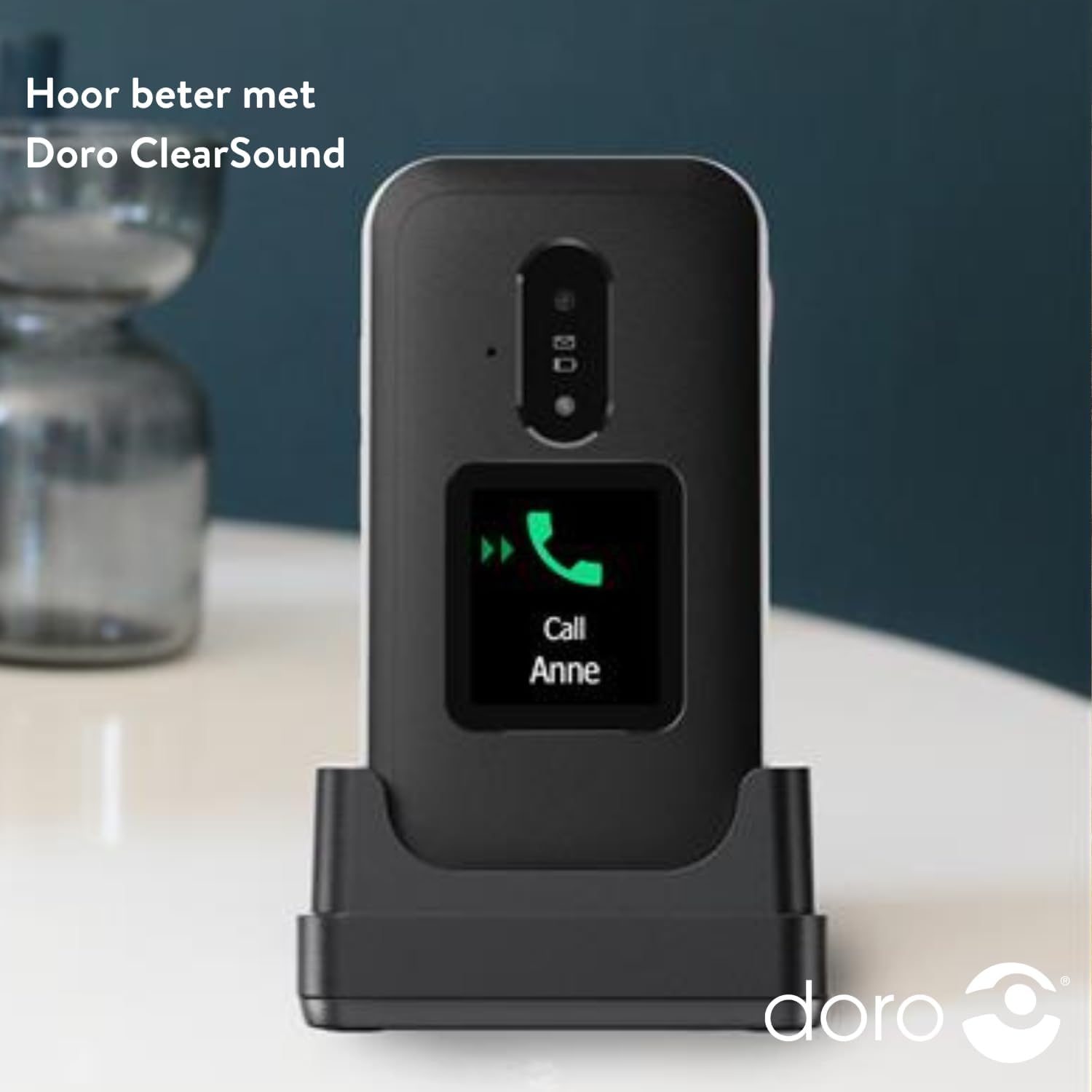
Image: The DORO Leva E30 phone resting in its charging cradle, demonstrating how to charge the device. The image also mentions "Hear better with Doro ClearSound".
3. Powering on / Pareum
- To power on, press and hold the red End Call/Power button until the Doro logo appears.
- To power off, press and hold the red End Call/Power button, then select 'Power off' from the options.
Parentah Operasi
Fungsi Telepon Dasar
- Nelepon: Lebetkeun nomer telepon nganggo keypad teras pencét tombol Telepon héjo.
- Ngajawab Telepon: When the phone rings, open the flip to answer, or press the green Call button. The external screen will display caller ID.
- Nutup Telepon: Tutupkeun flip atanapi pencét tombol Réngsékeun Telepon anu beureum.
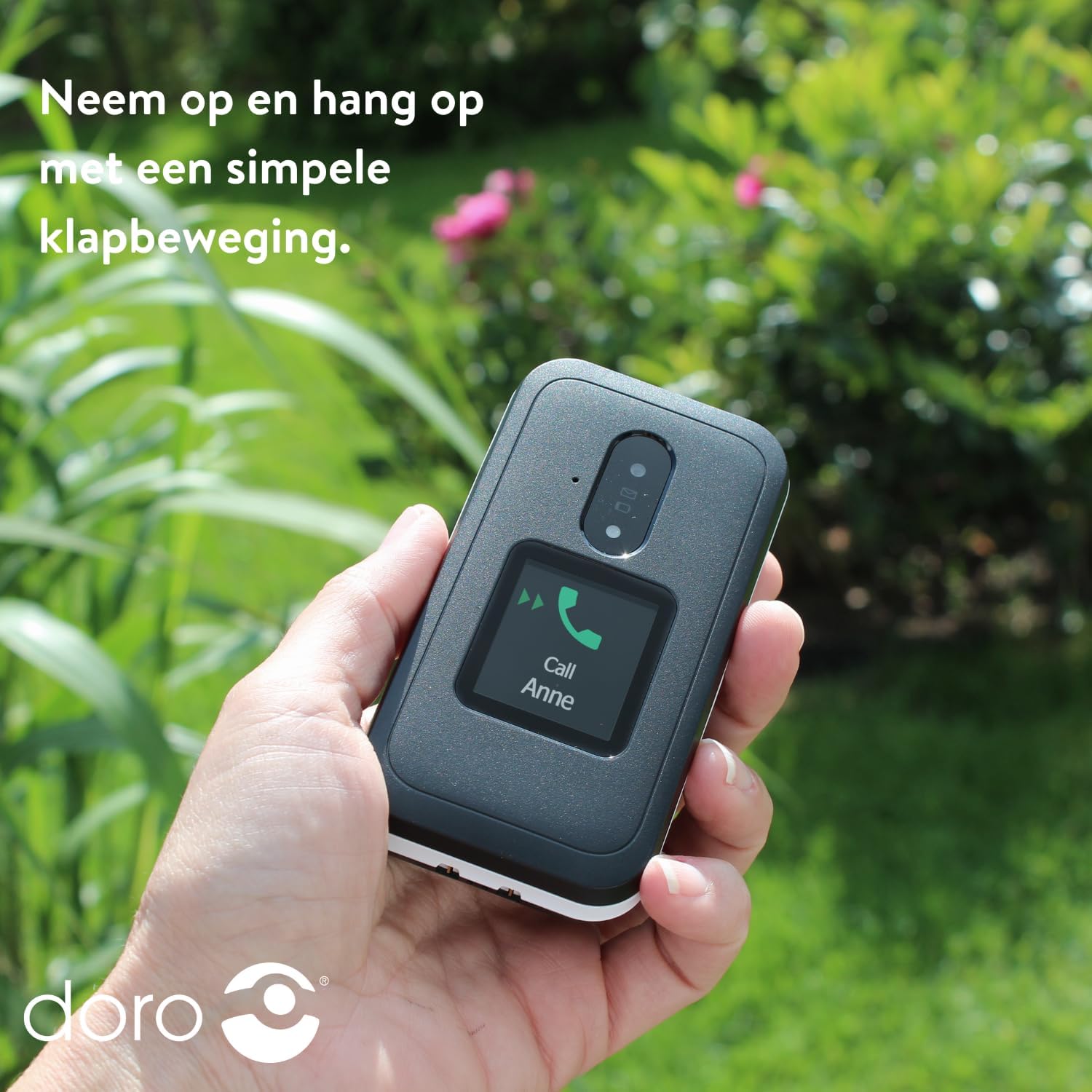
Image: A hand holding the DORO Leva E30, illustrating how to answer and end calls with a simple flip motion. The external screen shows an incoming call from "Anne".
Olahtalatah
To send and receive text messages, navigate to the 'Messages' menu using the navigation keys and the 'OK' button. The large, high-contrast keys make typing easier.

Image: The DORO Leva E30 displaying its simple menu interface, with the 'Messages' icon prominently visible. Other icons for Doro Secure, Camera, Flashlight, and Splash-proof (IP54) are also shown.
Ngagunakeun kaméra
The phone includes a camera for taking photos. Access the camera from the main menu. Point the camera at your subject and press the designated button to capture an image.
Tombol Aman Doro
The Doro Secure button (often located on the back of the phone) is a key safety feature. When pressed and held, it can automatically call and send an SMS alert to pre-set emergency contacts. Ensure your emergency contacts are configured correctly in the phone settings.

Image: The DORO Leva E30, emphasizing its ergonomic design and the prominent Doro Secure button. The image also illustrates how the phone's well-spaced, high-contrast keys and large screen facilitate easy calling, texting, and photo-taking, and mentions the included charging station.
Témbongkeun éksternal
The external display shows important information such as time, date, battery status, and caller ID for incoming calls without needing to open the phone.
Volume Control
Adjust the call volume using the dedicated volume buttons located on the side of the phone. Be mindful that these buttons can sometimes be accidentally pressed, so ensure the volume is set to your preferred level before and during calls.
Kasaluyuan bantuan dédéngéan
The DORO Leva E30 is designed to be compatible with hearing aids, providing a clearer audio experience for users with hearing impairments.
Senter
Activate the built-in flashlight feature from the phone's menu for convenient illumination when needed.
Splash Resistance (IP54)
The phone has an IP54 rating, meaning it is protected against dust ingress and splashing water from any direction. This does not mean it is waterproof; avoid submerging the phone in water.
Pangropéa
- beberesih: Anggo lawon anu lemes sareng garing pikeun ngabersihkeun permukaan telepon. Hindarkeun nganggo bahan kimia anu keras atanapi bahan anu kasar.
- Perawatan batré: To prolong battery life, avoid fully discharging the battery frequently. Charge the phone regularly, preferably using the provided charging cradle.
- Panyimpenan: Simpen telepon di tempat anu tiis sareng garing upami henteu dianggo salami lami.
Pamérésan masalah
| Masalah | Solusi |
|---|---|
| Telepon teu hurung. | Pastikeun batréna dipasang kalayan leres sareng dicas pinuh. Coba ngecas telepon sahenteuna 30 menit. |
| Teu tiasa nelepon atanapi nampi telepon. | Pariksa naha kartu SIM parantos dipasang kalayan leres. Pastikeun anjeun gaduh jangkauan jaringan. Hubungi panyadia layanan anjeun upami masalahna masih aya. |
| Kualitas panggero goréng. | Move to an area with better network reception. Adjust the call volume. Ensure the speaker/microphone is not obstructed. |
| Batré gancang boros. | Reduce screen brightness. Close unused applications. Limit background data usage. Ensure the phone is not in an area with poor signal, which can increase battery consumption. |
| Telepon teu ngaréspon. | Cabut batréna, antos sababaraha detik, teras pasang deui pikeun ngalakukeun soft reset. |
spésifikasi
| Fitur | Rincian |
|---|---|
| merek | Doro |
| Ngaran modél | Leva E30 |
| Sistem operasi | Mocor OS |
| Ukuran layar | 2.8 Inci (Layar Utama) |
| Resolusi | 320 x 240 piksel |
| Konektipitas | 4G |
| Kapasitas Panyimpenan Mémori | 17 GB (Internal, likely including OS) |
| Warna | Hideung / Bodas |
| Tahan cai | IP54 (tahan cipratan) |
Garansi sareng Rojongan
For detailed warranty information and customer support, please refer to the documentation included with your purchase or visit the official Doro websitus. Sarat jeung kaayaan jaminan bisa rupa-rupa dumasar wewengkon sarta pangecér.
You can often find additional support, FAQs, and contact information on the manufacturer's websitus: www.doro.com


