
1. Produk Langkungview
The Cooler Master Elite 490 is a compact mATX computer case designed for high-performance builds. It features a 270° tempered glass panel for showcasing components, efficient cooling options, and modern connectivity.
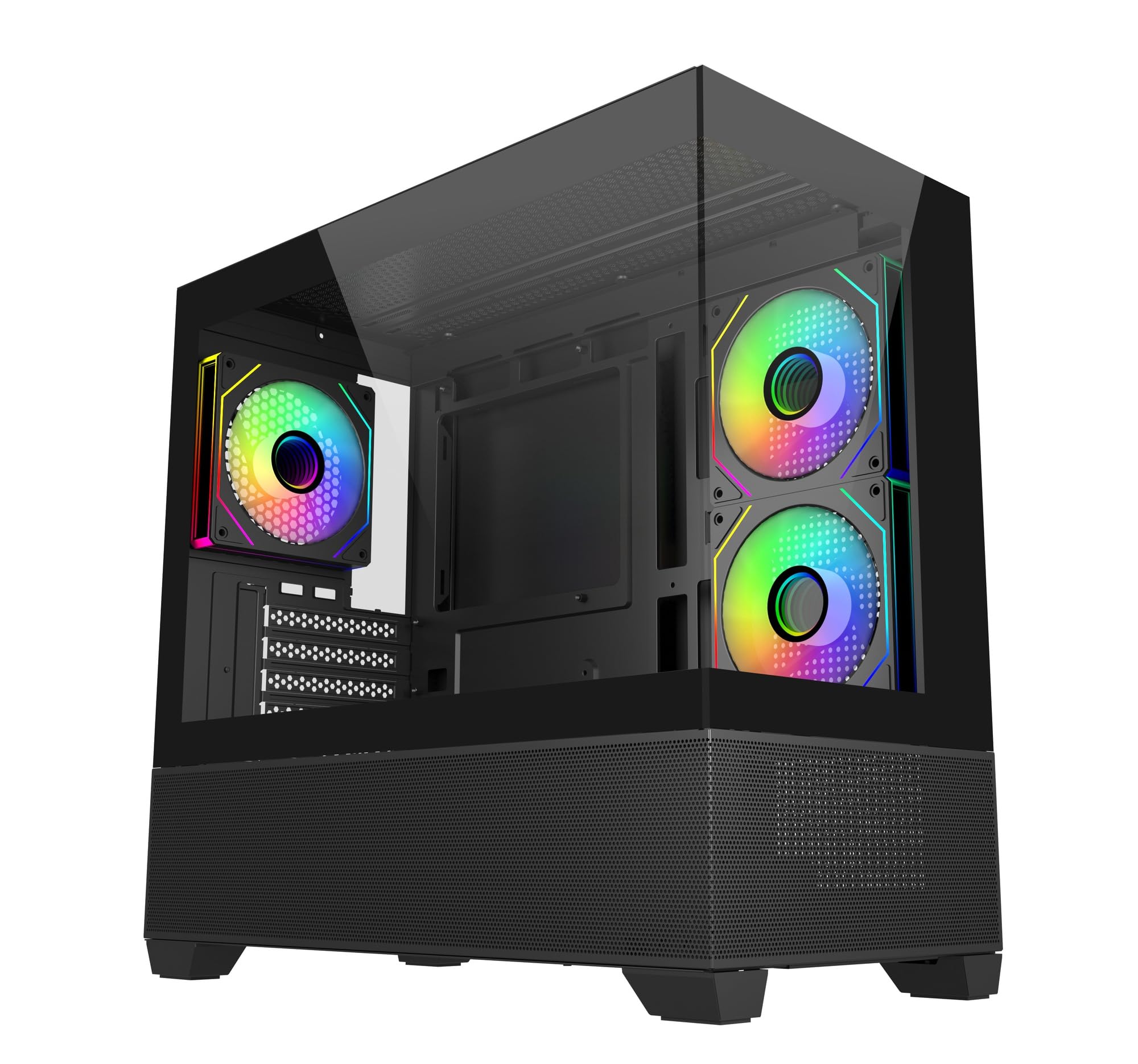
Gambar: Angled view of the Cooler Master Elite 490 computer case, showcasing its tempered glass panels and internal components with ARGB lighting.
Fitur konci:
- 270° Tempered Glass Panels: Dual tempered glass panels with seamless beveled edges provide a wide-angle view tina sistem Anjeun.
- Compact mATX Form Factor: Designed for desks or tight spaces without compromising on cooling or GPU compatibility.
- High-End Radiator Support: Supports up to a 360mm radiator for advanced liquid cooling solutions.
- Vertical Cooling Configuration: Accommodates up to 9 fans with a bottom-to-top airflow layout for efficient heat dissipation.
- Kipas ARGB anu tos dipasang sateuacanna: Includes 3 ARGB fans (2 reverse-blade side intake, 1 rear exhaust) with daisy-chain connectors and motherboard sync support.
- Top and Bottom Mesh Ventilation: Large mesh zones ensure unobstructed airflow.
- RTX 50 Series Graphics Card Support: GPU clearance up to 410mm for next-generation graphics cards.
- Upgraded High-Speed I/O Panel: Features dual USB 3.0 Type-A ports and a USB 3.2 Gen 2x2 Type-C port (up to 20Gbps).
2. Setup jeung Instalasi
This section provides general guidelines for assembling your computer components within the Cooler Master Elite 490 case. Always refer to your component manuals for specific installation instructions.
2.1 Ngabongkar sareng Inspeksi
- Sacara saksama piceun wadahna tina bungkusanna.
- Inspect the case for any signs of damage during transit. Contact your retailer immediately if any damage is found.
- Cabut sadaya pilem pelindung tina panel kaca tempered.
- Identify the accessory box, which typically contains screws, zip ties, and other mounting hardware.

Gambar: Hareupeun view of the Cooler Master Elite 490 case, showing the tempered glass and mesh bottom panel.
2.2 Pamasangan motherboard
- Lay the case on its side.
- Install the I/O shield (if not pre-installed on your motherboard).
- Align your mATX motherboard with the standoffs inside the case. Ensure all standoffs match the motherboard's mounting holes.
- Secure the motherboard with the appropriate screws provided in the accessory kit.

Gambar: internal view of the Elite 490 case highlighting motherboard support for ITX/Micro ATX form factors.
2.3 Pamasangan Power Supply Unit (PSU).
- Mount your PSU in the designated bottom compartment.
- Amankeun PSU nganggo sekrup ti tukangeun casing.
- Route the necessary power cables through the cable management cutouts to the motherboard and other components.
2.4 Pamasangan Kartu Grafis sareng Kartu Ékspansi
- Leupaskeun slot PCIe perlu nyertakeun ti pungkur kasus.
- Selapkeun kartu grafik Anjeun atawa kartu ékspansi séjén kana liang PCIe luyu dina motherboard nu.
- Secure the cards with screws. The Elite 490 supports GPUs up to 410mm in length.

Gambar: internal view of the Elite 490 case demonstrating compatibility with large graphics cards, indicating it is ready for RTX 50 Series GPUs.
2.5 Pamasangan Girang Panyimpenan
The case provides internal bays for storage drives. Refer to the case diagram for specific mounting locations for 2.5" SSDs and 3.5" HDDs.
2.6 Cooling System Installation (Optional)
The Elite 490 supports various cooling configurations:
- Fans: Up to 9 fans can be installed for optimal airflow. The case comes with 3 pre-installed ARGB fans.
- Radiator: Supports radiators up to 360mm.

Gambar: internal view of the Elite 490 case showing a liquid cooling radiator installed at the top, illustrating high-end radiator support.

Gambar: internal view of the Elite 490 case demonstrating the vertical cooling layout with multiple fans for effective heat management.
2.7 Manajemén kabel
Mangpaatkeun saluran routing kabel sareng titik pangiket di tukangeun baki motherboard pikeun ngatur kabel. Ieu ningkatkeun aliran hawa sareng estetika.
3. Parentah Operasi
Sakali sadaya komponén dipasang sareng disambungkeun, anjeun tiasa ngaktipkeun sistem anjeun.
3.1 Powering On
- Ensure all external cables (power, monitor, peripherals) are securely connected.
- Press the power button located on the front I/O panel.
3.2 Front I/O Panel Usage
The front I/O panel provides convenient access to:
- Tombol Daya: Pikeun ngaktipkeun atanapi mareuman sistem.
- Tombol Reset: Pikeun ngabalikan deui sistem.
- Port USB 3.0 Tipe-A (x2): Pikeun nyambungkeun alat USB.
- USB 3.2 Gen 2x2 Type-C Port (x1): For high-speed data transfer (up to 20Gbps) with compatible devices.
- Jacks audio: Pikeun headphone sareng mikropon.

Gambar: Deukeut view of the Elite 490's top I/O panel, highlighting the USB 3.2 Gen 2x2 Type-C port and dual USB 3.0 ports.
3.3 ARGB Fan Control
The pre-installed ARGB fans can be controlled via your motherboard's ARGB software (e.g., ASUS Aura Sync, MSI Mystic Light, Gigabyte RGB Fusion, ASRock Polychrome Sync) if connected to a compatible ARGB header. Refer to your motherboard manual for specific software instructions.
4. Pangropéa
Pangropéa rutin ngabantosan mastikeun kinerja anu optimal sareng umur panjang komponén komputer anjeun.
4.1 Lebu Filter beberesih
The Elite 490 features removable dust filters on the top and bottom panels. Regularly clean these filters to prevent dust buildup and maintain good airflow.
- Gently slide out the dust filters.
- Use compressed air or a soft brush to remove accumulated dust.
- Pasang deui saringanna kalawan pageuh.
4.2 beberesih exterior
Lap permukaan luar, kaasup panel kaca tempered, ku kaén nu lemesamp lawon. Hindarkeun pembersih abrasive atanapi pangleyur anu tiasa ngaruksak finish.
5. Cara ngungkulan
Bagian ieu ngabahas masalah umum anu anjeun tingali.
5.1 Sistem Teu Bisa Dihurungkeun
- Pariksa naha kabel daya parantos nyambung kalayan pageuh kana PSU sareng stop kontak dina témbok.
- Ensure the PSU switch is in the "ON" position.
- Verify that the front panel power button cable is correctly connected to the motherboard's F_PANEL header.
- Confirm that all internal power cables (24-pin ATX, CPU, GPU) are properly seated.
5.2 Fans Are Not Spinning / ARGB Not Lighting Up
- Check if the fan power cables are securely connected to the motherboard fan headers or a fan controller.
- For ARGB lighting, ensure the ARGB cables are connected to a compatible motherboard ARGB header or a dedicated ARGB controller.
- Verify that your motherboard's ARGB software is installed and configured correctly.
5.3 Port I/O Hareup Teu Fungsional
- Ensure the USB and audio cables from the front panel are correctly connected to the corresponding headers on your motherboard.
- Check your motherboard manual for the correct header locations.
6. Spésifikasi
Detailed technical specifications for the Cooler Master Elite 490 Computer Case.
| Fitur | Spésifikasi |
|---|---|
| merek | Master cooler |
| Ngaran modél | E490 |
| Nomer modél | E490-KHNN-S00 |
| Jenis Kasus | Pertengahan Menara |
| Motherboard kasaluyuan | Mikro ATX |
| Diménsi (D x W x H) | 53.1D x 54.4W x 26.1H Sentimeter |
| Item Beurat | 5800 gram |
| Bahan Kandang | alumunium |
| Métode Cooling | Hawa |
| Kipas anu tos dipasang | 3 ARGB Fans (2 reverse-blade side intake, 1 rear exhaust) |
| Max Fan Rojongan | Nepi ka 9 fans |
| Rojongan Radiator Max | Nepi ka 360mm |
| GPU Clearance | Nepi ka 410mm |
| Total USB 3.0 Ports | 2 |
| USB 3.2 Gen 2x2 Type-C Port | 1 (20Gbps) |
| Internal Bays Quantity | 3 |
| Other Special Features | Customizable Inter-changeable Panels, 270° Tempered Glass |
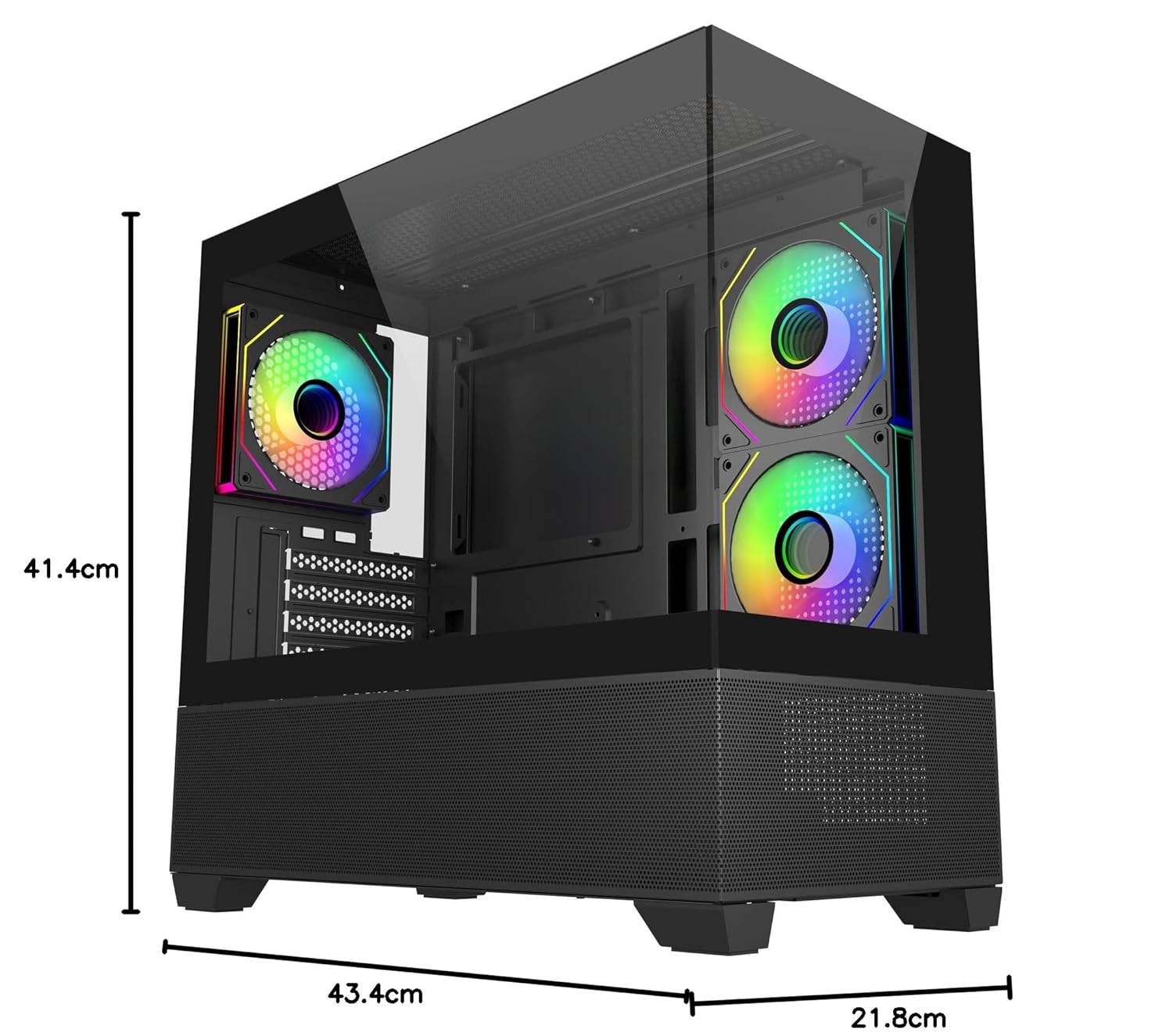
Image: Diagram showing the dimensions of the Cooler Master Elite 490 computer case: 41.4cm height, 43.4cm depth, and 21.8cm width.
7. Garansi jeung Rojongan
7.1 Émbaran jaminan
The Cooler Master Elite 490 Computer Case comes with a 2 Taun warranty from the date of purchase. Please retain your proof of purchase for warranty claims.
7.2 Rojongan Téknis
For technical assistance, troubleshooting, or warranty inquiries, please contact Cooler Master support:
- Pabrikan: Master cooler
- Importir: Creative New Tech
- Nganjang ka Cooler Master resmi website for support resources and contact details: www.coolermaster.com