DIERYA M1 Wireless Gaming Mouse User Manual
Modél: M1
Bubuka
Thank you for choosing the DIERYA M1 Wireless Gaming Mouse. This manual provides detailed instructions on setting up, operating, maintaining, and troubleshooting your new mouse. The M1 offers flexible tri-mode connectivity, a high-precision optical sensor, customizable RGB lighting, and an ergonomic design for optimal performance in both gaming and professional environments.
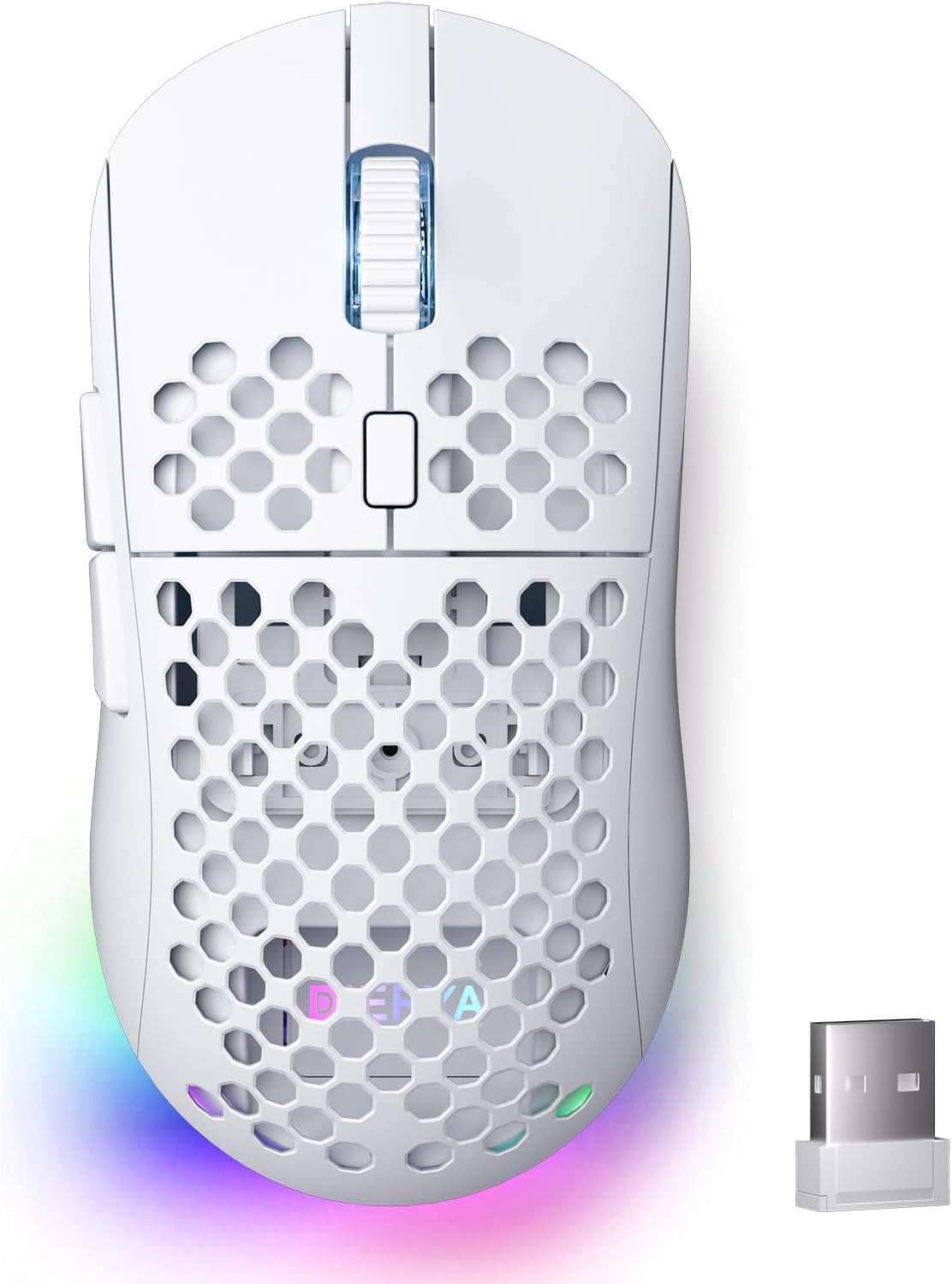
Figure 1: DIERYA M1 Wireless Gaming Mouse
Eusi pakét
- M1 Wireless Mouse x1
- Nylon USB-A to C Cable x1
- Buku Panduan x1
Produk Leuwihview
Familiarize yourself with the various components of your DIERYA M1 mouse:
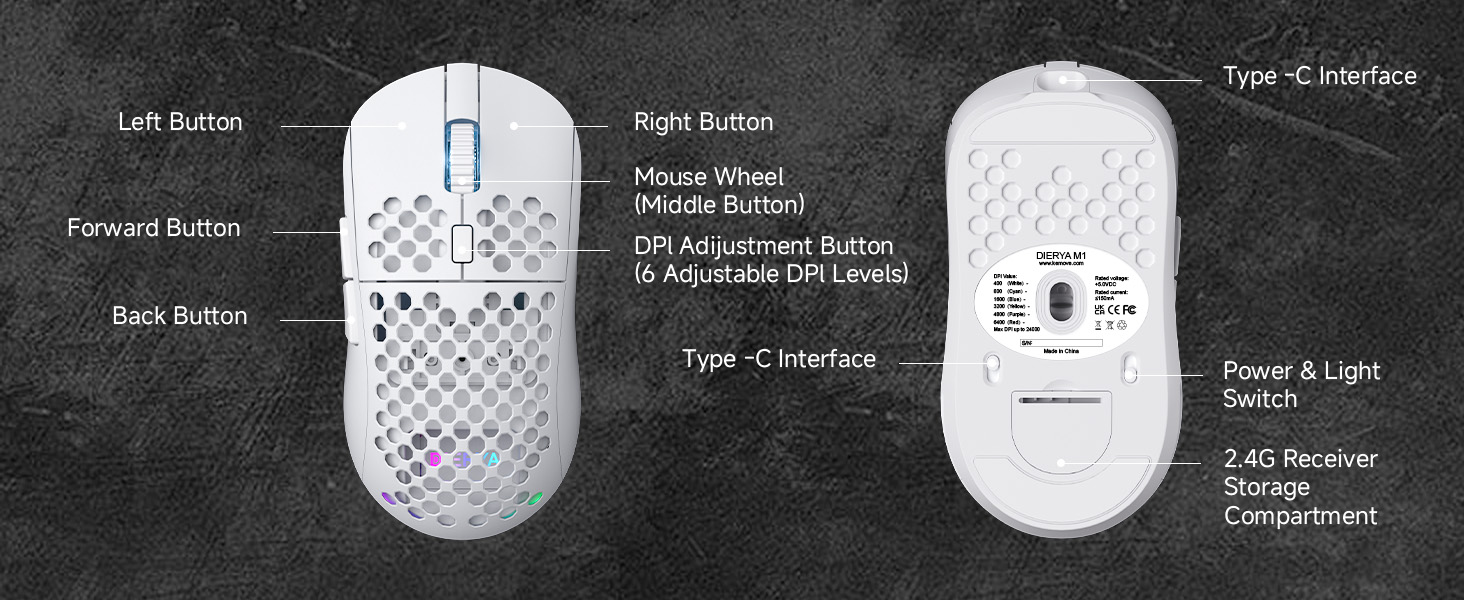
Figure 2: DIERYA M1 Mouse Components
- Tombol kénca: Fungsi klik kénca standar.
- Tombol katuhu: Fungsi klik katuhu standar.
- Mouse Wheel (Middle Button): Scroll up/down, click for middle-button function.
- Tombol Penyesuaian DPI: Ngaliwatan tingkat DPI anu tos disetel.
- Tombol Maju: Navigates ka hareup web browser atawa aplikasi.
- Tombol Balik: Navigates ka tukang web browser atawa aplikasi.
- Antarmuka Tipe-C: Pikeun sambungan kabel sareng ngecas.
- Power & Light Switch: Turns the mouse on/off and controls RGB lighting.
- 2.4G Receiver Storage Compartment: Stores the USB receiver when not in use.
Disetél
Ngecas Beurit
Connect the provided USB-A to C cable to the mouse's Type-C interface and a USB power source (e.g., computer USB port, wall adapter). The mouse features a 1000mAh rechargeable battery. A full charge takes approximately 1 hour.
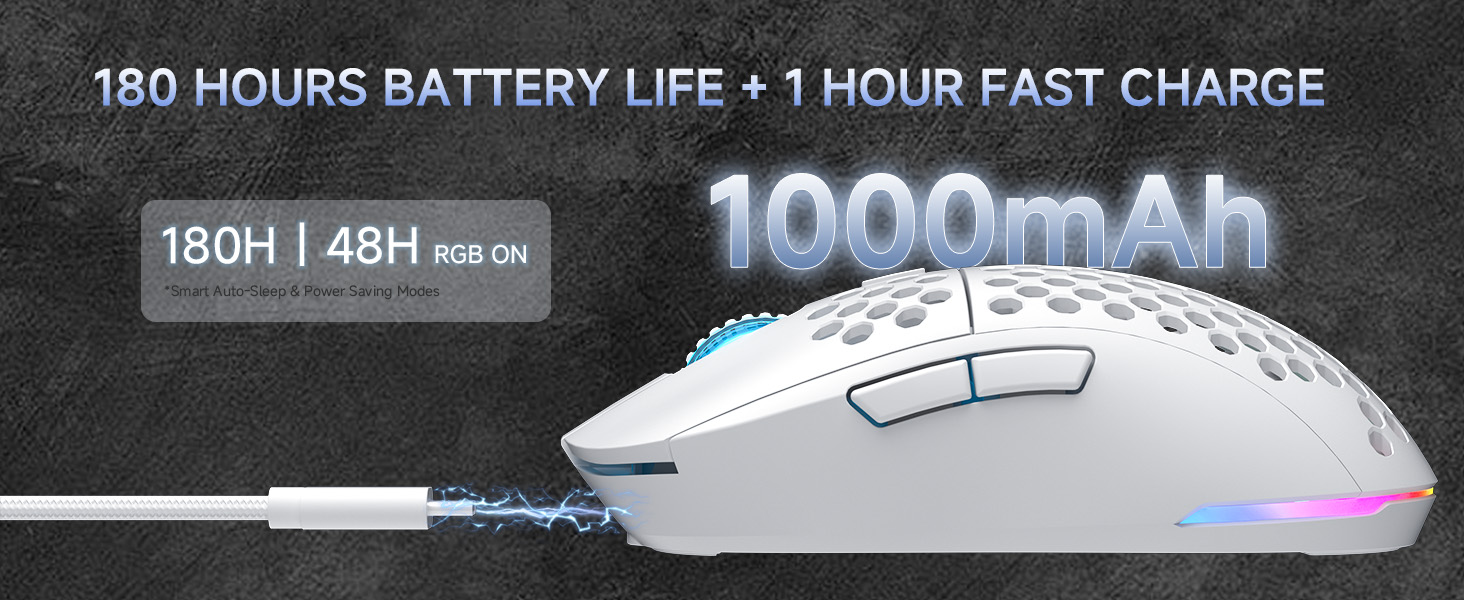
Gambar 3: Ngecas sareng Kahirupan Batré
Connecting the Mouse (Tri-Mode Connectivity)
The DIERYA M1 mouse supports three connection modes: 2.4GHz wireless, Bluetooth 5.2, and USB-C wired. Use the switch on the bottom of the mouse to select your desired mode.
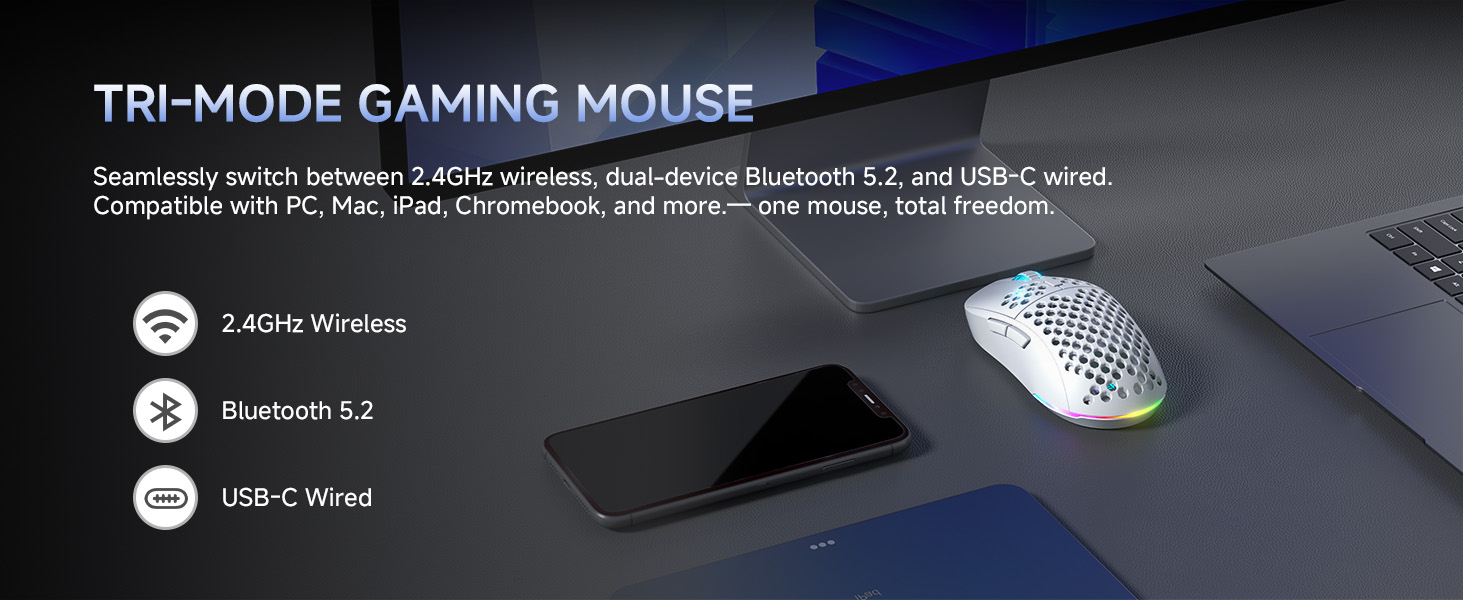
Gambar 4: Pilihan Konéktivitas Tri-Mode
Modeu Wireless 2.4GHz
- Take out the 2.4G USB receiver from the storage compartment on the bottom of the mouse.
- Colokkeun panarima USB ka port USB nu sadia dina komputer Anjeun.
- Set the switch on the bottom of the mouse to the '2.4G' position.
- The mouse will automatically connect to your computer.
Modeu Bluetooth 5.2
- Set the switch on the bottom of the mouse to the 'BT' position.
- Dina komputer atawa alat Anjeun, buka setelan Bluetooth tur neangan alat anyar.
- Select 'DIERYA M1' from the list of available devices to pair. The mouse supports dual-device pairing in Bluetooth mode.
Modeu Kabel USB-C
- Connect the provided USB-A to C cable to the mouse's Type-C interface and to a USB port on your computer.
- Beurit bakal otomatis ngalih ka modeu kabel sareng mimiti ngecas.
Parentah Operasi
Adjustment DPI
The mouse features a 24,000 DPI sensor with six preset levels. Press the DPI adjustment button (located behind the scroll wheel) to cycle through the following DPI settings:
- 400 DPI
- 800 DPI
- 1600 DPI
- 3200 DPI
- 4800 DPI
- 6400 DPI
The scroll wheel LED and RGB lighting strip provide instant color-coded feedback to indicate the current DPI level.
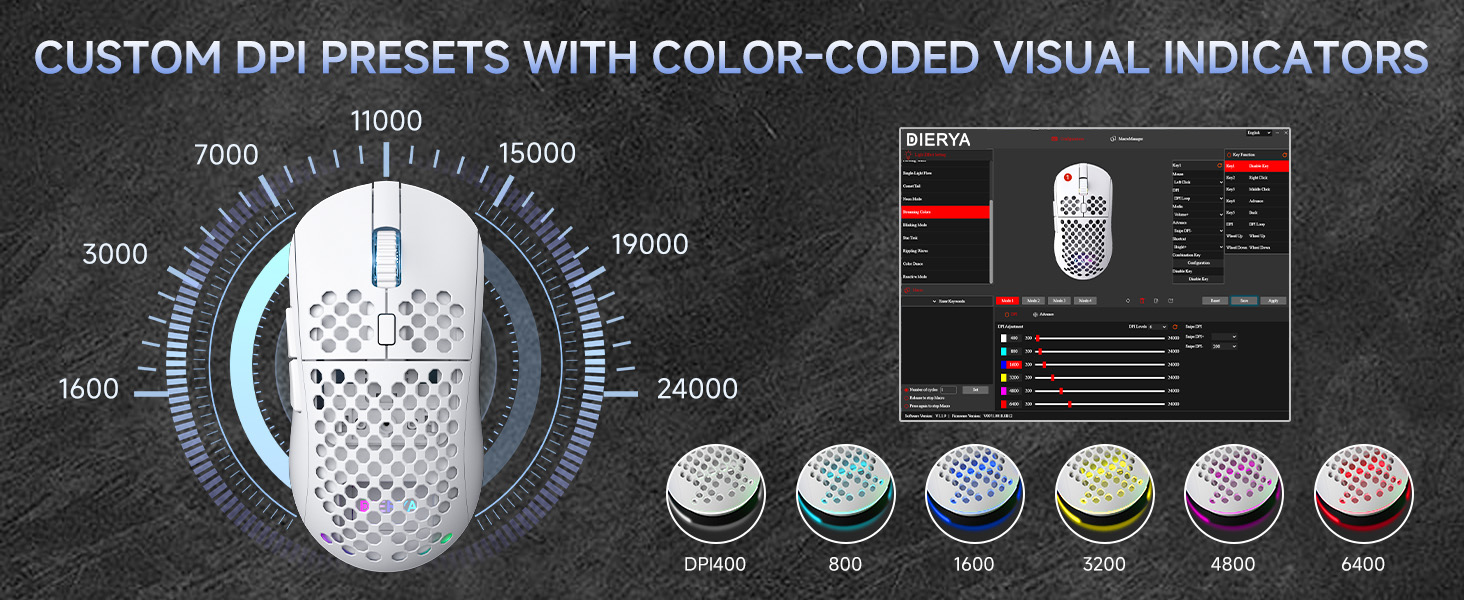
Figure 5: Custom DPI Presets and Color Indicators
Tombol Programmable
The DIERYA M1 mouse features 6 programmable buttons. To customize button functions, create macros, or remap controls, download and install the dedicated driver software from the official DIERYA websitus.
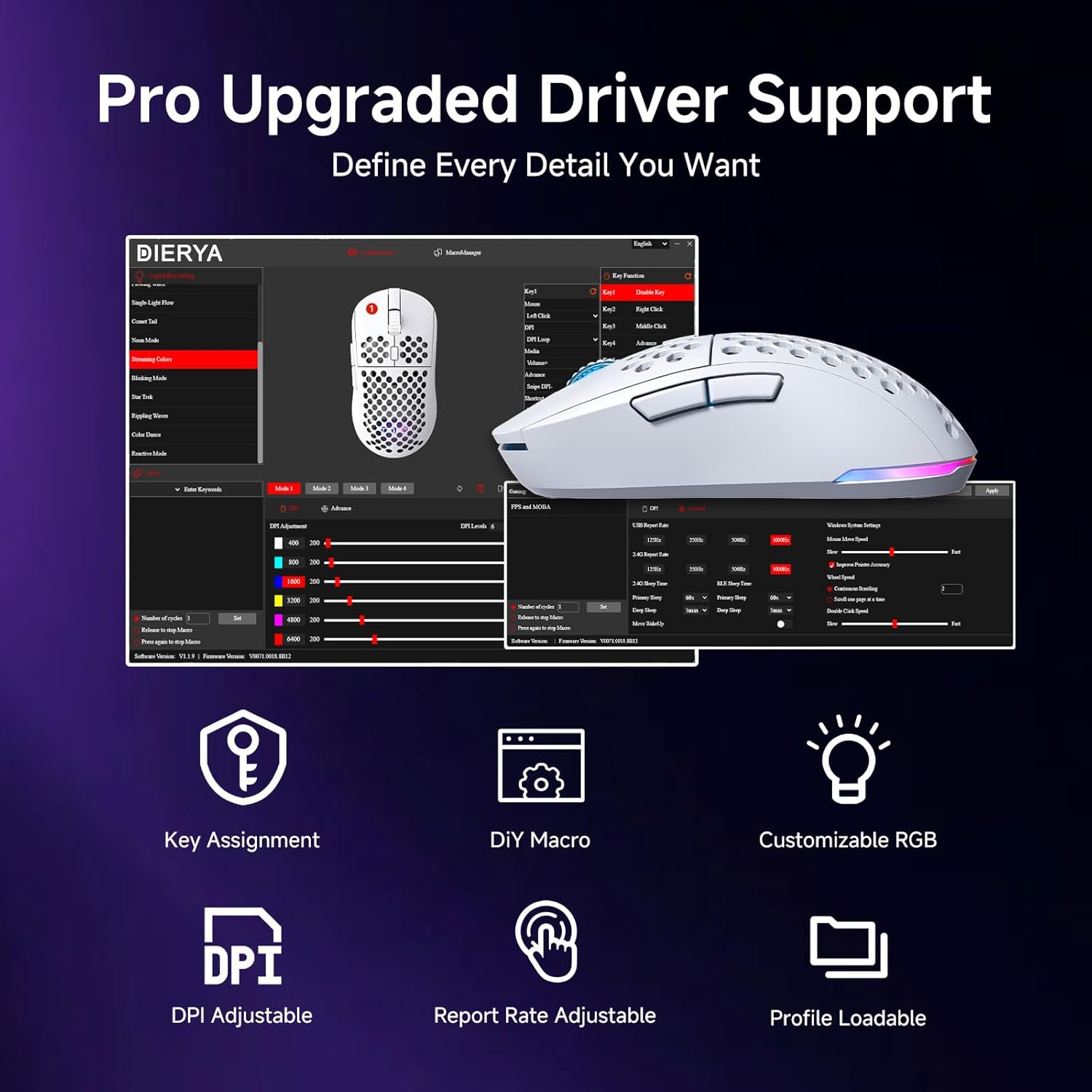
Figure 6: Driver Software Interface for Customization
Kontrol Lampu RGB
The mouse features vibrant 16.8 million color RGB lighting with 13 different effects (e.g., Breath, Static, Flow, Starlight). Lighting effects can be customized and controlled via the dedicated driver software.
Manajemén kakuatan
The M1 mouse is designed for efficient power consumption. It features intelligent sleep modes that activate after 1 and 5 minutes of inactivity to conserve battery life. You can quickly resume use by moving or clicking the mouse. Sleep timers can be customized through the driver software.
Pangropéa
- beberesih: Anggo kaén anu lembut sareng garing pikeun ngusap beurit. Keur kokotor bandel, rada dampen lawon ku cai atawa solusi beberesih hampang. Hindarkeun bahan kimia anu kasar atanapi bahan abrasive.
- Panyimpenan: Simpen beurit di tempat anu tiis sareng garing jauh tina sinar panonpoé langsung sareng suhu anu ekstrim.
- Perawatan batré: Pikeun manjangkeun umur batre, ulah miceun pinuh beurit sering. Ngeusi batre lamun indikator batré low.
Pamérésan masalah
- Mouse teu ngabales: Ensure the mouse is charged. Check the power switch on the bottom of the mouse. Re-plug the USB receiver (for 2.4GHz) or re-pair Bluetooth. Try wired mode to confirm functionality.
- DPI teu robah: Ensure the mouse is powered on. Press the DPI button firmly. If using custom profiles, check settings in the driver software.
- Lampu RGB teu jalan: Check the power & light switch on the bottom of the mouse. Ensure the mouse is not in ECO mode (which may disable RGB). Adjust settings in the driver software.
- Lag atanapi pegat sambungan dina modeu nirkabel: Ensure the USB receiver is not obstructed and is close to the mouse. Avoid interference from other wireless devices. Try a different USB port.
- Tombol-tombolna teu jalan sakumaha anu dipiharep: Check the button assignments in the driver software. Reset to default settings if necessary.
spésifikasi
| Fitur | Rincian |
|---|---|
| Dimensi produk | 4.39 x 2.48 x 0.1 inci (125 x 63 x 41 mm) |
| Item Beurat | 5.6 ons (90 gram) |
| Téhnologi konektipitas | 2.4GHz Wireless, Bluetooth 5.2, Kabel USB-C |
| Rentang DPI | 200 - 24,000 DPI (6 preset levels: 400/800/1600/3200/4800/6400) |
| Laju Polling | 125-1000Hz (2.4G/USB-C), 125Hz (Bluetooth) |
| Laju nyukcruk | 300 IPS |
| Akselerasi | 35G |
| Kapasitas batré | 1000 mah |
| Kahirupan batré | Up to 180 hours (ECO mode), 48 hours (RGB on) |
| Saklar | Huano Micro Switches (20 million clicks) |
| Tombol Programmable | 6 |
| Lampu RGB | 16.8 Juta Warna, 13 Éfék |
| Systems cocog | PC, Mac, Laptop (Windows, macOS, Chrome OS, iPadOS) |
Garansi sareng Rojongan
For warranty information and technical support, please refer to the warranty card included in your product packaging or visit the official DIERYA website. You can also contact DIERYA customer service for assistance with any product-related inquiries or issues.


