Bubuka
Welcome to the DIERYA M1 Wireless Gaming Mouse user manual. This guide provides detailed instructions for setting up, operating, and maintaining your new mouse. Please read this manual thoroughly to ensure proper use and to maximize your gaming and productivity experience.
Eusi pakét
Pastikeun yén sadaya item aya dina pakét anjeun:
- M1 Mouse nirkabel
- Nylon USB-A to C Cable
- Manual pamaké
Produk Leuwihview
The DIERYA M1 mouse features a lightweight, ergonomic design with multiple programmable buttons and versatile connectivity options.

Katerangan Gambar: Hiji overhead view of the black DIERYA M1 wireless gaming mouse, showcasing its honeycomb shell design and RGB lighting. A small USB receiver is positioned to the right of the mouse.
Komponén Mouse

Katerangan Gambar: An overhead and underside view of the DIERYA M1 mouse with various components labeled. These include the Left Button, Right Button, Mouse Wheel (Middle Button), DPI Adjustment Button (6 Adjustable DPI Levels), Forward Button, Back Button, Type-C Interface, Power & Light Switch, and 2.4G Receiver Storage Compartment. The mouse features a honeycomb shell design.
- Tombol kénca: Fungsi klik kénca standar.
- Tombol katuhu: Fungsi klik katuhu standar.
- Mouse Wheel (Middle Button): Fungsi gulung sareng klik tengah.
- Tombol Penyesuaian DPI: Ngaliwatan tingkat DPI anu tos disetel.
- Tombol Maju: Navigates ka hareup web browser atawa aplikasi.
- Tombol Balik: Navigates ka tukang web browser atawa aplikasi.
- Antarmuka Tipe-C: Pikeun sambungan kabel sareng ngecas.
- Power & Light Switch: Controls power and RGB lighting.
- 2.4G Receiver Storage Compartment: Located on the underside for storing the USB dongle.
Disetél
The DIERYA M1 mouse offers three connectivity modes: 2.4GHz Wireless, Bluetooth 5.2, and USB-C Wired.

Katerangan Gambar: An illustration demonstrating the three connectivity modes of the M1 mouse: Bluetooth 5.2 pairing with a smartphone, 2.4GHz Wireless with a USB dongle connected to a laptop, and USB-C Wired connection to a laptop. Polling rates for each mode are indicated.
1. 2.4GHz Wireless Connection
- Locate the 2.4G USB receiver in the storage compartment on the underside of the mouse.
- Colokkeun panarima USB kana port USB-A anu sayogi dina komputer anjeun.
- Turn on the mouse using the Power & Light Switch.
- The mouse will automatically connect to the receiver. The polling rate in this mode is 1000Hz.
2. Sambungan Bluetooth 5.2
- Turn on the mouse using the Power & Light Switch.
- Press and hold the dedicated connectivity mode button (refer to the product's specific button combination if not a dedicated button) to switch to Bluetooth mode. The LED indicator will show the active connection.
- On your device (PC, Mac, Laptop, iPad), go to Bluetooth settings and search for "DIERYA M1".
- Select the mouse to pair. The polling rate in Bluetooth mode is 125Hz.
- The mouse supports dual-device pairing in Bluetooth mode. Refer to the software for managing multiple Bluetooth connections.
3. Sambungan Kabel USB-C
- Connect the provided USB-A to C cable to the Type-C interface on the front of the mouse.
- Colokkeun tungtung USB-A tina kabel ka port USB nu sadia dina komputer Anjeun.
- The mouse will function immediately as a wired mouse. This mode also charges the mouse. The polling rate in wired mode is 1000Hz.
Parentah Operasi
Adjustment DPI
The mouse features a dedicated DPI adjustment button to cycle through six preset DPI levels: 400, 800, 1600, 3200, 4800, and 6400. The scroll wheel LED and RGB lighting strip provide instant color-coded feedback for the current DPI setting.
Katerangan Gambar: An image illustrating the DPI range from 200 to 24,000 and the corresponding scroll wheel LED colors for preset DPI levels (400, 800, 1600, 3200, 4800, 6400). The image also shows a software interface for advanced DPI customization.
Lampu RGB
The DIERYA M1 mouse features 16.8 million color RGB lighting with 13 vibrant effects, including Breath, Static, Flow, and Starlight. These can be customized via the dedicated driver software.
Tombol Programmable
All six buttons on the DIERYA M1 mouse are fully programmable. Use the dedicated driver software to assign macros, remap functions, and customize button actions.
Manajemén batré
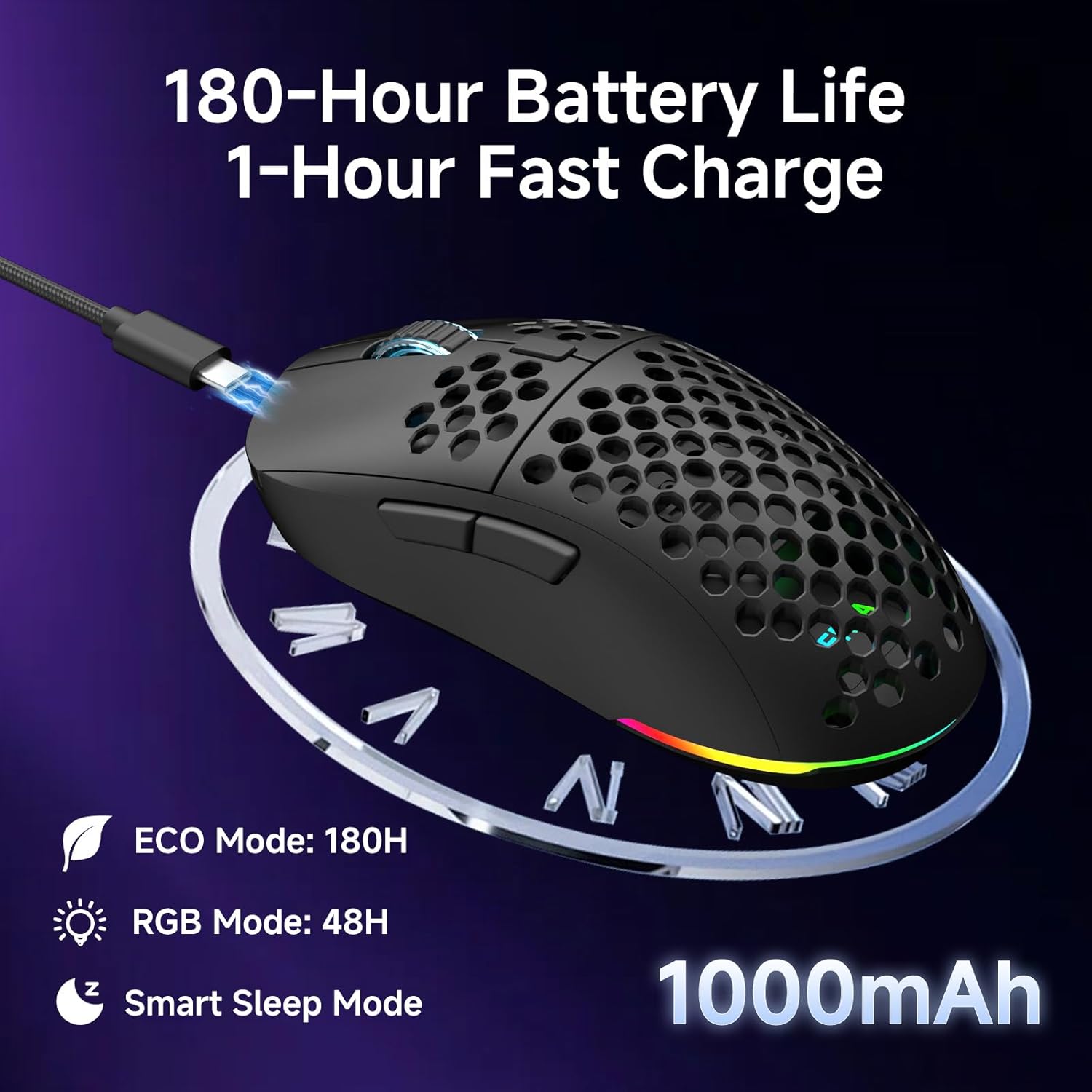
The mouse is equipped with a 1000mAh rechargeable battery.
- Kahirupan batré: Up to 180 hours in ECO mode, or 48 hours with full RGB lighting.
- Ngecas: Fast USB-C charging allows a full charge in approximately 1 hour.
- Smart Sleep Modes: The mouse enters intelligent sleep modes after 1 and 5 minutes of inactivity to conserve power. These timers can be customized via software.

Katerangan Gambar: An image showing the DIERYA M1 mouse connected via USB-C for charging, highlighting its 1000mAh battery, 180-hour ECO mode battery life, 48-hour RGB mode battery life, and smart sleep mode feature.
Software sareng Instalasi Supir
Software kustomisasi
To unlock the full potential of your DIERYA M1 mouse, including DPI customization (up to 24,000 DPI), report rate adjustment (125-1000Hz), button remapping, macro creation, RGB lighting effects, and sleep timer settings, download and install the dedicated driver software.
The software allows you to define every detail and save up to 4 device profiles.
Visit the official DIERYA website for the latest software download: www.dierya.com/support (Kelample tautan, tautan anu saleresna tiasa bénten-bénten).

Katerangan Gambar: A screenshot of the DIERYA M1 mouse driver software interface, showing options for key assignment, DIY macros, customizable RGB lighting, DPI adjustment, report rate adjustment, and profile ngamuat.
Pangropéa
beberesih sarta perawatan
- Regularly clean the mouse with a soft, dry cloth.
- Keur kokotor bandel, rada dampen lawon ku cai atawa solusi beberesih hampang. Hindarkeun bahan kimia anu kasar.
- Ulah ngalelepkeun beurit kana cai atawa cairan naon waé.
- Keep the PTFE feet clean to ensure smooth gliding.
Panyimpenan
- When not in use, store the 2.4G USB receiver in its dedicated compartment on the underside of the mouse.
- Simpen beurit di tempat anu tiis sareng garing jauh tina sinar panonpoé langsung sareng suhu anu ekstrim.
Pamérésan masalah
Isu umum jeung Solusi
- Mouse teu ngabales:
- Pastikeun beurit diaktipkeun.
- Pariksa tingkat batré jeung ngecas lamun perlu.
- For 2.4GHz wireless, ensure the USB receiver is securely plugged in.
- For Bluetooth, ensure the mouse is paired and selected in your device's Bluetooth settings.
- Try connecting via USB-C wired mode to confirm functionality.
- Balikan deui komputer anjeun.
- Gerakan anu laun atanapi teu teratur:
- Ensure the mouse is within range of the receiver (for 2.4GHz) or your device (for Bluetooth).
- Pariksa gangguan tina alat nirkabel séjén.
- Ngabersihan sensor optik dina underside beurit.
- Ensure the mouse is used on a suitable surface (not highly reflective or transparent).
- Update mouse drivers via the software.
- DPI teu robah:
- Press the DPI adjustment button firmly.
- Ensure the mouse software is installed and running correctly if custom DPI settings are configured.
- Lampu RGB teu jalan:
- Check the Power & Light Switch position.
- Pastikeun batre gaduh muatan anu cekap.
- Adjust lighting settings through the driver software.
spésifikasi
Rincian Téknis
| Fitur | Rincian |
|---|---|
| Modél | M1 |
| Konektipitas | 2.4GHz Wireless, Bluetooth 5.2, Kabel USB-C |
| Rentang DPI | 200 - 24,000 DPI |
| Laju Polling | 125-1000Hz |
| Laju nyukcruk | 300 IPS |
| Akselerasi | 35G |
| Kapasitas batré | 1000 mah |
| Kahirupan batré | Up to 180 hours (ECO mode), 48 hours (RGB on) |
| Waktu Ngecas | Kira-kira. 1 jam |
| Beurat | 90 gram |
| Diménsi | 125 x 63 x 41 mm |
| Saklar | Huano Micro Switches (20 million clicks) |
| Suku | PTFE |
| Lampu RGB | 16.8 Juta Warna, 13 Éfék |
| Tombol Programmable | 6 |
| Kasaluyuan | PC, Mac, Laptop, iPad, Chromebook |
Garansi sareng Rojongan
Garansi produk
DIERYA products typically come with a limited warranty. Please refer to the warranty card included in your package or visit the official DIERYA websitus pikeun istilah jeung kaayaan jaminan lengkep. Simpen bukti pameseran anjeun pikeun klaim garansi.
Rojongan Palanggan
If you encounter any issues or have questions regarding your DIERYA M1 Wireless Gaming Mouse, please contact DIERYA customer support.
- Websitus: www.dierya.com/support (Kelample link, link sabenerna bisa rupa-rupa)
- Surélék: Tingali kana bungkus produk atanapi websitus pikeun alamat surélék dukungan.
When contacting support, please provide your product model (M1) and a detailed description of the issue.


