Bubuka
Thank you for choosing the MoreJoy CUBE SLIM 2025 Projector. This compact and powerful projector is designed to deliver an immersive viewing experience with its 1080P support and 200 ANSI brightness. Featuring an Android operating system with built-in Netflix and YouTube, electric focus, keystone correction, and a full-sealed enclosure for dust protection, it's perfect for home cinema, gaming, karaoke, and even business presentations.
This manual provides detailed instructions to help you get the most out of your new projector, from initial setup to advanced features and troubleshooting.
Naon dina Box
Mangga parios eusi pakét anjeun pikeun mastikeun yén sadaya barang aya:
- MoreJoy CUBE SLIM 2025 Projector
- Kadali jauh
- Adaptor kakuatan
- Manual pangguna (dokumén ieu)
Produk Leuwihview
Familiarize yourself with the different parts of your MoreJoy CUBE SLIM 2025 Projector.
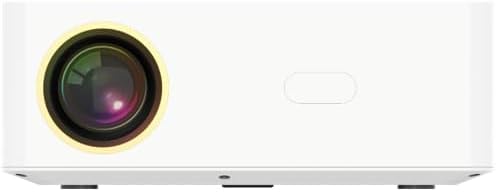
Gambar 1: Hareupeun View. This image displays the front of the projector, highlighting the main projection lens. The lens is centrally located, indicating the direction of the projected image.

Gambar 2: Tukangeun View. This image shows the back panel of the projector, featuring various input and output ports. From left to right, you can see an IR receiver, two USB ports, an HDMI port, and a 3.5mm headphone jack. These ports allow for diverse connectivity options.
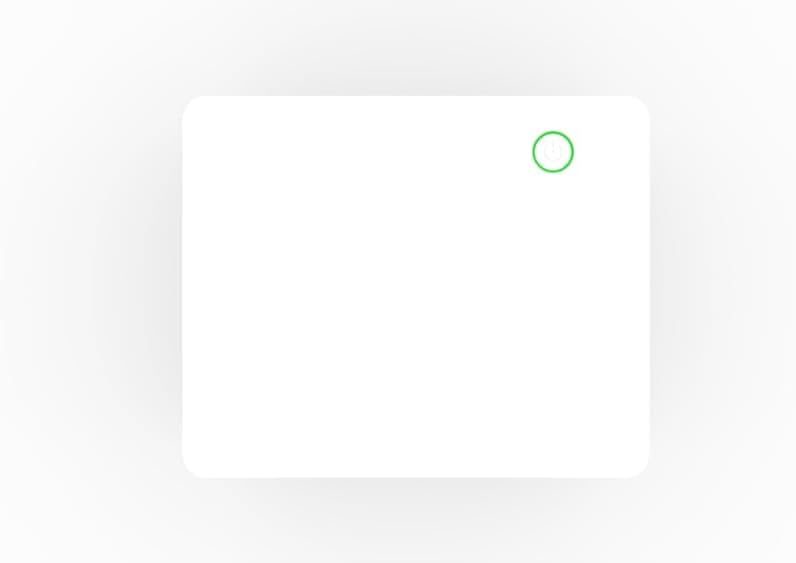
Gambar 3: Top View. This image presents the top surface of the projector, featuring a subtle power button icon with a circular outline, indicating the location for power control.
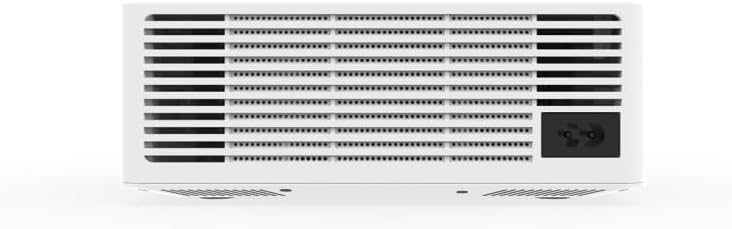
Gambar 4: Handap View (Ventilasi). This image shows the underside of the projector, dominated by a large ventilation grille. A power input socket is visible on the right side, indicating where the power cable connects.
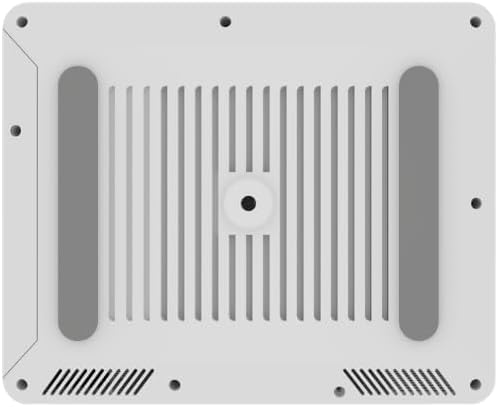
Gambar 5: Handap View (Mounting). This image provides another perspective of the projector's bottom, highlighting the four rubber feet for stability and a central threaded hole for tripod or ceiling mounting. Ventilation slots are also visible.

Gambar 6: Sisi View. This image shows a plain side view of the projector, emphasizing its sleek, minimalist design and compact form factor.
Guide Setup
1. Mimiti Power-On
- Place the projector on a stable, flat surface or mount it securely. Ensure there is adequate ventilation around the unit.
- Connect the power adapter to the projector's power input port (refer to Figure 4) and then plug it into a power outlet.
- Press the power button on the projector (refer to Figure 3) or on the remote control to turn on the device.
2. Fokus sareng Koreksi Keystone
The CUBE SLIM 2025 features electric focus and digital keystone correction for a clear and properly shaped image.
- Fokus listrik: Use the focus buttons on the remote control to adjust the image clarity until it is sharp. This is a manual electric adjustment, providing precise control.
- Koreksi Keystone Digital: If the projected image appears trapezoidal (wider at the top or bottom), use the keystone correction settings in the projector's menu to adjust the image geometry until it is rectangular.
3. Sambungan Jaringan (Wi-Fi)
To access online content and streaming services, connect your projector to a Wi-Fi network:
- Navigate to the "Settings" menu on the projector's home screen.
- Pilih "Jaringan" atanapi "Setélan Wi-Fi".
- Pilih jaringan Wi-Fi anu dipikahoyong tina daptar jaringan anu sayogi.
- Asupkeun kecap akses Wi-Fi nganggo kibor di layar tur pastikeun.
Parentah Operasi
1. Napigasi Interface
The MoreJoy CUBE SLIM 2025 runs on an Android operating system. Use the remote control's directional buttons and OK button to navigate through menus and select options. The "Back" button will return you to the previous screen, and the "Home" button will take you to the main home screen.
2. Ngagunakeun Aplikasi Anu Dipasang
Your projector comes with pre-installed applications like Netflix and YouTube. Ensure you are connected to Wi-Fi to use these services.
- From the home screen, select the desired application icon (e.g., Netflix, YouTube).
- Lebet nganggo kredensial akun anjeun upami dipenta.
- Browse and enjoy content as you would on any Android smart device.
3. Nyambungkeun Alat éksternal
The projector supports various external connections:
- HDMI: Connect a laptop, game console, Blu-ray player, or other HDMI-enabled device to the HDMI port (refer to Figure 2). Select the HDMI input source from the projector's input menu.
- USB: Insert USB drives into the USB ports (refer to Figure 2) to play media files (videos, photos, music) directly from the drive.
- 3.5mm Audio Jack: Connect external speakers or headphones to the 3.5mm audio output jack for enhanced sound (refer to Figure 2).
4. Screen Mirroring (Miracast/AirPlay)
Mirror your iOS or Android device screen to the projector wirelessly:
- Ensure both your projector and mobile device are connected to the same Wi-Fi network.
- On the projector, select the "Screen Mirroring" or "Cast" application.
- On your mobile device, enable screen mirroring (e.g., "Smart View" on Android, "Screen Mirroring" on iOS) and select the projector from the list of available devices.
5. Fungsi Karaoke
The projector is karaoke-ready with built-in 5W speakers and a microphone-ready chipset.
- Connect a compatible microphone (not included) to the projector if a dedicated microphone input is available, or use a USB microphone.
- Access karaoke applications or YouTube karaoke videos through the projector's smart interface.
- The projector's speakers will output both the music and your singing.
Pangropéa
Pangropéa anu leres mastikeun umur panjang sareng kinerja optimal proyektor anjeun.
- Desain Anti Lebu: The CUBE SLIM 2025 features a fully sealed metallic enclosure, significantly reducing dust ingress. This design minimizes black spots and blur images, enhancing picture quality and durability.
- Ngabersihan lensa: Lembut usap lénsa proyektor ku kaén anu lembut, bébas serat anu dirarancang khusus pikeun permukaan optik. Ulah make cleaners abrasive atawa gaya kaleuleuwihan.
- Ngabersihan Luar: Anggo lawon anu lemes sareng garing pikeun ngabersihkeun bagian luar proyéktor. Pikeun tanda anu bandel, usap sakedikamp lawon bisa dipaké, dituturkeun ku lawon garing. Ulah maké deterjen atawa pangleyur nu kuat.
- Ventilasi: Ensure the ventilation openings (refer to Figure 4) are not blocked to prevent overheating. Do not place the projector on soft surfaces that might obstruct airflow.
Pamérésan masalah
Upami anjeun mendakan masalah sareng proyektor anjeun, mangga tingal masalah sareng solusi umum ieu:
| Masalah | Mungkin Cukang lantaranana | Solusi |
|---|---|---|
| Taya gambar projected |
|
|
| Gambar kabur |
|
|
| Gambar téh trapezoidal |
|
|
| Taya sora |
|
|
| Sambungan Wi-Fi teu stabil |
|
|
Lamun masalah persists sanggeus nyobian solusi ieu, mangga ngahubungan rojongan customer.
spésifikasi
Key technical specifications for the MoreJoy CUBE SLIM 2025 Projector:
| Fitur | Rincian |
|---|---|
| merek | MoreJoy |
| Nomer modél | CUBE SLIM AND (B0FCF12SFL) |
| Resolusi tampilan | 1280 x 720 (Supports 1080P input) |
| Caang | 200 ANSI Lumens |
| Fitur husus | Dust-Proof (Full-Sealed Enclosure), Built-In Speaker (5W), Digital Keystone Correction, Electric Focus, Built-In Wi-Fi, Android Edition (Netflix, YouTube), Bluetooth, Miracast, AirPlay |
| Téhnologi konektipitas | Wi-Fi, USB (x2), HDMI (x1), 3.5mm Audio Jack (x1), IR |
| Item Beurat | 1 pon |
| Dianjurkeun Mangpaat | Education, Home Cinema, Gaming, Business, Karaoke, Sports Events |
| Negara asal | Cina |
Garansi sareng Rojongan
MoreJoy products are designed for reliability and performance. For information regarding warranty coverage, please refer to the warranty card included with your purchase or visit the official MoreJoy websitus.
If you require technical assistance, have questions about your product, or need to report an issue, please contact MoreJoy customer support. Contact details can typically be found on the product packaging, the official websitus, atawa resi pameseran Anjeun.
For the latest updates and FAQs, please visit the MoreJoy Store on Amazon.


