1. Produk Langkungview
The Roku Plus Series 55-inch 4K QLED Mini-LED Smart TV is designed to provide a high-quality viewing experience with intuitive smart features. This television integrates advanced display technologies and a user-friendly operating system for seamless entertainment access.

Figure 1.1: Roku Smart TV Home Screen
2. Naon dina Box
Upon unboxing your Roku Plus Series 55-inch 4K QLED Mini-LED Smart TV, ensure all the following components are present:
- Roku Plus Series 55" 4K QLED Mini-LED TV
- Stands and screws for TV base installation
- Roku Enhanced Voice Remote nganggo batré
- Gancang Mimitian Guide

angka 2.1: komponén kaasup
3. Setélan
3.1 Ngalampirkeun Stand TV
- Teundeun layar TV sacara saksama dina permukaan anu lemes sareng bersih pikeun nyegah goresan.
- Sejajarkeun unggal stand jeung liang screw nu pakait dina handap TV.
- Secure each stand using the provided screws. Do not overtighten.
3.2 Pamasangan Tembok (Pilihan)
If you choose to wall mount your TV, refer to the instructions provided with your wall mount kit. Ensure the mount is compatible with VESA standards for your TV size and weight. Professional installation is recommended for wall mounting.
3.3 Nyambungkeun périferal
The Roku TV offers multiple connectivity options for external devices. Refer to the port diagram below for connection points.

Figure 3.1: TV Input/Output Ports
- HDMI: Connect up to four HDMI devices (e.g., cable box, gaming console, Blu-ray player).
- USB-C: For compatible USB-C devices.
- LAN (Ethernet): Pikeun sambungan internét kabel.
- Headphone: Pikeun ngadangukeun pribadi nganggo headphone kabel.
- Optik: Pikeun kaluaran audio digital ka soundbar atanapi panarima.
- Antena/Kabel: Pikeun nyambungkeun anteneu atawa TV kabel.
3.4 Mimiti Power-On sareng Sambungan Jaringan
- Colokkeun kabel listrik kana TV teras kana stop kontak témbok.
- Insert the included AAA batteries into the Enhanced Voice Remote.
- Follow the on-screen instructions to select your language, connect to your Wi-Fi network (or use Ethernet), and activate your Roku account.
4. Ngoperasikeun TV
4.1 Remote Sora Anu Ditingkatkeun
The Roku Enhanced Voice Remote provides intuitive control over your TV and streaming experience. Key features include:
- Kontrol sora: Press the microphone button to search for content, launch apps, or control playback using voice commands.
- Potong kompas anu tiasa disaluyukeun: Setel jalan pintas pribadi pikeun aplikasi atanapi fungsi karesep anjeun.
- Alat Panéangan Jarak Jauh Anu Leungit: Use the button on the TV or the Roku Mobile app to locate a misplaced remote.
- Potong kompas aplikasi: Dedicated buttons for popular streaming services for quick access.

Figure 4.1: Roku Enhanced Voice Remote Layout
4.2 Navigating the Home Screen
The Roku Home Screen provides quick access to your streaming channels, live TV, and inputs. You can customize the order of your channels for personalized access.
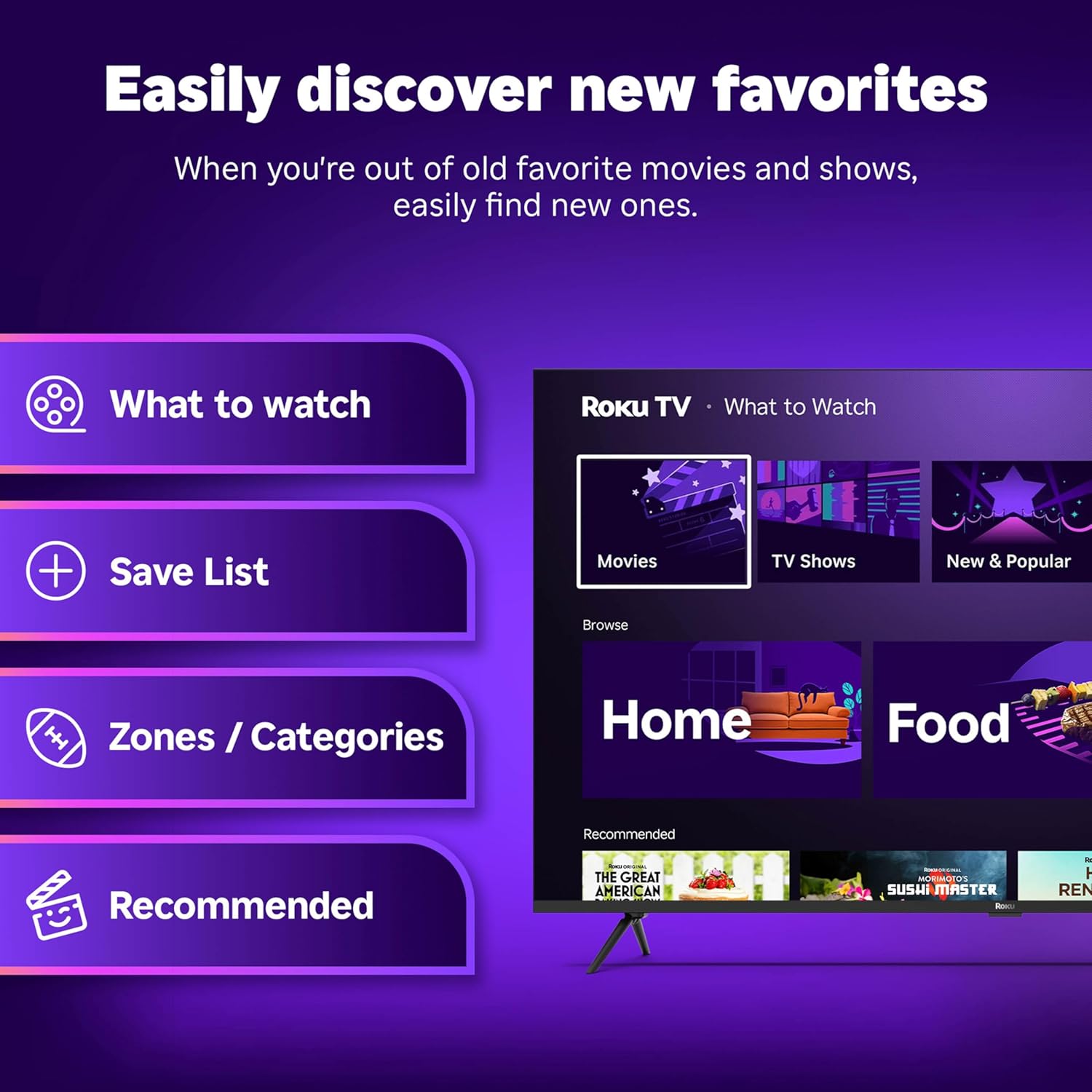
Figure 4.2: Roku Home Screen Interface
4.3 Streaming jeung Live TV
Access a wide range of streaming services and live TV channels directly from your home screen. The Roku platform offers over 500 free TV channels, including live in-season shows, movies, weather, and local news.

Figure 4.3: Live TV Guide
5. Gambar jeung Kualitas Sora
The Roku Plus Series TV features advanced technologies for an immersive audio-visual experience:
- 4K QLED Mini-LED Display: Mini-LED backlighting enhances detail, while QLED and Dolby Vision technology deliver accurate colors and vivid highlights.
- Roku Smart Picture Max: AI-powered optimization refines color and sharpness for various content types, including sports and movies.
- Audio Dolby Atmos: Designed for clear speech and enhanced sound, with a built-in subwoofer for a cinematic experience.
- Modeu Headphone Bluetooth: Allows private listening using wireless headphones without disturbing others.
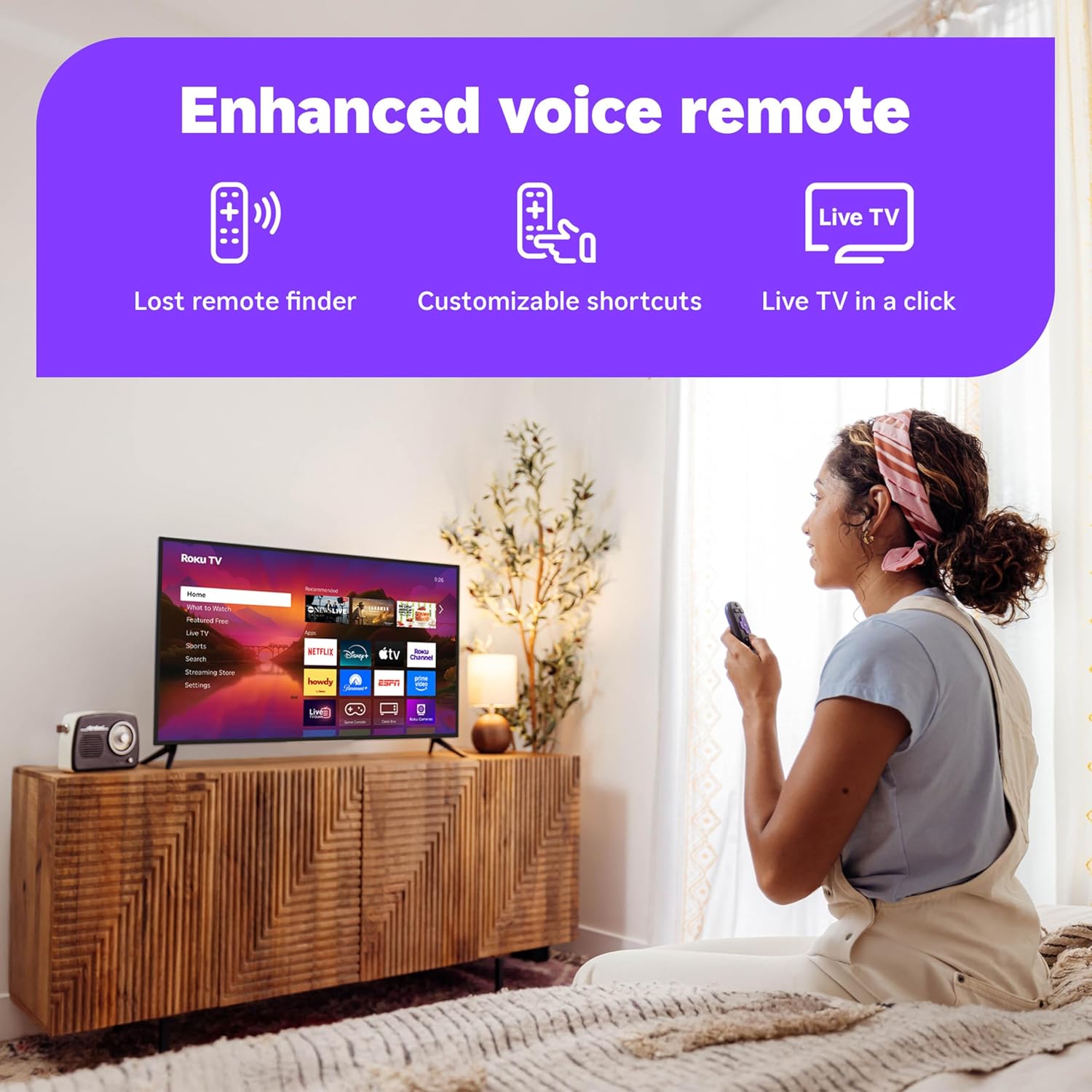
Figure 5.1: Roku Smart Picture Max Settings

Figure 5.2: Bluetooth Headphone Mode in Use
6. Connectivity and Smart Home Integration
The Roku TV is designed for seamless integration into your digital lifestyle:
- Konektipitas Wi-Fi: Built-in Wi-Fi ensures fast and reliable streaming.
- Asisten sora: Compatible with Roku Voice, Siri, Alexa, and Google Assistant for convenient voice control.
- Apple AirPlay: Bagikeun pidéo, poto, sareng musik tina alat Apple anjeun ka TV kalayan gampang.
- Apdet Parangkat Lunak Otomatis: Ensures you always have the latest features and security enhancements.
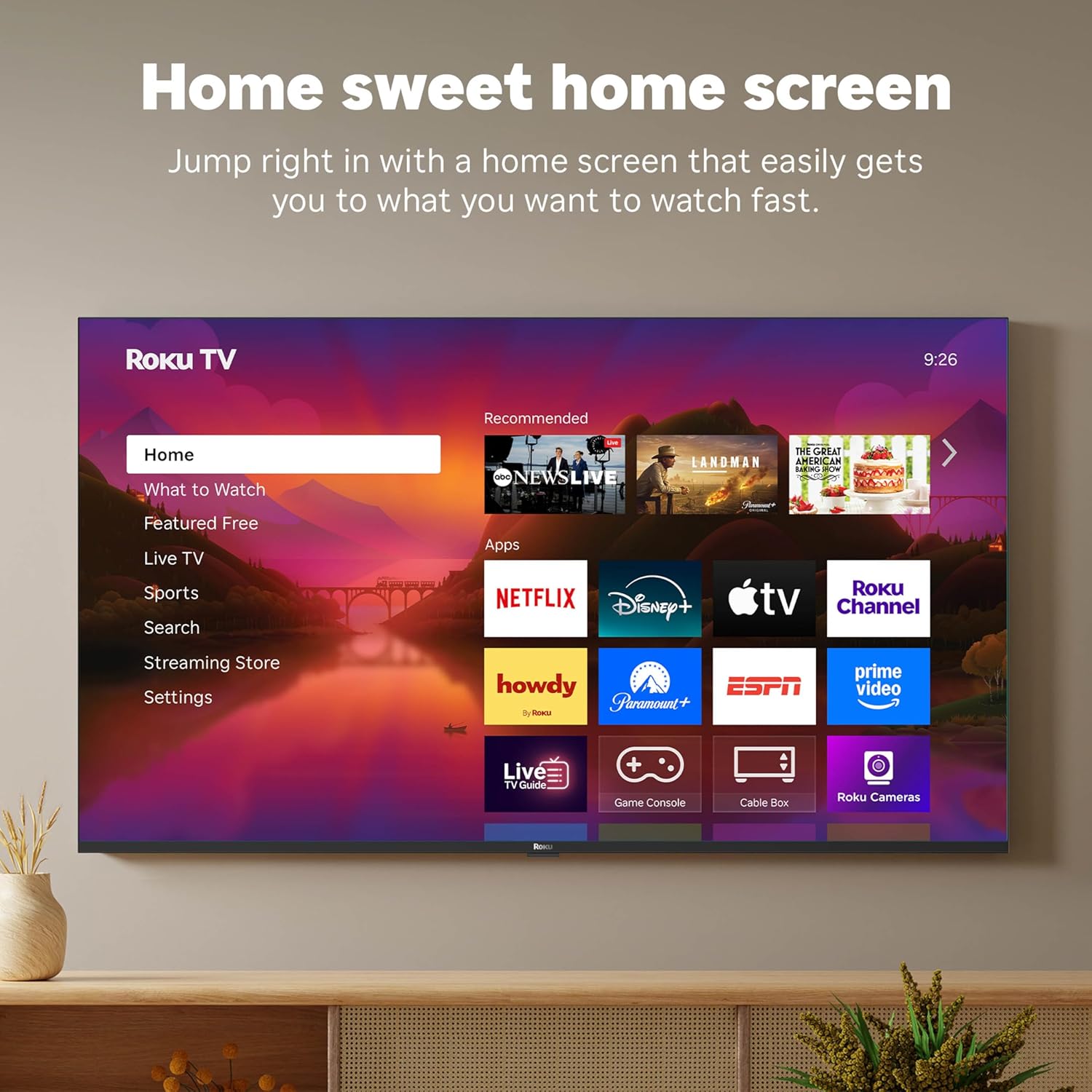
Figure 6.1: Smart Home Integration with Voice Assistants
7. Pangropéa
To ensure the longevity and optimal performance of your Roku TV, follow these maintenance guidelines:
- Ngabersihan layar: Anggo lawon anu lemes sareng henteu ngaganggu anu khusus dirancang pikeun éléktronik. Entong nganggo bahan kimia anu keras atanapi pembersih anu kasar.ampbilas lawon ku cai upami diperyogikeun, teras usap lalaunan.
- Ngabersihkeun Remote: Wipe the remote with a dry, soft cloth. If necessary, use a slightly damp cloth. Avoid getting moisture into the remote's openings.
- Ventilasi: Pastikeun aliran hawa nyukupan sabudeureun TV. Ulah meungpeuk bukaan ventilasi.
- Manajemén kakuatan: Cabut colokan TV tina stop kontak listrik nalika badai kilat atawa lamun éta bakal ditinggalkeun unattended pikeun période lila.
8. Cara ngungkulan
If you encounter issues with your Roku TV, try the following common troubleshooting steps:
- Henteu aya kakuatan: Pastikeun kabel listrik dicolokkeun sacara aman kana TV sareng stop kontak listrik. Coba outlet béda.
- Taya Gambar/Sora: Verify that the correct input source is selected. Check all cable connections (HDMI, optical, etc.) for secure fit.
- Jauh Teu Ngabales: Replace the batteries in the remote. Ensure there are no obstructions between the remote and the TV. For the Enhanced Voice Remote, try using the lost remote finder feature.
- Masalah Sambungan Jaringan: Restart your Wi-Fi router and modem. On the TV, go to Settings > Network > Check connection.
- Aplikasi Henteu Dimuat: Restart the app. If the issue persists, remove the app and reinstall it from the Streaming Store.
- Masalah Apdet Parangkat Lunak: Ensure your internet connection is stable. Go to Settings > System > Software update to manually check for updates.
For more detailed troubleshooting or persistent issues, visit the official Roku support websitus atanapi ngahubungan layanan palanggan.
9. Spésifikasi
| Fitur | Spésifikasi |
|---|---|
| merek | Roku |
| Nomer modél | 55R6C7 |
| Ukuran layar | 55 inci |
| Téknologi tampilan | 4K UHD, LED, Mini LED, QLED |
| Resolusi | 4K |
| Refresh Laju | 60 Hz |
| Dimensi produk | 11.7 "D x 48.3" W x 30.5" H |
| Item Beurat | 27.4 pon |
| Téhnologi konektipitas | Bluetooth, Ethernet, USB-C, Wi-Fi |
| Fitur husus | Bluetooth Headphone Mode, Dolby Vision, Game Mode, Art Mode, Voice Remote, Variable Refresh Rate (VRR), Flat |
| Komponén Kaasup | Roku Plus Series 55" 4K QLED Mini-LED TV, Stands and screws, Roku Enhanced Voice Remote with batteries, Quick Start Guide |
10. Garansi jeung Rojongan
Kanggo inpormasi ngeunaan garansi produk anjeun, mangga tingali kartu garansi anu kalebet dina bungkus produk anjeun atanapi kunjungi dukungan Roku resmi. website. Roku provides customer support for technical assistance and service inquiries.
Dukungan Online: support.roku.com