
1. Bubuka
Welcome to the user manual for your new boAt Rockerz 413 Bluetooth Over-Ear Headphones. These headphones are designed to provide a superior audio experience with features such as 60 hours of playback, powerful 40mm drivers, ENx Technology for clear calls, Dual Pairing for seamless device switching, and a low-latency BEAST Mode for gaming.
Please read this manual carefully to ensure proper use and to maximize the performance and longevity of your headphones.
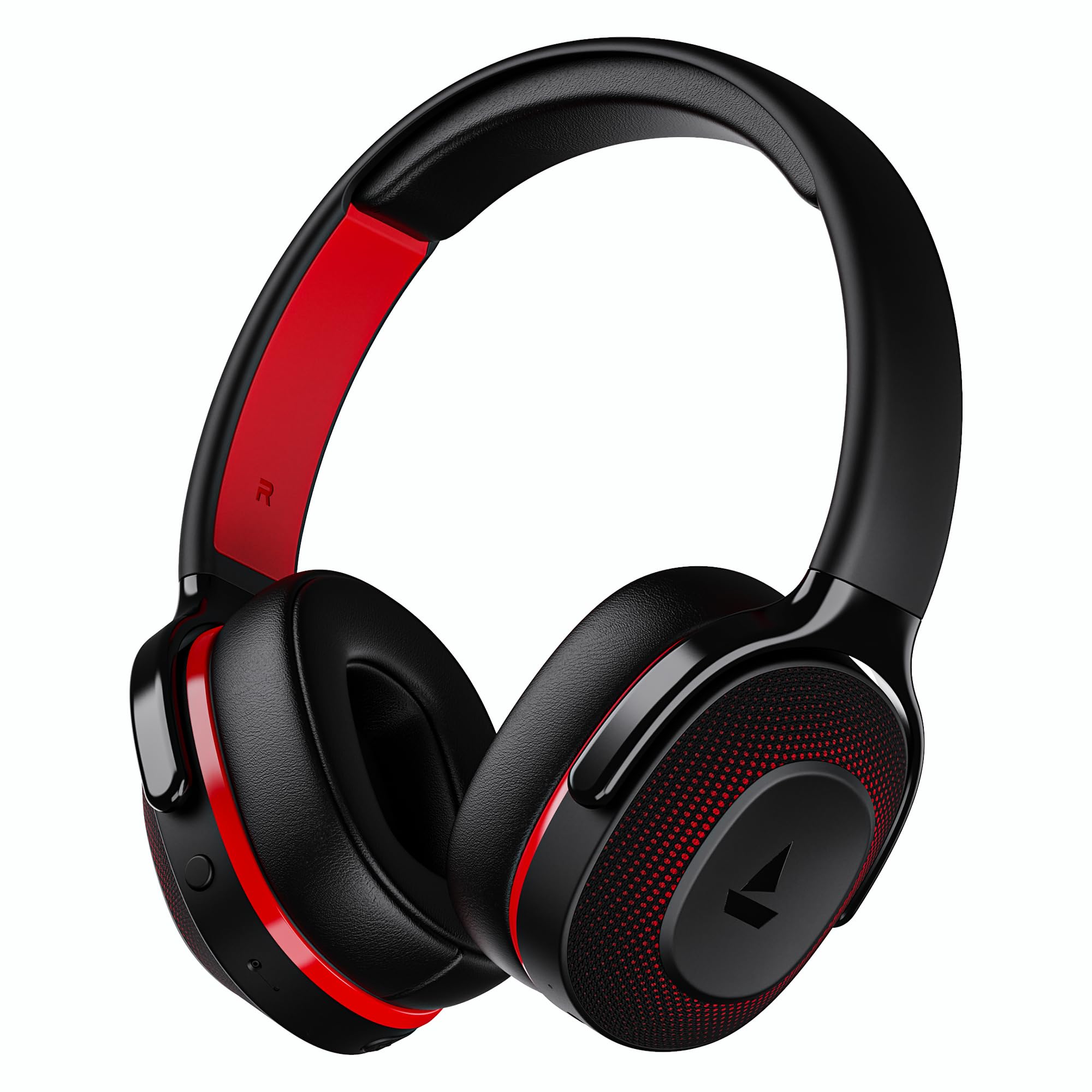
Image: boAt Rockerz 413 Bluetooth Headphones in Black & Red.
2. Naon dina Box
Upon opening your boAt Rockerz 413 package, you should find the following items:
- BoAt Rockerz 413 Headphone
- Kabel Ngecas
3. Produk Langkungview jeung Kontrol
Biasakeun diri anjeun sareng komponén fisik sareng kontrol headphone anjeun.

Gambar: Deukeut view of the right ear cup, highlighting the easy access control buttons for power, volume, and mode selection. The headphones feature an adaptive fit design and support dual pairing with Bluetooth v5.2.
Tombol kontrol:
- Tombol Daya: Pencét terus tahan pikeun hurung/pareum. Pencét sakeudeung pikeun puter/pareum.
- Volume Naik (+): Pencét pondok pikeun ningkatkeun volume. Pencét lila pikeun lagu salajengna.
- Volume Turun (-): Pencét pondok pikeun ngirangan volume. Pencét lila pikeun lagu saméméhna.
- Tombol multi-fungsi: (Specific function may vary, often for call management or voice assistant).
- Tombol Mode: Activates BEAST Mode for low latency gaming.
4. Setélan
4.1 Powering on / Pareum
- Pikeun Ngahurungkeun: Pencét terus tahan Tombol Daya salila kurang leuwih 3 detik nepi ka indikator LED hurung.
- Pikeun mareuman: Pencét terus tahan Tombol Daya salila kurang leuwih 5 detik nepi ka indikator LED pareum.
4.2 Nyapasangkeun Bluetooth
- Pastikeun headphone dicas pinuh sateuacan dianggo heula.
- Power on the headphones. They will automatically enter pairing mode, indicated by a flashing LED light (e.g., blue and red alternating).
- Dina alat anjeun (smartphone, tablet, laptop), aktipkeun Bluetooth.
- Milarian pikeun available Bluetooth devices and select "boAt Rockerz 413" from the list.
- Once connected, the LED indicator will show a steady blue light or flash slowly.
4.3 Ganda papasangan
The Rockerz 413 supports dual pairing, allowing you to connect to two devices simultaneously (e.g., a smartphone and a laptop). This enables seamless switching between audio sources without manual disconnection.
- Connect the headphones to the first device as described in section 4.2.
- Nonaktipkeun Bluetooth dina alat munggaran. Headphone bakal asup deui kana mode papasangan.
- Sambungkeun headphone ka alat kadua.
- Aktipkeun deui Bluetooth dina alat munggaran. Headphone bakal otomatis nyambung ka kadua alat eta.
- Audio will play from the device that is actively playing content.
Image: The boAt Rockerz 413 headphones demonstrating their adaptive fit and the capability for dual pairing with Bluetooth v5.2.
5. Parentah Operasi
5.1 Playback audio
- Puter / Reureuh: Pencét pondok Tombol Daya.
- Lagu salajengna: Pencét lila tombol Volume Naék (+).
- Lagu Sateuacanna: Pencét lila tombol Volume Turun (-).
- Kontrol volume: Short press Volume Up (+) or Volume Down (-) buttons.
5.2 Call Management (ENx Technology)
The boAt Rockerz 413 features ENx Technology, which enhances your voice and cancels surrounding noise for clear call quality.
- Ngajawab / mungkas Telepon: Pencét pondok Tombol Multi-fungsi.
- Nolak Telepon: Long press the Multi-function Button.
- Asistén Sora: Double press the Multi-function Button (if supported by your device).

Image: The boAt Rockerz 413 headphones showcasing ENx Technology for enhanced call clarity.
5.3 BEAST Mode (Low Latency Gaming)
Activate BEAST Mode for a low-latency audio experience, ideal for gaming. This mode reduces audio delay to 60ms, providing synchronized sound with your gameplay.
- Activate BEAST Mode: Press the dedicated Mode Button. You may hear an audio prompt confirming activation.
- Deactivate BEAST Mode: Press the Mode Button again.

Image: boAt Rockerz 413 headphones shown alongside a smartphone displaying a game, emphasizing the 60ms low latency BEAST Mode for an immersive gaming experience.
5.4 boAt Signature Sound with 40mm Drivers
Experience rich and balanced audio with the boAt Signature Sound, delivered through powerful 40mm dynamic drivers. These drivers are engineered to provide clear highs, detailed mids, and deep bass for an enjoyable listening experience across various genres.

Image: An exploded diagram of the boAt Rockerz 413 ear cup, illustrating the internal 40mm drivers and components responsible for delivering boAt Signature Sound.
6. Ngecas
Your boAt Rockerz 413 headphones offer an impressive 60 hours of playback on a single charge.
- Sambungkeun kabel ngecas anu disayogikeun kana port ngecas dina headphone.
- Sambungkeun tungtung kabel anu sanésna kana sumber daya USB (contona, adaptor témbok, port USB komputer).
- The LED indicator will show a red light during charging.
- Once fully charged, the LED indicator will turn blue or off, depending on the model.
- Avoid using fast chargers or chargers with voltage exceeding 5V to prevent damage.

Image: Close-up of the boAt Rockerz 413 headphone ear cup, highlighting its 60 hours of playback capability.
7. Pangropéa
Pikeun mastikeun umur panjang sareng kinerja optimal headphone anjeun, turutan tungtunan pangropéa ieu:
- Jaga headphone tetep garing. Ulah kakeunaan cai atanapi kalembaban anu kaleuleuwihi.
- Clean the ear cushions and headband regularly with a soft, dry cloth.
- Hindarkeun suhu anu ekstrim.
- Simpen headphone dina tempat anu tiis sareng garing upami henteu dianggo.
- Ulah nyobian ngabongkar atanapi ngarobih headphone, sabab ieu bakal ngabatalkeun garansi.
8. Cara ngungkulan
| Masalah | Solusi anu mungkin |
|---|---|
| Headphone teu hurung | Pastikeun headphone dicas. Sambungkeun ka sumber listrik teras cobian deui. |
| Teu tiasa dipasangkeun sareng alat |
|
| Teu aya sora atanapi volume handap |
|
| Call quality issues (ENx Tech) |
|
| Latency in gaming (BEAST Mode) |
|
9. Spésifikasi
| Fitur | Rincian |
|---|---|
| merek | parahu |
| Ngaran modél | Rockerz |
| Nomer modél | PB0019 |
| Panempatan Ceuli | Leuwih Ceuli |
| Faktor Bentuk | Leuwih Ceuli |
| Kontrol bising | Pembatalan Noise aktip |
| Vérsi Bluetooth | 5.2 |
| Téhnologi nirkabel | Bluetooth |
| Tipe Supir Audio | Supir dinamis |
| Ukuran supir | 40 mm |
| Kahirupan Batré (Rata-rata) | 60 Jam |
| Métode kontrol | Pencét Tombol |
| Fitur produk | ENx Technology, BEAST Mode, Dual Pairing |
| Alat nu cocog | Tablets, Desktops, Telephones, Cellphones, Laptops, Smart Speaker, Television |
| Mangpaat husus | Gaming, Music, Travel |
| Bahan | Kain |
| Item Beurat | 300 gram |
| Negara asal | Cina |
10. Garansi
The boAt Rockerz 413 headphones come with a garansi 1 taun from the date of purchase. Please retain your proof of purchase for warranty claims. The warranty covers manufacturing defects but does not cover damage caused by misuse, accidents, unauthorized modifications, or normal wear and tear.
For detailed warranty terms and conditions, please refer to the official boAt websitus atanapi ngahubungan rojongan customer.
11. Rojongan
For further assistance, technical support, or warranty claims, please contact boAt customer service:
- Kontak Pabrikan: Bayangkeun Marketing Ltd
- Surélék: info@imaginemarketingindia.com
Aplikasi boAt Hearables
Enhance your experience by downloading the boAt Hearables App. Scan the QR code below or visit the provided link to access additional features, stream music, listen to audiobooks, and find user help guides.
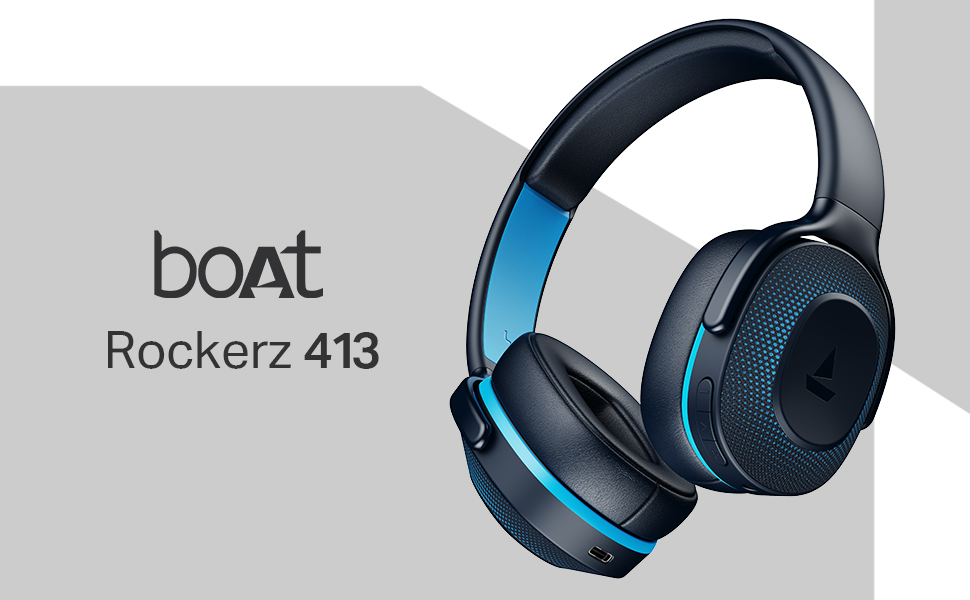
Image: A smartphone screen displaying a QR code for the boAt Hearables App, which allows users to stream music, listen to audiobooks, and access user guides.
Unduh aplikasina di dieu: boAt Hearables App Link