1. Produk Langkungview
The TIDRADIO TD-M2 is a 4G LTE Push-to-Talk over Cellular (POC) radio designed for unlimited range communication. It offers nationwide coverage, supporting real-time communication across vast distances using cellular networks. This device is ideal for various applications, from outdoor activities to professional team coordination.
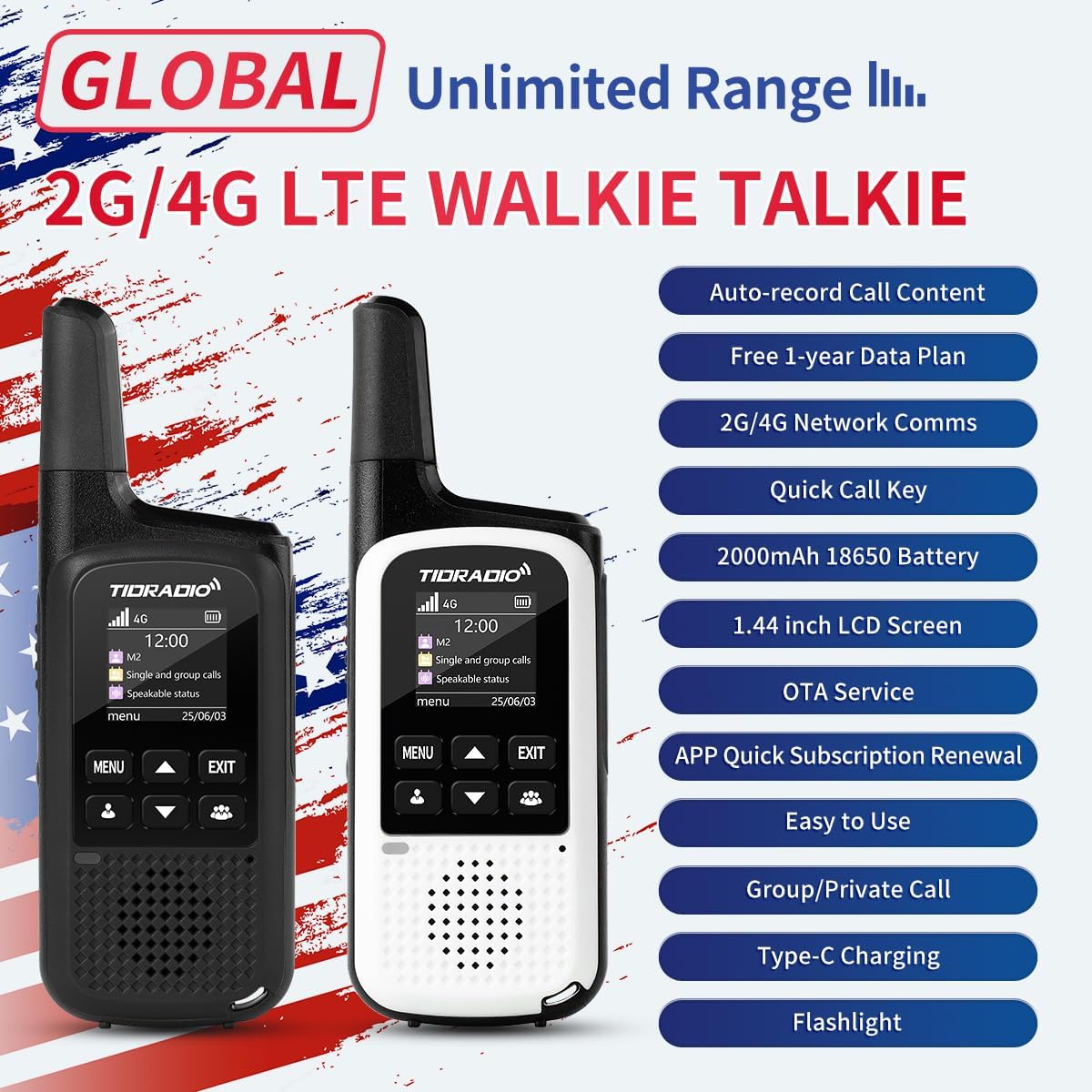
Image: Two TIDRADIO TD-M2 POC Radios, one black and one white, showcasing their compact design and display.
Fitur konci:
- Jangkauan Nasional: Utilizes 4G LTE for communication across vast distances (up to 6000 miles).
- Instant Communication: Push-to-Talk functionality for 1-on-1, 1-to-many, or group talks with minimal delay.
- SIM Card & Data Plan: Includes a SIM card with a 1-year free data plan. Renewal is available via the ODmaster APP.
- Rekaman Telepon: Automatically records call content when the ODmaster APP is running in the background.
- Énkripsi: Built-in encryption chip for secure communications.
- Pembaruan OTA: Supports Over-The-Air updates for improved stability and reliability.
- Desain awét: Drop-proof, compact, and comfortable to hold.
- Ngecas Tipe-C: Modern USB Type-C charging port.
2. Naon dina Box
Your TIDRADIO TD-M2 package includes the following items:
- 2 x TIDRADIO TD-M2 POC Radios
- 2 x Lithium Polymer Batteries (pre-installed or included separately)
- 2 x SIM Cards (pre-installed or included separately)
- 2 x Kabel Ngecas USB Tipe-C
- 2 x adaptor kakuatan
- 1 x Manual Pamaké
3. komponén produk jeung kontrol
Familiarize yourself with the various parts and controls of your TD-M2 radio:

Image: Detailed diagram of the TIDRADIO TD-M2 radio, highlighting key components such as the antenna, LED light, PTT button, SIM card slot, headset/USB charging port, menu/exit buttons, and microphone.
- anteneu: For signal reception and transmission.
- Lampu LED: Indicates status (e.g., power, charging, transmission).
- Tombol PTT: Push-to-Talk button for initiating communication.
- Tombol Menu: Ngaksés pilihan menu radio.
- Tombol Kaluar: Exits current menu or ends a call.
- Tombol Navigasi (Kaluhur/Turun/Kénca/Katuhu): Used to select or adjust volume and navigate menus.
- Slot Kartu SIM: Location for inserting the SIM card.
- Headset/USB Charging Port: Multi-functional port for accessories and charging.
- Mikropon: For voice input during communication.
- Speaker: Pikeun kaluaran audio.
4. Setup jeung Aktipkeun
4.1 Nyelapkeun Kartu SIM
The TD-M2 radios come with pre-installed SIM cards. If you need to re-insert or replace a SIM card, follow these steps:
- Carefully open the SIM card slot cover on the side of the radio.
- Insert the SIM card into the designated slot with the gold contacts facing down, ensuring it clicks into place.
- Tutupkeun panutup slot kartu SIM pageuh-pageuh pikeun ngajaga tina lebu sareng kalembaban.
4.2 ODmaster APP Download and Account Registration
To fully utilize your TD-M2 radio's features, you need to download and register an account on the ODmaster APP.
- Unduh: Scan the QR code provided in the quick start guide or search for "ODmaster" in your device's app store (Android/iOS).
- Pendaptaran: Open the ODmaster APP and follow the on-screen instructions to register a new account using your phone number or email.
4.3 Device Binding and Group Creation
After registering, bind your TD-M2 radio to your ODmaster account and set up your communication groups.
- In the ODmaster APP, navigate to the 'Devices' section.
- Select 'TD-M2' from the list of available devices.
- Scan the QR code displayed on your TD-M2 radio's screen to bind it to your account.
- Once bound, go to the 'Groups' section in the APP to create new groups or add existing friends.
- Add the bound TD-M2 radio to your desired groups to enable communication.
Video: Official tutorial from TIDRADIO Direct demonstrating how to quickly activate your M2 Rapid POC Radio, including app download, registration, and device binding.
5. Parentah Operasi
5.1 Daya Hurung/Pareuman
- Daya Hurung: Press and hold the red 'Exit' button until the screen lights up.
- Pareum listrik: Press and hold the red 'Exit' button until the device powers down.
5.2 Basic Communication (Push-to-Talk)
The TD-M2 supports various call types:
- Full Call (Group Call): To communicate with all members in your selected group, simply press and hold the PTT button on the side of the radio, speak clearly, and release the button to listen.
- Telepon Tunggal (Telepon Pribadi): Navigate to the 'Contacts' list using the menu buttons, select the desired individual, and then press and hold the PTT button to initiate a private conversation.
- Telepon Grup: Select a specific group from your 'Groups' list using the menu buttons, then press and hold the PTT button to communicate with that group.

Image: The TIDRADIO TD-M2 radio demonstrating Push-to-Talk functionality, highlighting support for up to 100 groups and 200 members, with clear, instant communication.
5.3 Fitur Ngarékam
To record conversations:
- Ensure the ODmaster APP is open and running in the background on your smartphone.
- All call content within relevant groups will be automatically recorded and accessible via the APP.

Image: A smartphone displaying the ODmaster app interface, showing call content being auto-recorded with an encryption shield icon, emphasizing enhanced security.
6. Pangropéa sarta perawatan
6.1 Ngecas Batré
- Connect the provided USB Type-C charging cable to the radio's charging port.
- Plug the other end of the cable into the power adapter and then into a wall outlet.
- The LED indicator on the radio will show charging status.
- A full charge provides approximately 6.3 hours of continuous use and up to 30 days of standby time.
6.2 Apdet Parangkat Lunak (OTA)
The TD-M2 supports Over-The-Air (OTA) updates to ensure optimal performance and access to new features.
- Periodically check the ODmaster APP for available software updates.
- Follow the on-screen instructions in the APP to download and install updates to your radio.

Image: The TIDRADIO TD-M2 radio's screen displaying the 'Update' option within its system menu, illustrating the lifetime free OTA service for easy upgrades, stability, and reliability.
7. Cara ngungkulan
- No Signal/Limited Range: Ensure you are within 4G LTE coverage. Check the SIM card is correctly inserted.
- Cannot Connect to ODmaster APP: Verify your smartphone has an active internet connection. Ensure the radio is powered on and within Bluetooth range for initial binding.
- Masalah Kualitas Telepon: Check network signal strength on the radio's display. Move to an area with better cellular reception if needed.
- Alat Teu Ngabales: Try restarting the radio by powering it off and then on again. If the issue persists, ensure the battery is charged.
8. Spésifikasi
| Fitur | Rincian |
|---|---|
| Item Beurat | 1.3 pon |
| Ukuran Paket | 9 x 7 x 3 inci |
| Nomer Modél Item | TD-M2 |
| Batré | 2 batré Litium Polimér (kaasup) |
| merek | TIDRADIO |
| Ngawangkong Range Maximum | 9999 Miles (Network Dependent) |
| Tingkat Résistansi Cai | Henteu Tahan Cai |
| Kahirupan batré | 6 Jam (panggunaan kontinyu) |
| Waktu sayaga | Nepi ka 30 dinten |
| Alat nu cocog | TD-M15, G100, M13, Other POC walkie talkies using ODmaster platform |
9. Garansi jeung Rojongan
TIDRADIO offers customer support to ensure a satisfactory experience. For any issues or inquiries, please contact TIDRADIO Direct customer service.
- Rencana panyalindungan: Rencana Perlindungan 2 Taun sareng 3 Taun Pilihan sayogi kanggo ngagaleuh.
- Kabijakan pamulangan: A 30-day refund/replacement policy is typically offered. Please refer to your purchase platform for specific details.
Video: A general brand introduction video from CARRBORG (a seller of TIDRADIO products), highlighting global communication capabilities and customer support.


