Introduction to Microsoft Copilot
This guide provides comprehensive instructions for leveraging Microsoft Copilot, an AI-powered assistant integrated within Microsoft 365 applications. It is designed for both new and experienced users seeking to enhance productivity and streamline workflows across Word, Excel, PowerPoint, Outlook, and Teams.
Microsoft Copilot assists in automating routine tasks, drafting content, analyzing data, and managing communications, enabling users to focus on strategic work and achieve better results.
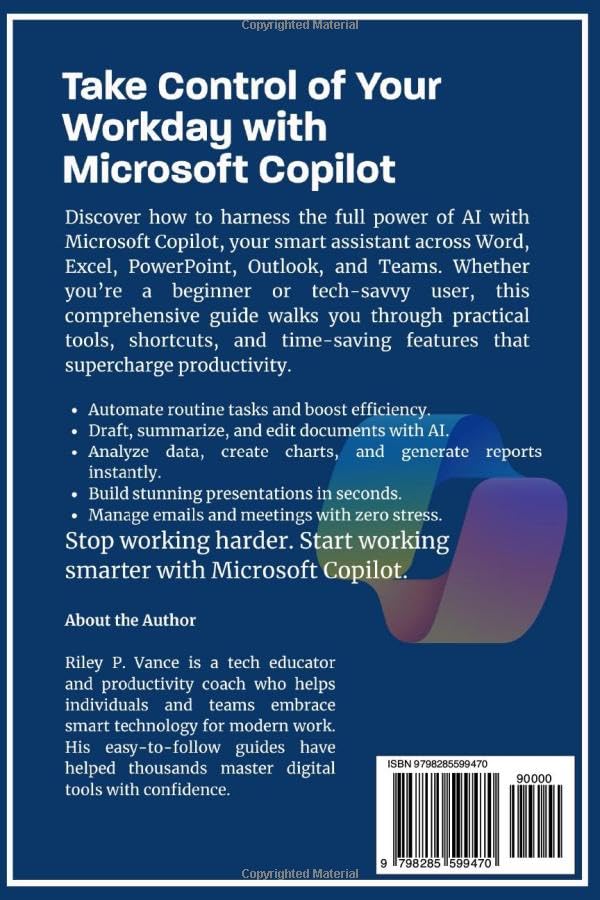
Image: Back cover of the user guide, highlighting Copilot's capabilities and the author's background.
Setup and Prerequisites
Before you begin using Microsoft Copilot, ensure the following prerequisites are met:
- Active Microsoft 365 Subscription: Copilot functionality requires an active subscription to Microsoft 365.
- Copilot Access: Verify that Copilot features are enabled for your account within your Microsoft 365 environment. This may require administrative setup in organizational contexts.
- Sambungan Internét: A stable internet connection is necessary for Copilot to access cloud-based AI services.
No specific software installation is required beyond your standard Microsoft 365 applications, as Copilot is integrated directly.
Operating Microsoft Copilot
This section outlines the general operation and application-specific uses of Microsoft Copilot.
General Principles of Prompt Engineering
Effective use of Copilot relies on clear and concise prompts. Consider the following:
- Be Specific: Clearly state your objective and desired output format.
- Provide Context: Include relevant information that Copilot needs to understand your request.
- Ulikan: Refine your prompts based on Copilot's initial responses to achieve better results.
Copilot in Microsoft Word
Use Copilot to:
- Draft Documents: Generate initial drafts from a brief description.
- Summarize Content: Condense long documents into key points.
- Edit and Refine: Improve grammar, style, and clarity, or rewrite sections.
Copilot in Microsoft Excel
Leverage Copilot for:
- Automating Spreadsheets: Create formulas, sort data, and identify trends.
- Analyzing Data: Ask questions about your data to gain insights.
- Ngahasilkeun Laporan: Create summaries and visualizations from your datasets.
Copilot in Microsoft PowerPoint
Enhance presentations by:
- Building Presentations: Generate slides from outlines or documents.
- Refining Content: Suggest improvements for slide layouts, text, and imagery.
Copilot in Microsoft Outlook and Teams
Improve communication and collaboration:
- Summarize Emails: Get quick overviews of long email threads.
- Schedule Meetings: Assist in finding available times and drafting invitations.
- Optimize Collaboration: Facilitate discussions and summarize meeting notes in Teams.
Power BI Integration
Copilot can assist with Power BI by:
- Analyzing Data: Generate insights and create reports from your Power BI datasets.
- Visualizing Reports: Help in creating and refining data visualizations.
Pangropéa sareng Praktik Pangsaéna
To ensure optimal performance and continuous benefit from Microsoft Copilot:
- Tetep diropéa: Microsoft frequently updates Copilot features. Regularly check official Microsoft documentation and announcements for new functionalities.
- Refine Prompts: Continuously experiment with and refine your prompt engineering techniques to achieve more precise and useful outputs.
- Review Kaluaran: Salawasna deuiview Copilot's generated content for accuracy, relevance, and tone before final use.
Ngarengsekeun Masalah Umum
If you encounter issues while using Microsoft Copilot, consider the following steps:
- Konektipitas Internét: Ensure you have a stable and active internet connection.
- Microsoft 365 Status: Verify your Microsoft 365 subscription is active and there are no service outages reported by Microsoft.
- Copilot Enablement: Check application settings to confirm Copilot is enabled.
- Hapus Cache: Sometimes, clearing the cache of your Microsoft 365 applications can resolve minor glitches.
- Konsultasi Dokuméntasi: Refer to the specific troubleshooting sections within this guide or official Microsoft support resources for detailed solutions.
spésifikasi
| pamedal | Diterbitkeun sacara mandiri |
| Tanggal Publikasi | 28 Méi 2025 |
| Basa | Inggris |
| Panjang Print | 214 kaca |
| ISBN-13 | 979-8285599470 |
| Item Beurat | 13.6 ons |
| Diménsi | 6 x 0.49 x 9 inci |
Author and Support
This user guide was authored by Riley P. Vance, a tech educator and productivity coach. Vance specializes in creating easy-to-follow guides that empower individuals and teams to confidently utilize smart technology for modern work environments.
For further support regarding Microsoft Copilot, refer to official Microsoft documentation and support channels. This guide serves as a comprehensive instructional resource for the effective application of Copilot features.


