1. Bubuka
Thank you for choosing the GOBOULT Soniq AirBass Over-Ear Bluetooth Headphones. This manual provides essential information for setting up, operating, and maintaining your headphones to ensure optimal performance and longevity. Please read this manual thoroughly before use.
2. Naon dina Box
- GOBOULT Soniq AirBass Over-Ear Headphones
- Kabel Ngecas Tipe-C
- Manual pamaké
- Kartu Garansi
- Bantalan Ceuli (parantos dipasang)
3. Produk Langkungview
Familiarize yourself with the components and controls of your GOBOULT Soniq AirBass headphones.

Gambar: Hareupeun view of the GOBOULT Soniq AirBass Over-Ear Bluetooth Headphones, showcasing their sleek black design and comfortable earcups.
Kontrol jeung palabuhan

Image: Close-up of the tactile button controls on the headphone earcup, indicating volume up/down and play/pause functions.
- Tombol Daya: Tempatna dina earcup, dianggo pikeun ngaktipkeun / mareuman sareng masangkeun.
- Tombol Volume (+/-): Saluyukeun volume audio.
- Tombol multi-fungsi: Controls play/pause, track skipping, and call management.
- Tombol Mode EQ: Cycles through various equalizer presets.
- Port Ngecas Tipe-C: Pikeun ngecas headphone.
- Port AUX 3.5mm: Pikeun sambungan audio kabel.
- Zen™ ENC Microphone: Integrated microphone for clear calls.

Image: Illustration highlighting the adjustable headband, foldable design, and movable earcups for enhanced comfort and portability.
4. Setélan
4.1 Ngecas Headphone
Before first use, fully charge your headphones. Use the provided Type-C charging cable.
- Connect the Type-C end of the charging cable to the headphone's charging port.
- Sambungkeun tungtung USB-A kana adaptor daya USB anu cocog (henteu kalebet) atanapi port USB komputer.
- Indikator LED bakal némbongkeun status ngecas (contona, beureum pikeun ngecas, biru/pareum pikeun dicas pinuh).

Image: The GOBOULT Soniq AirBass headphones connected to a Type-C charging cable, illustrating the fast charging capability.
A 10-minute charge provides approximately 8 hours of playtime. A full charge offers up to 70 hours of playtime.
4.2 Powering on / Pareum
- Daya Hurung: Press and hold the Power button for 3-5 seconds until the LED indicator flashes.
- Pareum listrik: Pencét terus tahan tombol Daya salami 3-5 detik dugi ka indikator LED pareum.
4.3 Nyapasangkeun Bluetooth
Headphone ieu ngadukung Bluetooth 5.4 pikeun sambungan anu gancang sareng stabil.
- Pastikeun headphone dipareuman.
- Pencét terus tahan tombol Daya salila kira-kira 5-7 detik nepi ka indikator LED kedip-kedip beureum jeung biru silih genti, nunjukkeun modeu pairing.
- Dina alat anjeun (smartphone, tablet, laptop), aktipkeun Bluetooth sareng milarian alat anu sayogi.
- Select "GOBOULT AirBass" from the list of devices.
- Sakali nyambung, indikator LED bakal kedip-kedip biru laun atanapi robah jadi biru polos.

Image: Visual representation of the Bluetooth 5.4 Blink & Pair feature, emphasizing fast pairing and stable connection.
4.4 Dual Device Pairing
The headphones can connect to two devices simultaneously.
- Masangkeun headphone sareng alat kahiji sakumaha dijelaskeun dina bagian 4.3.
- Nonaktipkeun Bluetooth dina alat munggaran. Headphone bakal asup deui kana mode papasangan.
- Masangkeun headphone sareng alat kadua.
- Aktipkeun deui Bluetooth dina alat munggaran. Headphone kedah otomatis nyambung ka kadua alat eta.
- You can now switch audio playback between the two connected devices.
4.5 Sambungan Kabel (AUX)
For a wired connection, use a 3.5mm audio cable (not included).
- Connect one end of the 3.5mm audio cable to the AUX port on the headphones.
- Sambungkeun tungtung anu hiji deui kana colokan audio 3.5mm alat anjeun.
- The headphones will function in passive mode, even if powered off.

Image: The headphones illustrating the flexibility of use in both wireless Bluetooth mode and optional wired mode via a 3.5mm AUX cable.
5. Parentah Operasi
5.1 Basic Audio Controls
- Puter / Reureuh: Pencét tombol Multi-fungsi sakali.
- Volume Up: Pencét tombol '+'.
- Volume Turun: Pencét tombol '-'.
- Lagu salajengna: Pencét jeung tahan tombol '+'.
- Lagu Sateuacanna: Pencét jeung tahan tombol '-'.
5.2 Manajemén Telepon
The integrated Zen™ ENC Mic ensures clear communication by reducing environmental noise.

Image: Close-up of the Zen™ ENC Microphone, highlighting its features for ambient noise isolation and enhanced call clarity.
- Ngajawab / mungkas Telepon: Pencét tombol Multi-fungsi sakali.
- Nolak Telepon: Pencét jeung tahan tombol Multi-fungsi salila 2 detik.
- Telepon deui Nomer Panungtungan: Pencét dua kali tombol Multi-fungsi.
5.3 Modeu EQ
Customize your audio experience with multiple EQ modes.
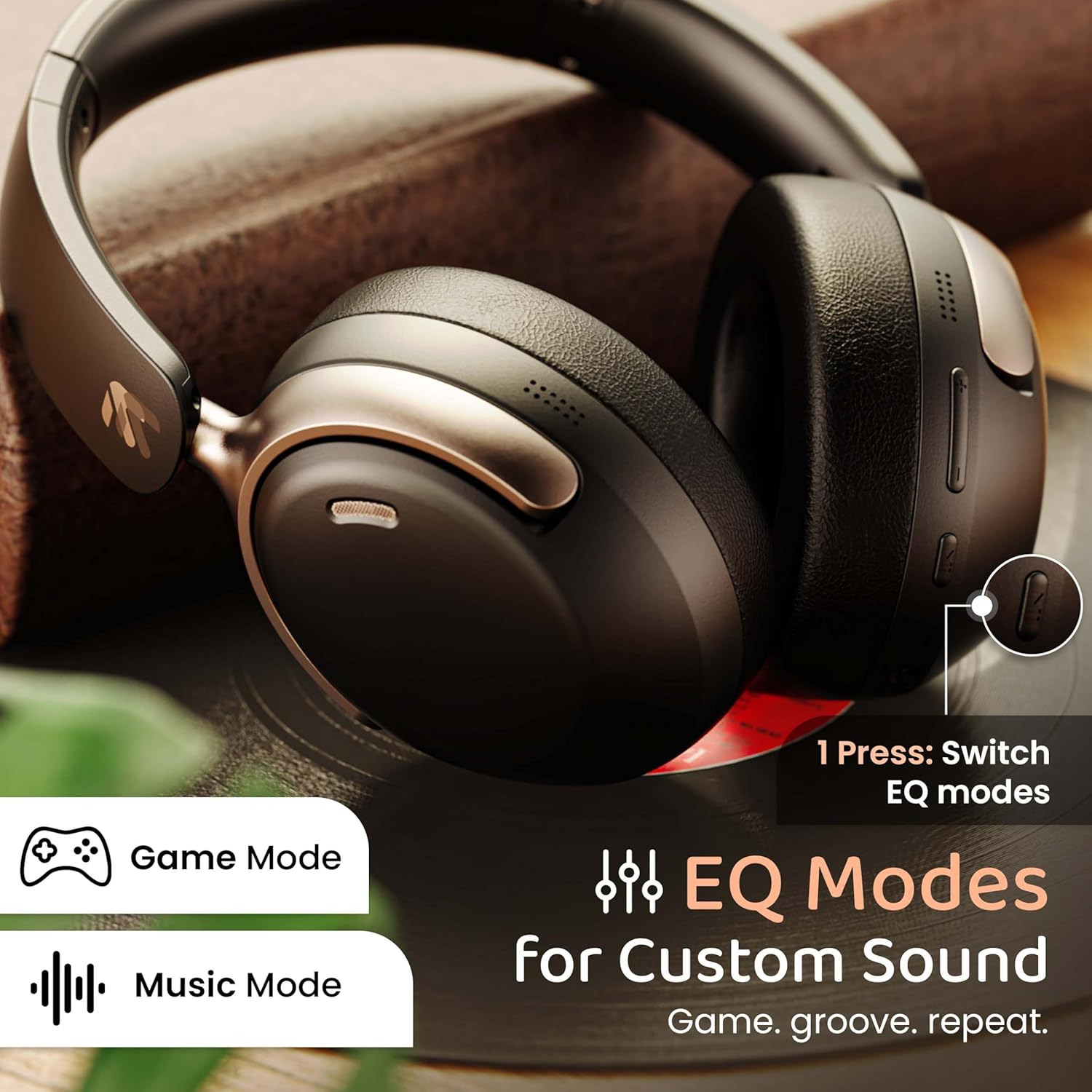
Image: The headphones with an overlay indicating different EQ modes like Game Mode and Music Mode, accessible via a single button press.
- Press the EQ Mode button to cycle through available sound profiles (e.g., Bass Boost, Balanced, Vocal, Gaming).
5.4 Asistén Sora
Activate your device's voice assistant (Siri, Google Assistant).
- Triple-press the Multi-function button to activate the voice assistant.
6. Pangropéa
6.1 beberesih
- Ngusap headphone ku lawon lemes, garing.
- Ulah make bahan kimia kasar atawa bahan abrasive.
- Clean ear cushions gently to remove any buildup.
6.2 Panyimpenan
- Simpen headphone dina tempat anu tiis sareng garing jauh tina sinar panonpoé langsung sareng suhu anu ekstrim.
- Utilize the foldable design for compact storage when not in use.
6.3 Tahan cai
The headphones are IPX5 water resistant, meaning they are protected against low-pressure water jets from any direction. This includes splash, rain, and sweat resistance.
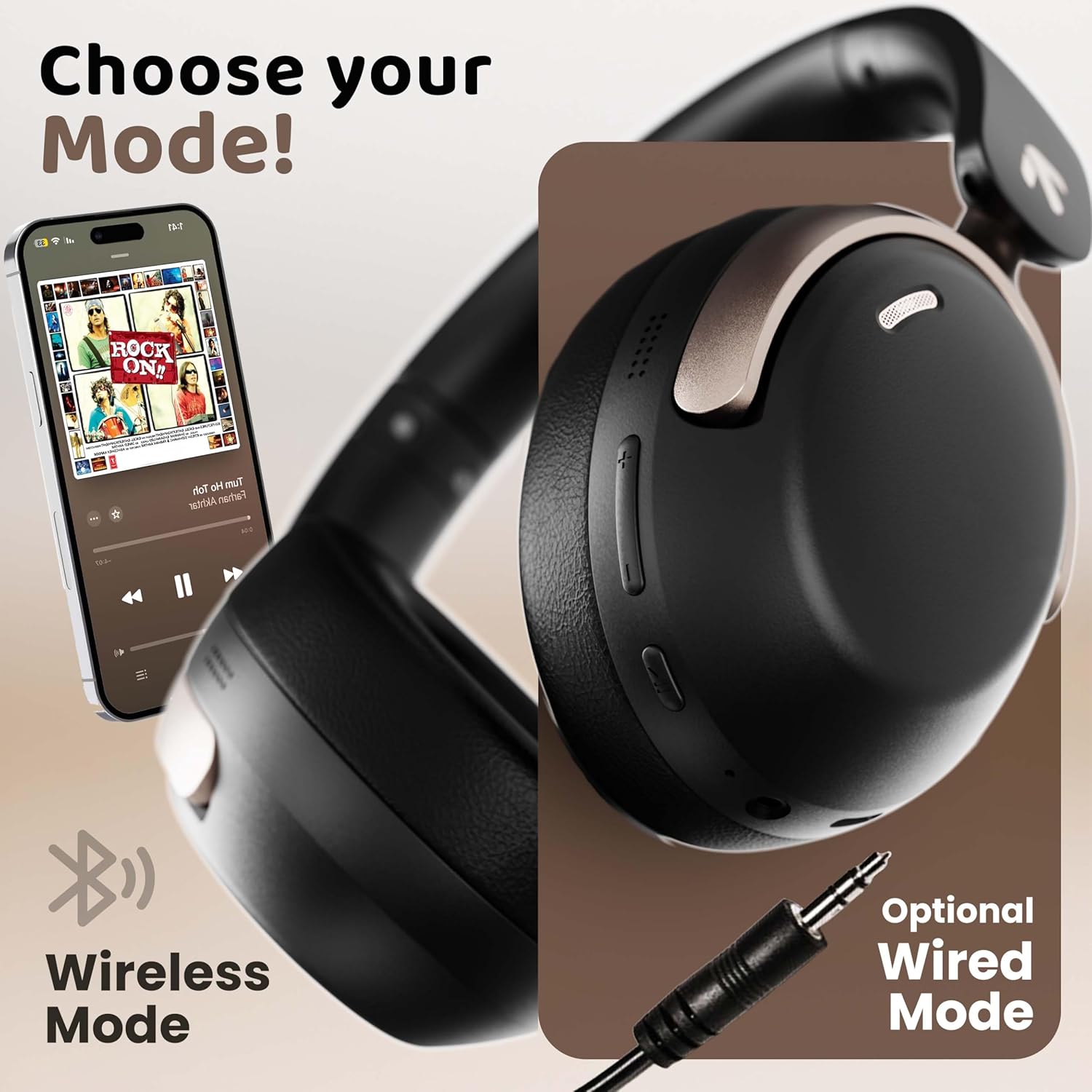
Image: The headphones displayed with icons indicating IPX5 water resistance, signifying splash, rain, and sweat proof capabilities.
Do not submerge the headphones in water or expose them to high-pressure water streams.
7. Cara ngungkulan
| Masalah | Mungkin Cukang lantaranana | Solusi |
|---|---|---|
| Headphone teu hurung | batré lemah | Ngecas headphone pinuh. |
| Teu tiasa dipasangkeun sareng alat | Headphone teu dina modeu pairing; Bluetooth pareum dina alat; alatna jauh teuing | Pastikeun headphone aya dina modeu pairing (kedip-kedip beureum/biru). Aktipkeun Bluetooth dina alat anjeun. Pindahkeun alat langkung caket kana headphone (dina jarak 10 méter). |
| Teu aya sora atanapi volume handap | Volume too low; incorrect audio output; headphones not connected | Increase headphone and device volume. Check Bluetooth connection. Ensure correct audio output is selected on your device. |
| Kualitas panggero goréng | Microphone obstructed; environmental noise; weak signal | Ensure microphone is clear. Move to a quieter environment. Check Bluetooth connection stability. |
| sambungan intermittent | Gangguan; alat jauh teuing; batré lemah | Move away from sources of interference (Wi-Fi routers, other Bluetooth devices). Keep device within 10 meters. Charge headphones. |
8. Spésifikasi
| Fitur | Rincian |
|---|---|
| Ngaran modél | AirBass |
| Téhnologi konektipitas | Bluetooth, Wired (AUX) |
| Téknologi Komunikasi Nirkabel | Bluetooth 5.4 |
| Rentang Bluetooth | 10 méter |
| Ukuran Supir Audio | 40 milimeter |
| Tipe Supir Audio | Supir dinamis |
| Latén Audio | 60 Milidetik (Modeu Kaulinan) |
| Kontrol bising | Pembatalan Noise Lingkungan (ENC) |
| Kahirupan batré | Nepi ka 70 Jam |
| Port ngecas | Ngecas Gancang Tipe-C |
| Tingkat Résistansi Cai | IPX5 |
| Wangun Earpiece | Leuwih Ceuli |
| Bahan | Memory Foam, Plastic |
| Item Beurat | 227 gram |
| Dimensi produk | 17 x 5.5 x 19 cm |
| Fitur husus | Multipoint Pairing, Customizable EQ Modes, Voice Assistant Support |
9. Garansi jeung Rojongan
9.1 Produsén jaminan
The GOBOULT Soniq AirBass Over-Ear Bluetooth Headphones come with a 1-taun jaminan produsén from the date of purchase. This warranty covers manufacturing defects and ensures the reliability of your product.
Punten tahan bukti pameseran anjeun pikeun klaim garansi.
9.2 Rojongan Palanggan
For any queries, technical assistance, or warranty claims, please contact GOBOULT customer support through the official websitus atawa informasi kontak disadiakeun dina kartu jaminan Anjeun.
You may also refer to the official GOBOULT store on Amazon for additional product information and support resources: GOBOULT Store


