
1. Bubuka
The LONGER Ray5 Mini 2.5W is a compact and high-precision laser engraver designed for a wide range of creative and professional applications. This manual provides essential information for safe operation, setup, and maintenance of your device. Please read it thoroughly before use to ensure optimal performance and safety.
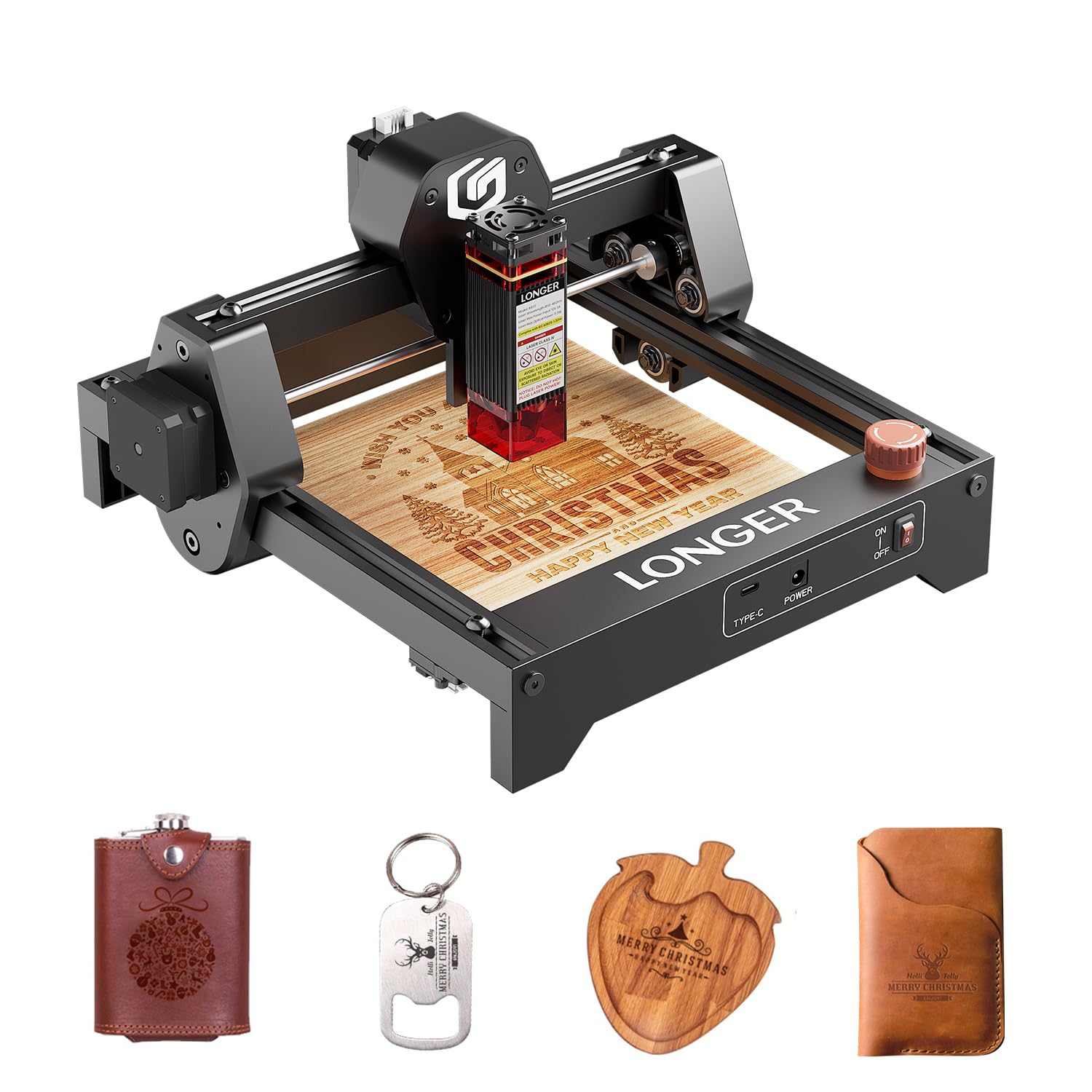
Image 1: The LONGER Ray5 Mini 2.5W Laser Engraver.
Fitur konci:
- High Precision Engraving: Features an ultra-fine laser spot of 0.04 × 0.04 mm for detailed designs with 0.01 mm accuracy.
- Gancang: Achieves engraving speeds of up to 12,000 mm/min.
- Desain kompak: Lightweight (approx. 1.8 kg) and pre-assembled for easy setup and portability.
- Kasaluyuan bahan serbaguna: Capable of engraving and cutting over 300 materials, including wood, leather, metal, and acrylic.
- Sababaraha Pilihan Konektipitas: Supports USB, Wi-Fi, and app connections, with an offline mode available.
- Kasaluyuan Parangkat Lunak: Works with LaserGRBL (free) and LightBurn (paid).
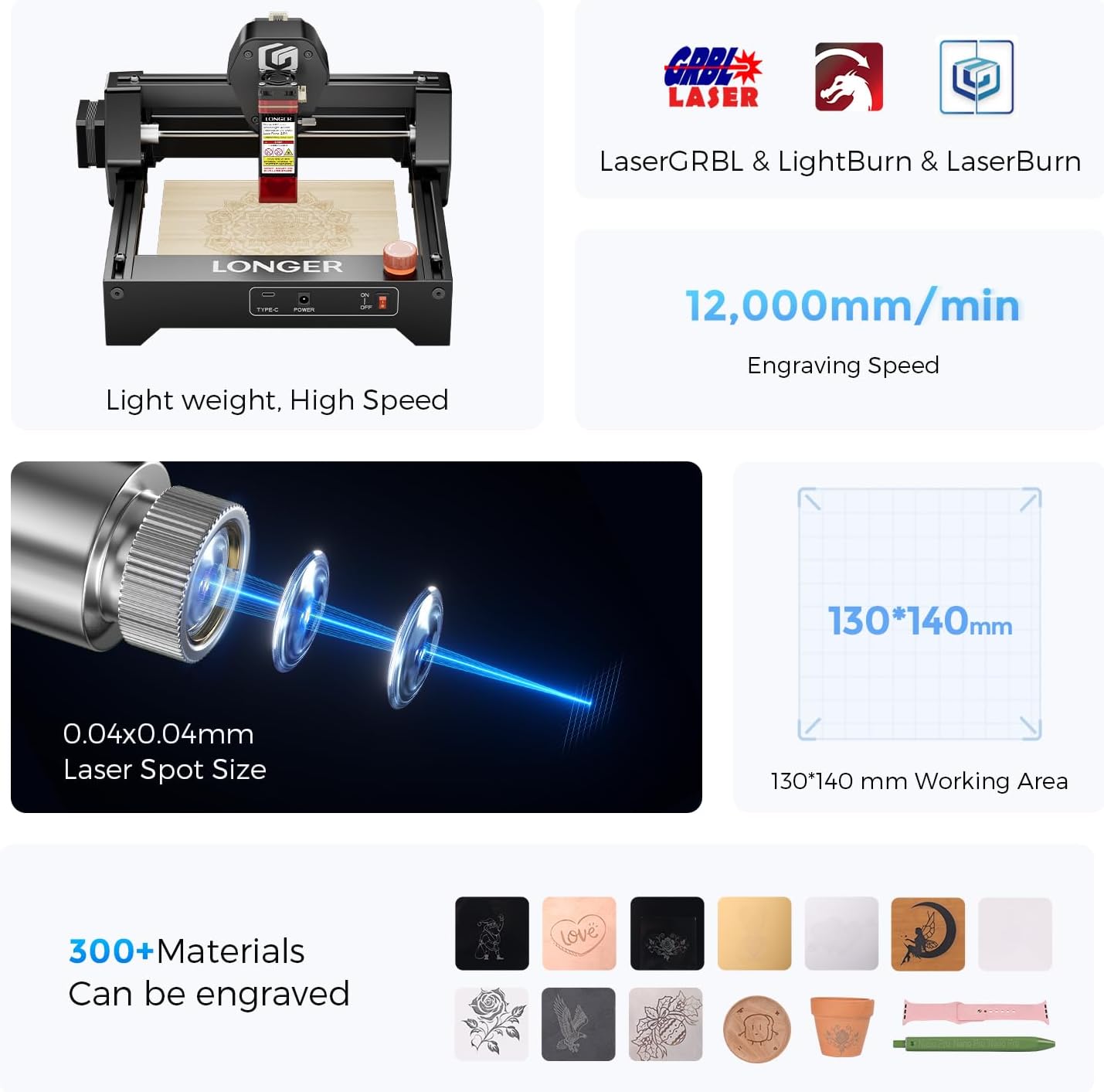
Gambar 2: Leuwihview of the Ray5 Mini's key features: 0.04x0.04mm laser spot, 12,000mm/min engraving speed, 130x140mm working area, and compatibility with over 300 materials.
2. Pedoman Kasalametan
Operating a laser engraver involves potential hazards. Adhere to all safety precautions to prevent injury or damage to property.
Aturan Kasalametan Umum:
- Perlindungan panon: Always wear the provided laser safety glasses during operation. Never look directly at the laser beam.
- Stopan Darurat: Familiarize yourself with the emergency stop button and its location. Use it immediately in case of any malfunction or unexpected behavior.
- Ventilasi: Operate the engraver in a well-ventilated area to dissipate fumes and smoke produced during engraving.
- Kasalametan seuneu: Keep a fire extinguisher or water source nearby. Do not leave the machine unattended during operation.
- Kasalametan Bahan: Ensure the material being engraved is safe for laser processing. Avoid highly reflective, flammable, or toxic materials.
- Physical Barriers: The included acrylic cover helps contain the laser and reduce eye exposure. Ensure it is properly in place.
- Batesan Saklar: The X-Y axis limit switches provide an additional layer of safety by preventing the laser head from moving beyond the working area.
- Barudak jeung Pets: Jauhkeun barudak jeung piaraan ti wewengkon operasi.

Image 3: Multiple safety protections: Emergency Stop, X-Y Axis Limit Switches, Acrylic Cover, and Eye Protection.
3. Eusi Paket
Pariksa heula sadaya komponén aya sareng henteu ruksak nalika dibuka. Upami aya barang anu leungit atanapi ruksak, hubungi layanan palanggan.
- LONGER Ray5 Mini 2.5W Laser Engraver (pre-assembled)
- laser Module
- Adaptor Daya sareng Kabel
- Kabel USB
- Kacamata Kasalametan laser
- Manual pangguna (dokumén ieu)
- Small Material Samples (e.g., wood board)
- Tools (e.g., wrench, brush)

Image 4: All components included in the LONGER Ray5 Mini 2.5W package.
4. Parentah Setup
The Ray5 Mini comes largely pre-assembled, simplifying the setup process.
Setup Awal:
- Ngabongkar: Sacara saksama miceun sadaya komponén tina bungkusan.
- panempatan: Place the engraver on a stable, level, and heat-resistant surface in a well-ventilated area.
- Sambungkeun Kakuatan: Connect the power adapter to the engraver and then plug it into a suitable power outlet.
- Connect to Computer (Optional): If using a computer for control, connect the engraver to your computer via the provided USB cable.
- Pamasangan parangkat lunak: Download and install the recommended engraving software (LaserGRBL or LightBurn) from the official LONGER website or the software provider's websitus.
- Penyesuaian fokus: Refer to the software instructions for initial laser focus adjustment. This is crucial for precise engraving.
5. Parentah Operasi
Follow these steps for safe and effective operation of your laser engraver.
Parangkat Lunak sareng Konéktivitas:
- The Ray5 Mini is compatible with LaserGRBL (Windows) and LightBurn (Windows, macOS, Linux).
- Connect via USB for direct computer control, Wi-Fi for wireless operation, or use the dedicated mobile app. An offline mode is also available for pre-loaded projects.

Image 5: Multiple modes and software compatibility for easy engraving.
Engraving Process:
- Nyiapkeun Bahan: Place your chosen material securely within the 140x130 mm working area. Ensure it is flat and stable.
- Desain: Create or import your design into the engraving software.
- Setélan: Adjust laser power, speed, and passes according to the material type and desired effect. Refer to material test guides for optimal settings.
- Praview: Anggo prasarat perangkat lunakview function to ensure the design is correctly positioned on the material.
- Mimitian ukiran: Initiate the engraving process. Always wear safety glasses and monitor the machine during operation.
Kinerja:
- The 0.04x0.04mm laser spot allows for intricate details and sharp edges.
- High-speed engraving at 12,000 mm/min reduces project completion time.
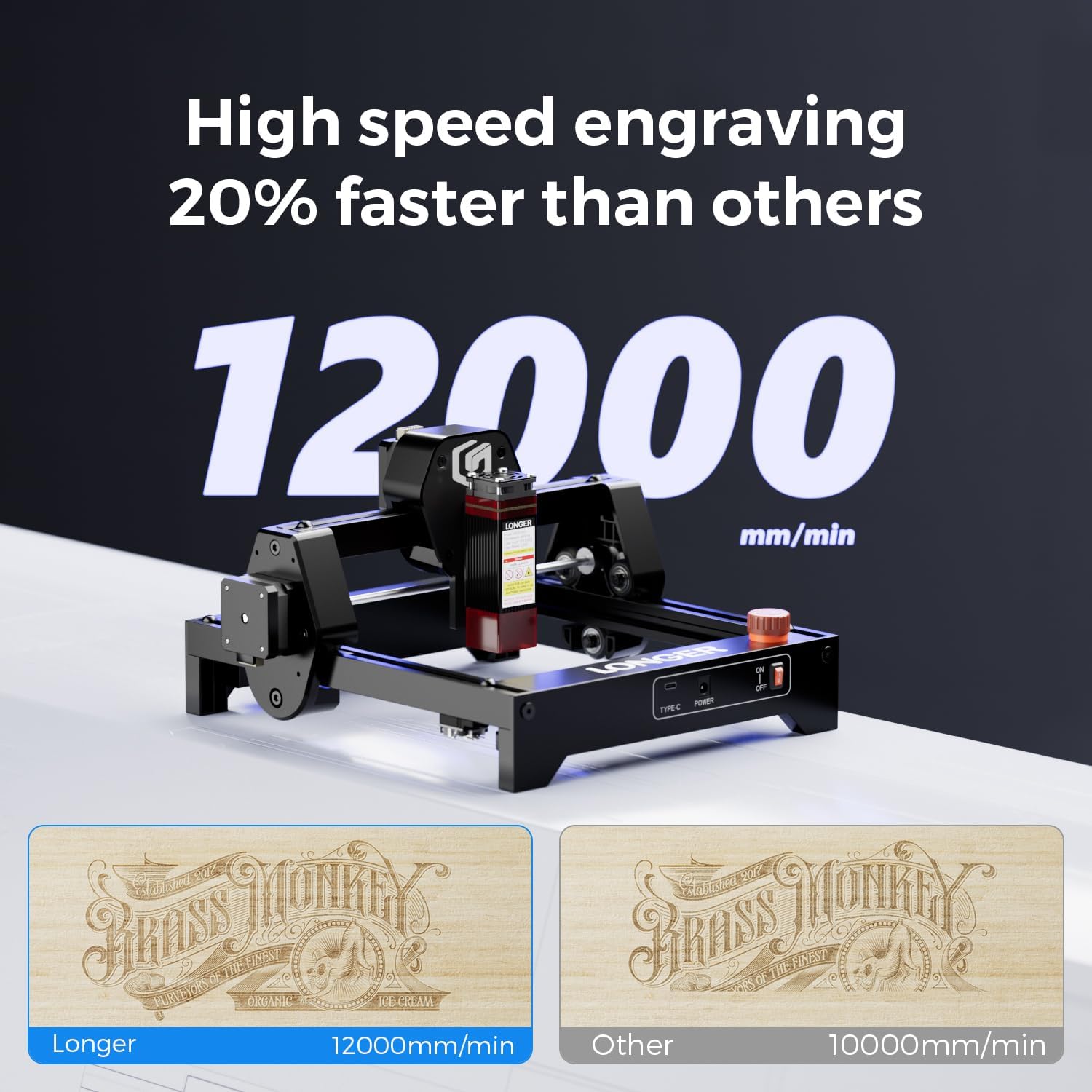
Image 6: High-speed engraving comparison.

Image 7: Outstanding engraving performance and precision.
Bahan anu Dirojong:
The Ray5 Mini can engrave on a variety of materials. Examples ngawengku:
- Kai
- Kulit
- Metal (with metallic paint or specific coatings)
- Akrilik
- Kertas/kardus
- Kain
- Barang dahareun
- Glass (with specific preparation)
- karét

Gambar 8: Examples of materials and customized items that can be engraved.
6. Pangropéa
Pangropéa rutin ngajamin umur panjang sareng kinerja optimal tina engraver laser anjeun.
beberesih:
- Lénsa Laser: Periodically clean the laser lens with a soft, lint-free cloth and lens cleaning solution to maintain engraving quality.
- Wewengkon Gawé: Remove debris and dust from the working area after each use.
- Rails and Belts: Keep the guide rails and drive belts free from dust and debris to ensure smooth movement of the laser head.
Panyimpenan:
- Simpen mesin ukir di tempat anu garing sareng bébas kekebul nalika henteu dianggo.
- Protect the laser module from direct sunlight and extreme temperatures.
7. Cara ngungkulan
Bagian ieu ngabahas masalah umum anu anjeun tingali.
Masalah umum sareng Solusi:
- Laser Teu Tembak: Check power connections, USB/Wi-Fi connection, and ensure the laser module is properly seated. Verify software settings for laser power.
- Kualitas ukiran goréng: Adjust laser focus, power, and speed settings. Ensure the material is clean and flat. Clean the laser lens if necessary.
- Mesin teu ngabales: Restart the engraver and your computer/app. Check all cable connections. Ensure the software is correctly configured for the machine.
- Masalah Gerakan: Inspect X and Y axis belts for tension and debris. Ensure guide rails are clean and lubricated if needed.
- Emergency Stop Activated: Reset the emergency stop button by twisting or pulling it, then restart the machine. Investigate the cause of activation.
If you encounter issues not covered here, please refer to the official LONGER support resources or contact customer service.
8. Spésifikasi
| Fitur | Rincian |
|---|---|
| Modél | Ray5 Mini 2.5W |
| Daya laser | 2.5W |
| Ukuran Spot Laser | 0.04 × 0.04 mm |
| Akurasi Ukiran | 0.01 mm |
| Laju ukiran | Nepi ka 12,000 mm / mnt |
| Wewengkon Gawé | 140 × 130 mm |
| Konektipitas | USB, Wi-Fi, App, Offline |
| Software cocog | LaserGRBL, LightBurn |
| Dirojong OS | Windows, macOS, Linux (for LightBurn) |
| Bahan | Pigura logam |
| Dimensi (Pakét) | 33.9 x 33.9 x 20.4 cm |
| Beurat (Pakét) | 2.19 kg |
| Jinis kakuatan | Adaptor AC/DC |
9. Garansi jeung Rojongan
LONGER is committed to providing excellent products and customer service.
Kasadiaan suku cadang:
Spare parts for the Ray5 Mini 2.5W are available for up to 10 years.
Bantosan Téknis:
For technical assistance, please contact LONGER customer support:
- Telepon: +1 888-575-9099
- Jam operasional: Monday-Friday: 9:00 AM - 6:00 PM (EST, UTC-5)
- Surélék: sales@longer.net
- Websitus: www.longer3d.com

Image 9: LONGER provides comprehensive after-sales support.