Bubuka
This manual provides instructions for the safe and efficient use of your LanLuk Magnetic Portable Charger Power Bank, Model T3. This device is designed to provide portable power for various electronic devices, including smartphones, smartwatches, and earbuds, through wired and wireless charging methods.
Produk Leuwihview
The LanLuk T3 Portable Charger features a 10800mAh battery capacity, multiple output options, and an integrated LCD display for battery status. It includes built-in cables and magnetic wireless charging capabilities.
Komponén sareng Fitur:
- Diwangun-di kabel: One iOS cable (18W) and one Type-C cable (25W, supports input/output).
- Port USB: One USB-C port (25W PD, supports input/output) and one USB-A port (18W QC 4.0).
- Ngecas Nirkabel Magnét: 7.5W for iPhone/AirPods and 3W for Apple Watch.
- Layar LCD: Digital screen indicating remaining battery percentage.
- Adsorpsi magnét kuat: For secure wireless charging connection.
- Sistem Multi-Panyalindungan: Guards against overcharge, overvoltage, leuwih-ayeuna, jeung sirkuit pondok.

Gambar: Leuwihview of the LanLuk T3 Portable Charger, highlighting its internal components, various ports, and built-in cables.

Image: The LanLuk T3 Portable Charger displaying its digital LCD screen and the dedicated charging pad for Apple Watch.
Disetél
Ngecas Awal Bank Daya:
Before first use, fully charge the power bank. This typically takes 3-5 hours.
- Connect the power bank to a power source using either the built-in Type-C cable or a USB-C cable plugged into the USB-C port.
- The LCD display will show the charging progress, indicating 100% when fully charged.

Image: The LanLuk T3 Portable Charger connected to a power adapter via its USB-C port for recharging.
Parentah Operasi
Ngecas Alat Anjeun:
The LanLuk T3 offers multiple ways to charge your devices simultaneously.
Ngecas kabel:
- Ngagunakeun Kabel Terpasang: Extend the integrated iOS or Type-C cable and connect it directly to your compatible device.
- Ngagunakeun Port USB: Connect your device's charging cable to the USB-A (18W) or USB-C (25W PD) port on the power bank.
Ngecas nirkabel:
- For iPhone/AirPods: Place your MagSafe-compatible iPhone (iPhone 12-16 series) or AirPods on the magnetic wireless charging pad. Ensure proper alignment for optimal charging. A MagSafe phone case is required for magnetic attachment if your phone is not directly MagSafe compatible.
- Pikeun Apple Watch: Place your Apple Watch on the dedicated 3W wireless charging pad.

Image: The LanLuk T3 Power Bank simultaneously charging an iPhone via magnetic wireless, an Apple Watch via its dedicated pad, and other devices via built-in cables and USB ports.
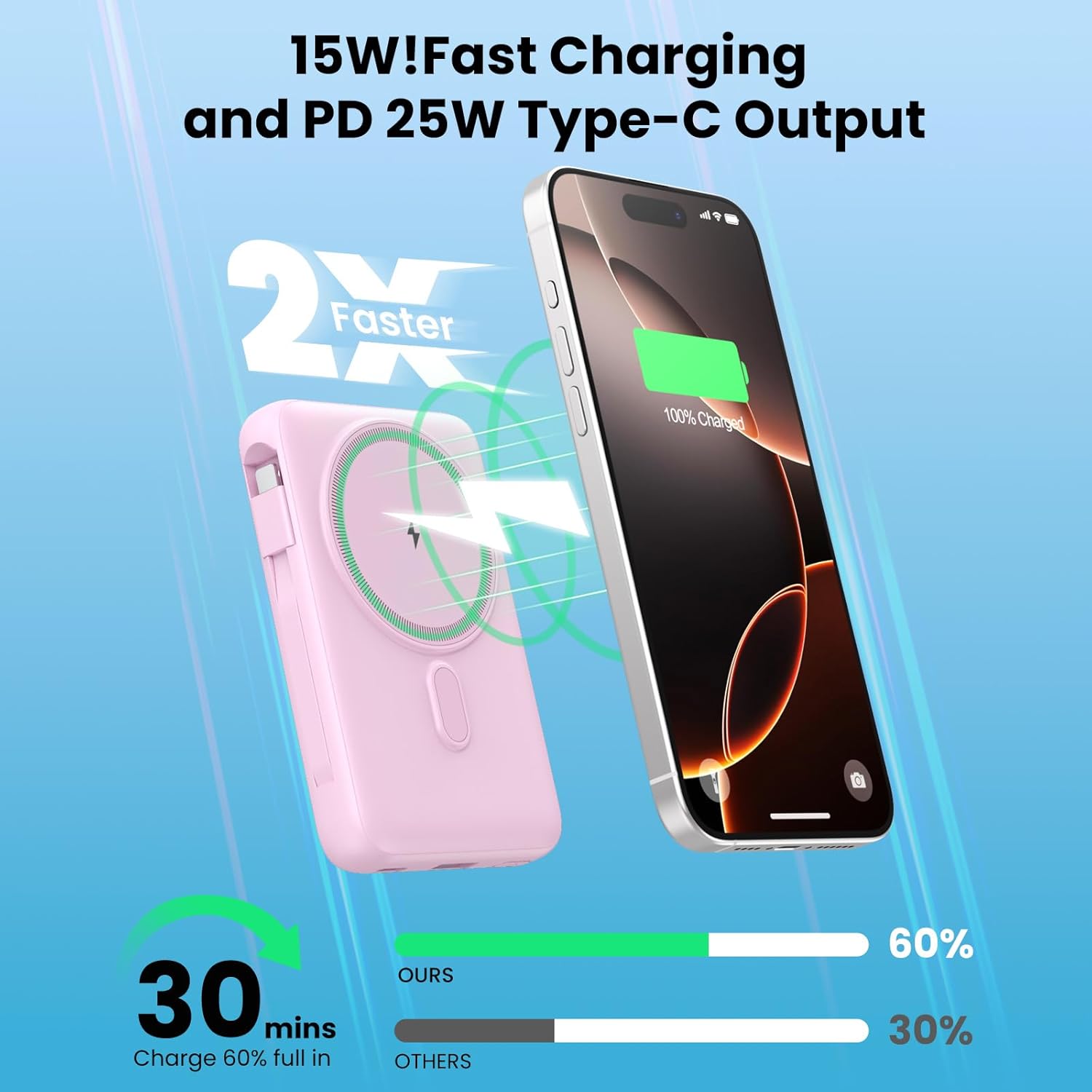
Image: An iPhone securely attached to the LanLuk T3 Portable Charger via its magnetic wireless charging feature.
Mariksa Tingkat Batré:
Layar LCD anu terintegrasi nunjukkeun persén batré anu sésanatage of the power bank, allowing you to monitor its charge status.

Image: An illustration demonstrating the approximate number of charges the LanLuk T3 can provide for various devices like iPhone and AirPods.
Émbaran Kasalametan
The LanLuk T3 Portable Charger is equipped with a smart chip and multi-layer protection system to ensure safe operation. This includes protection against:
- Ngalembur
- Overvoltage
- Leuwih-ayeuna
- Sirkuit pondok
- Leuwih-suhu
- Overload
- Overdischarge
To maintain safety and optimal performance, avoid exposing the device to extreme temperatures, direct sunlight, or moisture. Do not disassemble or attempt to repair the device.
Pangropéa sareng Perawatan
- Jaga power bank tetep garing. Ulah nepi ka kakeunaan cai atawa cairan séjénna.
- Bersihkeun alat ku kaen anu lemes sareng garing. Hindarkeun ngagunakeun bahan kimia anu kasar atanapi bahan abrasive.
- Simpen bank daya di tempat anu tiis sareng garing jauh tina sinar panonpoé langsung sareng suhu anu ekstrim.
- Cas deui power bank sahenteuna tilu bulan sakali upami teu dianggo rutin pikeun ngajaga kasehatan batréna.
Pamérésan masalah
Alat Teu Ngecas:
- Ensure the power bank itself is charged. Check the LCD display for battery percentage.
- Verify that cables are securely connected to both the power bank and the device.
- For wireless charging, ensure your device is properly aligned on the charging pad. For iPhones, a MagSafe-compatible case or no case is recommended for optimal magnetic connection.
- Try a different cable or USB port.
Ngecas Lambat:
- Ensure your device supports fast charging protocols (PD, QC 4.0) to utilize the power bank's full speed capabilities.
- Using multiple outputs simultaneously may reduce individual charging speeds.
- Check if the charging cable is damaged or incompatible.
Magnetic Connection Issues:
- Ensure your iPhone is MagSafe compatible (iPhone 12 series or newer).
- If using a case, it must be a MagSafe-compatible case for a strong magnetic connection.
- Remove any foreign objects between the phone and the power bank.
spésifikasi
| Fitur | Spésifikasi |
|---|---|
| Ngaran modél | T3 |
| Kapasitas batré | 10800 mah |
| Kaluaran Kabel iOS Terintegrasi | 18W |
| Built-in Type-C Cable Output/Input | 25W |
| USB-C Port Output/Input | 25W PD |
| USB-A Port Kaluaran | 18W QC 4.0 |
| Magnetic Wireless Charging (iPhone/AirPods) | 7.5W |
| Magnetic Wireless Charging (Apple Watch) | 3W |
| Total Kaluaran | 6 (2 built-in cables, 2 USB ports, 2 wireless pads) |
| Total Inputs | 2 (USB-C port, built-in Type-C cable) |
| Diménsi | 4.37 x 2.8 x 1.02 inci (kira-kira) |
| Item Beurat | 10.2 ons |
| tampilan | LED digital |
Garansi sareng Rojongan
The LanLuk Magnetic Portable Charger Power Bank T3 comes with a 24-month warranty from the date of purchase. For warranty claims or technical support, please contact the seller or manufacturer directly through the platform where the product was purchased.


