
1. Bubuka
Thank you for choosing the Cuifati Portable 4G 5G WiFi Hotspot Device. This manual provides essential information for setting up, operating, and maintaining your device. This mobile hotspot allows you to create a fast 300Mbps network, connecting up to 10 devices simultaneously, ensuring you stay connected wherever you go. It features a built-in 2100mAh battery and uses a Type-C port for charging.

Gambar 1.1: Hareupeun view of the Cuifati Portable WiFi Hotspot Device.
2. Émbaran Kasalametan
- Entong ngalaan alat ka suhu anu ekstrim, sinar panonpoé langsung, atanapi kalembaban anu luhur.
- Hindarkeun ragrag atanapi ngagentoskeun alat kana tabrakan anu kuat.
- Ulah nyobian ngabongkar atawa ngalereskeun alat sorangan. Rujuk ka tanaga jasa anu mumpuni.
- Anggo ngan ukur kabel ngecas anu disayogikeun atanapi anu disatujuan.
- Jauhkeun alat tina cai sareng cairan sanés.
- Pastikeun ventilasi anu cekap nalika nganggo alat pikeun nyegah panas teuing.
3. Eusi Paket
Mangga parios pakét kanggo barang-barang ieu:
- 1 x Portable WiFi Hotspot Device
- 1 x Kabel Ngecas USB Tipe-C
- 1 x Manual Pamaké (dokumén ieu)

Figure 3.1: Included items: Hotspot device and USB Type-C cable.
4. Produk Langkungview
Wawuh diri anjeun sareng komponén alatna:
- Tombol Daya: Dipaké pikeun ngahurungkeun / mareuman alat.
- Indikator LED: Display network signal strength, battery status, and message notifications.
- Slot Kartu SIM: Pikeun nyelapkeun kartu SIM 4G/5G anjeun.
- Tipe-C Port: Pikeun ngecas alat.

Figure 4.1: The hotspot device positioned on a desk, ready for use with other devices.
5. Setélan
5.1. Nyelapkeun Kartu SIM
- Pastikeun alat dipareuman.
- Locate the SIM card slot on the device. This is typically found by removing the back cover.
- Carefully insert your standard-sized SIM card into the slot with the gold contacts facing down, until it clicks into place.
- Replace the back cover if removed.

Gambar 5.1: View of the SIM card slot, showing where to insert the SIM card.
5.2. Ngecas Alat
- Connect the provided USB Type-C cable to the Type-C port on the device.
- Connect the other end of the USB cable to a USB power adapter (not included), a computer USB port, or a car USB charger.
- The battery indicator LED will show charging status. A full charge ensures over 10 hours of stable connectivity.

Gambar 5.2: Detil view of the Type-C charging port.
6. Parentah Operasi
6.1. Powering on / Pareum
- Pikeun Ngahurungkeun: Press and hold the Power button for a few seconds until the indicator lights illuminate.
- Pikeun mareuman: Pencét terus tahan tombol Daya deui nepi ka lampu indikator pareum.
6.2. Nyambungkeun Alat ka Hotspot
Once the hotspot is powered on and has established a network connection (indicated by the signal LED), you can connect your devices:
- On your Wi-Fi enabled device (smartphone, tablet, laptop), go to the Wi-Fi settings.
- Milarian pikeun available Wi-Fi networks. The hotspot's SSID (network name) and password are usually found on a sticker inside the battery compartment or on the device packaging.
- Select the hotspot's SSID from the list.
- Lebetkeun kecap akses Wi-Fi nalika dipenta.
- Your device should now be connected to the internet via the hotspot. The hotspot supports simultaneous connection of up to 10 devices.

Figure 6.1: Easy setup and connection with a laptop, highlighting the plug-and-play functionality.

Figure 6.2: The hotspot providing convenient connectivity for a user working on a laptop.
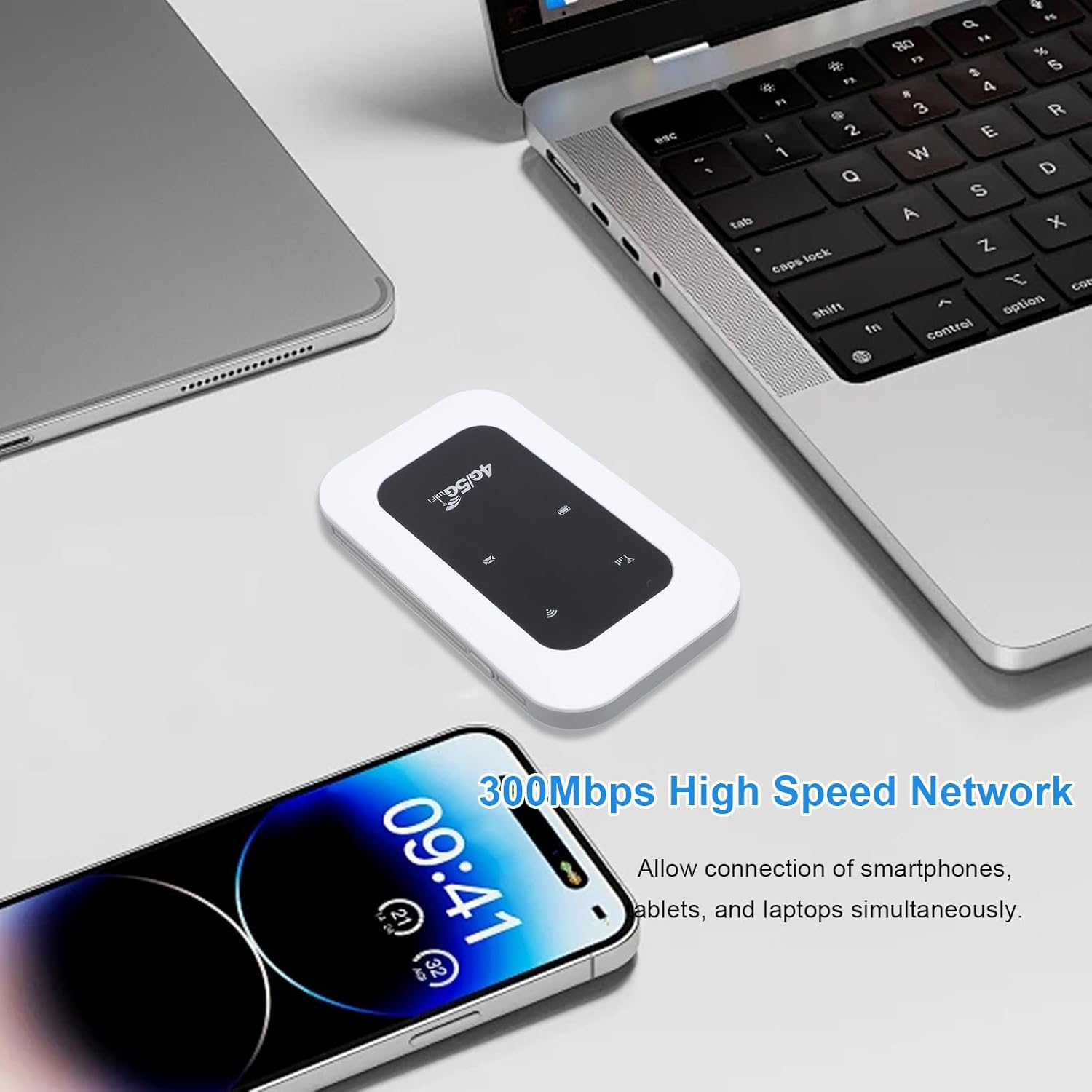
Figure 6.3: The hotspot enabling high-speed network access for multiple devices like smartphones and laptops.
7. Pangropéa
- Bersihkeun alat ku kaen anu lemes sareng garing. Ulah make cleaners cair atawa aerosol.
- Simpen alat dina tempat anu tiis sareng garing upami henteu dianggo.
- Avoid blocking the ventilation holes to ensure proper heat dissipation.
- Regularly check for firmware updates (if applicable) through the manufacturer's websitus pikeun kinerja optimal.

Figure 7.1: The portable design allows for easy transport and use on the go, supported by its long battery life.
8. Cara ngungkulan
| Masalah | Mungkin Cukang lantaranana | Solusi |
|---|---|---|
| Taya sinyal jaringan | SIM card not inserted correctly; No network coverage; SIM card not activated. | Reinsert SIM card; Move to an area with better coverage; Contact your service provider. |
| Teu bisa nyambung ka Wi-Fi | Incorrect Wi-Fi password; Device too far from hotspot; Hotspot not powered on. | Verify password; Move closer to hotspot; Power on the hotspot. |
| Laju jaringan lalaunan | Too many connected devices; Weak signal; Network congestion. | Disconnect some devices; Move to an area with stronger signal; Try again later. |
| Alat teu ngecas | Faulty cable or adapter; Loose connection. | Try a different cable/adapter; Ensure cable is securely connected. |
9. Spésifikasi
| Fitur | Rincian |
|---|---|
| Jinis barang | Portable 4G 5G WiFi Hotspot |
| Frékuénsi jaringan | LTE: Band 1/Band 3/Band 5/Band 40, WCDMA: Band 1 |
| Rojongan WIFI | 802.11 b/g/n |
| Wireless Network Transmission Frequency | Nepi ka 300Mbps |
| slot kartu | 1 x SIM Card (not included) |
| Jenis Batré | Diwangun-di Batré 2100mAh |
| Konektipitas | Nyambungkeun nepi ka 10 alat sakaligus |
| Port ngecas | Tipe-C |
| Nomer modél | Cuifatizyd6i8p4gm |
| Diménsi | 11 x 7 x 4 cm |
| Beurat | 101 g |
10. Garansi jeung Rojongan
For warranty information and technical support, please refer to the warranty card included with your product or visit the official Cuifati website. If you encounter any issues not covered in this manual, please contact Cuifati customer service for assistance.
Dukungan Online: Mangga didatangan www.cuifati.com (Catetan: Ieu placeholder a URL, mangga tingal dokuméntasi produk sabenerna pikeun tumbu rojongan bener.)